
Conducting a thorough Ohio business entity search is a critical first step when starting a business in the Buckeye State. Whether you’re checking name availability for your new venture, researching competitors, or verifying a company’s legal status, the Ohio Secretary of State’s Business Search Portal provides a comprehensive database that makes the process straightforward.
Quick Summary
Ohio’s register is run by the Secretary of State through a free portal needing no registration. A name reservation costs $39 and holds 180 days, longer than most states, but cannot be renewed. Forming an LLC or corporation costs $99.
This step-by-step guide walks you through how to use the Ohio Secretary of State’s business search tools, understand the results, and take appropriate next steps to establish your business in Ohio.
What is the Ohio Secretary of State Business Search Portal?
The Ohio Secretary of State’s Office, led by Secretary Frank LaRose, maintains the official database of all registered business entities in Ohio. This searchable online portal allows you to access records for:
- For-Profit Corporations
- Non-Profit Corporations
- Professional Associations
- Foreign Corporations
- Limited Liability Companies (LLCs)
- Limited Liability Partnerships (LLPs)
- Limited Partnerships
- Business Trusts
- Real Estate Trusts
- Trade Names
- Fictitious Names
- Trademarks and Service Marks
- Name Reservations
The database includes both active businesses and those that have been dissolved, canceled, or are in “hold” status.
How to Access the Ohio Business Entity Search Portal
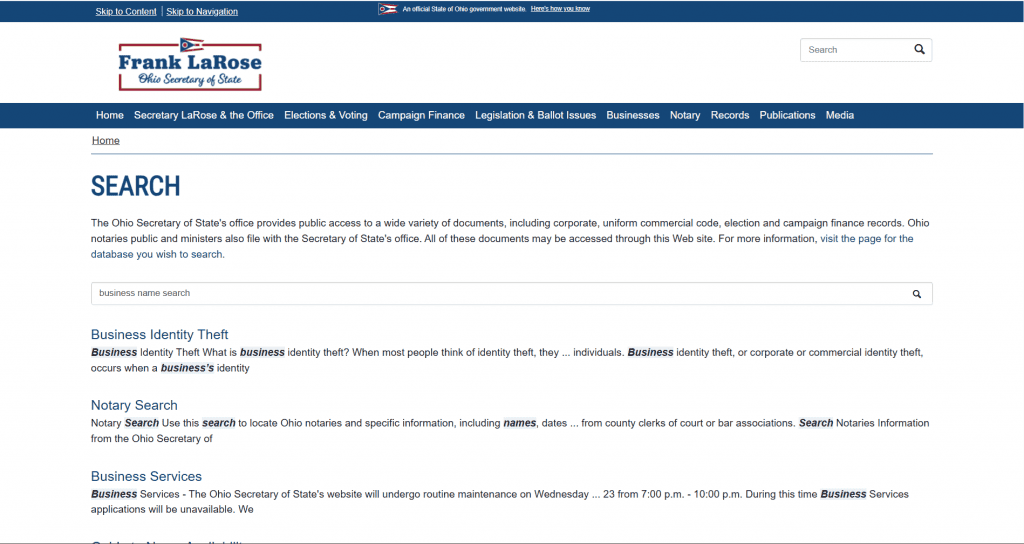
You can access the Ohio Business Entity Search tool through the official Ohio Secretary of State website. Here’s how to get there:
- Visit the official Ohio Secretary of State Business Search Portal at https://businesssearch.ohiosos.gov/
- You’ll land on the main search page with multiple search options
The search portal is completely free to use and doesn’t require any registration or login.
What to Expect When the Portal Loads
Two things catch people out on their first visit. The portal runs a brief automated security check before the search form appears, so a blank or “just a moment” screen for a few seconds is normal rather than an outage. Wait for it rather than reloading.
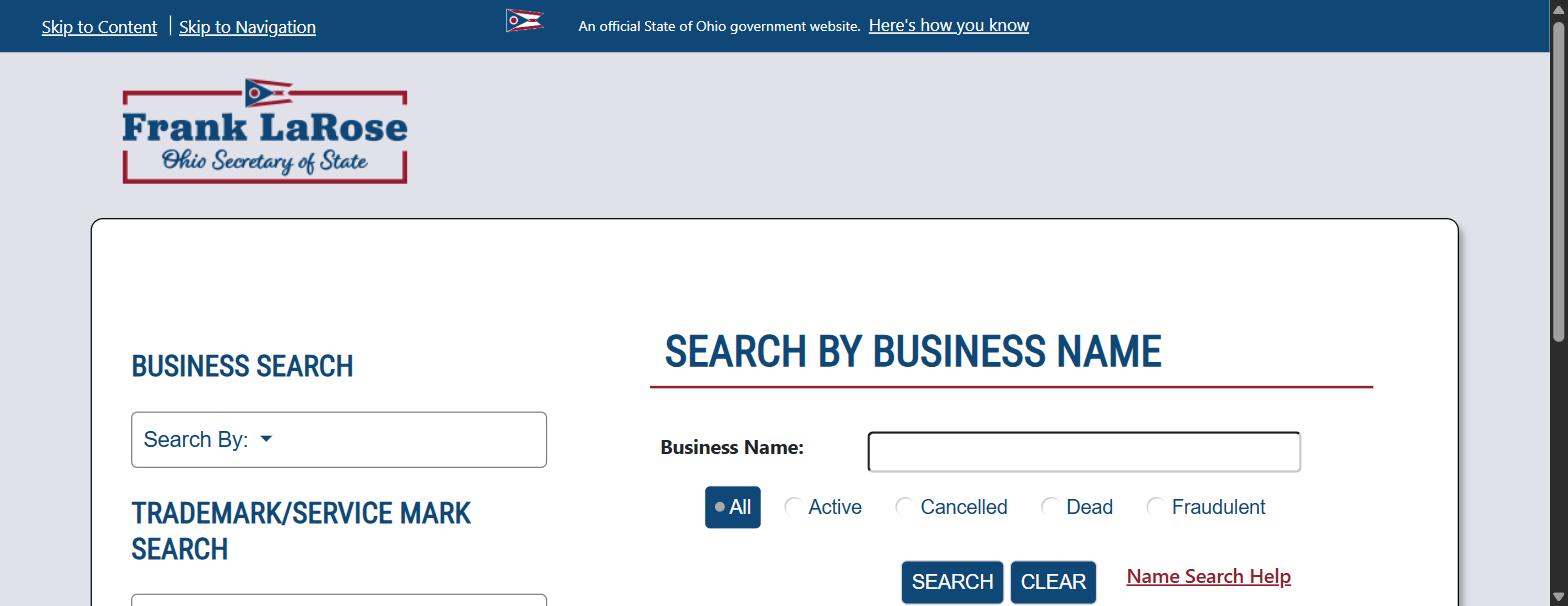
The search form also carries a Status filter alongside the name field, defaulting to All. Leaving it on All is the right choice when you are checking name availability, because a conflicting name in any status still occupies that name. Narrow the filter to Active only when you are verifying that a specific company is currently authorised to operate.
There is no account, login or fee involved at any point. The Ohio Secretary of State’s business search is fully public, and any site asking you to pay for the same lookup is reselling free information.
Step-by-Step Guide to Conducting an Ohio Business Entity Search
Searching by Business Name
The most common search method is by business name, which is ideal when checking name availability or researching competitors:
- On the main search page, locate the “Business Name” search field
- Enter the name you want to search (you don’t need to include designators like “LLC” or “Inc.”)
- Under the search options, you can filter by:
- All: Shows all business entities regardless of status
- Active: Shows only currently active businesses
- Cancelled: Shows businesses that have been administratively canceled
- Dead: Shows businesses that have been voluntarily dissolved
- Click the “Search” button to see results
Pro Tip: When checking name availability, search for key terms in your desired business name rather than the exact full name. This will help you identify similar names that might cause confusion or legal issues.
Understanding Search Results
After conducting your search, you’ll see a list of results displaying:
- Entity Number: A unique identifier assigned by the Ohio Secretary of State
- Name: The registered business name
- Type: Business structure (LLC, Corporation, etc.)
- Status: Current status (Active, Cancelled, Dead, Hold)
- Filing Date: When the business was originally registered
- Expiration Date: When applicable (some entities like trade names have expiration dates)
- Report: A link to view more details
Viewing Detailed Business Information
To see complete information about a specific business:
- Click on the “Show Details” button next to the business name in search results
- This opens a detailed page showing:
- Entity Number and Type
- Registration Date
- Status (Active, Hold, Cancelled, or Dead)
- Statutory Agent Name and Address
- Previous Names (if the business has changed names)
- Complete Filing History
- Document Images (available as downloadable PDFs)
Understanding Ohio Business Entity Status Types
When reviewing search results, you’ll encounter several status types. The Ohio Secretary of State’s search portal lets you filter by Active, Cancelled, Dead and Fraudulent. Here’s what each means:
| Status | What It Means | Is the Name Reusable? |
|---|---|---|
| Active | Registered and currently authorized to operate in Ohio. | No. The name is in use. |
| Hold | Cancelled by the Secretary of State, typically for a filing or agent failure. | Not reliably. Verify with the Secretary of State first. |
| Cancelled | Administratively dissolved by the Secretary of State. | Sometimes, but confirm before you build a brand on it. |
| Dead | Voluntarily dissolved. The business filed its own dissolution papers. | Generally yes. This is the cleanest case. |
| Fraudulent | Flagged by the Secretary of State as a fraudulent filing. | Treat as a red flag. Contact the Secretary of State. |
Active
A business with “Active” status is officially registered and currently authorized to operate in Ohio. The name of an active business is protected, meaning no other entity can register using the same or a confusingly similar name.
Hold
A “Hold” status indicates the business has been canceled by the Secretary of State (typically for failing to comply with a legal requirement), but its name remains protected for one year from the date of cancellation. This one-year period allows the business owner time to reinstate the entity while retaining the original name.
Cancelled
“Cancelled” status means the business has been administratively dissolved by the Secretary of State. After the one-year hold period expires, cancelled business names become available for new registrations on a first-come, first-served basis.
Dead
A “Dead” status indicates the business has filed voluntary dissolution papers and is no longer operating. Names of “Dead” businesses are generally available for new registrations, though using a previously used name can sometimes create marketplace confusion.
Fraudulent
A “Fraudulent” status flags a filing the Ohio Secretary of State has identified as fraudulent, most often a registration made without the knowledge or consent of the people named in it. Treat any entity with this status as a red flag: do not rely on the record to confirm the business is legitimate, and if the filing relates to your own company, contact the Secretary of State’s office directly.
Alternative Search Methods
The Ohio Secretary of State’s Business Search Portal offers several other search options:
| Search Method | What It Finds | Use It When |
|---|---|---|
| Exact Business Name | One precise name match. | You know the full registered name and want that record only. |
| Prior Business Name | Entities under a name they used previously. | The company has rebranded, or an old name appears on a document. |
| Agent/Registrant | Entities tied to a statutory agent. | Checking what an agent represents, or tracing a shared agent. |
| Organizer/Incorporator | Entities tied to the person who formed them. | Researching a founder, or checking your own past filings. |
| Number Search | One record by entity identification number. | You have the charter or entity number from a filing. |
| Trademark/Service Mark | Ohio registered marks, separate from entity names. | Clearing branding, not just the legal entity name. |
Exact Business Name Search
Use this when you need to find an exact match for a specific business name:
- Select “Exact Business Name” from the search options
- Enter the complete name exactly as registered
- Click “Search”
Prior Business Name Search
This option allows you to search for a business under a name it previously used:
- Select “Prior Business Name” from the search options
- Enter the former name
- Click “Search”
Agent/Registrant Search
Find businesses by their statutory agent (the person or entity designated to receive legal documents):
- Select “Agent/Registrant” from the search options
- Enter the agent’s name
- Click “Search”
Organizer/Incorporator Search
This option lets you search by the name of the person who originally formed the business:
- Select “Organizer/Incorporator” from the search options
- Enter the organizer’s name
- Click “Search”
Number Search
If you know the entity’s identification number:
- Select “Number Search” from the search options
- Enter the entity number
- Click “Search”
Trademark/Service Mark Search
To search registered trademarks and service marks in Ohio:
- Select “Mark Description” or “Mark Registrant Name” from the search options
- Enter relevant search terms
- Click “Search”
Ohio Business Name Requirements and Restrictions
When selecting a business name in Ohio, keep these state-specific requirements in mind:
| Requirement | What It Means in Practice |
|---|---|
| Distinguishability | Your name must be distinguishable from every registered Ohio entity. A suffix or punctuation change is usually not enough. |
| Correct designator | An LLC must identify itself as an LLC, a corporation as a corporation. |
| Restricted words | Terms implying a licensed activity, such as banking or insurance, need approval or are barred. |
| Trademark is separate | Clearing the Ohio register does not clear a federal trademark. Search the USPTO as well. |
- Distinguishability: Your business name must be distinguishable from other registered entities in Ohio. The Secretary of State determines whether names are distinguishable on a case-by-case basis.
- Required Designators: Ohio requires specific designators for different business types:
- LLCs must include “Limited Liability Company,” “LLC,” or “L.L.C.”
- Corporations must include “Corporation,” “Incorporated,” “Company,” “Limited,” or an abbreviation
- Limited Partnerships must include “Limited Partnership” or “L.P.”
- Limited Liability Partnerships must include “Limited Liability Partnership” or “L.L.P.”
- Restricted Words: Certain words are restricted or require special approval:
- Terms like “Bank,” “Trust,” or “Insurance” require approval from the appropriate regulatory agency
- Words implying a connection with government agencies are prohibited
- Professional designations (like “Engineering” or “Medical”) require appropriate licensing
- Prohibited Content: Names cannot contain obscenities or language that discriminates against protected classes.
How to Reserve a Business Name in Ohio
If you find your desired name is available but you’re not ready to form your business immediately, Ohio allows you to reserve the name for a limited time:
- File a Name Reservation with the Ohio Secretary of State
- Pay the $39 filing fee
- The reservation holds your name for 180 days (approximately 6 months)
- Name reservations cannot be renewed in Ohio
You can file a name reservation online through the Ohio Business Central portal or by mail.
Important Note: Name reservations in Ohio last for 180 days, unlike some other states where they may last for shorter periods.
Step-by-Step Guide to a Sample Ohio Business Entity Search
Let’s walk through an example search to demonstrate how the system works:
- Scenario: You want to start a business called “Buckeye Innovations LLC”
- Search Process:
- Go to https://businesssearch.ohiosos.gov/
- In the Business Name field, enter “Buckeye Innovations” (omitting “LLC”)
- Select “All” status types
- Click “Search”
- Interpreting Results:
- If no results appear, the name is likely available
- If you see “Buckeye Innovations LLC” with an “Active” status, the exact name is taken
- If you see similar names like “Buckeye Business Innovations, Inc.” or “Columbus Buckeye Innovations LLC,” you’ll need to determine if your desired name is sufficiently distinguishable
What to Do If Your Desired Business Name is Taken
If your search reveals that your preferred business name is already registered or too similar to an existing name, you have several options:
- Modify the name: Add descriptive words, location identifiers, or change existing words to make it distinguishable.
- Example: If “Buckeye Innovations” is taken, try “Columbus Buckeye Innovations” or “Buckeye Tech Innovations”
- Use a different business identifier: If “Buckeye Innovations LLC” is taken, consider “Buckeye Innovations Inc.” (if forming a corporation)
- Check the status: If the existing business shows as “Cancelled” (and past the one-year hold period) or “Dead,” the name may be available for registration
- Use a DBA (Doing Business As): Register your business under a different legal name, but operate under your preferred trade name by filing a Trade Name Registration with the Ohio Secretary of State
Ohio Business Entity Filing Fees
Understanding the costs associated with business registration in Ohio is important for planning purposes. Fees are set by the Ohio Secretary of State and change periodically, so confirm the current amount on the official filing forms and fee schedule before you budget:
| Filing | Fee | Notes |
|---|---|---|
| LLC formation | $99 | Articles of Organization. |
| Corporation formation | $99 | Initial Articles of Incorporation. |
| Name reservation | $39 | Holds the name for 180 days. |
| Trade name registration | $39 | Separate from the entity registration. |
| Expedited processing | Varies | Several tiers. Confirm the current cost and turnaround. |
All filings can be submitted online through the Ohio Business Central portal.
Next Steps After Your Ohio Business Entity Search
Once you’ve confirmed your business name is available, here are the next steps to establish your business in Ohio:
- Choose your business structure: Decide whether an LLC, corporation, partnership, or sole proprietorship best suits your needs
- Reserve your name (optional): If you’re not ready to form your business immediately, file a name reservation
- Prepare and file formation documents: File Articles of Organization (for LLCs) or Articles of Incorporation (for corporations) with the Ohio Secretary of State
- Appoint a statutory agent: Every Ohio business must have a statutory agent (also called a registered agent) with a physical address in Ohio
- Create governance documents: Develop an Operating Agreement (for LLCs) or Bylaws (for corporations)
- Obtain an EIN: Apply for an Employer Identification Number from the IRS
- Register for state taxes: Register with the Ohio Department of Taxation
- Obtain necessary licenses and permits: Apply for any required business licenses, permits, or professional licenses
- Set up a business bank account: Open a dedicated account for your business finances
For fast and reliable business formation services, consider using Business Anywhere, which can handle the entire process for you.
Conclusion
Conducting a thorough Ohio business entity search is an essential first step when starting a business in the Buckeye State. The Ohio Secretary of State’s Business Search Portal provides comprehensive information about registered entities, helping you verify name availability and research existing businesses.
By following the steps outlined in this guide, you’ll be well-prepared to choose a compliant business name and move forward with confidence in establishing your Ohio business.
Ready to start your business in Ohio? Sign up with Business Anywhere to get professional assistance with your business formation and ongoing compliance needs.
Found the company and need proof it is active? Learn how to get a certificate of good standing in Ohio.
Frequently Asked Questions About Ohio Business Entity Searches
What does “Active” status mean in Ohio?
An “Active” status means the business is properly registered and authorized to operate in Ohio. The business name is protected from use by other entities.
How long does a name reservation last in Ohio?
A name reservation in Ohio lasts for 180 days (approximately 6 months) and cannot be renewed. If you need more time, you’ll need to file a new reservation after the original expires.
What if a business is showing as “Hold” status?
A “Hold” status means the business has been canceled by the Secretary of State but its name remains protected for one year from the cancellation date. This allows the business owner time to reinstate the entity.
Can I use a business name that shows as “Cancelled” or “Dead”?
If a business shows as “Cancelled” and it’s been more than one year since the cancellation date, or if it shows as “Dead” (voluntarily dissolved), the name is generally available for registration. However, using a previously registered name could create marketplace confusion.
What’s the difference between a Trade Name and a Fictitious Name in Ohio?
In Ohio, a Trade Name provides exclusive rights to use that name, while a Fictitious Name does not provide exclusive rights. Trade Names must be distinguishable from other business names on record with the Secretary of State.
Related Blog Posts
Searching in a neighbouring state? Each one runs its own separate register.
- Kentucky across the river? Here is how to run a Kentucky business entity search.
- Indiana in scope? Check whether the name is taken in Indiana.
- Michigan too? The Michigan lookup works a little differently.
- Also covering Pennsylvania? Here is how to run a Pennsylvania business entity search.