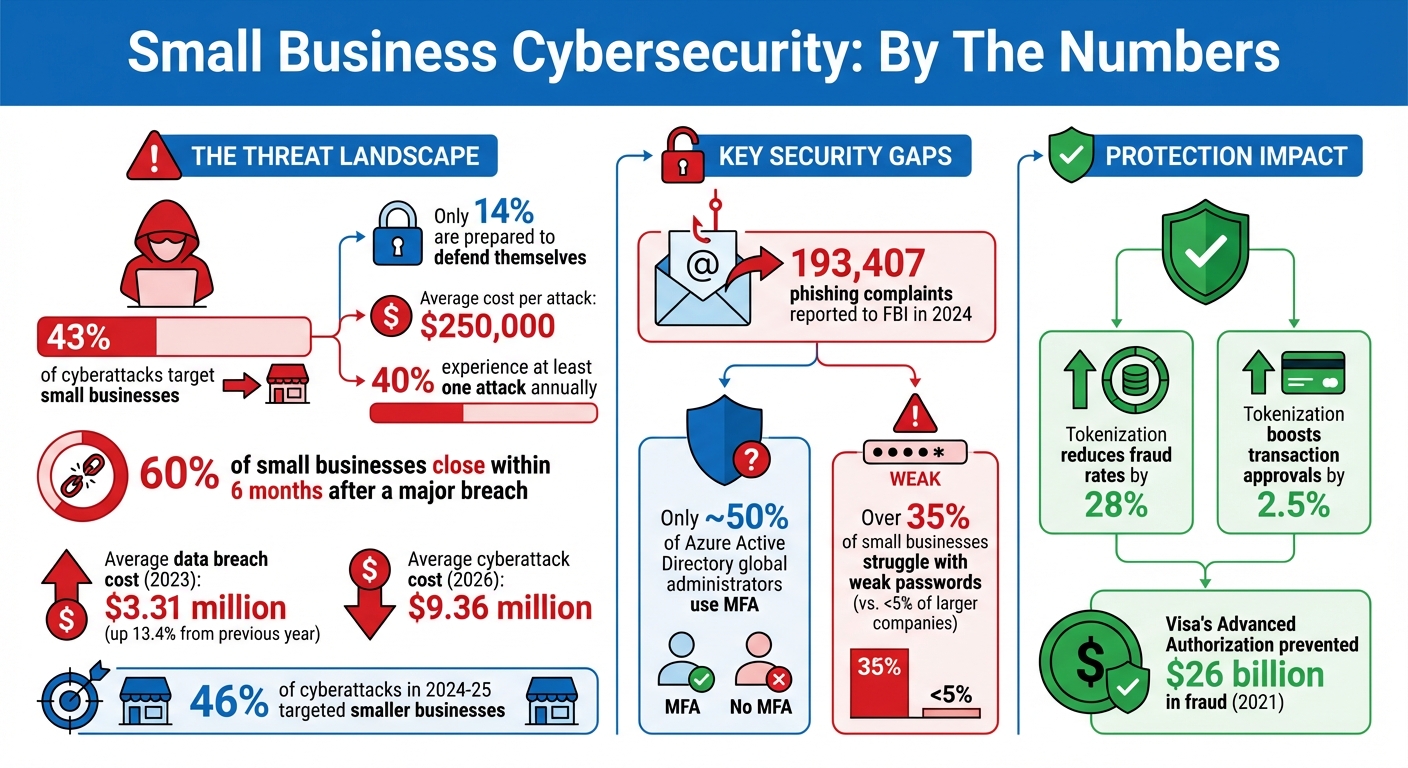
43% of cyberattacks target small businesses, yet only 14% are ready to defend themselves. This gap leaves many businesses vulnerable to financial losses, data breaches, business identity theft, and reputational damage. On average, a single attack can cost small businesses over $250,000, with 40% experiencing at least one attack annually.
Here’s how to protect your business:
- Train employees to spot phishing scams and use secure practices.
- Enforce strong passwords and multi-factor authentication (MFA).
- Secure remote work with VPNs and encrypted devices.
- Update software regularly to patch vulnerabilities.
- Encrypt sensitive data and isolate payment systems.
- Back up data using the 3-2-1 rule: 3 copies, 2 types of media, 1 off-site.
- Build a cybersecurity plan using the NIST framework and conduct regular assessments.
Simple, cost-effective measures like these can significantly reduce risks. Cybersecurity isn’t just about tools – it’s about creating a security-first mindset across your organization.
Small Business Cybersecurity Statistics and Key Protection Measures
Train Employees on Cybersecurity Basics
Your employees are your first defense against cyber threats. One careless click on a malicious link can lead to ransomware attacks, data breaches, or even financial fraud. According to the U.S. Small Business Administration, informed employees play a critical role in preventing such incidents. But this only works when cybersecurity becomes an integral part of your company culture.
Cybersecurity isn’t just about tools and technology – it’s about mindset. Leadership must set the tone. When executives, especially the CEO, actively promote security measures like multi-factor authentication and follow up with non-compliant staff, it underscores the importance of these initiatives. Training should be consistent – quarterly sessions paired with monthly updates on new threats are ideal. Short, focused lessons are far more effective than long, once-a-year trainings that employees quickly forget.
Let’s explore the key areas to cover in your employee training program.
How to Spot Phishing and Social Engineering Attacks
Phishing remains the most common cybercrime in the U.S., with the FBI reporting 193,407 phishing complaints in 2024 alone. These scams are becoming increasingly sophisticated, often using personal or company-specific details to appear legitimate. Many phishing emails create a false sense of urgency, such as warnings like, "Your account will be locked in 24 hours!" – pressuring recipients to act without thinking.
Here’s what your team needs to know to identify phishing attempts. Train them to:
- Look for spelling and grammar mistakes in emails, even if the sender seems trustworthy.
- Hover over links before clicking to verify the actual URL.
- Check the sender’s email address carefully, as attackers often spoof display names while using unrelated email accounts.
Phishing simulations are a great way to test your team’s preparedness. Tools from providers like Microsoft and KnowBe4 allow you to send mock phishing emails to see who clicks. The goal isn’t to penalize employees but to identify those who need additional training. Encourage staff to report any suspicious emails, even if they turn out to be harmless – these near misses are valuable learning opportunities.
Create Strong Password Policies and Enable Multi-Factor Authentication
Weak passwords are an open door for hackers. Require employees to use passphrases that are 12–16 characters long and store them securely in a password manager. Passphrases – like "correct horse battery staple" – are both strong and easier to remember than a string of random characters.
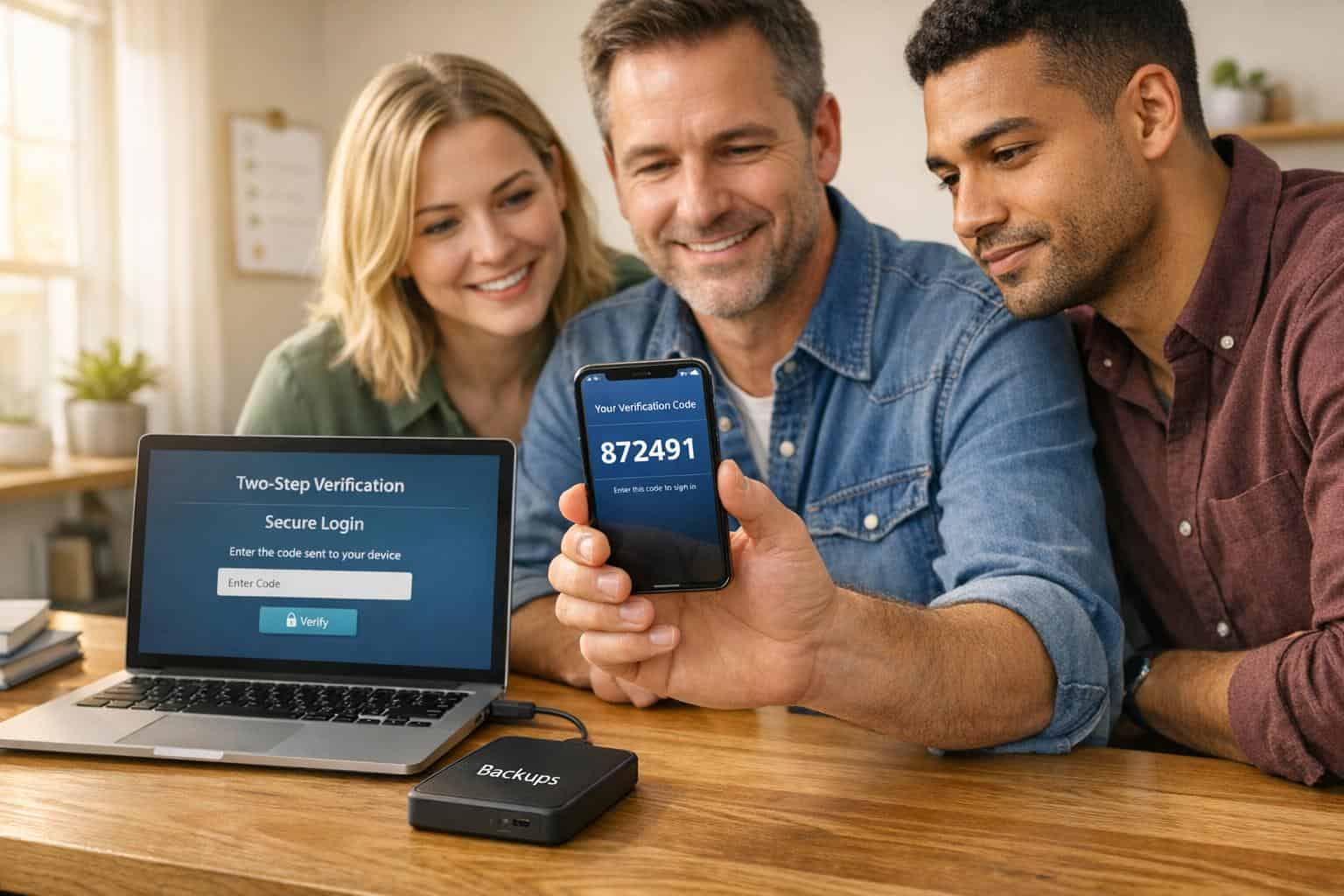
Multi-factor authentication (MFA) is another must-have. Surprisingly, only about 50% of Azure Active Directory global administrators use MFA, according to Microsoft. Make MFA mandatory and regularly audit accounts to ensure compliance. Opt for phishing-resistant MFA methods like FIDO authentication or physical security keys (e.g., YubiKey) instead of SMS codes, which are more vulnerable to interception. Most modern devices and browsers already support FIDO, making it easier to implement.
Set Up Secure Remote Work Protocols
Remote work introduces additional risks, as employees often use personal routers with default passwords or connect to public Wi-Fi networks without adequate protection.
To mitigate these risks, require all remote workers to use a Virtual Private Network (VPN) for accessing your business network. A VPN encrypts data as it travels between the employee’s device and your servers. Additionally, employees should:
- Configure home routers with WPA2 or WPA3 encryption and change default administrator passwords immediately.
- Enable full-disk encryption on company laptops using tools like BitLocker (Windows) or FileVault (macOS). This ensures that even if a device is lost or stolen, the data remains secure.
- Disable automatic connections to public Wi-Fi networks and manually select networks when working outside the office. Always use the VPN in these scenarios.
By combining employee training with secure remote work practices, your organization will be better prepared to address broader cybersecurity challenges.
| Security Measure | Requirement | Recommended Tool |
|---|---|---|
| Passwords | 12–16+ characters, unique per account | Password managers (e.g., LastPass, Dashlane) |
| Authentication | Multi-factor authentication (MFA) | Security keys or authenticator apps |
| Remote Access | Encrypted tunnel to business network | Virtual Private Network (VPN) |
| Data Protection | Full-disk encryption for mobile devices | BitLocker (Windows) / FileVault (macOS) |
| Network Security | WPA2 or WPA3 encryption | Secure router configuration |
Secure Your Network and Devices
Your network serves as the gateway to your business systems. If left unprotected, it can become an entry point for hackers to access sensitive customer records, financial data, employee information, and proprietary files. This makes having strong network defenses absolutely critical.
Think of your network as the backbone of your cybersecurity strategy. A firewall acts as your first line of defense, Wi‑Fi encryption safeguards wireless connections, and VPNs protect remote access. Each layer reinforces your ability to keep cyber threats at bay.
Install and Configure Firewalls
After preparing your team, the next step is to secure your network’s frontline defenses by strengthening your infrastructure. A firewall monitors incoming traffic and determines whether to allow or block it. However, simply installing a firewall isn’t enough – it must be properly configured. Start by updating the firmware to the latest version to fix known vulnerabilities. Then, disable or rename default accounts and replace default passwords with strong, complex passphrases. As Cisco aptly puts it:
Easy for you is easy for attackers!
Limit firewall management to trusted individuals who have unique credentials and role-based access privileges. Disable remote administration from public internet access, ensuring changes can only be made from secure, internal devices.
For added protection, segment your network based on device sensitivity. For example, place web-facing servers (like email and VPN servers) in a demilitarized zone (DMZ) while keeping internal systems – such as databases or point-of-sale systems – in separate, isolated zones. Use Access Control Lists (ACLs) to define which traffic is permitted, and always end with a "deny all" rule. Make it a habit to review these rules every six months to ensure they align with your current business needs.
Protect Your Wi‑Fi and Network Access
Your Wi‑Fi network also demands robust security measures. Start by enabling WPA3 encryption – or at a minimum, WPA2-AES – to secure wireless traffic. Change your router’s default administrator username and password immediately. Weak passwords are a common issue, with over 35% of small businesses struggling in this area compared to less than 5% of larger companies. Secure your routers physically by placing them in locked locations like server rooms or management offices to prevent unauthorized access.
To reduce visibility, disable SSID broadcasting for your primary business network. At the same time, set up a separate guest network for visitors and ensure it remains isolated from your internal systems. Disable features like Wi‑Fi Protected Setup (WPS), Universal Plug and Play (UPnP), and remote management to minimize vulnerabilities. Also, restrict administrative access to a physical Ethernet connection. Keep your router’s firmware up to date by enabling automatic updates or checking for new versions regularly.
Once your internal network is secured, extend these protections to remote access points.
Use VPNs for Remote Access
When employees work remotely or connect from public Wi‑Fi networks – like those in coffee shops – they’re using connections you don’t control. A Virtual Private Network (VPN) creates a secure, encrypted tunnel between their device and your business network, reducing the risk of data being intercepted. As the U.S. Small Business Administration explains:
If you have employees working remotely, they should use a Virtual Private Network (VPN). A VPN will connect to your network securely from their location.
Invest in an enterprise-grade VPN solution for all remote users and make its use mandatory for accessing business systems. This should be outlined in your written security policy. To further enhance security, require multi-factor authentication (MFA) for all VPN connections. Additionally, ensure that third-party vendors with network access comply with these same cybersecurity protocols.
Install and Maintain Security Software
After securing your network and devices, the next step is installing security software. This software acts as a shield, scanning for threats, blocking harmful code, and addressing vulnerabilities. As Huntress points out:
Antivirus software is no longer enough, and taking a layered approach to security is your best bet to staying secure.
With threats constantly evolving, a layered defense is essential. Tools like anti-malware, anti-ransomware, and Endpoint Detection and Response (EDR) are key. Unlike traditional antivirus programs that rely on known threat databases, EDR offers continuous monitoring, behavioral analysis, and round-the-clock threat hunting. This proactive approach helps stop new attacks before they spread. Considering that 46% of cyberattacks in 2024–25 targeted smaller businesses, these measures are especially critical.
Choose and Install Antivirus and Anti-Malware Tools
When selecting security tools, aim for comprehensive coverage, including anti-malware, anti-ransomware, and software-based firewalls to monitor traffic across email and cloud platforms. Ensure every device used for business – whether in-office or remote – is protected. Many providers offer subscription-based plans, making it manageable for small teams.
To minimize risks, restrict administrator privileges on devices to avoid accidental installations or misconfigurations. Keep an updated inventory of all authorized devices and software, and promptly remove or replace anything outdated. Devices that have reached their "end-of-life" stage no longer receive security updates, leaving them vulnerable to attacks.
For enhanced protection, consider upgrading to EDR or Managed EDR solutions. These tools can isolate compromised devices to contain breaches. If budget constraints are a concern, the Cybersecurity and Infrastructure Security Agency (CISA) offers free vulnerability scanning services to help identify unpatched systems and guide your security improvements.
Enable Automatic Updates for All Systems
Cybercriminals often exploit flaws in operating systems, browsers, and applications to deploy ransomware or steal data. As CISA emphasizes:
Software developers release patches to fix these weak points. But if you don’t install updates, they can’t protect you.
Set up automatic updates for all systems and applications to ensure patches are applied promptly. Establish a policy requiring regular reboots – daily or weekly – to complete updates.
CISA’s Known Exploited Vulnerabilities (KEV) Catalog can help you identify critical flaws that are actively being exploited. Attack groups, like Volt Typhoon, often target unpatched devices, including essential network equipment. Keeping your systems updated is one of the most cost-effective ways to improve your cybersecurity defenses.
Use Patch Management Tools
While automatic updates are helpful, patch management tools take it further by streamlining updates across your network. These tools automate the process, verify compliance, and ensure critical vulnerabilities are addressed quickly.
Enable activity logging on your systems to monitor for unauthorized access or suspicious behavior. For added security, configure laptops to use full-disk encryption to protect data in case of loss or theft. Lastly, ensure any third-party vendors you work with follow strict update schedules, as vulnerabilities in their software can lead to supply chain attacks.
sbb-itb-ba0a4be
Protect Sensitive Data and Payment Systems
After setting up your security software, the next step is safeguarding sensitive data. Cybercriminals often target customer information, financial records, and payment systems. In 2023, the average cost of a data breach for small businesses rose to $3.31 million, marking a 13.4% increase from the previous year. This highlights the importance of integrating data and payment security into your layered defense strategy. As CISA emphasizes:
Encryption is one of the most powerful tools you can use to protect your business data. It scrambles sensitive information – like customer details, financial records and business communications – into unreadable coded language so that only authorized users with the key can access it.
To protect sensitive data, you’ll need a mix of encryption, secure payment practices, and dependable backup systems.
Encrypt Data at Rest and in Transit
Encryption is your first line of defense. It converts data into a coded format that can only be accessed with a digital key, ensuring protection even if devices are stolen or networks are breached. Data should be encrypted in two states: "at rest" (stored on drives or cloud systems) and "in transit" (moving across networks or the internet).
- For data at rest, use full-disk encryption tools like BitLocker (Windows) or FileVault (Mac) to secure laptops and mobile devices. Extend encryption to external drives, USB sticks, and SD cards to prevent unauthorized access if lost. Individual files can be encrypted using built-in tools in Microsoft Office or Google Workspace.
- For data in transit, ensure your website uses the latest Transport Layer Security (TLS) protocol (look for "https://" in the URL). Require employees and vendors to use a Virtual Private Network (VPN) for secure remote access. Configure office Wi-Fi routers with WPA2 or WPA3 encryption, and enable email authentication tools like SPF, DKIM, and DMARC to prevent phishing attempts. Additionally, disable automatic connections to public Wi-Fi on smartphones, as these networks are often insecure.
Once encryption is in place, you can shift your attention to securing payment systems.
Secure Payment Processing Systems
Payment systems demand extra care to prevent breaches. Start by isolating payment processing systems from general-use devices – never use the same computer for processing payments and casual internet browsing. A standalone device dedicated solely to payment tasks reduces the risk of exposure.
- Implement tokenization, which replaces sensitive cardholder data with unique digital identifiers during transactions. This method has been shown to cut fraud rates by 28% and boost transaction approvals by 2.5%.
- Always require the card’s CVV code for card-not-present transactions to ensure the customer physically possesses the card.
- Enable Multi-Factor Authentication (MFA) for all financial accounts and administrative access. Verify that your website uses "https://" to confirm TLS encryption is active.
Work with your bank and payment processor to utilize real-time fraud detection tools. For example, Visa’s Advanced Authorization service reportedly prevented $26 billion in fraud in 2021. Ensure contracts with third-party payment vendors specify strict security standards and protocols for data deletion. Finally, enable activity logs on all systems to monitor for unauthorized access.
Create Regular Backup Procedures
Backups are your safety net against ransomware and accidental data loss. Follow the 3-2-1 backup rule: keep three copies of your data, store it on two different types of media (e.g., local drives and cloud storage), and ensure one copy is off-site or in a separate location. As CISA advises:
Backups are your best hope of recovery from a ransomware attack.
Identify critical data – such as financial records, HR documents, and customer databases – and automate backups. Schedule weekly backups for most files and daily backups for essential data. Apply the same security measures to backups as you do to primary data, including encryption and MFA.
Keep at least one backup copy offline to protect it from ransomware that could spread through connected networks. Regularly test your recovery process by performing both partial and full restores to ensure your backups are functional and uncorrupted. Aim to maintain backups that allow for data rollback of at least seven days. As CISA points out: "Recovery without backups can take weeks or even months, and it may be impossible".
Build a Cybersecurity Plan
Creating a cybersecurity plan is essential to unify your defenses and prepare for an effective response when cyberattacks strike. In 2026, the average cost of a cyberattack in the U.S. hit $9.36 million, and over 60% of small businesses that experience a major breach close their doors within six months. A well-structured plan not only helps identify risks but also guides your response and speeds up recovery.
Follow the NIST Cybersecurity Framework
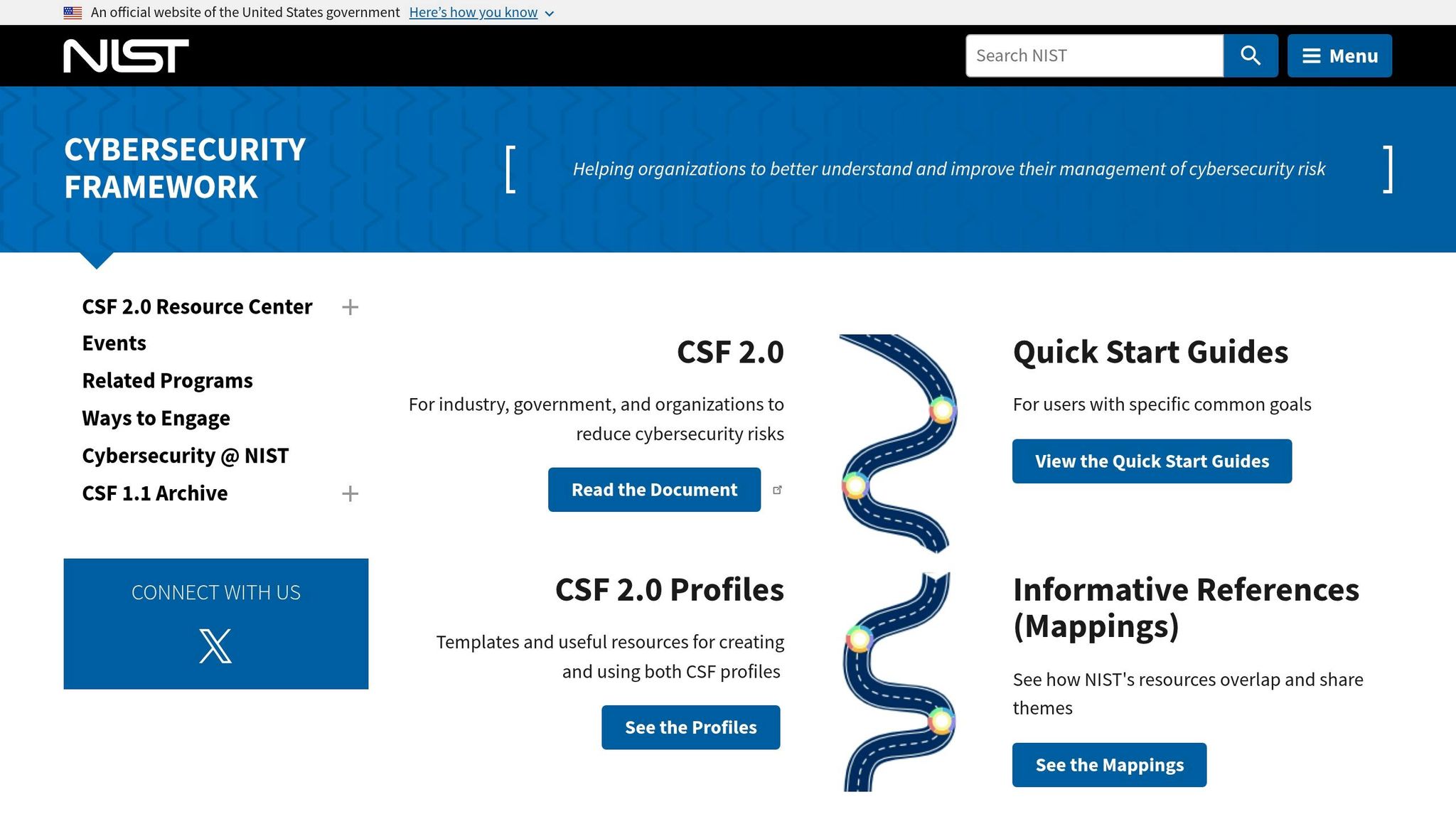
The NIST Cybersecurity Framework (CSF) 2.0, released on February 26, 2024, provides businesses with a flexible and standardized approach to managing cyber risks. It organizes security measures into six core functions: Govern, Identify, Protect, Detect, Respond, and Recover. Daniel Eliot, Lead for Small Business Engagement at NIST, highlights the framework’s adaptability:
The framework is flexible so that each organization can tailor their implementation to meet their own unique needs, mission, resources, and risks.
Start by establishing a cybersecurity policy and appointing a Security Program Manager. Inventory all hardware, software, and cloud accounts your business uses. Next, evaluate current safeguards like multi-factor authentication, encryption, and automated updates. Use NIST’s Implementation Tiers to assess your security maturity and set achievable improvement goals. For smaller businesses, the NIST "Small Business Quick Start Guide" offers a simplified way to get started. Once your framework is in place, schedule regular reviews to keep your defenses strong.
Conduct Regular Security Assessments
Quarterly security assessments are key to spotting vulnerabilities early. Tools like the FCC Small Biz Cyber Planner 2.0 or CISA’s Cyber Hygiene Services can help streamline this process. During each assessment, review your asset inventory, test your backup restoration procedures, and confirm that all systems are updated with the latest patches. You can also collaborate with local colleges or universities that offer cybersecurity clinics – many provide free or low-cost services. Document your findings and prioritize fixes based on severity.
Create an Incident Response Plan
An Incident Response Plan (IRP) is your roadmap for handling breaches and minimizing damage. Without one, even minor incidents can spiral into major crises. Your IRP should clearly define who has the authority to declare an incident and take containment actions, such as shutting down servers. As Nandor Katai points out:
Authority clarity – who can declare and who can contain – is the single highest-leverage improvement most SMB teams can make.
Assign specific roles within your team: Incident Commander, Technical Lead, Communications Lead, and Legal/Compliance Lead. Establish severity levels – like Sev-1 for critical disruptions and Sev-4 for minor issues – to guide your response. Include playbooks for common threats such as ransomware and Business Email Compromise (BEC), along with newer risks like AI data exposure. Maintain an up-to-date contact list with key internal and external contacts, including your cyber insurance provider, IT vendors, and local law enforcement. To ensure readiness, conduct quarterly tabletop exercises.
Keep in mind that the Cyber Incident Reporting for Critical Infrastructure Act (CIRCIA) will require covered entities to report major incidents to CISA within 72 hours starting in May 2026. This makes having a practiced and well-organized incident response plan even more critical.
Conclusion
Protecting your small business from hackers is an ongoing effort. With 43% of cyberattacks targeting small businesses and only 14% having proper defenses, cybersecurity isn’t just a technical concern – it’s a matter of survival. The cybersecurity best practices discussed here – like employee training, multi-factor authentication, network security, software updates, data encryption, and a well-rounded cybersecurity plan – create a strong, layered defense that significantly reduces risks. While no single solution guarantees complete safety, combining technical tools with informed employees and practiced response procedures builds a more secure foundation. As CISA aptly puts it:
Cybersecurity is about culture as much as it is about technology. Culture cannot be delegated.
Staying secure requires consistent effort. Regular updates, vigilant employee training, and multi-layered security measures are essential to maintaining a robust defense. However, cyber threats are constantly evolving. Attackers now use AI to craft highly convincing phishing emails, and Ransomware-as-a-Service (RaaS) kits can be purchased for as little as $40 per month, making sophisticated attacks more accessible than ever. Automated tools scan countless IP addresses indiscriminately, often targeting businesses with the weakest defenses. To stay ahead, your approach to security must adapt too – through regular evaluations, updated training, and continuous improvements to your systems.
FAQs
What should I secure first if my budget is tight?
If you’re working with a tight budget, focus on cybersecurity training for employees. Since human error is one of the top causes of data breaches, educating your team on best practices – like spotting phishing scams – can help lower risks without breaking the bank. You should also implement simple yet effective measures, such as creating strong, unique passwords and enabling two-factor authentication. These straightforward steps can form a reliable first line of defense for your business without requiring a large financial commitment.
How can I tell if my business has been hacked?
If you suspect a hack, keep an eye out for warning signs like unusual activity or system disruptions. Common red flags include unexpected changes to data, systems running slower than usual or acting erratically, logins from unfamiliar locations, or alerts from your cybersecurity tools. Spotting these can be your first clue. If anything seems off, act fast – investigate the issue and reach out to cybersecurity professionals to confirm and address the problem properly.
When do I need to report a cyber incident to CISA?
You should report a cyber incident to CISA as soon as you identify the breach or problem. Acting quickly allows for a faster response and better mitigation efforts, aligning with the guidance provided by the Cybersecurity and Infrastructure Security Agency (CISA).