
In 2026, remote work has become a norm, with 28% of the global workforce working remotely and 68% in the tech industry. Managing distributed teams comes with challenges like time zone conflicts, scattered information, and inefficiencies that cost teams an average of 13.7 hours weekly searching for information. Modern project management tools now use AI to automate coordination, predict delays, and streamline workflows, helping teams save time and focus on actual work.
Here are the top 10 tools for remote teams in 2026:
- SmartSuite: Combines communication, task management, and integrations with tools like Slack and Google Workspace. Starts at $10–$12/user/month.
- Jira: Advanced AI for project orchestration and risk prediction. Free plan available; paid plans start at $7.50/user/month.
- Asana: AI-powered task adjustments and project briefs. Free for small teams; paid plans from $10.99/user/month.
- Trello: Visual Kanban boards with automation features. Free plan available; premium starts at $5/user/month.
- ClickUp: Predictive AI and real-time collaboration tools. Free plan available; paid plans start at $5/user/month.
- Monday.com: Visual dashboards and automation for task tracking. Free for 2 users; paid plans start at $9/user/month.
- Basecamp: Simplified communication tools like message boards and group chat. Free for 1 project; Pro Unlimited plan at $299/month.
- Wrike: AI-driven risk management and workflow automation. Free plan available; paid plans from $10/user/month.
- Zoho Projects: Affordable task and project management with automation. Free for small teams; paid plans start at $4/user/month.
- Airtable: Customizable dashboards and AI-generated plans. Free plan available; paid plans start at $20/user/month.
These tools address the unique needs of remote teams, offering features like real-time updates, asynchronous workflows, and integrations with popular apps like Slack, Google Workspace, and Zoom.
Quick Comparison:
| Tool | Starting Price (USD/user/month) | Free Plan | Key Features |
|---|---|---|---|
| SmartSuite | $10–$12 | Yes | Communication center, automation |
| Jira | $7.50 | Yes | AI orchestration, sprint tracking |
| Asana | $10.99 | Yes | AI task adjustments, workload management |
| Trello | $5 | Yes | Kanban boards, card mirroring |
| ClickUp | $5 | Yes | Predictive AI, real-time collaboration |
| Monday.com | $9 | Yes | Visual dashboards, workflow automation |
| Basecamp | $15 or $299 flat | Yes | Message boards, group chat |
| Wrike | $10 | Yes | AI risk management, dynamic Gantt charts |
| Zoho Projects | $4 | Yes | Task automation, forums |
| Airtable | $20 | Yes | Custom dashboards, AI-generated plans |
Choose the tool that aligns best with your team’s needs, budget, and workflows to improve productivity and reduce inefficiencies.
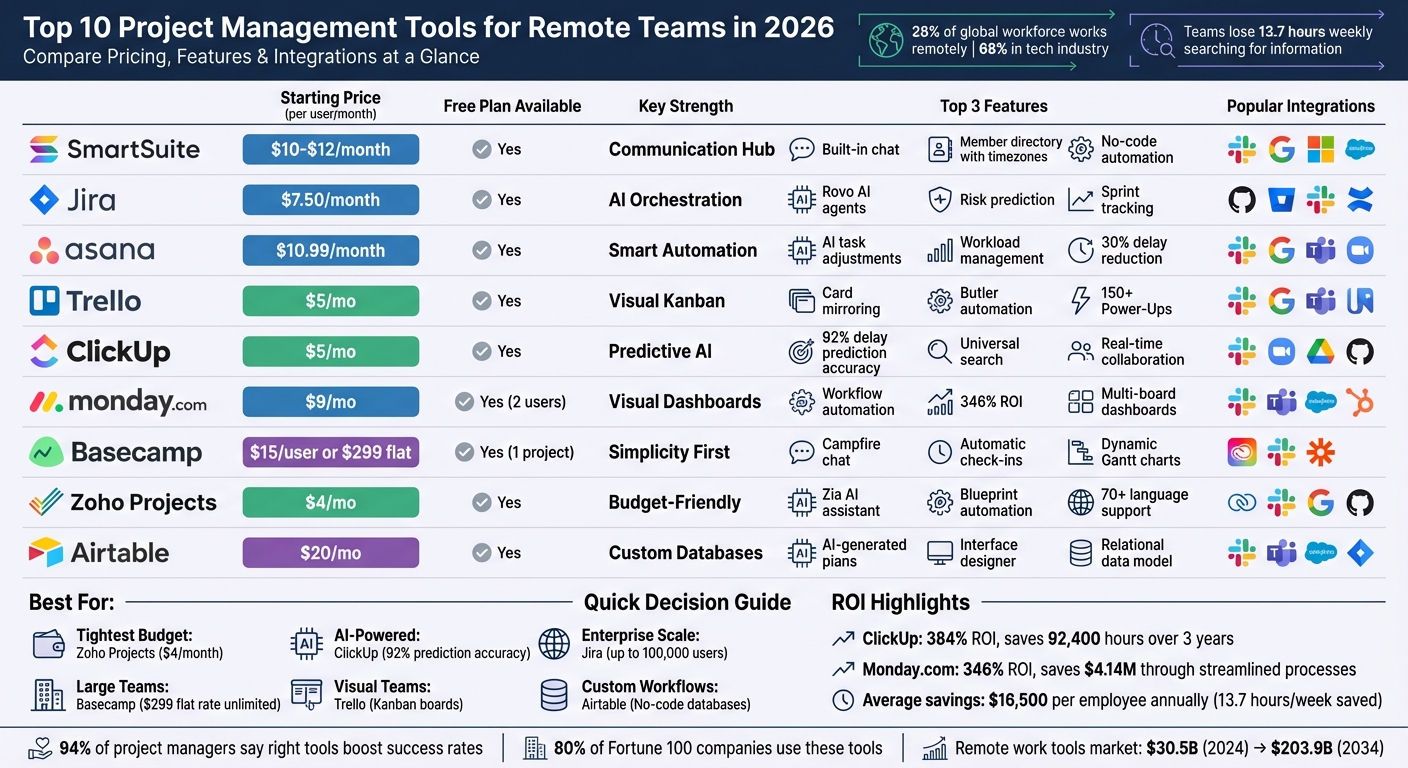
Top 10 Project Management Tools for Remote Teams 2026: Pricing and Features Comparison
1. SmartSuite
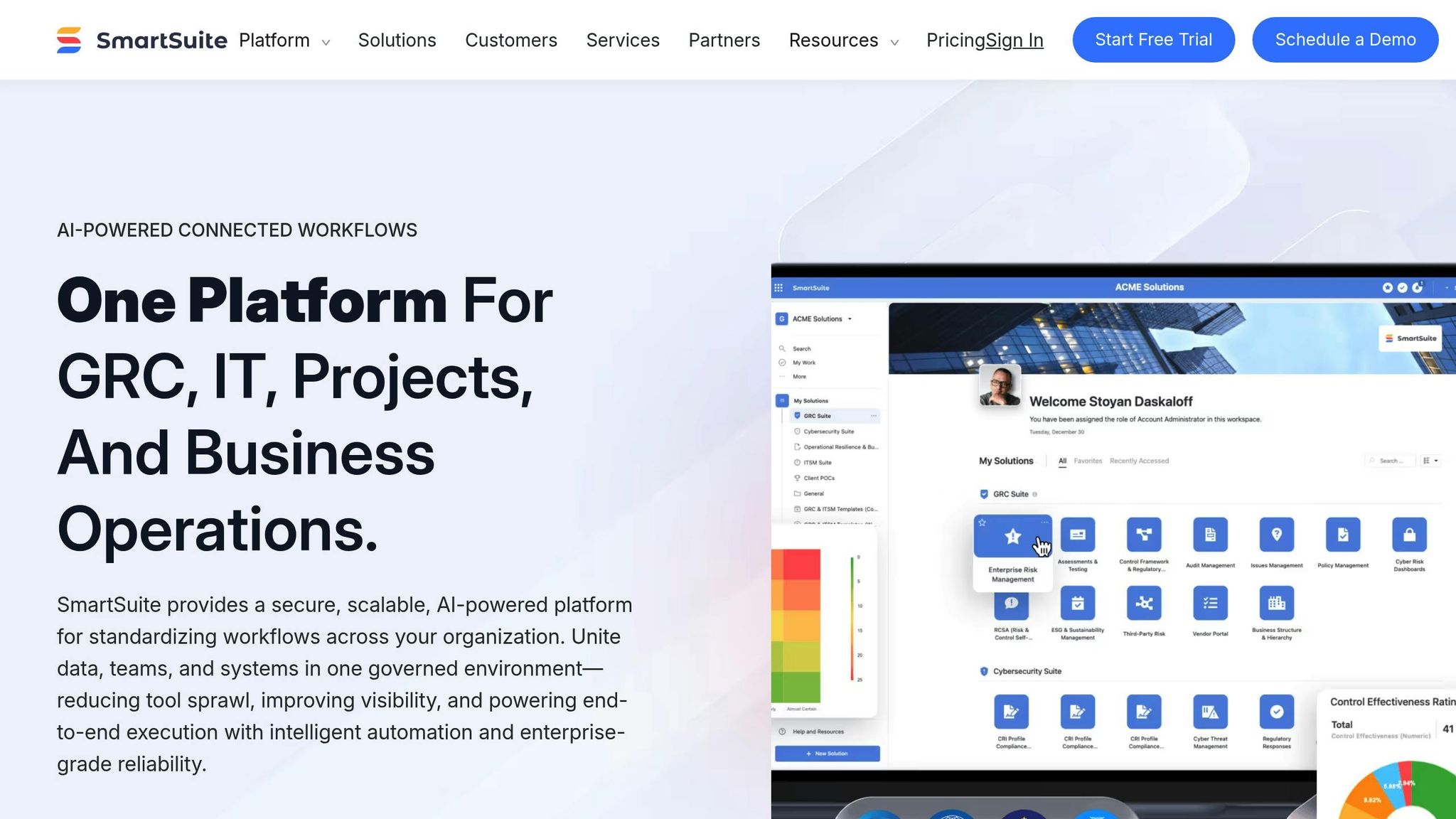
SmartSuite brings team communication directly into your work environment, minimizing the need to jump between platforms. Its built-in Communication Center supports 1:1 and group chats, while the Member Directory shows each teammate’s local time zone and real-time availability. This makes scheduling across global teams far more manageable, eliminating the guesswork of who’s online and when.
Real-time Collaboration Features
SmartSuite takes collaboration to the next level with live visibility into project updates as they happen, saving teams from repetitive status requests. With SmartSuite Docs, brainstorming sessions, resource planning, or even SWOT analyses can happen seamlessly within the platform. Features like @mentions and inline comments keep conversations tied directly to tasks, ensuring feedback stays organized and actionable rather than buried in general chat threads.
Support for Asynchronous Workflows
For teams spread across different time zones, SmartSuite’s Activity History logs every change with timestamps and user IDs, making daily status meetings unnecessary. Its no-code automation builder simplifies repetitive tasks with 6 triggers and over 15 actions, automating things like status updates, email notifications, and task assignments. For instance, when a designer in California marks a project as complete at 6:00 PM, an automated notification can alert the developer in Berlin when they start their day – no manual follow-up required.
Integration with Popular Tools
SmartSuite’s integrations make workflows even smoother. It connects seamlessly with Slack, Google Workspace, Microsoft 365, Salesforce, HubSpot, and Jira, plus over 1,000 additional apps via Zapier and Make. Gmail and Outlook integrations bring email threads into the Communication Center, keeping all project-related discussions in one easy-to-access location. File management is also simplified with integrations for Google Drive, Dropbox, Box, and OneDrive, ensuring files stay organized and accessible.
SmartSuite supports 15 languages and serves users in over 100 countries. It also offers data residency options in U.S. and EU data centers. Pricing starts with a Free Forever plan for up to 3 users, while the Team plan costs $10–$12 per user per month and includes features like Gantt charts and 5,000 automation runs.
2. Jira
Jira has stepped up its game with the "Project Orchestration" platform, where AI agents handle routine tasks like coordination and updates. This gives teams more time to focus on their core responsibilities. Using Rovo AI, Jira can draft status updates, break down big projects into manageable tasks, and even flag risks before they escalate. These features are particularly helpful for remote teams, simplifying communication and reducing the need for manual updates.
Real-time Collaboration Features
Jira’s Teamwork Graph connects work, people, and knowledge, making it easier for Rovo AI to highlight related tasks and summarize comment threads automatically. Starting in Q2 2026, formula custom fields will enable real-time calculations directly within work items. This means teams can instantly track project metrics without extra effort. For brainstorming, the integration with Confluence Whiteboards allows teams to sketch ideas and convert them into structured Jira tasks. On top of that, the unified Development page gives engineering managers a live view of software development and security data, all in one place.
These tools are designed to keep teams connected in real-time while also improving communication for those working across different time zones.
Support for Asynchronous Workflows
Jira also shines when it comes to asynchronous work. For remote teams dealing with time zone differences, tools like Loom integration let users record video explanations for complex issues. Meanwhile, Rovo AI summarizes lengthy comment threads, helping team members catch up quickly. Joe Cotant, Senior Technical Program Manager, highlights the impact of these features:
[Jira] makes life easier. [We] can spend time on adding value, not busywork.
Scalability for Remote Teams
As remote teams grow, Jira can scale with them, supporting everything from small startups to enterprises with up to 100,000 users as of Q1 2026. Premium and Enterprise users benefit from sandbox environments, where they can test workflows without interfering with active projects. For organizations focused on security, Atlassian Guard prevents sensitive attachments from being downloaded, enhancing data protection. In 2025, Atlassian earned recognition as a Leader in the Gartner Magic Quadrant for Collaborative Work Management, standing out as the only platform to achieve Leader status across Collaborative Work Management, Marketing, and DevOps categories.
Integration with Popular Tools
Jira integrates with over 3,000 apps via the Atlassian Marketplace. This includes popular tools like Slack, Microsoft Teams, GitHub, GitLab, Jenkins, Miro, Figma, Salesforce, Google Drive, Dropbox, and Zoom. Many integrations are also available within the Atlassian ecosystem, such as Confluence and Bitbucket. Pricing options include a free plan for up to 10 users, the Standard plan ranging from $7.50 to $9.05 per user per month, and the Premium plan at around $16 per user per month.
3. Asana
Asana has taken project management to a new level with its advanced Agentic Graph system. By 2026, AI-powered teammates in Asana can automatically adjust deadlines when dependencies shift and even draft project briefs based on real-time Slack conversations. Imagine a manager in New York waking up to find that their AI agent has already reorganized the weekly sprint to address delays from another region. It’s no wonder that over 80% of Fortune 100 companies now depend on Asana to manage their most critical initiatives. Let’s dive into how Asana’s real-time and asynchronous tools are empowering remote teams.
Real-Time Collaboration Features
Asana’s platform offers live dashboards and portfolios that display project status, ownership, and progress in real time, cutting down the need for manual status meetings. Teams can communicate directly within tasks using comments, status updates, and notifications. Managers have access to workload management charts, which make it easy to see team capacity and reassign tasks to prevent burnout. Plus, integrations like Lucidchart bring visual brainstorming to the forefront with digital whiteboards.
Support for Asynchronous Workflows
Designed for distributed teams, Asana centralizes all project communications by linking discussions directly to tasks. This setup allows teams to review updates and project details on their own schedules, reducing the need for endless meetings. Features like "Do Not Disturb" settings and customizable working hours help teams maintain focus, while automated Smart Status updates provide a quick overview of progress. This reduces the burden of constant check-ins. As Rossa Shanks, Chief Marketing Officer at Dow Jones, put it:
"Because of the setup we had from day one with Asana and our other tools, we hit the ground running when we started working from home. There was no disruption in our workflow or output".
Scalability for Remote Teams
Whether you’re managing a small team or a global workforce, Asana scales effortlessly to meet your needs. Pricing starts at $0 for up to 10 users on the Personal plan. For larger teams, the Starter plan costs $10.99 per user/month (billed annually), while the Advanced plan is available for $24.99 per user/month. Enterprise plans, which include features like HIPAA and SOC 2 compliance, start at custom pricing around $35–$45 per user/month. Plus, Asana’s AI tools help reduce delays by as much as 30%.
Integration with Popular Tools
To streamline workflows and reduce the hassle of switching between apps, Asana connects with over 300 third-party applications. Its Slack integration turns messages into actionable tasks, while the Google Workspace integration allows users to attach Google Drive files to tasks and sync with Google Calendar for a clear timeline view [47, 48]. Asana also works seamlessly with Microsoft Teams (offering actionable meeting notes and searchable transcripts), Zoom for video calls, and specialized tools like GitHub, Salesforce, and Figma, making it a central hub for project coordination [32, 46, 47].
4. Trello
Trello’s Kanban-style system makes task tracking straightforward and visual, earning the trust of more than 2,000,000 teams, including 85% of Fortune 100 companies. Its card-based layout gives a clear picture of task progress – whether it’s "Not started", "In Progress", or "Complete" – ensuring everyone on the team stays in the loop. Luke Kennedy, CEO of Scan2Cad, captures its value perfectly:
We use Trello because our data becomes alive. A bullet point list turns into real tasks that are assigned to real people with due dates and connections to our other apps.
Let’s dive into how Trello’s features, like real-time updates, asynchronous support, scalability, and tool integrations, make it a powerhouse for remote teams.
Real-Time Collaboration Features
For distributed teams, staying updated in real time is non-negotiable. Trello’s card mirroring feature ensures that tasks updated on one board are instantly reflected across all linked boards. This way, everyone tracking a task gets immediate visibility. Plus, team members can comment directly on cards and use @mentions to keep conversations focused on specific tasks.
Support for Asynchronous Workflows
Trello’s always-accessible workspace is a lifesaver for teams spread across different time zones. It allows members to check project updates and progress whenever it’s convenient. For example, teams can set up asynchronous meeting boards where global participants add agenda items and questions ahead of time, with responses logged for later review. Trello’s Butler automation takes it a step further by generating and emailing visual status reports automatically, saving time and ensuring everyone stays informed.
Scalability for Remote Teams
Whether you’re a small startup or a large enterprise, Trello adapts to your needs. The Free plan supports up to 10 collaborators, while the Standard plan costs $5 per user/month (billed annually) and offers unlimited boards. For $10 per user/month, the Premium plan adds AI tools and advanced views, while the Enterprise plan, priced at $17.50 per user/month, includes top-notch security and 24/7 support. Brian Burton, Founder of Instinct Dog Training, highlights its impact:
As you scale, you need visibility, accountability, and organization. Trello has provided that for us.
Integration with Popular Tools
Trello’s over 150 Power-Ups make it easy to connect with the tools your team already uses. For instance, Slack integration brings task updates directly into chat, while Google Workspace can automate card creation from spreadsheet changes. The Unito Power-Up allows seamless two-way syncing with other specialized tools. Microsoft Teams integration ensures work discussions stay linked to the tasks at hand. Considering that 83% of knowledge workers lose time on repetitive tasks like data entry, these integrations help teams move from planning to execution faster than ever.
5. ClickUp
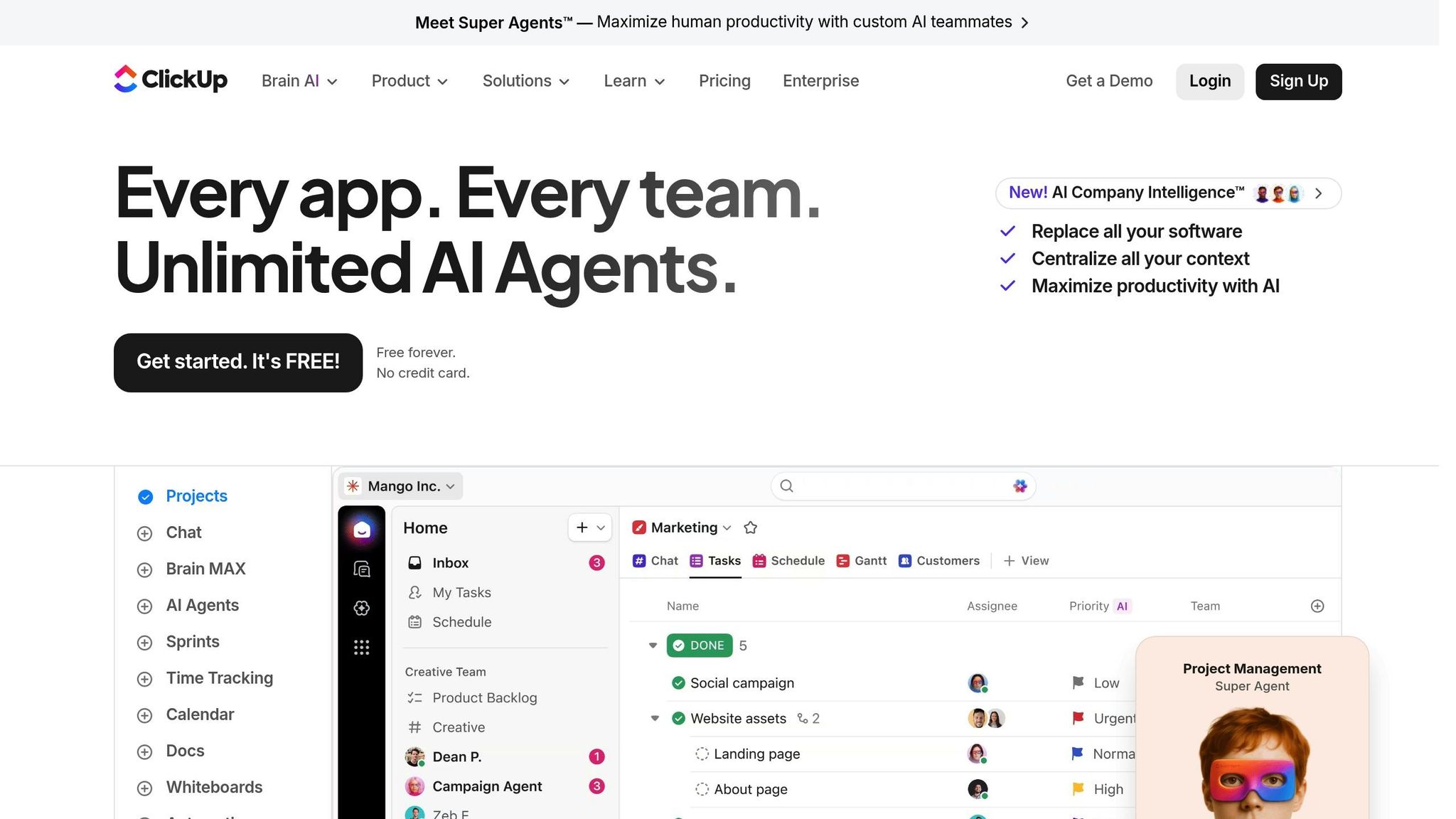
ClickUp is a comprehensive remote work platform that delivers impressive results, including a 384% ROI and saving teams 92,400 hours over three years, as reported in a 2025 Forrester Group study. With over 25,000 reviews on major software platforms, it’s a proven favorite among users. Let’s dive into how its real-time and asynchronous tools help remote teams thrive.
Real-Time Collaboration Features
ClickUp’s real-time features make teamwork seamless. Its built-in chat links directly to tasks and projects, ensuring conversations stay relevant and actionable. Collaborative Whiteboards provide a shared virtual space for brainstorming and diagramming, while ClickUp Docs allow multiple users to co-edit documents simultaneously. The platform also integrates with Zoom, enabling users to start or schedule meetings directly from tasks. For quick updates, the "Live Answers Agent" delivers instant responses to team questions, reducing the back-and-forth of status checks.
Support for Asynchronous Workflows
While real-time tools are great for immediate collaboration, ClickUp’s asynchronous features keep projects moving forward, even across time zones. The Universal Search in ClickUp Brain helps teams find information across emails, Google Drive, and internal wikis, cutting down on delays. Its Predictive Risk Scoring tool uses historical data to predict project delays with 92% accuracy, offering managers a chance to adjust resources two weeks ahead of time. Additionally, assigned comments turn feedback into clear, actionable tasks, creating a transparent record that reduces the need for live meetings.
Scalability for Remote Teams
ClickUp is designed to grow with your team. It offers a Free Forever plan for basic needs, while paid plans start at $5 per user/month and scale up to enterprise solutions with advanced features like white labeling and enhanced security. The Business plan, priced at $12 per user/month, includes advanced dashboards and sprint reporting. For larger teams, the AI-powered "Assign Agent" optimizes workload distribution by assigning tasks based on historical data and current workloads.
Integration with Popular Tools
With over 1,000 app integrations, ClickUp ensures your tools work together seamlessly. For example, its Slack integration lets you create tasks directly from conversations, keeping everything in sync. File management is smooth with native connections to Google Drive, Dropbox, Box, and Microsoft OneDrive. Email integrations with Gmail and Outlook allow you to manage your inbox without leaving the platform, while development teams benefit from integrations with GitHub, Bitbucket, and GitLab.
6. Monday.com
Monday.com supports over 152,000 customers worldwide, delivering an impressive 346% ROI with a payback period of less than four months. It also helps businesses save approximately $4.14 million through streamlined processes. By centralizing communication, Monday.com allows teams to collaborate directly on tasks instead of relying on scattered conversations.
Real-Time Collaboration Features
Monday.com’s Updates Feed keeps all task-related discussions tied to the specific work item. This includes rich text, @mentions, and file attachments, which can cut internal emails by an estimated 40–60%. With WorkDocs, multiple users can co-edit documents simultaneously. These documents even allow live board widgets to be embedded, ensuring data stays updated automatically, without needing manual input. Another standout feature is the Monday Sidekick AI, which acts as a "Workflow Architect." It can build boards, set up automations, and integrate data from tools like Salesforce or GitHub – all based on plain English instructions. This reduces setup time, letting teams focus more on execution. Additionally, multi-board dashboards combine data from multiple boards into a single view, providing a quick snapshot of project progress. These dashboards can even replace daily standup meetings, potentially saving a 10-person team around 60 hours per month.
Support for Asynchronous Workflows
The My Work dashboard brings together all assigned tasks, unread updates, and @mentions into one personalized view for each team member. For external collaborators like clients or freelancers, guest access to "Shareable Boards" ensures they can stay informed without needing full workspace access. To manage notifications effectively, users can set preferences for instant alerts on @mentions and assigned tasks while opting for daily summaries of general activity. Setting the team dashboard as the default homepage ensures everyone starts their day with a clear overview of project health, making it easier to manage tasks across remote teams.
Scalability for Remote Teams
Monday.com offers flexible pricing plans to accommodate different team sizes and needs. The Free plan supports up to two users, while paid plans start at $9 per user/month for the Basic plan, $12 for Standard, and $19 for Pro, with annual billing for a minimum of three users. The Enterprise plan provides custom pricing and advanced features like HIPAA compliance, GDPR support, and Bring Your Own Key (BYOK) for added security. Opting for annual billing can save teams about 18% compared to monthly plans. Pro-tier features include time tracking and private boards, while Enterprise users gain access to enhanced governance tools.
Integration with Popular Tools
Monday.com seamlessly integrates with over 200 tools, extending its functionality across various workflows. It connects with platforms like Slack, Microsoft Teams, Google Workspace, Zoom, Salesforce, HubSpot, Jira, GitHub, and Adobe Creative Cloud. Two-way data synchronization ensures updates flow smoothly – for instance, a status change in Jira will automatically reflect on your Monday.com board. Cross-platform automation further simplifies tasks, such as creating a project on an "Onboarding" board when a new lead is added in Salesforce. The mobile app ensures full collaboration capabilities on the go, even offering an offline mode so field teams can update statuses without an internet connection.
sbb-itb-ba0a4be
7. Basecamp
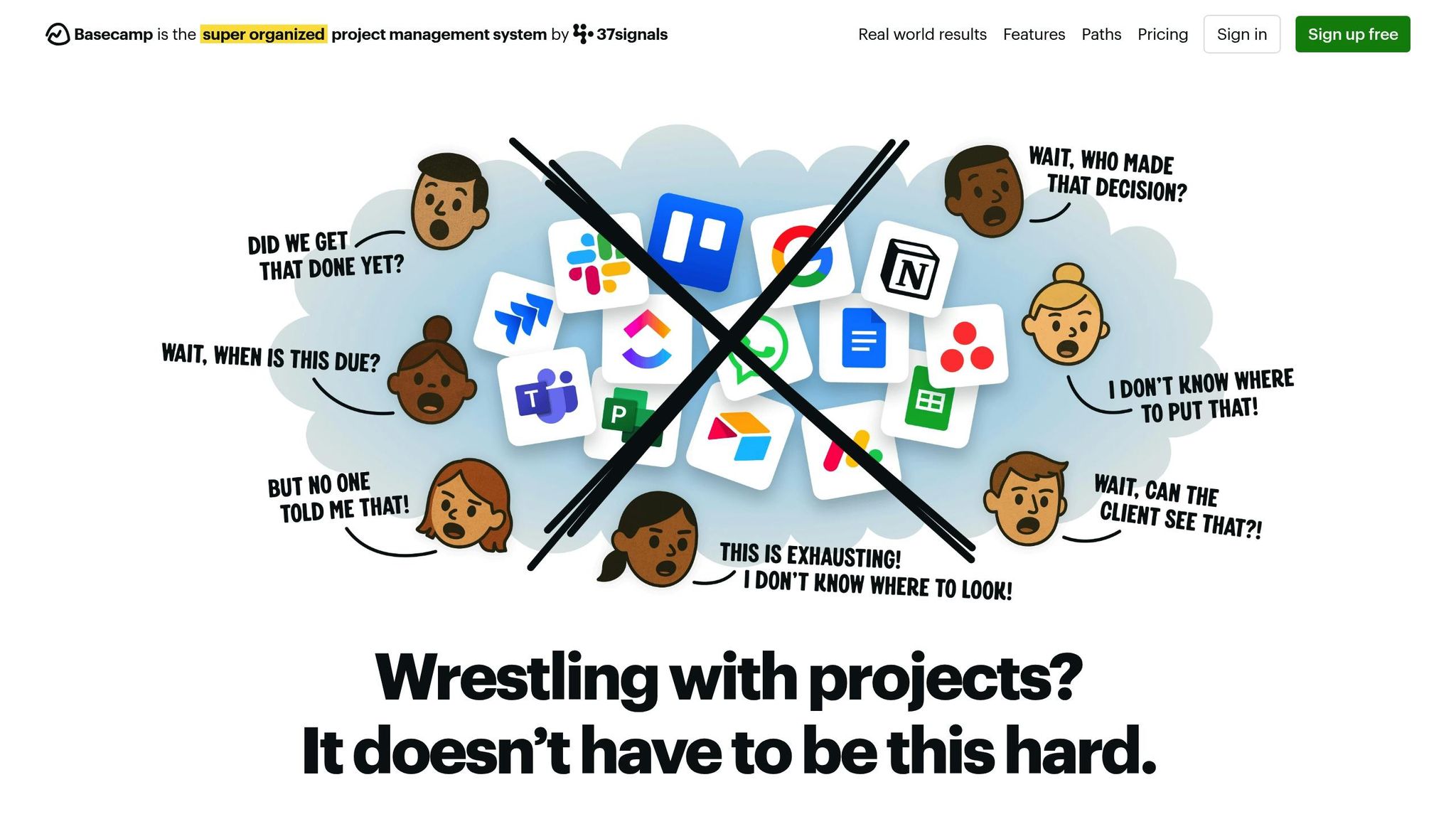
Basecamp takes a communication-first approach to project management, making it a strong choice for remote teams. Trusted by over 75,000 organizations across 166 countries, it boasts an impressive 99.99% uptime over the past 25 years. Instead of overwhelming users with complex features like Gantt charts, Basecamp focuses on simplicity.
Real-Time Collaboration Features
Basecamp’s tools are designed to streamline communication. Campfire, the built-in group chat, keeps conversations within projects, cutting down on the need for multiple apps. For private discussions, Pings allow one-on-one or small group messaging without cluttering the main project space. The Hey! Menu aggregates notifications and @mentions into one central location for easy management. Meanwhile, Message Boards provide threaded, searchable discussions, keeping project conversations organized and accessible. To integrate external tools directly into the platform, the Doors feature lets teams link resources like Google Docs, Figma, Airtable, and Dropbox.
Support for Asynchronous Workflows
Basecamp is built to support flexible schedules and reduce interruptions. Automatic Check-ins replace many meetings by scheduling prompts for updates, cutting internal emails by up to 70%. Hill Charts visually represent whether a task is in the "figuring it out" phase or the "making it happen" phase, offering a clear view of progress. By separating casual, real-time chat (Campfire) from formal, permanent discussions (Message Board), Basecamp creates a balance that works well for asynchronous teams.
Scalability for Remote Teams
Basecamp provides three pricing options to suit different team sizes:
- Free Plan: Includes one project and 1 GB of storage.
- Basecamp Plus: Costs $15 per user/month and offers unlimited projects with 500 GB of storage.
- Basecamp Pro Unlimited: A flat rate of $299/month for unlimited users, 5 TB of storage, and free guest access for external collaborators.
For larger teams of 20–25 or more, the Pro Unlimited plan is especially cost-effective, offering scalability without hidden fees.
Integration with Popular Tools
Basecamp seamlessly connects with a wide range of external tools to enhance your workflow. Through Zapier, it integrates with over 6,000 apps, automating tasks like lead generation and data entry. Unito provides real-time, bidirectional syncing with platforms such as Jira, Asana, Trello, Wrike, GitHub, and HubSpot, ensuring updates are mirrored across systems. While Basecamp doesn’t include native time tracking, integrations with tools like Everhour, Harvest, Toggl, and Clockify fill this gap by adding time tracking and budgeting capabilities. It also connects with communication platforms like Slack and Zoom to keep teams connected.
8. Wrike
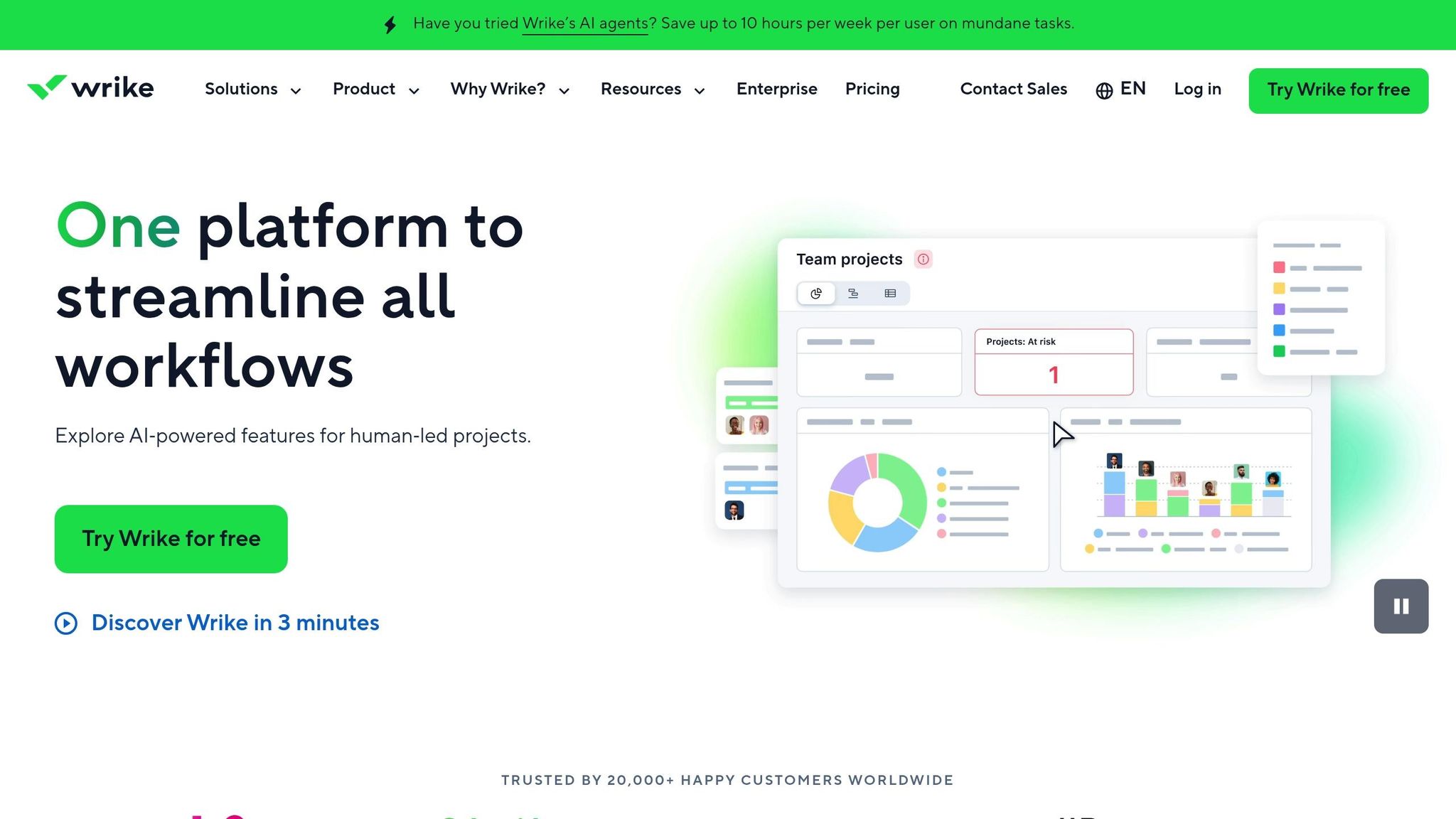
Wrike is a project management platform designed to help remote teams handle complex workflows across different time zones. With over 20,000 customers worldwide, Wrike has earned recognition as a Leader in the 2025 Gartner Magic Quadrant for Collaborative Work Management for the third year in a row. It boasts a solid customer rating of 4.6/5. By incorporating AI agents to monitor risks and reallocate resources in real time, Wrike is particularly well-suited for distributed teams juggling intricate projects.
Real-Time Collaboration Features
Wrike’s tools make it easier for remote teams to stay connected without relying on endless meetings. The Visual Collaboration Platform, powered by Klaxoon, includes an infinite whiteboard with interactive tools like Questions and Dot-voting, perfect for brainstorming sessions. Teams can also use in-context proofing to leave direct feedback on digital assets – like images, videos, and documents – cutting down on lengthy email chains. Dynamic Gantt charts update automatically to reflect the latest project schedules, while @mentions within tasks ensure discussions stay tied to specific work items.
A compelling example of Wrike’s impact comes from Siemens Smart Infrastructure. In January 2026, the company standardized 250 custom workflows across 14,000 users in over 20 countries. This global initiative, led by Operations Standards Manager Damian Robles, resulted in a 10% boost in productivity.
"Wrike provides a flexible system easily configured to meet our needs… we are all working on projects and are able to standardize globally." – Damian Robles, Operations Standards Manager, Siemens Smart Infrastructure
These features work seamlessly alongside Wrike’s support for asynchronous workflows.
Support for Asynchronous Workflows
Wrike’s AI tools help teams cut down on the need for constant check-ins. Managers receive real-time status updates and risk predictions, making it easier to identify bottlenecks before they cause delays. Requests are automatically routed to the most available and qualified team members, saving users up to 10 hours a week on administrative tasks.
In early 2026, Italian software company Intelco adopted Wrike to coordinate its decentralized teams. According to Project Manager Mattia Ronchi, the platform reduced internal emails by 90% and cut meeting times by 30%, thanks to centralized communication within task contexts.
"With Wrike, we’re simplifying our work because, with a couple of clicks, we can backtrack on our activities to see previous communication or anything else we need to." – Mattia Ronchi, Project Manager, Intelco
Scalability for Remote Teams
Wrike is built to scale for teams ranging from 20 to over 20,000 users. With Custom Item Types, organizations can tailor folders, projects, and tasks to match their specific needs. Features like cross-tagging allow tasks to appear in multiple projects without creating duplicates, while enterprise-grade security – including role-based access control, 99.9% uptime, and compliance with GDPR, CCPA, and HIPAA – ensures data is well-protected.
Wrike offers several pricing options:
- Free: Basic features
- Team: $10 per user per month (billed annually)
- Business: $24.80–$25 per user per month (billed annually)
- Enterprise/Pinnacle: Custom pricing
Integration with Popular Tools
Wrike connects seamlessly with over 400 third-party apps, including Slack, Microsoft Teams, Google Workspace, Zoom, and Adobe Creative Cloud. For example, the Slack integration automates tasks like sharing updates, while Google Workspace syncs tasks and schedules with Gmail and Google Calendar. Creative teams can streamline feedback using Adobe integrations, and Wrike Integrate allows users to build custom workflow automations without coding.
A notable success story comes from Walmart Canada. By using Wrike, the company established a single source of truth for project reviews across more than 400 stores, eliminating the need for manual presentations and Word documents.
"Now we have a single source of the truth, and it’s made us a lot stronger." – Francis Lalonde, VP of Transportation, Walmart Canada
9. Zoho Projects
More than 200,000 businesses rely on Zoho Projects to manage over 4.5 million projects. With ratings of 4.4/5 on G2 and Capterra, and 4.7/5 on the Apple App Store, it’s a solid choice for remote teams navigating different time zones.
Real-Time Collaboration Features
Zoho Projects offers an Interactive Project Feed where team members can share updates, attach files, and use @mentions for quick feedback. Dedicated chat rooms and integrated video calling make live discussions seamless. The built-in Zia AI Assistant provides real-time insights and risk predictions, while Zia Translate supports over 70 languages, ensuring smooth communication across global teams. Dr. Steven Goodwin from TurningWest shared:
"Our presence is now completely virtual. We save a ton of money using Zoho Projects and appreciate that Zoho continues to evolve and improve."
These tools ensure that teams, regardless of location, stay connected and productive.
Support for Asynchronous Workflows
For teams juggling varying schedules, Zoho Projects offers Forums for in-depth discussions and Pages to centralize important knowledge. The Blueprint Automation feature takes it a step further by automating task handoffs – alerting the next team member as soon as a stage is completed, which helps avoid unnecessary delays. Kevin Christley from the 501st Legion remarked:
"We highly recommend Zoho Projects to anyone who’s having problems coordinating and managing staff, especially on a global level."
The platform’s impact is evident in user feedback. Hassan Al-aidy noted:
"Zoho Projects helped us to achieve about 300% growth rate for our business."
Meanwhile, Parna Gosh shared:
"We have managed to save 10% of our workforce time using Zoho Projects."
Scalability for Remote Teams
Zoho Projects is built to grow with your team. Features like Workload Reports and Resource Allocation charts help managers distribute tasks evenly and prevent burnout. Its pricing is flexible enough to fit teams of any size:
- Free Plan: Up to 5 users, 3 projects, and 5 GB of storage.
- Premium Plan: $5 per user per month, offering unlimited projects and 100 GB of storage.
- Enterprise Plan: $10 per user per month, including the Zia AI assistant and 120 GB of storage.
Integration with Popular Tools
To streamline workflows, Zoho Projects integrates with over 50 third-party apps like Slack, Google Workspace, Dropbox, and GitHub. It also connects seamlessly with Zoho’s own tools, such as CRM, Books, Desk, Cliq, and Meeting, reducing the need to constantly switch between platforms.
10. Airtable
Did you know that over 80% of Fortune 100 companies rely on Airtable to streamline remote work? With ratings consistently above 4 stars on platforms like G2, Capterra, and Gartner Peer Insights, Airtable has become a go-to tool for managing distributed teams. Here’s a closer look at what makes it so effective.
Real-Time Collaboration Features
Airtable’s relational data model brings together everything from projects and tasks to resources and budgets. Its real-time views – including Kanban, Gantt, calendar, gallery, and timeline – help teams mirror their workflows seamlessly.
The Interface Designer is a standout feature, allowing users to transform raw data into custom dashboards and apps without needing a single line of code. Add built-in tools like comments, @-mentions, and file attachments, and you’ve got a centralized hub for communication.
Airtable also integrates AI to supercharge project management. Its AI agents can automatically create project plans, assign tasks based on team members’ skills and workloads, and even forecast potential risks. The Omni AI agent simplifies reporting by summarizing datasets and generating polished, stakeholder-ready updates – cutting down on the need for endless status meetings.
Support for Asynchronous Workflows
Airtable excels in automating repetitive tasks, with workflows that adapt dynamically to data changes. It supports multi-step sequences with over 15 actions and 10 triggers, eliminating manual handoffs and speeding up processes.
The Interface Designer also plays a key role in asynchronous work. Teams can create tailored dashboards for stakeholders, whether executives or external collaborators, so everyone can access the information they need at their convenience. This reduces unnecessary back-and-forth and allows team members to independently track project progress.
Scalability for Remote Teams
Airtable offers flexible pricing to fit teams of all sizes.
- Free Plan: Includes 1,000 records per base and 100 monthly automations.
- Team Plan: Costs $20 per user/month (billed annually) and comes with 50,000 records per base and 25,000 automations.
- Business Plan: At $45 per user/month (billed annually), it supports 125,000 records per base, along with multi-source syncing.
- Enterprise Plan: Custom pricing with features like up to 500,000 records per base, premium support, and advanced governance tools.
For enterprises, Airtable also provides robust security features, including granular permissions, audit trails, SOC 2 Type II compliance, SSO, and data residency options.
Integration with Popular Tools
Airtable connects seamlessly with over 1,000 apps via its API. Native integrations include Slack, Microsoft Teams, Google Workspace, Dropbox, Box, OneDrive, Salesforce, and Jira. These integrations ensure real-time notifications and centralized data management, making it easier to keep everything in sync.
Tool Comparison Table
Picking the right project management tool involves balancing costs, collaboration features, and integration options with your team’s specific requirements. Here’s a side-by-side look at some of the top options available:
| Tool | Starting Price (USD/user/month) | Free Plan | Real-Time Collaboration | Asynchronous Workflow Support | Key Integrations |
|---|---|---|---|---|---|
| Jira | $7.91 (billed monthly) | Yes | Sprint tracking, live updates | Backlog management, wikis | GitHub, Bitbucket, Slack, Confluence |
| Asana | $10.99 (billed annually) | Yes (2 users) | Live task tracking, dependencies | Timeline view, custom fields | Slack, MS Teams, Google Drive |
| Trello | $5 (billed annually) | Yes | Real-time card movement | Checklists, Power-Ups | Slack, Google Drive, Jira |
| ClickUp | $7 (billed annually) | Yes | Real-time docs, whiteboards | Goals, time tracking, automation | Zoom, Slack, Salesforce |
| Monday.com | $12 (billed annually) | Yes (2 seats) | Live visual boards, automation | Workload management, templates | Slack, Zoom, Google Drive |
| Basecamp | $15 (per user) or $299 flat | Yes (1 project) | Group chat (Campfire) | Message boards, to-do lists | Google Workspace, Slack, Jira |
| Wrike | $10 (billed monthly) | Yes | Live proofing, approvals | Resource planning, dashboards | Adobe Creative Cloud, Slack, Tableau |
| Zoho Projects | $4 (billed annually) | Yes | Interactive Gantt charts | Forums, document management | Zoho CRM, MS 365, Slack |
| Airtable | $20 (billed annually) | Yes | Real-time visibility, co-editing | AI-generated plans, databases | Slack, MS Teams, Salesforce, Jira |
Key Takeaways
Most tools operate on a per-user monthly fee model, but Basecamp stands out by offering a flat rate of $299/month for unlimited users. Free plans are common but often come with restrictions – such as Asana’s 2-user limit or Monday.com’s 2-seat cap.
For remote teams, real-time features like live boards and task updates are crucial. Tools like ClickUp and Monday.com shine here with their interactive boards and live collaboration capabilities. On the other hand, asynchronous workflows are better supported by tools like Basecamp and Airtable. Basecamp uses message boards and to-do lists, while Airtable employs AI-driven plans and structured databases, helping teams operate efficiently without relying on constant meetings.
Integration options also play a major role. Airtable and Asana, for instance, connect to over 1,000 apps, making them highly adaptable to different workflows. By comparing these features, teams can identify the platform that best aligns with their collaboration style and budget, ensuring a smoother and more efficient project management experience.
Conclusion
Remote teams in 2026 grapple with genuine challenges – ranging from fragmented communication and time zone clashes to the overwhelming burden of “work about work,” which often eats into real productivity. The tools highlighted in this guide tackle these obstacles by consolidating information, streamlining coordination, and providing real-time insights into project progress for distributed teams.
One of the most notable changes in project management is the shift from passive monitoring to active orchestration. For example, ClickUp employs advanced AI to forecast project delays with 92% accuracy up to two weeks ahead, automatically adjusting resource allocation to prevent setbacks. This forward-thinking strategy cuts down on administrative tasks, which currently cost knowledge workers an average of 13.7 hours per week – equivalent to about $16,500 in yearly savings per employee.
"The future of remote work isn’t about working more; it’s about letting the tools handle the coordination so your humans can handle the creativity." – The Growth Pick
At the heart of successful remote teams lies clear goal alignment and accountability. With 77% of remote teams reporting significant workflow issues, tools that connect everyday tasks to larger organizational objectives become indispensable. Moreover, 94% of project managers believe that adopting the right project management tools significantly boosts project success rates. As the remote work tools market is expected to grow from $30.5 billion in 2024 to $203.9 billion by 2034, it’s clear that the industry is adapting to meet these evolving demands.
The key is finding a platform that aligns with your team’s unique collaboration needs, budget, and integration preferences. Let the tools take care of the logistics, so your team can focus on what drives real results.
FAQs
How do I choose the right tool for my remote team?
When choosing the right tools for your team, start by pinpointing what you need most. Is it better task tracking? Smoother communication? Improved project visibility? Once you’ve nailed down your priorities, look for tools that offer features like automation, integrations, and the ability to grow with your team.
Don’t forget to factor in practical details like your budget, the tools you’re already using, and your preferred approach to work (for example, Agile). To make sure you’re picking the right fit, take advantage of free trials or demos. Testing a few options firsthand can help you find the tool that truly boosts your team’s productivity.
Which tool is best for async work across time zones?
In 2026, the top tools for asynchronous work are those that focus on making workflows smoother and more independent. These platforms use advanced AI to tackle the dreaded "work about work" – all those extra steps like status updates, task clarifications, or follow-ups that eat into productivity.
The key is in their context-aware features, which help teams collaborate seamlessly without needing to be online at the same time. These tools ensure tasks keep moving forward, even when team members are spread across different time zones. When choosing a platform, look for one that prioritizes efficiency and minimizes the need for constant real-time communication.
What should I check before switching tools?
Before changing tools, it’s important to weigh a few critical factors to ensure a smooth transition. Start by checking the tool’s compatibility with your existing workflow and systems. Look into its features for remote collaboration and whether it offers AI-driven automation to simplify tasks. Evaluate its usability – is it intuitive for your team? Don’t overlook security measures to protect sensitive data. Lastly, consider if the tool is cost-efficient and has room to grow with your team. Taking the time to assess these elements will help you choose a tool that fits your needs and improves remote collaboration.