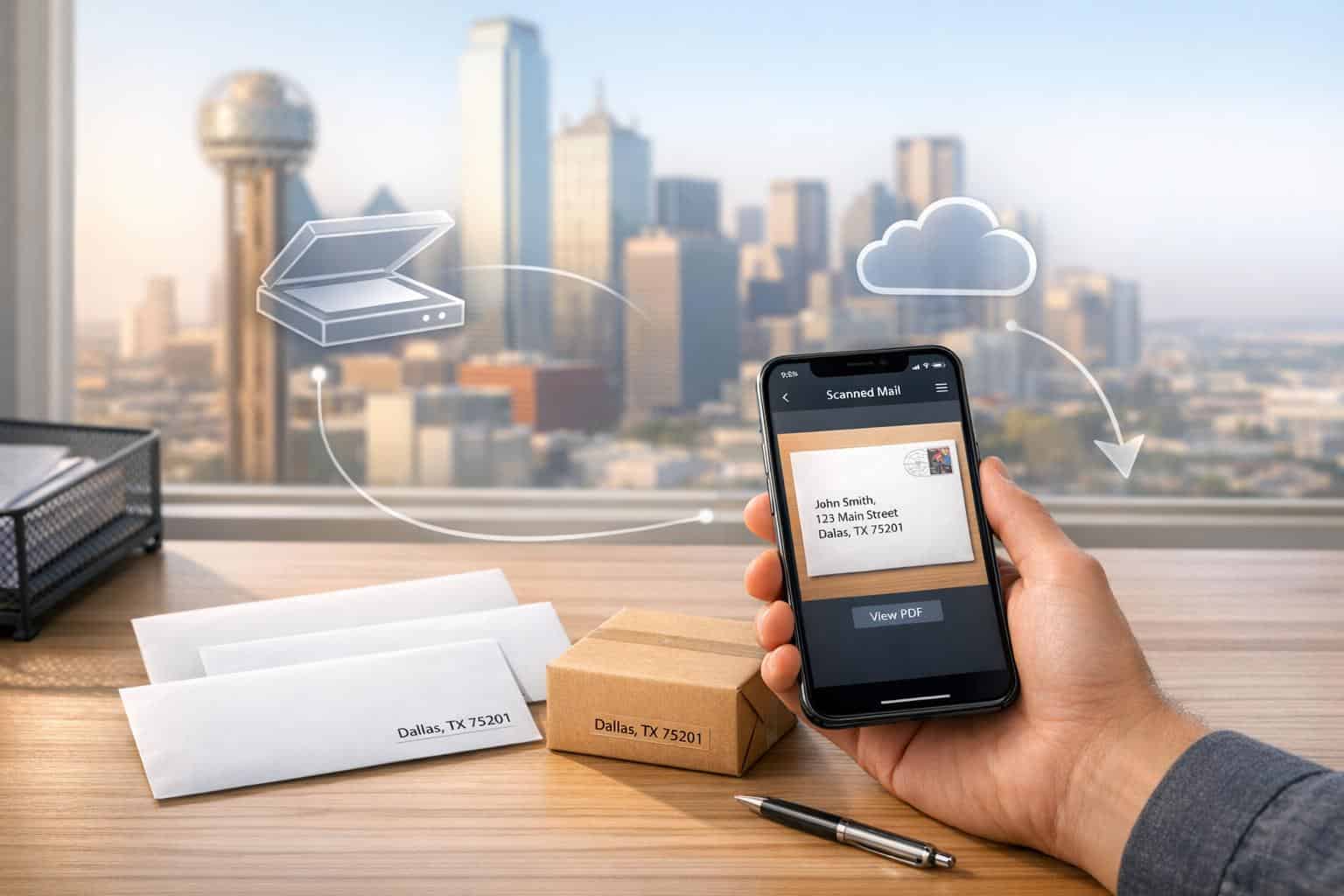
A virtual mailbox in Dallas gives you a real street address to handle your mail digitally. You can receive, scan, forward, or shred mail from anywhere. This service is perfect for businesses, remote workers, and digital nomads needing a professional address for LLC registration, privacy, and convenience. Dallas is an ideal location due to its logistics network and tax advantages – no personal or corporate income tax. Plans start at $7.99/month, offering features like mail scanning, global forwarding, and secure storage.
Key Benefits:
- Real street address, compliant with Texas LLC registration.
- Digital mail management (scanning, shredding, forwarding).
- Cost-effective plans starting at $20/month.
- Global mail forwarding with consolidation to save on shipping.
- Secure facilities with 24/7 monitoring and encrypted digital access.
Whether you’re managing a business or traveling the world, a Dallas virtual mailbox simplifies mail handling while boosting your professional image.
How Virtual Mailboxes Work
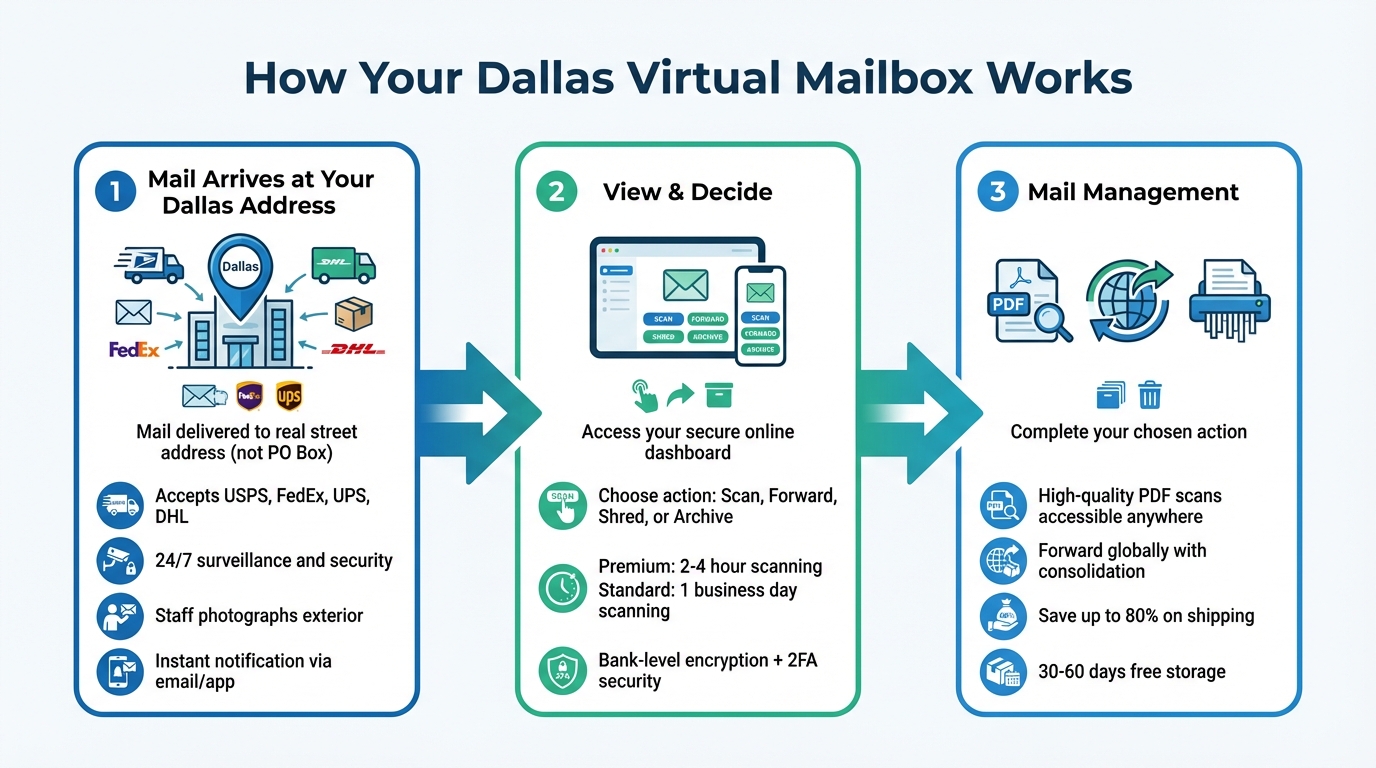
How Virtual Mailbox Services Work: 3-Step Process
Receiving Mail at a Real Dallas Street Address
When mail is sent to a physical Dallas address – like one on Blair Road, Inwood Road, or Alpha Road – it arrives at a staffed facility rather than a PO Box. These facilities accept deliveries from USPS, FedEx, UPS, and DHL, ensuring compatibility with requirements from banks, and government agencies.
These locations are equipped with 24/7 surveillance, alarm systems, and trained staff, offering a level of security far beyond what a home mailbox can provide. When your mail or package is delivered, staff take a photo of the exterior (showing the envelope or package label) and upload it to your account. You’ll then get a notification through email keeping you instantly updated.
Mail Scanning and Online Access
Once the exterior image is available on your secure dashboard, you choose what happens next. You can request to open and scan the contents, forward the item, shred it, or archive it. If you select the "Open and Scan" option, staff carefully open the mail and convert the contents into high-quality PDFs that you can access from any device.
"I love the scan feature which allows me to be able to view mail online without the expense of having it delivered." – Nanette, Verified Customer
These scanning tools are part of a broader set of mail management features designed to make handling your mail effortless.
Mail Forwarding and Management Options
From your dashboard, you can forward mail to any address worldwide. If you’ve received multiple items, you can request consolidation – where several pieces are combined into one package to save on shipping costs. This feature can lead to significant savings, with some users cutting postage expenses by up to 80% thanks to volume discounts.
For mail you no longer need, there’s a one-click shred option for sensitive documents, or you can recycle unwanted junk mail. Most services include 30 days of free physical storage, and premium plans extend this to 60 days. Advanced options even allow for automatic forwarding or scanning of specific documents, like bank statements or tax forms, as soon as they arrive.
"I used to buy stuff and then ask they repack everything to save weight and volume for forward shipping. I now trust these guys. I just tick the box to repack and they do an excellent job." – Phil Marsh, Verified Customer
sbb-itb-ba0a4be
Main Features of Dallas Virtual Mailbox Services
Mail Scanning and Digital Storage
When mail arrives, it’s photographed and uploaded to your secure account. You decide which items to open and scan, and the staff converts those into PDFs you can access from any device, no matter where you are.
This system cuts down on physical clutter and makes finding documents incredibly easy. Instead of rifling through filing cabinets, you can search by date, sender, or keyword. Plus, most services use bank-grade encryption and two-factor authentication to keep your sensitive information safe.
"I’ve even had them scan in paper checks that I’ve then printed and deposited with my bank’s mobile app." – John F., Verified Customer
This streamlined approach also works hand-in-hand with global mail forwarding.
Global Mail Forwarding
Virtual mailbox services make forwarding your mail and packages anywhere in the world a breeze. Whether you’re traveling through Europe, running a business in Asia, or moving to a new state, your mail follows you. You can pick from carriers like USPS, FedEx, UPS, or DHL, and even consolidate packages to save on shipping costs.
Automated mail rules add another layer of convenience. For example, you can set bank statements to be scanned automatically while junk mail is discarded before it ever reaches your digital inbox. This smart filtering saves both time and money.
"I can review, scan, discard, download, save or forward from the other side of the world, and it is super-fast and affordable." – Rodney Lax, Verified Customer
And with mobile integration, staying on top of your mail has never been easier.
Who Should Use a Virtual Mailbox in Dallas?
Entrepreneurs and Small Business Owners
For entrepreneurs and small business owners, a virtual mailbox in Dallas offers a professional address that enhances credibility while meeting Texas LLC registration requirements. It also helps home-based business owners protect their privacy by keeping personal addresses off public records. Beyond that, it saves money by eliminating the need for physical office space, all while benefiting from Texas’s favorable tax policies.
Efficiency is another major advantage. Rich Bowen, Chief Operating Officer at Darwin Homes, shared how a virtual mail system revolutionized their operations:
"Stable has reduced the time spent coordinating the mail by 90%. It’s mind-boggling. They’ve helped us operate with greater accuracy as well."
This setup is equally beneficial for digital nomads and remote workers, offering similar perks of convenience and compliance.
Digital Nomads and Remote Workers
Digital nomads particularly benefit from services like secure mail scanning and forwarding, ensuring they stay connected no matter where they are. A permanent address provides consistency for dealings with banks, government agencies, and business partners. Plus, with 24/7 digital access, managing physical mail becomes as easy as checking your phone or laptop.
Neil Gandhi, founder of Send, highlighted the importance of this setup:
"Having a home base that you know will be there if you decide to move is huge."
Remote workers also enjoy features like remote check deposits, which make depositing checks easier without being tied to a specific bank. Dean Woods, a satisfied customer, shared:
"These guys help me keep track of my mail no matter where my job sends me. It’s awesome to get an email letting you know what you get."
Real Estate Investors and Expats
For real estate investors and expats, a Dallas virtual mailbox provides a professional address for handling critical tasks like LLC registration, receiving rent checks, and managing legal documents – all while keeping personal addresses private.
The remote check deposit feature is particularly handy for property managers, allowing rent or investment checks to be deposited directly into their accounts without being physically present. Expats, on the other hand, can access important mail – such as IRS notices and bank statements – from anywhere in the world. This eliminates the need for expensive international shipping. Rodney Lax, a verified customer, shared his experience:
"I can review, scan, discard, download, save or forward from the other side of the world, and it is super-fast and affordable."
How to Choose a Virtual Mailbox Service in Dallas
What to Look for When Comparing Services
When selecting a virtual mailbox service in Dallas, start by ensuring the address meets Texas LLC requirements. Texas law mandates a physical street address for LLC registration, so PO Boxes are not an option.
Another key factor is mail recipient capacity. Entry-level plans often limit the number of recipients to 1-2, while premium plans can accommodate 20 or more. Additionally, look for services offering registered agent support, as some Dallas providers include this.
Essential features to prioritize include high-resolution scanning, mail forwarding (both domestic and international), and junk mail filtering.
Understanding Pricing and Extra Fees
Once you’ve identified the features you need, take a closer look at pricing. Monthly rates for virtual mailbox services in Dallas range start from $20 per month, depending on the mail volume and included features. Standard Dallas addresses typically start at around $20 per month.
Keep an eye out for potential hidden fees. These might include charges for additional page scans, storage beyond the usual 30–60 days, or check fees.
"Predictable pricing is worth more than chasing the lowest advertised rate."
– Max Clarke, CEO and Co-founder, Postal
Security and Privacy Factors
Security should never be overlooked. Physical security measures should include 24/7 monitoring, alarm systems, and restricted access to the facility.
On the personnel side, confirm that the provider conducts background checks on staff and enforces strict privacy protocols. Digital security is equally important – features like bank-level encryption for scanned documents.
In-house mail processing is generally safer than outsourcing to third-party retail centers, which may have inconsistent standards. Also, legitimate services comply with USPS regulations by requiring a notarized USPS Form 1583 and two forms of identification to prevent mail fraud. For convenience, choose a provider that offers online notary services to simplify this setup process.
Conclusion
A virtual mailbox in Dallas serves as a secure and efficient way to handle your mail while boosting your professional image. It offers digital mail management, safeguards your privacy, and eliminates the hassle of frequent trips to the post office. This is particularly useful for entrepreneurs and remote workers who value 24/7 access to scanned mail, secure package handling, and the ability to manage everything from a smartphone or laptop.
Dallas stands out as a major business hub, thanks to its favorable tax policies and strategic logistics advantages. With no state income tax or corporate tax, Texas is undeniably business-friendly. Plus, Dallas’s role as a key logistics center, supported by DFW Airport, further enhances the convenience and credibility of using a virtual mailbox in the area.
The financial perks are hard to ignore. Virtual mailbox plans start at just $20 per month, offering a budget-friendly alternative to traditional office spaces. They also provide a real street address, which satisfies requirements for bank accounts, business cards, and websites.
With staffed facilities and advanced security features, virtual mailboxes protect against theft and ensure your privacy. This all-in-one solution simplifies mail management while shielding you from unwanted solicitations and reducing the risk of identity theft.
FAQs
Can I use a Dallas virtual mailbox address for my Texas LLC and banking?
Yes, you can absolutely use a Dallas virtual mailbox address for your Texas LLC and banking needs. Many virtual mailbox services provide real street addresses that comply with the requirements for business registration and official documentation in Dallas. This option allows you to maintain a professional business presence while conveniently managing your mail from anywhere.
How fast will my mail be scanned and available online?
Your mail is usually scanned and uploaded online either the same business day or by the next business day. If you need faster processing, priority scanning options can get your mail uploaded as soon as the following business day. Keep in mind, processing times can differ depending on the service provider.
What extra fees might I pay beyond the monthly plan?
Extra charges for virtual mailbox services may apply for things like mail forwarding, opening and scanning mail, adding extra recipients, extended storage, or package handling. The exact fees depend on the provider and the services you select.
Related Blog Posts
- The Role of Virtual Mailboxes in Streamlining Small Business Operations
- Virtual Mailbox in Wilmington, Delaware: Mail Scanning, Forwarding and a Real Street Address
- Virtual Mailbox in Rockville, Maryland: Mail Scanning, Forwarding and a Real Street Address
- Virtual Mailbox in Austin, Texas: Mail Scanning, Forwarding and a Real Street Address