Your online presence can determine your business’s success. Here’s why it matters and how to get started:
- Visibility is key: 99% of consumers search online for local businesses, and 81% research online before purchasing. Without a website, 31% of shoppers might skip your business entirely.
- First impressions count: 75% of people judge a business’s credibility by its website design.
- Local search matters: Businesses with optimized Google Business Profiles are 10x more likely to appear in local searches.
This guide covers everything you need to establish your digital presence, including setting up a business structure, creating a professional website, managing social media, and improving search visibility. Whether you’re starting from scratch or refining your strategy, these steps will help you attract customers and grow your brand.
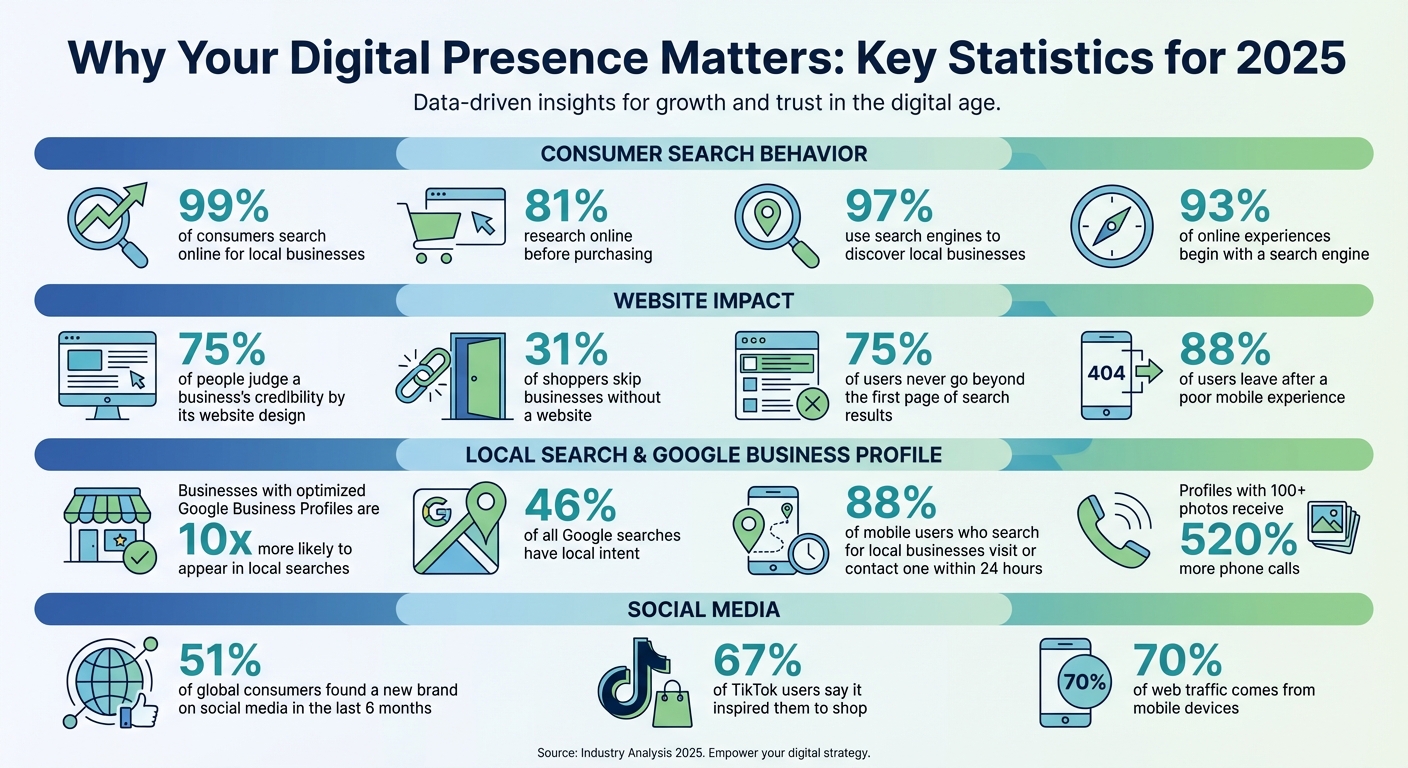
Key Statistics for Building Your Business’s Digital Presence in 2025
Set Up Your Business Foundations
Before diving into your online presence, make sure you’ve covered the legal and operational basics of your business.
Choose Your Business Structure and Register Your Entity
When it comes to business structures, you have a few common options: Sole Proprietorship, LLC, and Corporation.
- Sole Proprietorship: Simple to set up, but offers no protection for personal assets.
- LLC (Limited Liability Company): Provides personal asset protection while keeping things flexible.
- Corporation: More complex, but ideal for businesses aiming for rapid growth.
"LLCs create a legal separation between you and your business. If your business faces lawsuits or accumulates debt, your personal assets generally remain protected."
– Rick Mak, Global Entrepreneur and Business Strategist
Once you’ve decided on a structure, check name availability through your state’s Secretary of State database and the USPTO trademark database. After that, file the necessary documents – Articles of Organization for LLCs or Articles of Incorporation for Corporations – with your state. Filing fees vary widely, from around $50 to over $500, depending on the state. Additionally, you’ll need a registered agent to receive legal documents on behalf of your business. BusinessAnywhere offers registered agent services for $147 per year, with the first year free if you register your business through their platform.
After completing these steps, consider securing a professional address to enhance your business’s credibility.
Get a Professional U.S. Business Address
Using your home address for business purposes can expose your personal information in public records. A virtual mailbox provides a professional street address (not a P.O. Box, which most states won’t accept for registration) while keeping your home address private.
"A virtual office address safeguards your personal address, adding an important layer of privacy."
– Entrepreneur Editorial
A professional address not only protects your privacy but also boosts credibility with clients, vendors, and banks. Virtual mailboxes also allow you to manage your mail remotely through services like document scanning and forwarding. For example, BusinessAnywhere offers virtual mailbox services starting at $20 per month, which includes unlimited scanning, storage, and global mail forwarding.
Obtain an EIN and Handle Compliance
Once your business is registered and you have a professional address, it’s time to handle key compliance tasks.
An Employer Identification Number (EIN) acts as your business’s version of a Social Security Number. It’s essential for opening a business bank account, filing taxes, and hiring employees. Even if you’re a single-member LLC, having an EIN helps keep your personal and business finances separate. U.S. residents can apply online through the IRS website and receive their EIN instantly, while international applicants can apply via phone, fax, or mail. The best part? There’s no fee to obtain an EIN.
In addition, most businesses are required to file a Beneficial Ownership Information (BOI) report with FinCEN under the Corporate Transparency Act. This is typically a one-time filing unless your business ownership or entity details change. Existing companies must file their initial BOI reports by March 21, 2025. BusinessAnywhere simplifies this process with BOIR filings for $37.
Build a Professional Website
Your website is essentially your business’s digital storefront. It’s the foundation of your online presence and plays a crucial role in supporting efforts like social media and SEO. Did you know that 75% of consumers form an opinion about a business based on its website design in just 0.05 seconds?. That’s why nailing your website design from the very beginning is so important.
Pick a Domain Name and Hosting
Start with a domain name that’s short, easy to remember, and simple to spell. Ideally, it should match your business name for consistency. A .com domain is often the best choice for credibility. Avoid including hyphens, numbers, or double letters – these can lead to typos.
Make sure the domain you pick is also available as a social media handle to keep your branding cohesive. Registering a domain typically costs between $10 and $20 per year.
When it comes to hosting, shared hosting is a good starting point for beginners, with costs as low as $2.59 to $3.19 per month. As your website grows, you may need to upgrade to VPS hosting (around $30 per month for managed WordPress) or even dedicated hosting for high-traffic sites. Many website builders include hosting in their plans, and some even offer a free domain for the first year.
"Before jumping into design, take time to understand who your audience is and how they look for information. The most successful websites are built around clear user goals."
– Ian Lawson, Head of User Experience, Slickplan
This advice highlights why understanding your audience is key before diving into the design process. Also, aim for hosting providers that ensure at least 99.5% uptime so your site is always accessible. If your audience is primarily in the U.S., choosing hosting servers based in the United States can help improve loading speeds.
Once your domain and hosting are set up, the next step is choosing the right website builder for your business.
Choose a Website Builder
Modern website builders make it possible to launch a professional site without any coding skills. Here’s a quick look at some popular options:
| Platform | Cost | Best For | Key Features |
|---|---|---|---|
| WordPress.com | $4/month | Flexibility and SEO | Thousands of plugins for maximum control |
| GoDaddy | $9.99/month | Quick setup | AI-assisted tools for beginners |
| Squarespace | $16/month | Creative professionals | Sleek templates with built-in booking tools |
| Wix | $17/month | General business | 2,000+ templates and drag-and-drop simplicity |
WordPress powers over 43% of all websites worldwide, making it a strong choice for growth. Meanwhile, Wix and Squarespace offer user-friendly drag-and-drop tools, allowing you to get up and running quickly.
"As a creator or entrepreneur, you’re often wearing multiple hats… You need a website builder that makes it easy and very learnable for you to do all of those things on the same platform."
– Esin D. Habif, Product Marketing Lead, Wix.com
This perspective emphasizes the importance of a platform that simplifies multitasking for busy entrepreneurs. Many builders now incorporate AI tools to help you create a complete website – content, images, and all – based on simple prompts about your business. With nearly 70% of web traffic coming from mobile devices, it’s essential to ensure your site is mobile-friendly. A poor mobile experience can drive away 88% of users after just one visit.
After choosing your platform, focus on designing a site structure that keeps users engaged.
Design Your Core Website Pages
A professional website typically includes these key pages:
- Homepage: Craft a clear headline, concise value proposition, and a call-to-action that communicates your business’s purpose within five seconds.
- About Page: Share your story, mission, and qualifications to build trust. Including real photos of yourself or your team can make the page more relatable.
- Services or Products Page: Provide detailed descriptions, pricing, and high-quality visuals. Highlight the benefits of your offerings rather than just listing features.
- Contact Page: Make it easy for visitors to reach you by including a form, email address, phone number, and a virtual mailbox address in the footer. This not only protects your privacy but also adds credibility.
- Policy Pages: Include essential policies like Privacy Policy, Terms of Service, and Shipping or Refund policies. If your site collects user data, a cookie consent banner ensures compliance with regulations like GDPR or CCPA.
"Think of the menu as the map of your website. Adding the right pages in the right order can make it the heart of your site’s success."
– Adi Huri, Product Manager, Wix.com
Organize your navigation so users can reach any page in just three clicks. Don’t forget to enable an SSL certificate (HTTPS) to protect user data and boost your search rankings – most hosting providers now include this at no extra cost.
For a professional website in the U.S., a realistic first-year budget ranges from $70 to $200. This covers domain registration, hosting, and a basic website builder plan.
Set Up and Manage Your Social Media Presence
Social media has become a powerful force in shaping how customers discover and decide on purchases. By 2026, platforms like TikTok and Instagram are no longer just for entertainment – they function as search engines where users seek product reviews and local services. In fact, 51% of global consumers found a new brand on social media within the last six months. In this landscape, a solid social media presence is essential for creating a digital storefront and attracting the right audience.
Select the Right Social Media Platforms
Trying to be everywhere at once isn’t practical. Instead, focus your efforts on mastering one to three platforms that align with your goals and audience. Start with a primary platform and add a secondary one to extend your reach. When deciding, consider these factors: where your audience spends time, your business objectives, the type of content you can produce, and your resources.
Here’s how industries in the U.S. are leveraging social platforms in 2026:
| Industry | Primary Platforms | Why |
|---|---|---|
| E-commerce / Retail | Instagram, Pinterest, TikTok | Visual discovery and integrated shopping |
| B2B / SaaS | LinkedIn, YouTube | Lead generation and building authority |
| Real Estate | Facebook, Instagram | Local reach and property showcases |
| Local Services | Facebook, Google Business Profile | Local discovery, reviews, and community groups |
| Professional Services | LinkedIn, Threads | Networking and thought leadership |
Platform stats can also guide your choice. For example, Facebook reaches 75% of U.S. adults monthly, while Instagram’s 2.3% average engagement rate leads among legacy platforms. TikTok boasts a 5.8% engagement rate, with 67% of users saying it inspired them to shop. If you’re targeting younger audiences, note that nearly 70% of U.S. teens use Snapchat, and 85% of weekly Pinterest users have made purchases based on brand pins.
To evaluate platforms, try a scorecard approach. Rank each from 1–5 based on audience activity, content alignment with your strengths, organic reach potential, and production difficulty. You can also survey your customers or check Google Analytics to see where your traffic originates.
Once you’ve chosen your platforms, it’s time to fine-tune your profiles for maximum impact.
Optimize Your Social Media Profiles
Consistency across platforms is crucial. Use the same logo, color scheme, and username – ideally matching your domain name – so your brand is instantly recognizable and easy to find.
Create a bio that’s short but effective. Clearly state what you offer, who you serve, and what makes you stand out. Include relevant keywords and a link to your website. If needed, add a virtual mailbox address to maintain professionalism while protecting your privacy.
Switch to business accounts for access to analytics, promotional tools, and engagement tracking. Fill out every detail, including business hours, location, contact info, and service categories, to improve your visibility in search results.
In 2026, raw and unpolished content often performs better than overly produced posts. Share behind-the-scenes moments and don’t stress about perfection – your audience values authenticity. Start posting and adjust based on their reactions.
Once your profiles are set, streamline your efforts with tools that simplify social media management.
Use Social Media Management Tools
Managing social media can be time-consuming, but the right tools make it easier by centralizing planning, publishing, and engagement. They save time and help you maintain a consistent posting schedule.
Here’s a comparison of popular tools in 2026:
| Tool | Best For | Starting Price | Key Strength |
|---|---|---|---|
| Buffer | Small businesses & creators | $6/month per channel | Simple per-channel pricing |
| Hootsuite | Mid-sized teams | $149/month | Social listening and CRM integrations |
| Later | Visual brands | $25/month | Visual grid planning |
| SocialBee | AI-driven efficiency | $29/month | AI assistant and content recycling |
Look for tools with features like smart scheduling, unified inboxes for managing comments and messages, AI content assistants, and social listening. Buffer even offers a free plan for up to three channels, which is a great way to test its capabilities.
Companies like Barceló Hotel Group have seen major benefits from these tools. By using Hootsuite to manage over 250 accounts, they increased new followers by 46%.
"Since [adopting] Hootsuite, we schedule our Tweets and posts beforehand. We’ve expanded to include several cities and Hootsuite helps manage multiple cities and social profiles – doing this separately would be laborious and ineffective."
– Dave Danhi, CEO, founder, and chef, The Grilled Cheese Truck
Focus on one platform first, and use tools like Canva to create consistent, on-brand visuals while saving time. Repurpose successful content across formats – for example, turn Instagram Reels into TikToks or YouTube Shorts. Many tools now offer AI copilots that suggest content strategies, captions, and post ideas, making it easier to maintain a steady, professional presence.
sbb-itb-ba0a4be
Improve Visibility with SEO and Analytics
Getting noticed online starts with understanding how search engines work and how users interact with your content. Did you know that 93% of online experiences begin with a search engine? Even more compelling, 75% of people never go beyond the first page of results. To stay visible, you need to monitor and improve your search performance. The best part? Many of the tools you’ll need are free, and the steps to get started are easier than you might think.
Set Up Google Analytics and Search Console
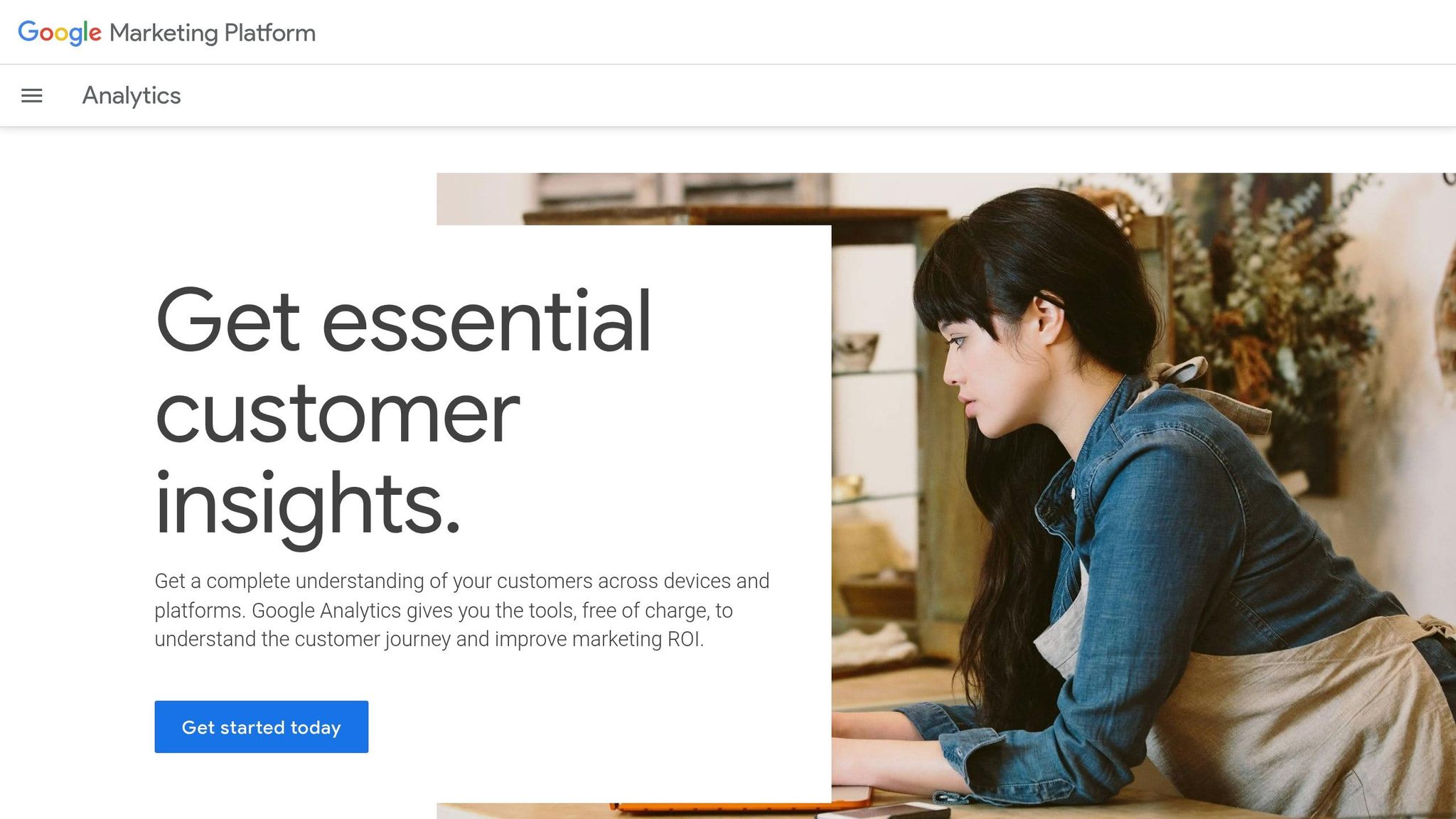
To get a complete view of your website’s performance, use Google Search Console (GSC) and Google Analytics 4 (GA4) together. GSC focuses on search visibility – showing which terms bring visitors to your site, how well your site ranks, and whether Google can crawl it effectively. Meanwhile, GA4 tracks what happens after visitors arrive, such as how long they stay, which pages they explore, and whether they take specific actions like subscribing or completing a form.
Start by setting up GSC using the "Domain Property" option. This method ensures all versions of your site – http, https, www, and non-www – are tracked through a single DNS verification. Once verified, submit your XML sitemap (usually found at yourdomain.com/sitemap.xml) in the "Sitemaps" section to help Google index your pages faster. For GA4, place the tracking code in your website’s header.
Make it a habit to check GSC weekly for crawl errors or indexing problems. Use GA4 data to identify your top-performing pages and traffic sources, helping you understand what resonates with your audience.
Use Basic SEO Tools and Strategies
With your tracking tools in place, focus on foundational SEO practices that deliver measurable results. Platforms like Semrush can assist with keyword research, technical audits, and competitive analysis. For example, the Keyword Magic Tool helps you find low-competition keywords with at least 100 monthly searches – ideal for gaining traction without competing against established players.
"When our team kicks off SEO for a brand-new website, the first thing we check is indexing. There’s literally no point fixing anything if Google can’t even see the site." – Isaac Church, Director at 3WH
Pay attention to title tags and meta descriptions. Keep title tags under 60 characters and meta descriptions between 105–160 characters to ensure they display correctly. Structure your content with clear headings (H1, H2, H3) to help search engines understand your page layout. Also, make sure your site uses HTTPS and loads quickly on mobile devices – this is critical since over 70% of local searches happen on mobile, and Google prioritizes mobile-friendly sites.
Avoid outdated strategies like keyword stuffing. As Ankit Vora, a B2B SaaS Content Writer and Consultant, puts it:
"Tactics like forcing primary keywords into every other line… today, they can actually hurt your rankings. It’s not about doing more, it’s about doing it with purpose." – Ankit Vora
If you’re curious about tools like Semrush, take advantage of their free 7-day trial to explore what they offer.
Claim and Optimize Your Google Business Profile
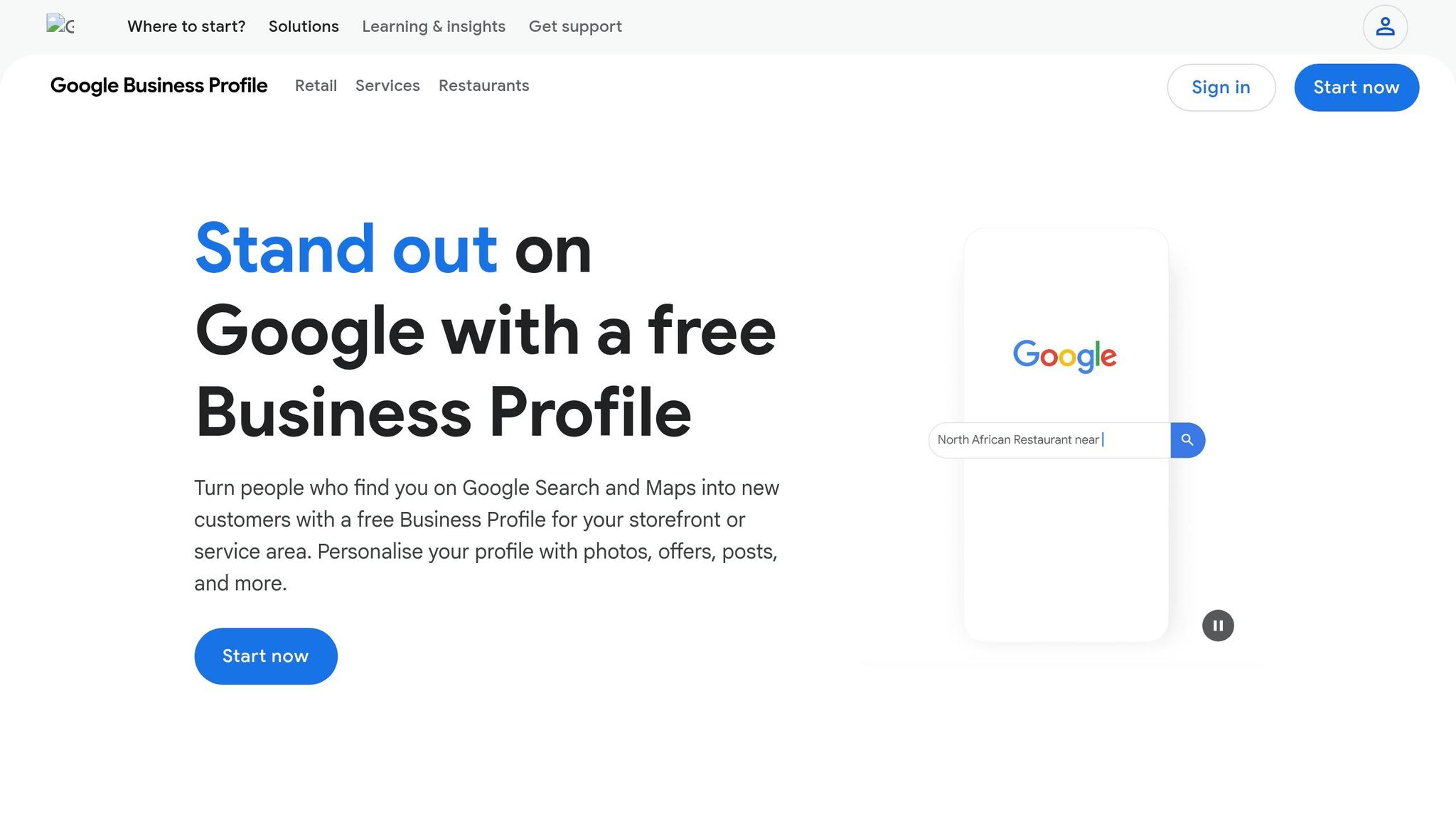
For businesses targeting local customers, a well-optimized Google Business Profile (GBP) is a must. Nearly half (46%) of all Google searches have local intent, and 88% of mobile users who search for local businesses visit or contact one within 24 hours. A detailed and active profile makes your business 2.7 times more likely to be seen as trustworthy.
To claim your profile, search for your business on Google Maps and click the "Own this business?" link to start the verification process. Ensure your Name, Address, and Phone number (NAP) are consistent across your website, GBP, and other directories, as discrepancies can confuse Google and hurt your rankings.
Choose a specific primary category (e.g., "Orthodontist" instead of "Dentist") and add up to nine secondary categories to cover niche searches. Upload 8–12 high-quality photos, including images of your storefront, interior, and team. Profiles with over 100 photos receive 520% more phone calls than average. Respond to reviews within 24–48 hours and post updates or offers weekly to keep your profile active. These steps turn your GBP into a powerful tool for attracting and converting local customers.
Centralize Operations Using BusinessAnywhere
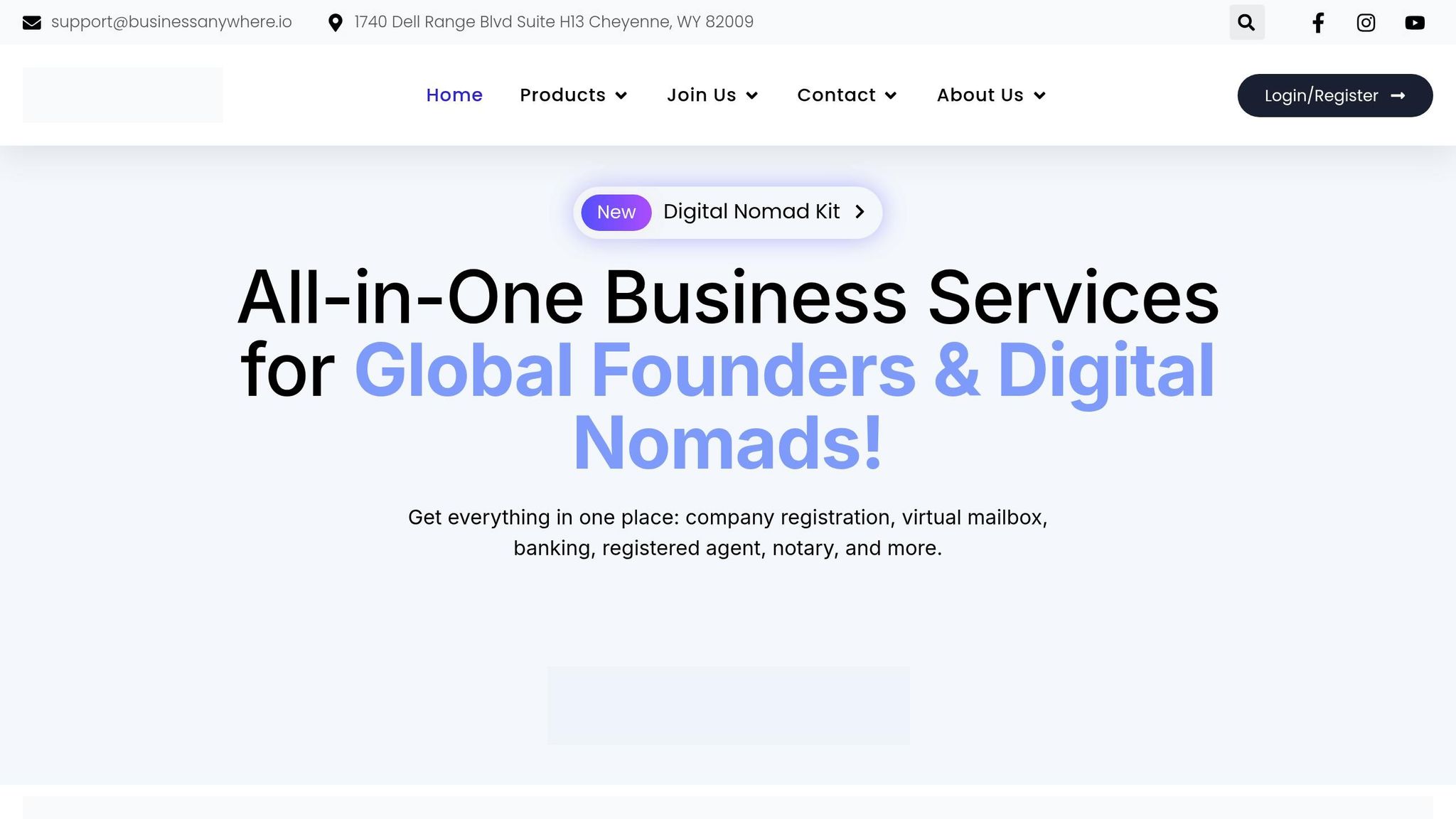
Once your digital presence is up and running, the next step is to bring your legal, administrative, and communication tools under one roof. Juggling entity formation, compliance, and mail handling across multiple platforms can quickly become overwhelming. BusinessAnywhere simplifies this process by combining these services into one streamlined platform. This integration ensures your business operations are as polished and consistent as your online presence.
Streamline Legal and Administrative Tasks
Setting up a U.S. business remotely involves several key steps: filing formation documents with the state, securing an Employer Identification Number (EIN) from the IRS, and designating a registered agent with a physical address to handle legal notices. Missing compliance deadlines, like annual report filings, can lead to late fees, penalties, or even administrative dissolution.
BusinessAnywhere takes care of these critical tasks by offering a single platform for entity formation, EIN applications, registered agent services (with the first year included at no extra cost), and a virtual mailbox. This virtual mailbox provides a professional U.S. address for all official correspondence. With everything accessible through an integrated dashboard, staying on top of compliance and operational updates becomes much easier. Automating these processes not only saves time but also helps you maintain a trustworthy and professional image that aligns with your website and social media presence.
Keep Your Business Information Consistent
Consistency in your Name, Address, and Phone number (NAP) across all platforms is a must for building trust with search engines and maintaining professional credibility. Discrepancies in your business address – whether on your Google Business Profile, website, or banking records – can confuse both customers and search algorithms.
"Maintaining consistent NAP data is crucial for search trust and brand credibility." – Victor Okonkwo, SMB Guide Author
By centralizing your legal and contact information with BusinessAnywhere, updates are automatically applied across all essential documents. This makes it easier to follow the "Big 4" rule: ensuring consistent NAP data on platforms like Google Business Profile, Facebook, Apple Business Connect, and Bing Places.
Create a Digital Tool Stack Checklist
Centralizing your tools not only boosts efficiency but also strengthens the unified image of your digital presence. To stay organized as your business expands, consider creating a checklist of tools and services you rely on:
| Tool Category | Recommended Services | Purpose |
|---|---|---|
| Business Foundation | BusinessAnywhere | Entity formation, registered agent setup, EIN, compliance |
| Website Building | Wix, WordPress, Shopify | Building a professional online hub and e-commerce store |
| SEO & Analytics | Google Analytics, Semrush | Tracking traffic, keyword research, and search visibility |
| Social Media | Instagram, Facebook, LinkedIn | Customer engagement and brand awareness |
| Operations | CRM databases, task management software | Managing workflows and customer relationships |
| Financials | QuickBooks or similar software | Tracking finances, tax records, and P&L statements |
Most new businesses take two to three years to become profitable. By automating tasks like compliance filings, mail handling, and financial tracking, you’ll free up valuable time to focus on growing your revenue. Centralizing your legal and operational tools also minimizes the chance of missed deadlines, helping you maintain a cohesive and professional digital presence.
Conclusion
Creating a professional digital presence is entirely within reach if you follow the right steps. Start by laying the groundwork: establish your business entity, secure a professional address, and ensure compliance is handled properly. Build a website that stands out with a clear domain name, intuitive design, and pages designed to convert visitors into customers. On social media, focus on platforms where your audience is most active and use tools to keep your posts consistent and engaging.
Boost your online visibility with SEO and analytics. Implement tools like Google Analytics, claim your Google Business Profile, and apply basic SEO techniques to help customers find you online. Consider this: 97% of consumers use search engines to discover local businesses, and 75% of people form opinions about your credibility based on your website design. These statistics highlight why a polished and optimized digital presence is crucial.
As outlined, the key elements – legal structure, SEO, and more – are the building blocks of a strong online presence. But these components work best when they’re part of a unified system. Managing everything separately, from legal filings to compliance and mail handling, can get overwhelming fast. That’s where BusinessAnywhere simplifies things. Their platform combines entity formation, registered agent services (free for the first year), virtual mailboxes, EIN applications, and compliance tracking – all in one dashboard. This setup saves time, reduces errors, and ensures your business information stays consistent, reinforcing the professional image you’ve worked hard to build.
By automating time-consuming tasks and starting with a solid digital foundation, you’ll have more time to focus on what matters most: connecting with customers and growing your brand.
Ready to get started? BusinessAnywhere’s business registration services make it easy to establish your U.S. business remotely. No office visits, no hidden fees – just straightforward tools to set up your digital presence and get your business running smoothly.
FAQs
What should I set up first: my LLC, EIN, or website?
Setting up your LLC should be your first step. This establishes your business as a legal entity. Once that’s done, the next move is to apply for an EIN (Employer Identification Number). An EIN is essential for handling taxes and opening business bank accounts. With these foundational steps complete, you can move forward and create your website, knowing your legal and tax structures are already sorted.
Do I need a virtual mailbox, or can I use my home address?
Using your home address for your business is an option, but it has drawbacks. For one, your address becomes public on official registrations, which can lead to privacy concerns. Additionally, it might not align with Google’s verification requirements.
A virtual mailbox can be a smarter alternative. It not only safeguards your privacy but also adds a layer of professionalism to your business. By keeping your personal and business lives separate, a virtual mailbox can help your business appear more trustworthy while ensuring your personal details stay protected.
Which metrics should I track first in GA4 and Search Console?
In GA4, begin by monitoring user count, sessions, and engagement rate. These metrics give you a snapshot of how visitors interact with your site. Over in Search Console, pay attention to impressions, clicks, and average position. These numbers reveal how visible your site is in search results and how often users are engaging with your content. Together, these insights paint a clear picture of traffic, user behavior, and search performance, making it easier to spot areas that need attention.