
Starting a business? Here’s the deal: Picking the right tools early on can save time, reduce stress, and set your startup up for growth. From managing projects to handling finances and staying compliant, this guide breaks down the must-have tools for startups. Here’s a quick summary:
- Project Management: Trello (simple, visual workflows) or Asana (more structured, scalable for larger teams).
- Communication: Slack (team messaging, integrations) and Zoom (video conferencing).
- Accounting: QuickBooks (full-featured, scalable) or Wave (free, simple for small teams).
- CRM: HubSpot (free for startups) or Salesforce Essentials (powerful for scaling businesses).
- Compliance & Formation: BusinessAnywhere (LLC formation, registered agent, virtual mail).
Key takeaway: Start small with free or affordable plans, focus on tools that grow with you, and don’t overlook compliance – it’s critical for smooth scaling. Let’s dive in.
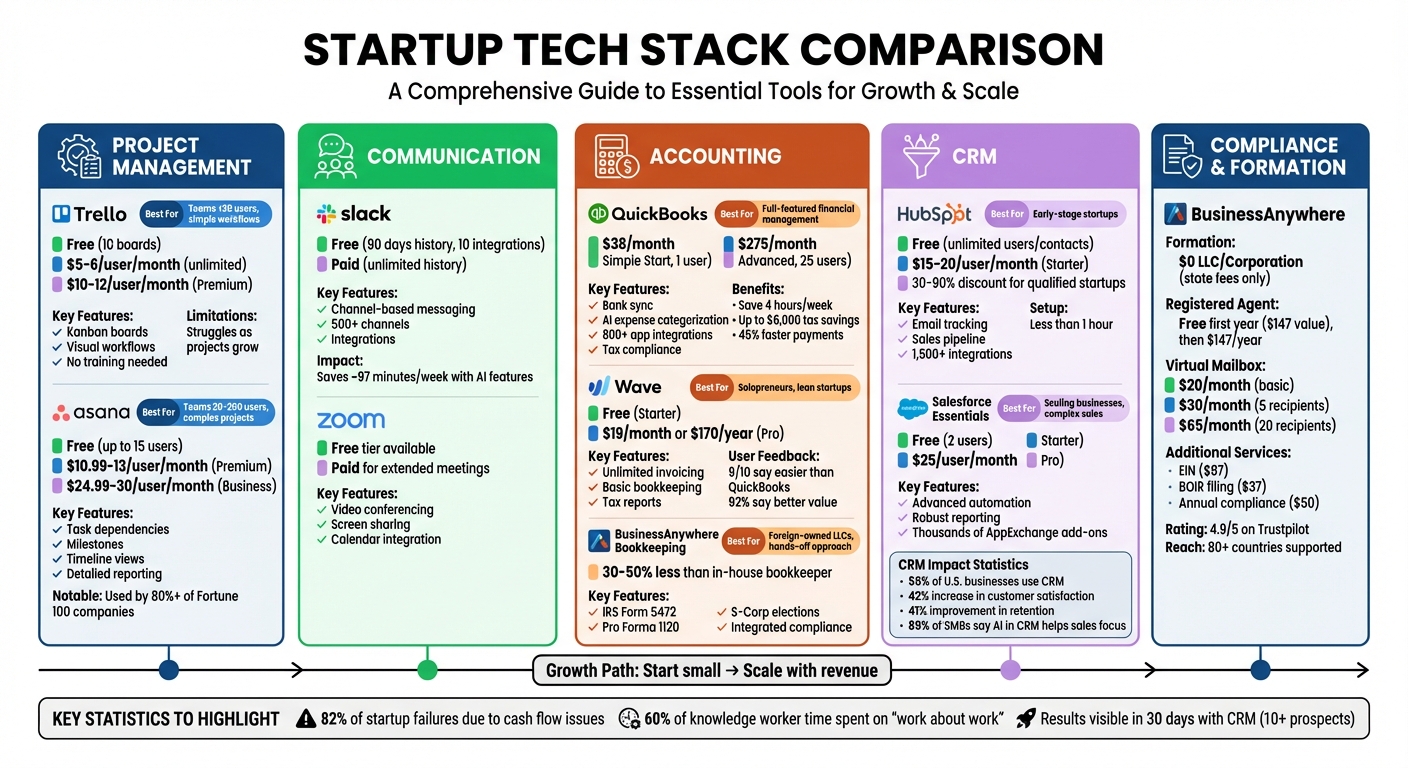
Startup Tech Stack Tool Comparison Guide: Features, Pricing, and Best Use Cases
Project Management and Team Collaboration Tools
When choosing project management tools, consider your team’s size and the complexity of your workflow. Trello is a user-friendly option that employs a Kanban-style system with boards, lists, and cards, making it ideal for smaller teams. It requires no training and offers immediate project visibility. Trello’s free plan includes unlimited cards (limited to 10 boards per workspace) and optional "Power-Ups" for features like calendar views and app integrations. Paid plans start at $5–$6 per user per month for unlimited boards, while the Premium plan, which includes timeline and calendar views, costs $10–$12 per user per month.
Asana, on the other hand, provides a more structured approach with a clear hierarchy: Organization > Team > Project > Task. It’s designed to scale with your business, offering features like task dependencies, milestones, and timeline views – tools that are indispensable for managing complex projects such as product launches or software rollouts. Impressively, over 80% of Fortune 100 companies rely on Asana. The free plan supports teams of up to 15 users, while Premium plans range from $10.99–$13 per user per month. For advanced automation and workload management, Business plans cost $24.99–$30 per user per month.
"Trello wins on simplicity but struggles as projects grow. Asana offers structure and depth but often feels heavy and expensive for smaller teams." – Casey Ciniello, Sep 23, 2025
Here’s a quick guide to help you decide:
- Choose Trello if your team has fewer than 20 users, values speed and visual organization, or manages straightforward workflows like content calendars or simple bug tracking.
- Choose Asana if your team includes 20–200 users, handles complex projects with interdependent tasks, or requires detailed reporting and workload tracking.
Now, let’s shift focus to communication tools that further enhance collaboration.
Slack and Zoom: Communication Basics
Once your projects are organized, keeping communication smooth is essential. Tools like Slack and Zoom ensure teams stay connected and aligned. Slack organizes communication into public or private channels, making it easier to keep discussions focused. The free plan includes 90 days of message history, 10 app integrations, and 10GB of file storage. Paid options unlock unlimited message archives and additional security features. To illustrate its impact, Crumbl Cookies used over 500 Slack channels in 2026 to streamline work on sales and social campaigns, resulting in faster problem-solving and stronger team morale. Slack AI also enhances productivity, saving users roughly 97 minutes per week by summarizing conversations and improving search functionality.
For video conferencing, Zoom is a go-to solution. Its free tier offers robust video and screen-sharing capabilities, though paid plans are often necessary for extended meeting durations and advanced administrative tools. These platforms integrate seamlessly with calendars and with each other, allowing you to start Zoom meetings directly from Slack threads. Additionally, tools like Slack Clips or Loom make it easy to share screen recordings with narration, enabling team members to review updates on their own time.
It’s worth noting that knowledge workers spend about 60% of their time on "work about work" – tasks like chasing updates or approvals – rather than focusing on strategic responsibilities. Tools like Slack and Zoom help reduce this inefficiency, creating a more productive and collaborative environment.
Together, these solutions integrate effortlessly into your startup’s toolkit, setting the stage for growth and efficiency.
Accounting and Bookkeeping Tools
Getting your finances in order from the start is non-negotiable – cash flow issues are behind 82% of startup failures. The right accounting tools can give you real-time insights into your spending and runway, helping you steer clear of those pitfalls. It’s all about finding software that handles essential financial tasks and grows with your business.
QuickBooks: All-in-One Financial Management
QuickBooks Online is a favorite among U.S. startups for handling everything from expense tracking to tax preparation. It syncs directly with your bank accounts, using AI tools to categorize expenses automatically. The mobile app makes it easy to snap photos of receipts on the go, while invoice reminders speed up payments – businesses report getting paid 45% faster, often 5 days sooner. For compliance, QuickBooks includes a "Sales Tax Agent" (in Beta) that flags discrepancies between your profit and loss statements and sales tax reports before filing. It also simplifies 1099 filings for contractors and generates accountant-friendly, tax-ready reports.
On average, users save nearly 4 hours a week on admin tasks and can see up to $6,000 in tax savings. Plans start at $38/month for the Simple Start plan (1 user) and go up to $275/month for the Advanced plan (up to 25 users). QuickBooks is tax-deductible under IRS Section 179 and integrates with over 800 apps, supporting the GAAP-compliant accrual accounting that investors expect.
Wave: Budget-Friendly Accounting
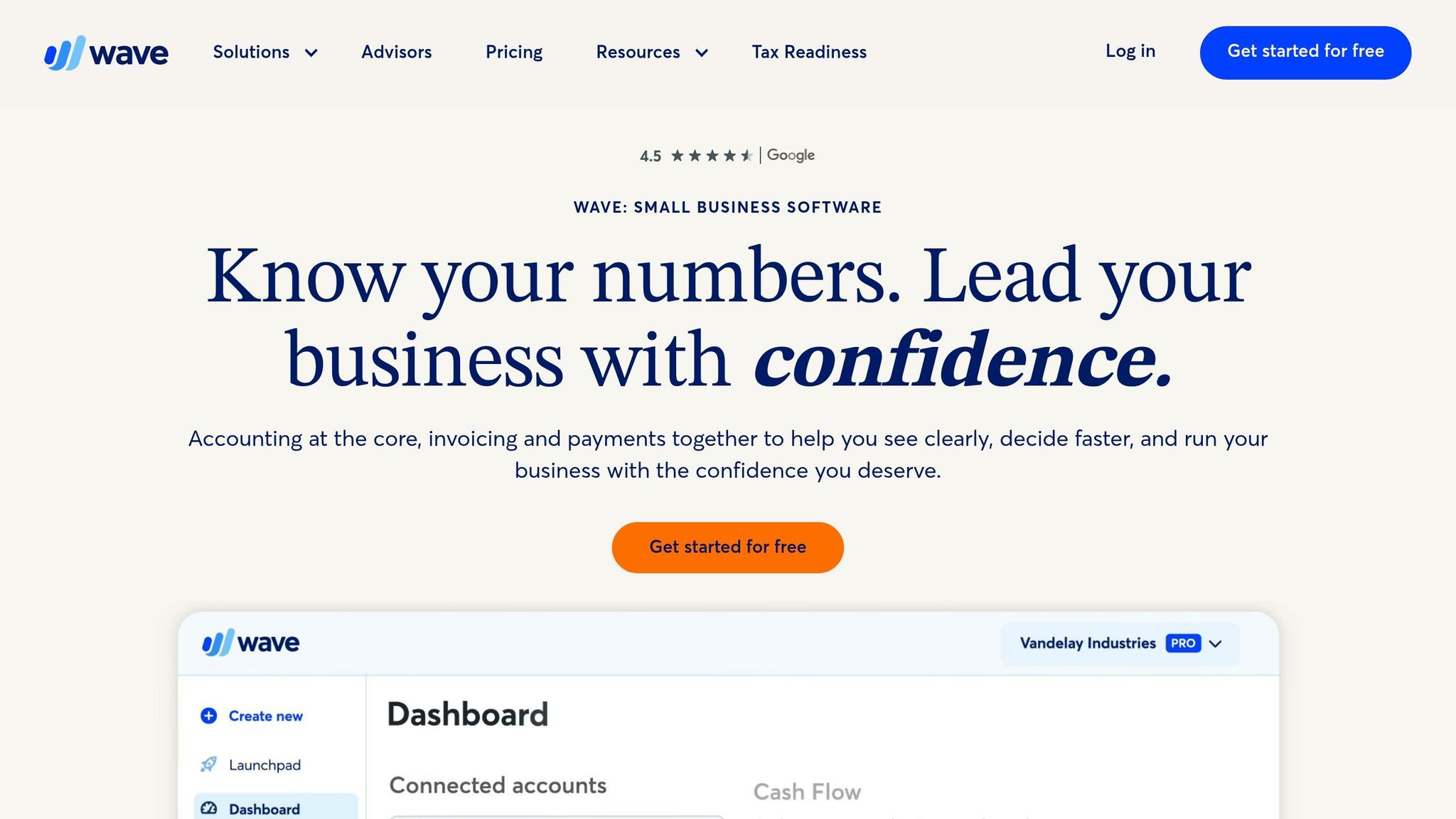
If you’re a solopreneur or running a lean startup, Wave’s free Starter Plan might be all you need. It includes unlimited invoicing, estimates, and basic bookkeeping records, and its simple setup is a big draw. In fact, 9 out of 10 small business owners say Wave is easier to use than QuickBooks, and 92% of those who switched feel Wave offers better value.
"Wave makes your life a whole lot easier and takes that worry off you. I’ve tried QuickBooks – it’s a bit more complicated and technical, and takes more time to set up."
- Tatiyanna W., TruCreates.com
Wave also provides tax reports like profit and loss statements and cash flow summaries. For $19/month (or $170/year), the Pro Plan adds features like auto-imports, receipt scanning, and support for unlimited users. However, Wave focuses on simplicity, so it doesn’t offer as many advanced integrations as QuickBooks.
BusinessAnywhere Bookkeeping Services
BusinessAnywhere Bookkeeping Services takes a hands-off approach to financial management by combining bookkeeping with services like company formation, EIN management, and compliance. It’s especially helpful for foreign-owned LLCs dealing with IRS filings like Form 5472 or Pro Forma 1120, or for businesses considering S-Corp tax elections to lower self-employment taxes. The platform connects you with accounting partners who handle expense tracking and tax filing, simplifying the process.
Their centralized dashboard includes extras like registered agent services and virtual mail, aligning your financial records with legal requirements for good standing and bank account setup. Remote bookkeeping services often cost 30% to 50% less than hiring an in-house bookkeeper.
"I hired BA to take care of setting up my entity when I moved back to the states. It was a smooth process and I’ve barely had to lift a finger since then. Really appreciate the done-for-you service."
- André Crabb, Founder
Whichever option you choose – QuickBooks, Wave, or BusinessAnywhere – the most important step is separating your business finances from personal ones. Open a dedicated business bank account and credit card to make tax prep easier and protect your liability status. Start with cash accounting if you’re pre-revenue, but be ready to switch to accrual accounting as you scale or approach $25 million in revenue.
With the right tools and systems in place, you’ll be set to grow your business with confidence.
Customer Relationship Management (CRM) Tools
Once your finances are in order, the next step is improving how you manage customer relationships. When dealing with more than 10 active prospects, a CRM can start delivering results in as little as 30 days. Relying on spreadsheets at this stage often leads to missed follow-ups and stalled deals. A CRM centralizes all your customer data, tracks email interactions, and provides a clear view of your revenue pipeline.
In the U.S., 55% of businesses use CRM platforms, with small businesses reporting a 42% increase in customer satisfaction and a 41% improvement in retention after implementing one. Additionally, 85% of SMBs using AI in their CRM say it helps sales teams focus their time more effectively. The trick is choosing a tool that suits your current stage of growth. Free tiers are great for early-stage startups, but you’ll want options to upgrade as your business scales. Below, we’ll look at two popular options: HubSpot and Salesforce Essentials.
HubSpot: Free CRM for Early-Stage Startups
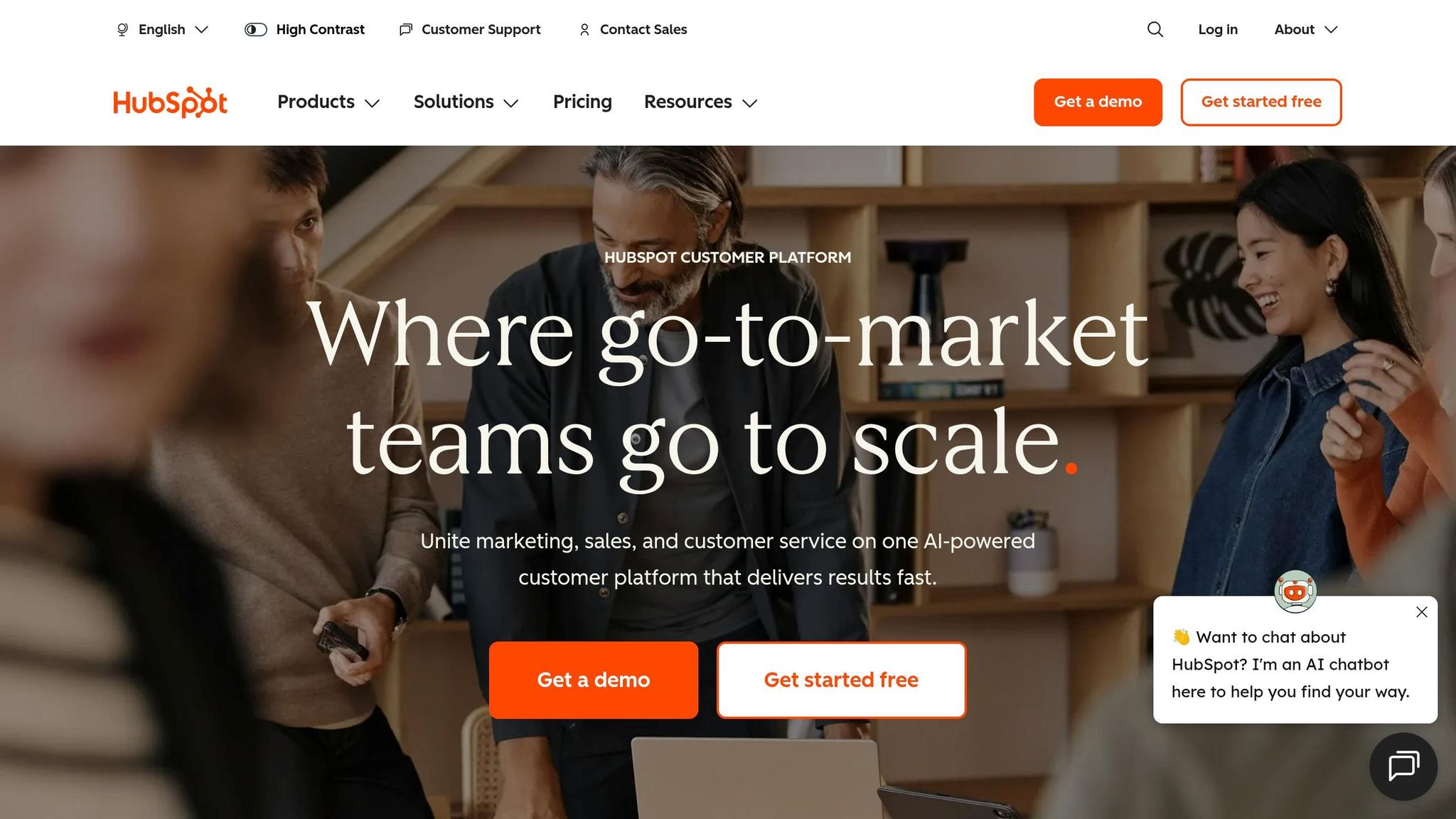
HubSpot’s free CRM is a great fit for startups in their early stages. It offers unlimited users and contacts, which is especially helpful when you’re growing fast and don’t want to pay per seat. Features include contact management, email tracking (opens, clicks, replies), a basic sales pipeline, and meeting scheduling – all of which integrate seamlessly with Gmail or Outlook. Best of all, you can get started in less than an hour without needing a dedicated admin.
"They told me that HubSpot was great for managing contacts and automating lots of tasks, and that the initial platform was free. It sounded ideal for keeping our team organized without paying extra."
- Mia Negru, Co-Founder, 2030 Builders
When your business outgrows the free tools, HubSpot’s Starter plans are available for $15–$20 per user per month. If your company is under 2 years old and has less than $2 million in funding, the HubSpot for Startups program offers discounts of 30% to 90% in the first year. With over 1,500 integrations, HubSpot can easily adapt to your growing tech stack.
Salesforce Essentials: CRM for Scaling Businesses
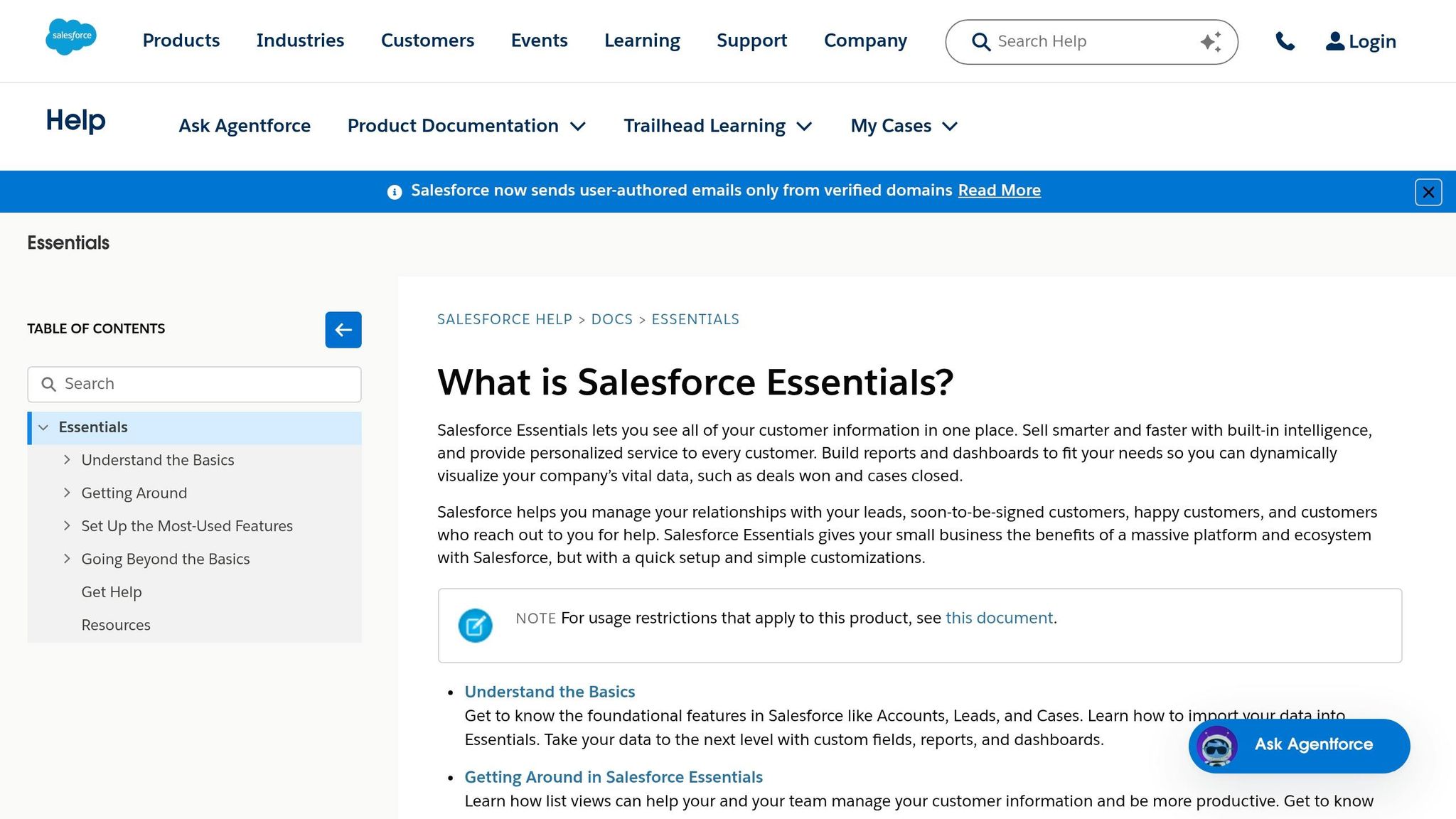
For startups preparing to scale, Salesforce Essentials provides more advanced automation and reporting capabilities. Its Free Suite supports up to 2 users and includes features like contact, lead, and opportunity management, as well as 100 marketing emails per month. Upgrading to the Starter Suite at $25 per user per month (billed annually) or the Pro Suite at $100 per user per month unlocks powerful tools like automation flows, case management, and Slack integration.
Salesforce is built for scalability, making it a strong option for businesses with complex sales processes or multi-product offerings. The AppExchange offers thousands of add-ons, allowing you to customize the platform as you grow. TireTrack CEO Daniel Saeli explained the impact Salesforce had on his company:
"Moving to Salesforce was a turning point for us. Before, we were constantly scrambling to keep customer histories straight. Now, everything’s unified, saving us time and setting us up to scale."
- Daniel Saeli, CEO and Co-Founder, TireTrack
Salesforce does require more setup time, but it’s worth the effort if you’re aiming for metrics that attract investors, like win rates, deal sizes, or sales cycle lengths. For bootstrapped teams looking for simplicity and no upfront costs, HubSpot’s free model may be the better choice. However, if you’re gearing up for a Series A, Salesforce’s robust reporting tools are hard to beat.
sbb-itb-ba0a4be
U.S. Business Formation and Compliance Tools
To support your operations and ensure smooth scaling, having a dependable formation and compliance system is essential. Once your customer pipeline is in place, the next step is registering your business and staying compliant with legal requirements. This is especially important for international founders and digital nomads looking to establish a U.S. presence. BusinessAnywhere simplifies this process by offering a comprehensive solution that handles everything from forming your LLC or Corporation to ensuring compliance with federal and state laws.
BusinessAnywhere: U.S. Business Formation Platform
BusinessAnywhere provides a cost-effective option for startups, offering $0 LLC and Corporation formation (you only pay state fees). Additionally, they include a free first-year registered agent service (a $147 value), ensuring you meet the legal requirement to receive government notices and legal documents in all 50 states. After the first year, the service renews at $147 annually.
For international entrepreneurs and digital nomads, BusinessAnywhere offers a virtual mailbox starting at $20 per month. This gives you a real U.S. street address to manage your mail online – an essential feature for opening U.S. bank accounts and maintaining a professional presence. The platform also handles EIN applications for $97 and assists non-U.S. founders with ITIN applications, ensuring compliance with tax laws and enabling legal hiring practices.
With a stellar 4.9/5 rating on Trustpilot, BusinessAnywhere is highly regarded by users. As one customer, Mariza M., shared:
"I easily transferred my LLC with their registered agent service and virtual mailbox. Dashboard is easy to use, now everything is in good hands."
Having supported founders from over 80 countries, BusinessAnywhere is a trusted partner for international entrepreneurs looking to establish a U.S. business.
Staying Compliant with BusinessAnywhere
After forming your business, staying compliant is just as important. BusinessAnywhere helps by managing mandatory filings like Beneficial Ownership Information Reports (BOIR) for $37. This federal filing discloses who owns or controls your company, and automating it through the platform ensures you avoid penalties.
The service also handles annual reports and state filings to keep your business in good standing. For $50, BusinessAnywhere’s annual compliance service sends reminders and manages all necessary paperwork, so you never miss a deadline. Everything is accessible through a centralized dashboard, where you can track filings, manage your virtual mailbox, and receive compliance alerts. This hands-off approach is perfect for busy founders managing multiple priorities or working across different time zones.
Scaling Your Tech Stack
When scaling your startup, it’s not just about growing your user base – it’s about expanding your technical infrastructure and ensuring compliance systems can keep up. Moving from an MVP to a fully scalable operation means finding cost-effective tools that grow with you. Tools like Vercel and Supabase offer a smart way to build scalable applications without breaking the bank.
Vercel focuses on serverless frontend deployment, particularly for Next.js applications. Its setup requires no configuration and delivers global edge performance. For startups just getting off the ground, Vercel’s free tier is perfect. When you’re ready to expand, the Pro plan is only $20 per month.
On the backend, Supabase combines multiple features – PostgreSQL database, authentication, storage, and real-time functionality – all in one platform. The free tier includes a 500MB database, which works well for MVPs. As your user base grows to 50,000 monthly active users or you need daily backups, the Pro plan becomes a solid choice at $25/month. For AI-focused startups, Supabase’s pgvector extension is a game-changer. It allows you to store embeddings alongside user data, removing the need for a separate vector database.
Scaling doesn’t mean upgrading too soon. Stick with free tiers until you hit limits like Vercel’s 100GB bandwidth cap or Supabase’s usage thresholds. As SaaSCity wisely put it, "Scale on revenue, not hope".
BusinessAnywhere as Your Compliance Hub
While tools like Vercel and Supabase handle the technical side, compliance is just as critical for smooth operations. BusinessAnywhere simplifies compliance by centralizing key tasks like annual reports, mail management, and filing deadlines. Its dashboard ensures you can manage filings across multiple states without juggling multiple systems.
For startups, the virtual mailbox service is a standout feature. Starting at $20 per month, it grows with your team. The Premium plan ($30/month for up to 5 recipients) and Advanced plan ($65/month for up to 20 recipients) are perfect for scaling businesses. These plans allow multiple team members to access company mail, which is invaluable for handling vendor communications, banking correspondence, and regulatory notices anytime, anywhere.
BusinessAnywhere also offers automated reminders for required filings, reducing the administrative burden on busy founders. With these tools in place, you can focus on scaling your business while staying compliant and organized.
Conclusion
The right tech stack isn’t about chasing the latest tools – it’s about solving real problems and removing bottlenecks. Start small by leveraging free plans and startup discounts, and let your software investments grow alongside your revenue. The most effective founders focus on tools that work well together through robust APIs, minimizing the friction that can slow teams down.
"When you choose tools with opportunities to scale in mind, you’re ensuring you’re leaving enough room for your business to grow and evolve, without needing to create entirely new ways of working." – Des Traynor, Co-founder and Chief Strategy Officer at Intercom
This mindset should apply to all areas of your business, including legal and regulatory compliance.
Regulatory gaps can stall funding rounds, block enterprise deals, and even put founders at risk of personal liability. BusinessAnywhere simplifies this by consolidating U.S. business formation, registered agent services, annual reports, and mail management into one platform. With virtual mailbox plans ranging from $20/month to $65/month for teams of up to 20 recipients, you can handle vendor communications and legal notices from virtually anywhere.
Review your tech stack every six months to identify unused tools and resolve emerging inefficiencies. Set clear protocols early – like keeping product documentation centralized and updates organized – to avoid digital clutter as your team scales. Always remember, software should enhance your workflows, not disrupt them.
FAQs
Which tools should I set up first if I’m bootstrapping?
If you’re building a business with limited resources, it’s smart to focus on tools that simplify your main operations without breaking the bank. Start by using project management platforms like Asana or Trello to keep tasks organized and your team on the same page. For communication, consider tools like Slack or Zoom to keep collaboration running smoothly. By sticking to these basics, you can stay productive and keep expenses under control, setting the stage for future growth.
When should I upgrade from free plans to paid plans?
When free plans no longer cover your startup’s needs – whether it’s due to feature limitations, storage caps, or usage restrictions – it’s time to consider an upgrade. For instance, if your communication tools restrict message history or limit integrations, moving to a paid plan can unlock those capabilities. Similarly, project management tools might require an upgrade to access advanced features or accommodate larger teams.
The key is to start with free plans and only upgrade when it’s absolutely necessary. This way, you can manage costs effectively while your business grows.
What compliance tasks do I need to handle in year one?
In your startup’s first year, it’s crucial to tackle key compliance tasks to ensure you’re meeting legal and regulatory standards. Start by establishing security and privacy frameworks like SOC 2, GDPR, or CCPA, depending on your industry. These frameworks help protect your data and build credibility with customers.
You’ll also need to prepare for audits and allocate a portion of your budget specifically for security measures. Regulations – like those related to AI and data protection – are constantly changing, so staying informed is non-negotiable. Additionally, address any industry-specific compliance needs, such as obtaining required licenses or managing vendor relationships. By doing so, you can avoid costly penalties and strengthen trust with your audience.