In Short: Can You Use a Virtual Address on Google Business Profile?
No. Google’s guidelines say “P.O. boxes or mailboxes located at remote locations aren’t acceptable,” and a business that rents an address but doesn’t operate there is not eligible. Google wants your actual, real-world location.
- Virtual mailbox or virtual office: not eligible.
- Co-working space: allowed only with clear signage and your own staff there during business hours.
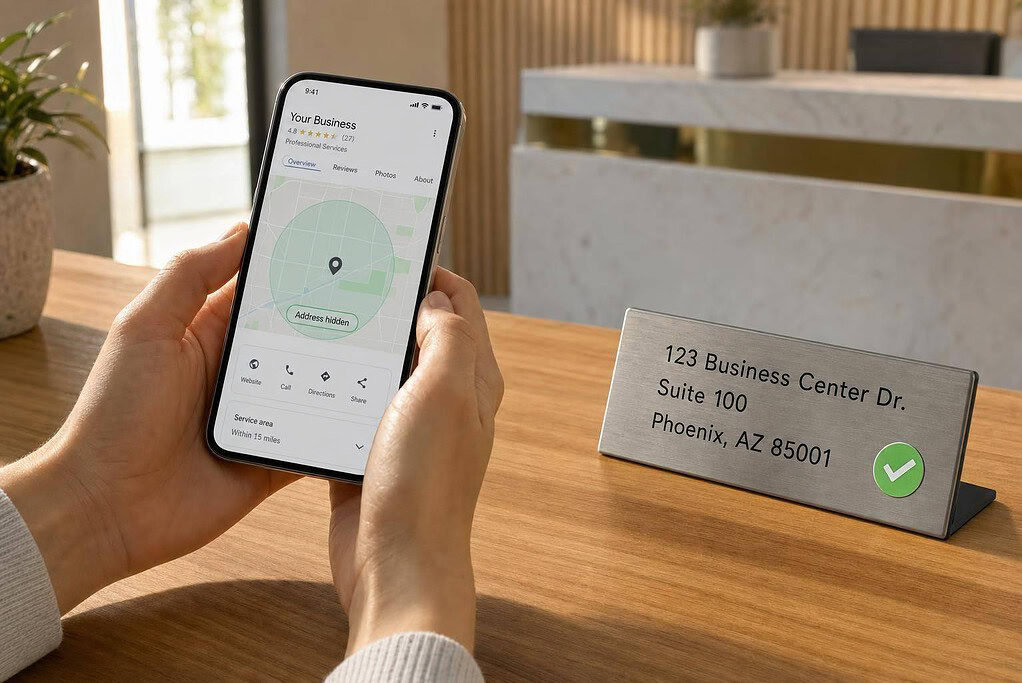
- Home-based service business: verify with your home address, then hide it and list the areas you serve.
- Storefront or office: eligible when you serve customers there in person.
A virtual mailbox still has a job: use it on your website, invoices and business mail, and keep it off your Google profile.
Virtual Address Types for Google Business Profile: Eligibility & Risk
Google’s Address Rules: What Counts as an Eligible Business Location
This section explains which address types Google accepts and which ones can put a profile at risk.
Storefront, Service-Area, and Hybrid Profiles Explained
Google uses three main profile types: storefront, service-area, and hybrid.
Storefront: Customers come to a physical location that is staffed during business hours. This covers places like shops, restaurants, and repair facilities.
Service-area: A service-area business serves customers where they are, not at your address. Google says SABs must hide their street address and list the cities, ZIP codes, or regions they serve instead. If a pure SAB shows an address, that breaks policy and is a common reason for suspension. [6][15]
Hybrid: A hybrid business does both. Customers can visit the business location, and the business also serves people at their location. These profiles can show an address and set service areas, but there’s a catch: the physical location must be staffed and open to visitors during the posted hours.
That leads to the next issue: does a virtual office, coworking space, or mailbox setup meet those rules?
Virtual Offices, Coworking Spaces, and Mailbox Addresses
Google does not allow PO boxes or commercial mailbox services to be used as public business addresses. The policy is blunt:
"If your business rents a physical mailing address but doesn’t operate out of that location, also known as a virtual office, that location isn’t eligible for a Business Profile." [3]
Coworking spaces are a little different, but only in a narrow set of cases. They may qualify if you have a dedicated suite, staff at that location, clear signage, and customers can visit you there. Put simply, a coworking address only works when the space is dedicated to your business, staffed, and open to customers.
Those rules shape whether a home address, virtual mailbox, or coworking suite can support a policy-compliant profile.
Next, apply these rules to setups like home offices, online LLCs, and remote agencies.
sbb-itb-ba0a4be
Can You Use a Virtual Address? A Look at Common Business Setups
Google’s rule is pretty simple: your listed location has to be a real place where your business operates and can be verified.
That means the address on your profile should match how the business works in day-to-day life. A mailing address alone doesn’t cut it.
Examples: Home-Based Consultant, Online LLC, and Remote Agency
Home-based consultant: If a consultant meets clients in person, the business can qualify as a service-area business. If clients don’t come to the home, use the real home address for verification, hide it from the public, and show only the service area, such as the cities or ZIP codes you serve.[23]
Online-only LLC: An e-commerce store, online course business, or SaaS company that never meets customers face-to-face usually does not qualify for a Google Business Profile.[21][22] Using a virtual mailbox, PO box, or coworking address doesn’t make that business eligible.[2][21] If the business later starts offering in-person service, then it can look at GBP eligibility again.
Remote agency using a virtual office: This is where people often get tripped up. A virtual office works only if the agency actually operates from that staffed location. The address can qualify only when the business has a dedicated office or suite, staff are there during business hours, the space has permanent signage, and clients can visit by appointment.[11][16][18][20][23] If the address is just for mail, occasional bookings, or a shared desk, it should not appear on the profile.[2][4][12]
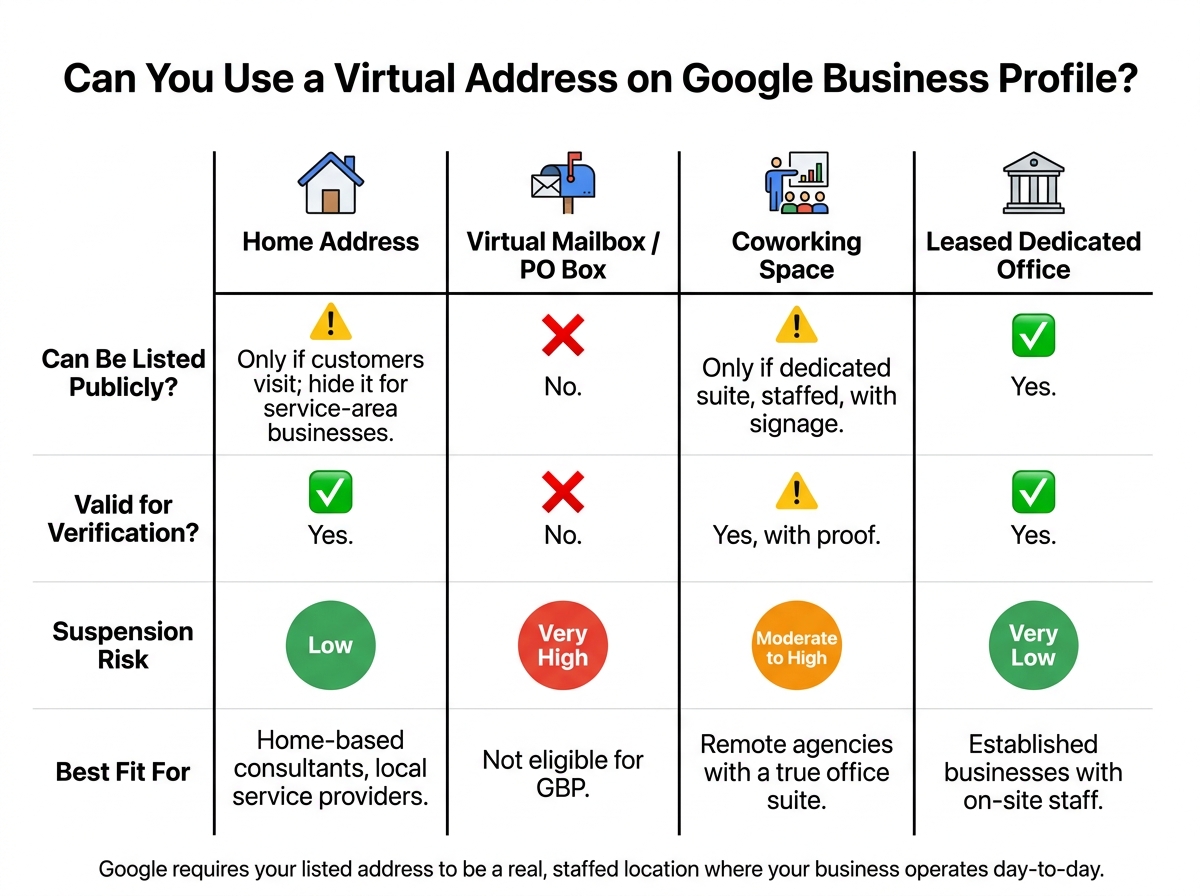
Comparison Table: Home Address vs. Virtual Mailbox vs. Coworking Office vs. Leased Office
| Address Type | Can Be Listed Publicly? | Used for Verification? | Suspension Risk | Best-Fit Business Type |
|---|---|---|---|---|
| Home address | Public only if customers visit; hide it for SABs | Yes | Low when set up as a service-area business | Home-based consultants, local service providers |
| Virtual mailbox / PO box / UPS Store | No | No | Very high | Not eligible for GBP |
| Coworking office | Only if it is a dedicated, staffed suite with signage | Yes, with proof | Moderate to high | Remote agencies with a true office suite |
| Leased dedicated office | Yes | Yes | Very low | Established businesses with on-site staff |
Where BusinessAnywhere Fits in a Compliant Setup
BusinessAnywhere’s virtual mailbox, registered agent, and business registration services can help with privacy, mail handling, and compliance. For example, they can keep a home address off public records and put mail in one place.
But here’s the line you can’t blur: those services do not create a valid Google Business Profile location.
The safer move is to use BusinessAnywhere for legal and mail needs, then use your real operating address for GBP – whether that’s your home, a leased office, or a staffed coworking suite that your business actually uses.
Once you know which address type fits, the next step is entering it the right way and deciding whether customers can visit.
How to Set Up Your Google Business Profile Correctly
Add Your Address and Decide If Customers Visit You
Once you’ve confirmed that your address type is eligible, enter it exactly as Google can verify it. Small details matter here. If the address in your profile doesn’t match your records, you can run into delays.
Google will then ask whether customers can visit your location. That choice controls whether your address shows on the profile. If customers come to your location, display the address. If they don’t, hide it and set up the profile as a service-area business.[10][7][9]
Set Service Areas and Hide the Address When Needed
If you hide the address, add service areas that match where you actually work. Google allows service areas by city names or ZIP codes, and each profile can include up to 20 service areas. Stick to places you genuinely serve. In plain English: don’t pad the list with far-off cities just to show up in more searches.
For an existing profile, you can hide the address by going to Edit profile → Location → Business location, turning off Show business address to customers, and saving the change.[25][28] Your profile stays verified, but your street address no longer appears in public.
After that, add your service areas right away. If the address is hidden, those service areas become your main public location signal.
Verification, Mail Handling, and Supporting Records
Google may verify your profile by postcard and send a 5-digit code.[27] Before you request it, double-check the mailing address. It sounds basic, but this is where people trip up.
If you choose a virtual mailbox for business mail, keep a close eye on it. That mailbox can be used to receive Google verification mail.
It also helps to keep your records in order after verification. Save items like:
- Licenses
- Incorporation documents
- Utility bills
These records can help if Google asks for reverification or if you need to file an appeal.[24][26] Keep them handy so you’re not scrambling later.
How to Avoid Suspension and Keep Your Profile Compliant
Common Violations and How to Fix Them
One of the most common reasons a profile gets suspended is using an address that isn’t verified or isn’t staffed.[33][35] Google may also take a closer look when your business hours don’t match reality, your categories don’t line up with what you actually do, or your profile details conflict with your documents.[33][36]
There’s another easy way to get flagged: making too many big changes at once. If you update your business name, address, and category in a single round of edits, your profile can get pushed into manual review.[34][14]
The fix is pretty simple. If you serve customers at their location, hide your address and set up your profile as a service-area business. If you do display an address, it needs to be a staffed location where customers can visit.[8]
Records to Keep for Audits, Reinstatement, or Appeals
If Google asks you to verify again, or if you need to appeal a suspension, your paperwork matters. Keep these records ready:
- Lease or occupancy agreement
- Tax filings
- Signage photos
- Entrance photos
- Workspace photos
These are the documents Google often looks for during reverification or an appeal.[13][31] Since Google’s reinstatement flow lets you upload documents directly, it helps to have everything sorted ahead of time.[13][32]
If you’re a service-area business, photos of branded vehicles or equipment can help show that you’re actively operating.[5][29] Every document should match your GBP name, address, phone number, and website.[29][30] Even a small mismatch – like your lease showing details that don’t line up with your profile – can slow an appeal down or stop it in its tracks.
FAQs
Can I verify with a home address and hide it later?
Yes. If you run a service-area business, you can verify your Google Business Profile with a real home address that Google can confirm. After that, you can hide the address from public view.
That said, Google often leans toward local SEO when a business’s exact address is consistent and visible across online platforms.
What proof does Google usually ask for?
Google usually wants proof that your business is real and that it operates at the address you listed. To check that, it may ask for GPS-tagged photos or set up a live video call to verify your location.
If you run a service-area business, Google may also ask for proof that you actively serve the area you selected. Since Google puts a lot of weight on in-person customer interaction, you should be ready to show a clear, verifiable presence.
Can I use a coworking address without suspension?
Not necessarily. A coworking address doesn’t automatically keep your Google Business Profile safe from suspension. Google usually wants a physical location it can verify, where your business actually operates, and it expects that presence to be consistent and legitimate.
To lower the risk, make sure the space has proper signage and staff on-site during business hours. Google may also ask for GPS-tagged photos or a live video call to verify the location.