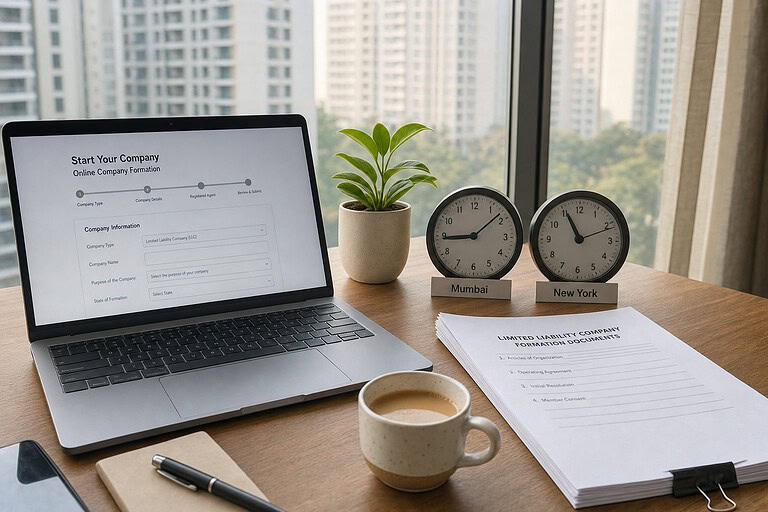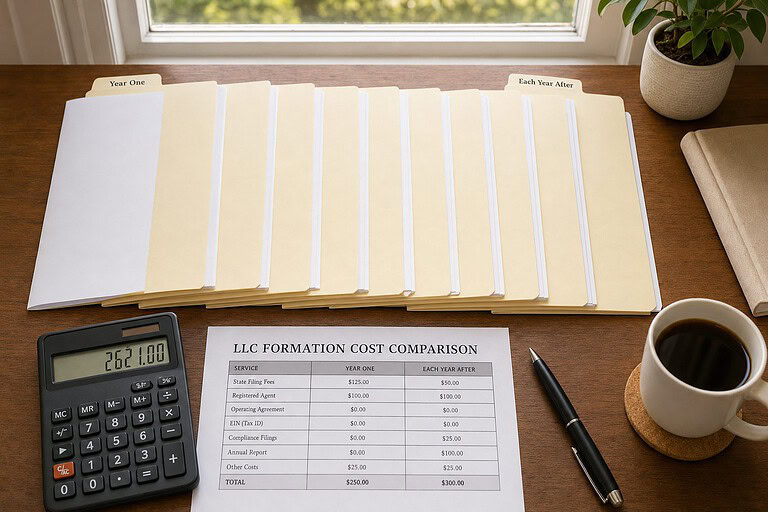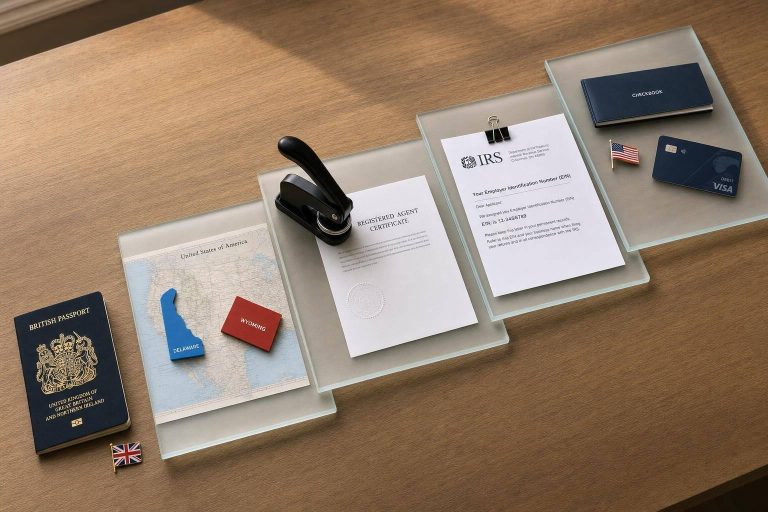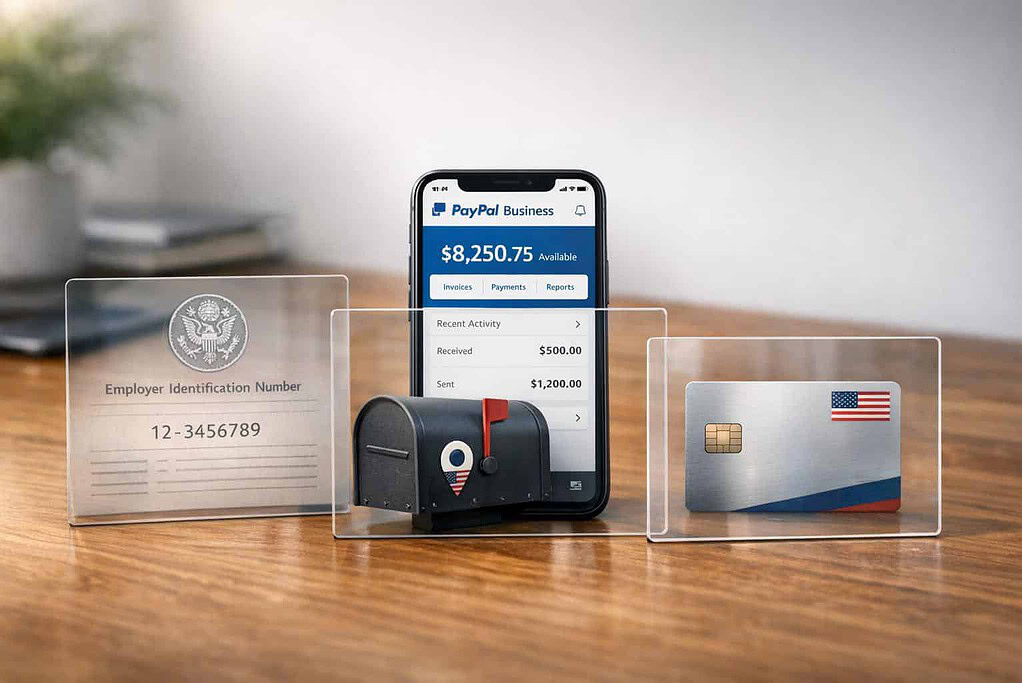
If you’re an international entrepreneur, you can still open a PayPal Business Account without a U.S. address or Social Security Number (SSN). Here’s how:
- Form a U.S. Business Entity: Set up an LLC or C-Corp in the U.S. Popular states include Wyoming and Delaware due to low fees and privacy advantages.
- Obtain an EIN: Apply for an Employer Identification Number (EIN) from the IRS. Non-U.S. residents can submit Form SS-4 by fax or mail without needing an SSN.
- Use a Virtual Business Address: Services like registered agents or virtual mailbox providers offer a physical U.S. address that meets PayPal’s requirements.
- Provide Required Documents: Submit proof of identity (passport or government ID), proof of business existence (e.g., Articles of Organization), and proof of address (utility bill or bank statement).
- Link a U.S. Bank Account: Use platforms like Wise, Payoneer, or Mercury to get U.S. bank details for PayPal verification.
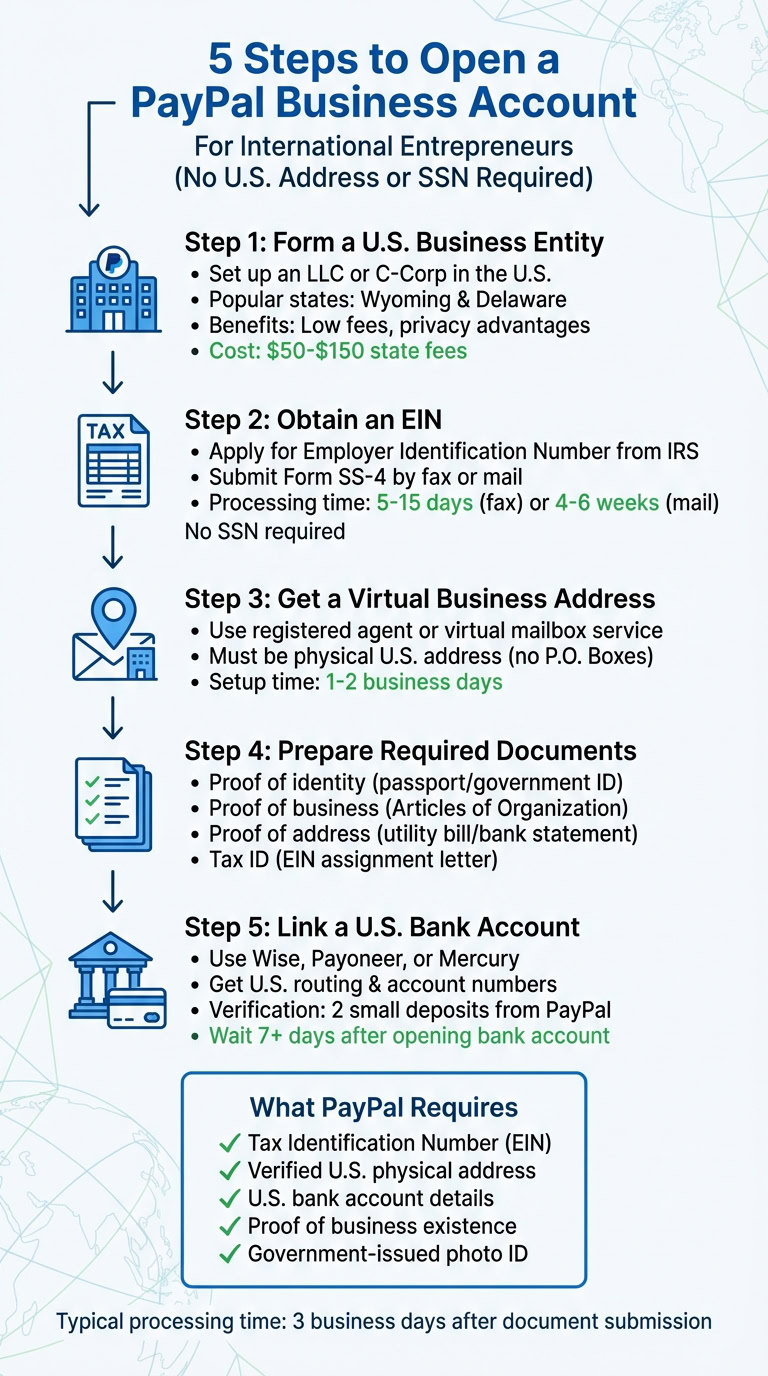
5 Steps to Open PayPal Business Account Without US Address or SSN
PayPal‘s Requirements for Non-U.S. Users
If you’re an international entrepreneur looking to use PayPal, you’ll need to meet certain U.S. verification standards. PayPal requires your full legal name, email address, a description of your business, and details of your business bank account. Additionally, you’ll need a Tax Identification Number and a verified U.S. address. For sole proprietors, this means providing a Social Security Number (SSN), while business entities must supply an Employer Identification Number (EIN). Importantly, the address must be a verified physical location – PO Boxes are not accepted.
The good news? You don’t need to be a U.S. citizen or resident to meet these requirements. For example, you can use an EIN from a U.S.-registered business entity instead of an SSN. Similarly, services like registered agents or virtual business addresses can fulfill the address requirement, as long as they represent a real, physical location.
Documents Needed for Account Verification
To verify your PayPal account, you’ll need to provide documentation that confirms both your identity and your business’s legitimacy. Here’s a breakdown of what’s required:
- Proof of Identity: A government-issued photo ID, such as a passport, national ID card, or driver’s license.
- Proof of Business Existence: Documents like a Certificate of Incorporation, Partnership Agreement, or Certificate of Good Standing.
- Tax Identification: An IRS EIN Assignment Letter, SSN card, or tax forms such as a 1099 or W-2.
- Proof of Address: A utility bill, phone bill, bank statement, or lease agreement showing a physical address (no PO Boxes), dated within the last 12 months.
Keep in mind that all documents must be current and the information on them – like your business name and address – must match your PayPal account details exactly.
| Document Category | Accepted Documents |
|---|---|
| Proof of Identity | Passport, Driver’s License, Government Photo ID (must include name, date of birth, and expiration date) |
| Proof of Address | Utility bill, Phone bill, Bank statement, Lease agreement (must show a physical address, dated within 12 months) |
| Tax ID (EIN/SSN) | IRS EIN Assignment Letter, SSN card, 1099 or W-2 Form (business name must match PayPal account exactly) |
| Business Existence | Certificate of Incorporation, Business License, Certificate of Good Standing (current and government-issued) |
Why PayPal Requires SSN and U.S. Address
PayPal’s verification steps are designed to comply with U.S. financial regulations. These requirements align with Anti-Money Laundering (AML) and Know Your Customer (KYC) policies, which mandate that financial institutions verify the identity and location of account holders.
"To open a Business account online, you’ll need to provide your full legal name, email address, a password, your tax ID or social security number (SSN), business description, and your business bank account details."
- PayPal US Help Center
The SSN or EIN serves as your taxpayer identification for IRS reporting, while a U.S. address establishes your legal presence within the country. For sole proprietors, the SSN verifies personal identity when no formal business entity exists. International entrepreneurs can meet these requirements by forming a U.S. LLC, obtaining an EIN, and using a registered agent’s address as their business location. This ensures compliance while enabling global entrepreneurs to access PayPal’s services.
Alternative Verification Methods for International Entrepreneurs
If you’re an international entrepreneur, you can use an Employer Identification Number (EIN) as a replacement for a Social Security Number (SSN). This nine-digit number is issued by the IRS to identify businesses for tax purposes and is an acceptable primary tax ID for PayPal verification.
Using an Employer Identification Number (EIN)
The good news is that non-U.S. residents can apply for an EIN even without an SSN or U.S. address. To do this, you’ll first need to establish a U.S. business entity, such as an LLC or a C-Corporation. Once your entity is set up, you’ll complete IRS Form SS-4 to request your EIN.
Here’s an important detail: the IRS online EIN application portal requires an SSN or ITIN, which non-residents typically don’t have. Instead, international applicants must submit Form SS-4 via fax or mail. On line 7b of the form (the SSN/ITIN field), simply write "ForeignUS" to indicate your non-resident status.
"Non‑residents can obtain a US Employer Identification Number (EIN) without an SSN or US address. The online portal is unavailable to non‑SSN holders, so fax or mail of Form SS‑4 is required." – Vincenzo Villamena, CEO, Entity Inc.
Here’s how long it takes depending on the submission method:
- Fax: Typically processed within 5–15 business days.
- Mail: Takes longer, around 4–6 weeks.
For faster processing, use the IRS international fax number (+1-304-707-9471) and include your return fax number to receive confirmation quickly. Once approved, the IRS will send you a CP 575 confirmation letter, which PayPal requires for verification.
| Submission Method | Processing Time | Best For |
|---|---|---|
| Fax | 5–15 business days | Faster approval for international applicants |
| 4–6 weeks | Applicants without access to a fax machine | |
| Online | Instant (not available) | Requires SSN or ITIN |
Important: The "responsible party" listed on Form SS-4 must be an individual, not a company, to meet IRS rules.
If you’re setting up a U.S. entity specifically to get an EIN, services like BusinessAnywhere’s $0 LLC formation can handle state registration and provide a registered agent address for IRS correspondence. For an additional $97, they also offer EIN application assistance, simplifying the process further.
An EIN is a key part of your PayPal verification package, but combining it with local tax IDs strengthens your case.
Using Tax Identification Numbers (TINs) or Local Tax IDs
While an EIN is crucial for PayPal, local Tax Identification Numbers (TINs) can serve as valuable supporting documents during the account review process. PayPal accepts various government-issued tax forms that display your business name and tax ID.
Here are examples of acceptable documents:
- Business tax returns prepared by third parties
- Government-issued business licenses or permits with your tax ID
- Bank or credit card statements showing a truncated EIN or TIN
The most critical detail? Your business name must match exactly across all documents and your PayPal account information. Combining a U.S. EIN with local tax documentation demonstrates your business’s legitimacy in both your home country and the U.S., which can help speed up PayPal’s review process.
Providing Proof of Self-Employment or Freelance Work
To verify your business further, PayPal might ask for proof that your business is active and legitimate. Here’s what you can provide:
- Government-issued business licenses
- Certificates of Good Standing from your state’s Secretary of State
- Registration documents like Articles of Incorporation or Partnership Agreements
- Financial documents such as business bank statements, invoices, signed contracts, or payment receipts
For freelancers or solopreneurs, having a professional business website and using a dedicated business email address can also reinforce your credibility.
"The IRS allows individuals who do not have SSNs, or ITINs in some cases, to obtain an EIN if they are forming or have already formed a legal entity in the U.S." – JJRB
Using Virtual Business Addresses and Registered Agent Services
Since PayPal doesn’t accept P.O. Boxes for account registration, a virtual business address offers a practical alternative. It provides a U.S. street address without the need to rent physical office space, making it a useful option for international entrepreneurs navigating PayPal’s U.S. verification requirements.
What is a Virtual Business Address?
A virtual business address is a real street address (not a P.O. Box) that can be used for business registration, receiving official mail, and creating a professional U.S. presence. Unlike P.O. Boxes, these addresses meet the requirements of U.S. banks, government agencies, and payment processors like PayPal.
Providers of virtual business addresses scan and forward mail globally, ensuring you can receive important documents like IRS forms, business licenses, and bank correspondence no matter where you are. The setup process typically takes 1–2 business days after identity verification is completed. To ensure secure and legal mail handling, look for providers that are USPS Licensed Partners. Using the same address consistently across your LLC formation, EIN applications, and PayPal account can prevent verification issues.
| Feature | Virtual Business Address | P.O. Box |
|---|---|---|
| Address Type | Real Street Address | Post Office Box |
| Accepted by PayPal | Yes | Generally No |
| Accepted for LLC/EIN | Yes | No |
| Mail Handling | Scanning & Global Forwarding | Local Pickup Only |
| Professional Image | High (Commercial Address) | Low |
How Registered Agent Services Work
Alongside a virtual address, a registered agent service is essential for establishing your legal presence in a U.S. state. A registered agent acts as your company’s official representative, providing a physical address to receive legal documents and government correspondence. This service is a legal requirement for forming a U.S. LLC and also satisfies PayPal’s address requirements during account setup.
Maintaining a registered agent service annually is crucial to keeping your LLC active. If the service lapses, your business entity may become inactive, and PayPal could limit or freeze your account. State filing fees for LLC registration range from $50 to $150, with states like Wyoming and Delaware being popular for their lower fees and privacy advantages.
For example, BusinessAnywhere’s $0 LLC formation includes a registered agent service free for the first year, with a $147 annual fee thereafter. This service provides the legal address required by PayPal and ensures compliance to keep your account in good standing. Next, we’ll look at how forming a U.S. business entity helps meet PayPal’s requirements.
Setting Up a U.S. Business Entity for PayPal Approval
Forming a U.S. business entity is a straightforward way to meet PayPal’s requirement for a verified U.S. presence. This approach provides the necessary documentation and tax ID for verification, allowing you to bypass the need for a personal SSN or U.S. residency.
Choosing the Right Business Structure
For non-U.S. residents, an LLC is often the preferred choice. It offers several advantages, such as pass-through taxation (you’re taxed only once at the personal level), lower annual costs, and flexible management options. State fees for forming an LLC typically range between $50 and $150, with annual fees falling between $50 and $200.
Wyoming and Delaware are two states that frequently attract international entrepreneurs. Wyoming is popular for its low costs and strong privacy protections, making it ideal for solo entrepreneurs and online businesses. Delaware, on the other hand, is a top pick for companies planning to attract investors due to its well-established corporate laws.
For startups aiming to raise venture capital in the U.S., a C-Corporation is the go-to structure. Services like Stripe Atlas can help set up a C-Corp for approximately $500, but this structure comes with double taxation (corporate and personal) and annual franchise taxes starting at $300, making it less suitable for freelancers or small businesses.
| Factor | Regular LLC | C-Corporation |
|---|---|---|
| Best For | Freelancers / small businesses | Startups seeking VC funding |
| Taxation | Pass-through (no double tax) | Double (corporate + personal) |
| Formation Time | 3–7 days | 1–2 weeks |
| Annual Cost | $50–$200 state fee | $300+ franchise tax |
| Flexibility | High | Low |
Once you’ve formed your entity, the state will issue Articles of Organization. The next step is to apply for an Employer Identification Number (EIN) from the IRS. For foreign-owned entities, this process generally takes 1 to 4 weeks. The EIN serves as your business’s tax identifier and replaces the SSN requirement for PayPal and U.S. banking.
Here’s an example: A SaaS founder based in São Paulo decided to form a Wyoming LLC. After obtaining an EIN, they linked it to a Mercury bank account and submitted the required documents to PayPal. Within six months, they were processing $45,000 a month and saved 12% compared to using local Brazilian payment providers.
How BusinessAnywhere Simplifies U.S. Business Formation
Once you’ve chosen your business structure, services like BusinessAnywhere can handle the entire formation process. They offer $0 LLC formation, requiring you to pay only state fees.
Their package includes a registered agent service for the first year at no cost (normally $147 annually), which provides the physical U.S. address PayPal requires. Additionally, BusinessAnywhere can manage your EIN application for $97, ensuring all documentation aligns perfectly across your LLC, bank account, and PayPal registration – an essential step to avoid verification issues.
For a more comprehensive solution, the Digital Nomad Kit includes LLC registration, EIN application, registered agent services, a virtual mailbox, and compliance support. This package, priced at approximately $3,200 (discounted from $4,833), covers everything needed to establish and maintain a U.S. business presence suitable for PayPal approval.
All services are provided online, eliminating the hassle of dealing with multiple providers or navigating unfamiliar U.S. regulations on your own. This streamlined process ensures a smooth path to setting up your U.S. business entity.
sbb-itb-ba0a4be
Linking International Bank Accounts and Managing Currency
PayPal’s Bank Account Linking Requirements
If you’re running a global business, linking the right bank account to your U.S. PayPal Business account is a must. For this type of account, you’ll need a bank account based in the U.S..
Thankfully, platforms like Wise Business, Payoneer, and Mercury make it possible for international entrepreneurs to obtain U.S. routing and account numbers – no physical residency required. These services are tailored for global users and work seamlessly with PayPal’s verification process.
Here’s how to link your account: Log in to your PayPal account, go to your Wallet settings, and input the U.S. routing and account numbers provided by your chosen platform. PayPal will send two small deposits (each under $1.00) to verify the account. Once you confirm these amounts on your PayPal dashboard, your bank account is ready for withdrawals.
Now that your account is linked, let’s talk about managing currency transactions effectively.
Managing Currency Conversion and Fees
PayPal supports 25 currencies across more than 200 countries and regions. While this flexibility is great, automatic conversion can lead to higher fees.
To cut down on costs, consider holding funds in foreign currencies rather than converting everything to USD automatically. You can do this by navigating to "Money" > "Manage Currencies" in your PayPal dashboard and adding the currencies you frequently receive, like Euros or British Pounds. This lets you manually convert funds when the exchange rates work in your favor.
PayPal gives you three options for handling international payments: automatic conversion, manual approval for each transaction, or holding funds in their original currency. For the most control, choose manual approval. This way, you can review the conversion rate before accepting a payment. To disable automatic conversion, go to "Profile Settings" > "My Selling Tools" > "Block Payments".
For even better exchange rates, you might want to use your Wise account as an intermediary. Wise provides local bank details for 10 currencies and uses the mid-market exchange rate, which is typically more favorable than PayPal’s rates. You can transfer funds from Wise to PayPal only when you need them for specific transactions, ensuring you get the best value.
Best Practices for Document Submission and Verification
This section provides practical steps to help you successfully submit verification materials and meet PayPal’s requirements for document verification.
Creating a Complete Documentation Checklist
Submitting accurate and complete documents the first time is key to avoiding delays and potential account restrictions. While PayPal’s verification process usually takes 3 business days, any mistakes or missing items can cause significant setbacks.
Start by gathering proof of identity. This typically includes a high-quality photo of your passport, driver’s license (front and back for card formats), or a government-issued photo ID. Keep in mind that military IDs, student cards, or expired documents are not accepted.
For business registration, have your official documents ready, such as a Business Registration Certificate, Articles of Incorporation, or a Certificate of Good Standing. If you’re using an EIN, include the IRS EIN assignment letter. All business-related documents must be dated within the past 12 months.
When it comes to proof of address, acceptable items include utility bills, bank statements, or government documents issued within the last six months. The address must match what’s listed on your PayPal account and must be a physical location – PO Boxes are not allowed. Additionally, for any owner holding 25% or more of the business, you’ll need their legal name, date of birth, nationality, home address, and a photo ID.
| Document Category | Accepted Documents | Prohibited Documents |
|---|---|---|
| Proof of Identity | Passport, Driver’s License (card), Government Photo ID | Military ID, Student ID, Expired documents |
| Proof of Address | Utility bill, Phone bill, Bank statement, Lease agreement | PO Boxes, Envelopes, Invoices, Waybills |
| Business Identity | IRS EIN Assignment Letter, Signed Tax Return by 3rd-party | Self-prepared tax documents, Incomplete forms |
| Business Existence | Certificate of Good Standing, Articles of Incorporation | Expired licenses, Partial documents |
Tips for Submitting High-Quality Documents
Once your checklist is complete, follow these steps to ensure your documents meet PayPal’s quality requirements:
- Submit clear, unaltered scans with all four corners of each page visible. Avoid blocking, blurring, or blacking out any part of the document. Rejected documents can lead to delays and additional security reviews.
"Consistency in business information is crucial – false statements may lead to permanent suspension." – Marcabien
- Submit documents between Tuesday and Thursday during U.S. Eastern Time morning hours. This avoids delays caused by holidays or high-fraud periods like weekends.
- Wait at least 7 days after opening a U.S. bank account before linking it to PayPal. This ensures the banking relationship is fully registered in the system.
- Avoid using VPNs or proxies during submission, as this triggers fraud detection systems and can result in immediate account limitations.
- Ensure your business website is live before applying. Include professional pages such as About Us, Contact Information, Terms of Service, Privacy Policy, and Refund Policy.
To improve your submission further, use precise business descriptions like “Facebook ad management for e-commerce” rather than generic terms. Additionally, use a custom domain email address (e.g., [email protected]) instead of a generic Gmail address to boost credibility.
Maintaining Compliance and Avoiding Account Limitations
Once your PayPal account is approved, it doesn’t mean you’re entirely in the clear. PayPal continues to monitor accounts to ensure compliance with its policies, so staying vigilant is essential to avoid disruptions.
PayPal’s Monitoring and Compliance Policies
PayPal follows strict regulations, including Anti-Money Laundering (AML) and Know Your Customer (KYC) guidelines, as well as the USA PATRIOT Act. This means they actively review accounts for unusual or suspicious activities, which could result in temporary limitations while they investigate. The specifics of these compliance checks may vary based on the country where your business is registered.
One important rule for international businesses: your registered business country must match the country of your linked bank account. For example, if you’ve set up a U.S. LLC, linking a bank account from another country could trigger restrictions. Additionally, PayPal requires you to maintain "Verified" status by always keeping a confirmed bank account or credit/debit card linked to your profile.
It’s also crucial to keep your LLC in good standing. This involves making annual state payments, renewing registered agent services, and submitting tax reports on time. Neglecting these responsibilities could result in PayPal imposing account limitations.
"PayPal has strict verification procedures and will limit or freeze accounts if errors are discovered." – E-Startup India
To avoid future issues, ensure your documentation is always updated and consistent with what you initially submitted.
Tips for Transparent and Consistent Business Practices
Consistency and accuracy in your business practices are key to maintaining a smooth relationship with PayPal. Keeping detailed records and ensuring your account information aligns with PayPal’s requirements will help prevent disruptions.
Here are a few essential tips:
- Make sure your PayPal account details match your government-issued documents. This includes keeping your registered address and other information up to date.
- Avoid changing your account’s registered country or nationality after opening it. PayPal does not allow this due to jurisdictional differences in their operations. If you need to operate in a different country, close your current account and open a new one in that location.
- Be cautious when responding to verification requests. Always upload sensitive documents directly through PayPal’s secure Resolution Center by logging into their website or app. Never share personal information like your SSN, EIN, or ITIN via email, as this could expose you to phishing scams.
Providing accurate and consistent information is non-negotiable. False statements or discrepancies can lead to permanent account suspension, not just temporary restrictions. Taking these precautions ensures your account remains active and compliant over the long term.
Conclusion
This guide has broken down the steps for international entrepreneurs to meet PayPal’s requirements with ease. Setting up a PayPal Business Account without a U.S. address or SSN is manageable by using alternative verification methods. The key steps include forming a legal business entity, obtaining an Employer Identification Number (EIN) as a substitute for an SSN, and ensuring all submitted documents are consistent.
It’s important to link a bank account from the same country where your business is registered to avoid any immediate restrictions. Services like BusinessAnywhere can simplify this process. They offer U.S. business registration for $0 plus state fees, include the first year of registered agent service at no cost, and provide EIN application assistance for $97. Their Digital Nomad Kit covers everything from LLC formation to virtual mailbox services, making it easier for international entrepreneurs to establish the U.S. business foundation PayPal requires.
FAQs
Can PayPal still limit my account even if I’m verified?
Yes, even a verified PayPal account can face limitations. This usually happens due to reasons like violating PayPal’s policies, engaging in high-risk activities, or meeting regulatory compliance requirements. To address this, PayPal may ask for extra documentation or further verification. Once you provide the requested information and it’s reviewed, the restrictions are usually removed.
What if my documents don’t match my PayPal business name exactly?
If your documents don’t perfectly match your PayPal business name, there’s still a chance they’ll be accepted – provided they clearly confirm your identity or business information. Your proof of identity should include key details like your name, date of birth, issue and expiration dates, and the document ID number. If there are minor inconsistencies, ensure other details, such as personal or business registration information, align and are easy to verify. Submitting extra documentation can also help address any discrepancies.
How do I avoid extra currency conversion fees in PayPal?
To cut down on currency conversion fees in PayPal, try managing your funds in the local currency of your primary market. Avoid converting currencies unless absolutely necessary. Setting up a multi-currency account can also be a smart move, allowing you to accept payments in various currencies without forcing an immediate exchange. Take some time to review PayPal’s currency conversion policies and only convert funds when the rates are favorable. This approach can help you save money and handle international transactions more smoothly.