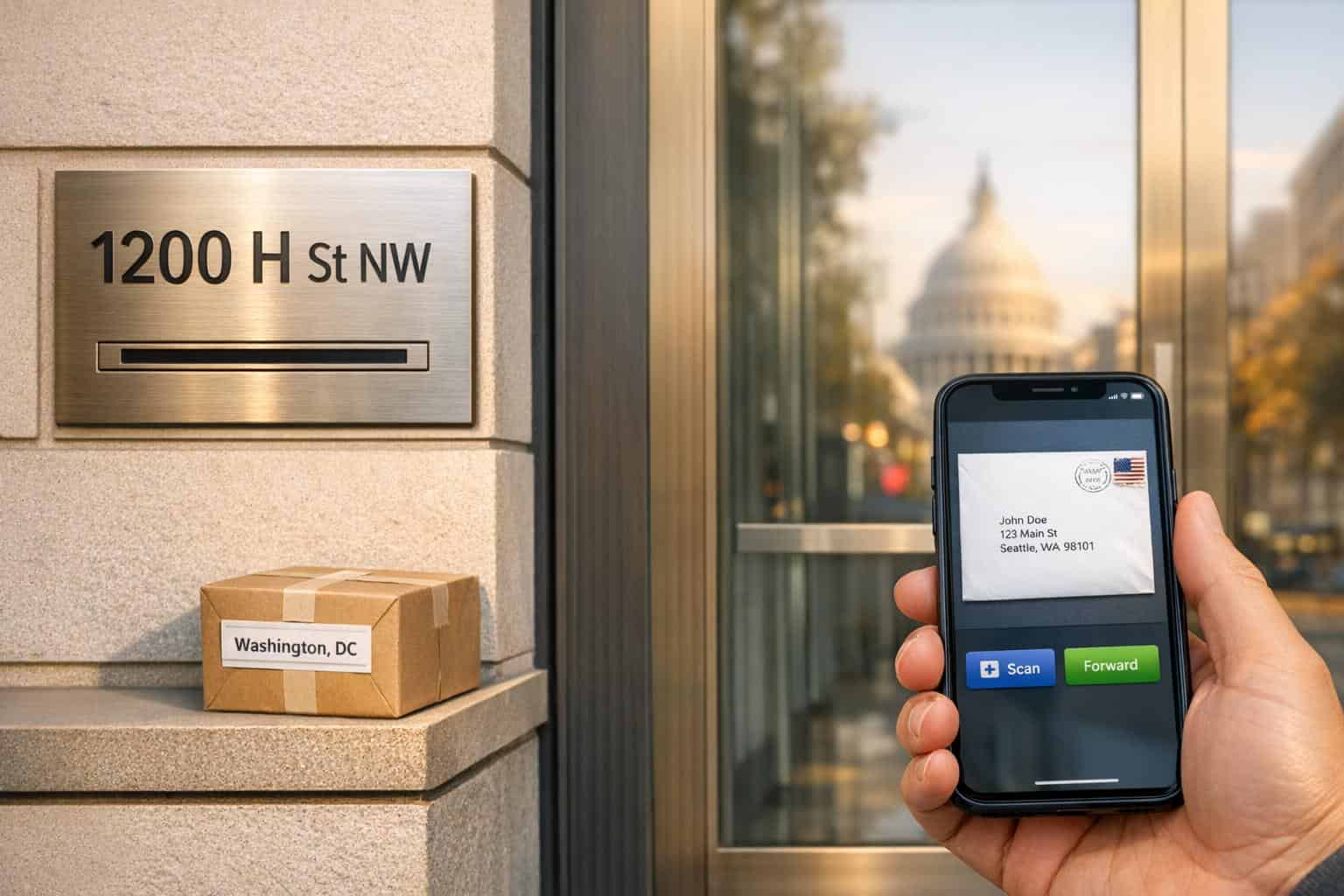
A virtual mailbox in Washington, DC, offers you a real street address to receive mail and packages, all managed online. Here’s what you need to know:
- Real Street Address: Unlike a PO Box or virtual business address comparison, it provides a legitimate address for business registration and package deliveries from all carriers (USPS, FedEx, UPS, etc.).
- Mail Scanning: View high-resolution scans of your mail within hours, accessible through a secure online platform.
- Mail Forwarding: Forward physical mail to any location, domestically or internationally.
- Privacy: Keeps your home address private, enhancing security.
- Cost-Effective: Plans start around $25/month, far cheaper than renting office space in DC.
- Convenience: Manage mail 24/7 via web or app, perfect for remote workers and businesses.
This service is ideal for entrepreneurs, small businesses, and digital nomads who need professional mail handling without the hassle of a physical office. It’s secure, efficient, and supports business credibility with a prestigious DC address.
How Virtual Mailbox Services Work
When you sign up for a virtual mailbox in Washington, DC, your mail and packages are sent to a USPS-certified CMRA (Commercial Mail Receiving Agency) facility [4]. This certification ensures that your correspondence is handled securely and in compliance with postal regulations.
Here’s how it works: Once your mail arrives at the facility, the staff logs and photographs each item. You’ll then receive a secure digital notification. Using your online platform, you can decide what to do next. For instance, you might request a high-resolution scan of the contents, which can be ready in as little as 1–2 hours [2]. Alternatively, you can have the physical mail forwarded to an address of your choice, authorize its shredding, or even deposit checks directly into your bank account if your provider offers that service [4].
All of this is managed in secure facilities with strict access control. Scanned documents are stored using 2048-bit SSL encryption, ensuring that your data stays protected [1]. This process gives you fast, secure access to your mail, all without needing to visit a post office.
Real Street Address vs. PO Box
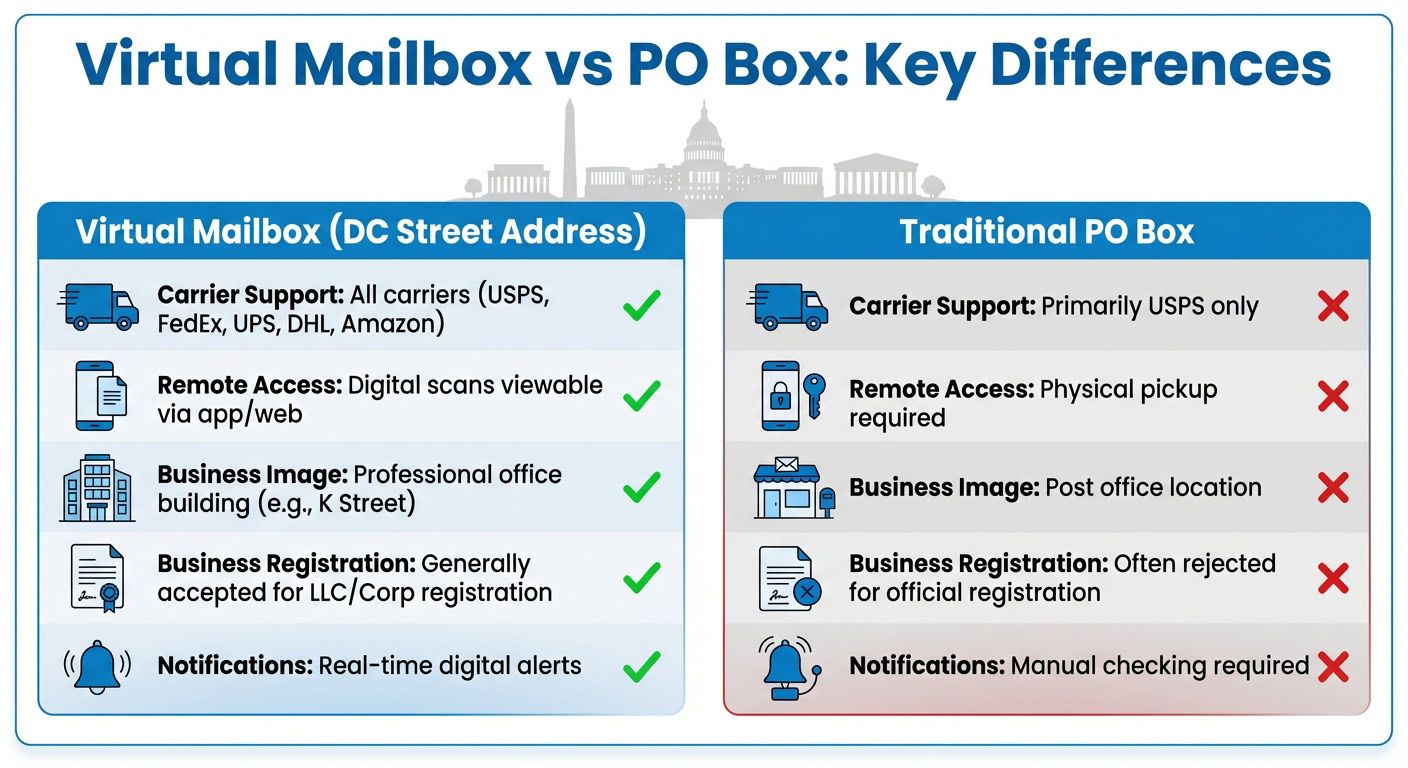
A virtual mailbox provides a real street address, which offers a major advantage over a traditional PO Box. For example, having a Washington, DC address – like one on K Street NW – immediately boosts your business’s credibility. A professional office address on your correspondence signals legitimacy to clients, vendors, and government agencies.
But the benefits go beyond appearances. A real street address can accept packages from all major carriers, including USPS, FedEx, UPS, DHL, and Amazon [4]. In contrast, PO Boxes typically only work with USPS. Additionally, many states and financial institutions won’t accept a PO Box for official business registration [4]. With a virtual mailbox, you get the perks of a physical street address without the cost of renting office space in downtown DC.
| Feature Virtual Mailbox (DC Street Address) Traditional PO Box | ||
|---|---|---|
| Carrier Support | All carriers (USPS, FedEx, UPS, DHL, Amazon) | Primarily USPS only |
| Remote Access | Digital scans viewable via app/web | Physical pickup required |
| Business Image | Professional office building (e.g., K Street) | Post office location |
| Business Registration | Generally accepted for LLC/Corp registration | Often rejected for official registration |
| Notifications | Real-time digital alerts | Manual checking required |
Mail Scanning and Digital Access
Mail scanning turns physical correspondence into digital files that you can access from anywhere. When you request a scan through your dashboard, staff securely opens your mail and creates a high-resolution PDF of the contents [1][6]. This file is then uploaded to your online inbox.
The digital platform gives you complete control. Whether you’re using a web portal or mobile app, you can view scanned documents, forward important items to another location, or store everything in searchable digital folders. Some services even offer advanced tools like AI-powered summaries to help you quickly find specific documents for compliance or record-keeping purposes [2].
"Our secure cloud-based platform enables you to view and manage your mail anywhere in the world." – Anytime Mailbox [1]
After scanning, the physical mail is carefully returned to its original envelope and stored securely until you decide what to do next [6]. These features make it easy for remote businesses to handle their correspondence without any hassle.
sbb-itb-ba0a4be
Benefits of Using a Virtual Mailbox in Washington, DC
Location Independence for Remote Businesses
A virtual mailbox lets you maintain a prestigious Washington, DC address while working from anywhere. Whether you’re based overseas or just prefer the flexibility of remote work, you can access your mail around the clock through a secure portal or mobile app [2]. This setup allows you to review scanned documents, request mail forwarding, and even manage packages without being tied to a single location.
Many services also include international forwarding, ensuring you never miss vital correspondence. This convenience pairs perfectly with the added privacy that a virtual mailbox provides.
Privacy and Security Protection
Using a virtual mailbox helps keep your home address private. Instead of listing your residential address on business documents, marketing materials, or public records, you can use a professional office address in Washington, DC [3]. This separation safeguards your personal information and reduces the chances of receiving unwanted solicitations.
Additionally, your mail is handled in secure, staffed facilities equipped with advanced security measures. For example, some providers use encrypted digital platforms, such as 2048-bit SSL connections, to protect sensitive documents [1]. This ensures your correspondence is both private and secure.
Cost Savings Compared to Physical Office Space
Renting traditional office space in downtown DC can be expensive. With a virtual mailbox, you get a real street address in a prestigious area – like K Street NW or Pennsylvania Avenue – without the high costs of maintaining a physical office.
For example, BusinessAnywhere offers plans starting at just $20 per month, with the added flexibility of month-to-month billing. Higher-tier plans provide additional features and advanced mail handling options. This makes virtual mailboxes a budget-friendly choice for startups, small businesses, and solo entrepreneurs who want to maintain a professional image without breaking the bank.
What to Look For in a Virtual Mailbox Service
Mail Forwarding and Package Handling
Beyond secure mail scanning and digital access, a reliable virtual mailbox service should handle physical shipments with ease. Look for providers that accept deliveries from all major carriers [4]. It’s also essential to check if they offer both domestic and international forwarding, along with consolidation options to help cut down on shipping expenses [6][8]. For instance, iPostal1 boasts a network of over 4,250 virtual addresses, allowing users to manage forwarding for all locations through a single dashboard [4].
Storage policies are another important factor. Many standard plans include 30 days of free storage for letters and smaller packages, but larger items (over 4,895 cubic inches) often come with shorter storage durations – typically around 5 days before fees are applied [8]. If you’re near Washington, DC, check whether the service allows in-person pickup. Some providers charge fees ranging from $1.00 to $5.00 per item, while others may not permit pickups at all [4][5].
Online Dashboard and Mobile App Access
A secure and intuitive online dashboard, paired with a mobile app, ensures you can access your mail anytime, anywhere [1][6]. Features like real-time notifications – delivered via app alerts, text messages, or email – keep you updated the moment mail arrives or actions are completed [1][8].
"Our secure cloud-based platform enables you to view and manage your mail anywhere in the world." – Anytime Mailbox [1]
Advanced platforms stand out by offering searchable archives and tools like AI-powered summaries, making it easier to prioritize critical documents. For example, OSI Offices in DC processes scans in just 1–2 hours and includes topic extraction to help organize your mail [2]. Additionally, a good dashboard should display real-time shipping rates from multiple carriers, allowing you to choose the most affordable forwarding option [6][8].
It’s crucial to verify the security of these platforms. Anytime Mailbox uses a 2048-bit SSL connection to protect mail images and data [1]. Avoid services that send sensitive mail images directly via email, as this method is less secure compared to viewing scans within a protected portal. These security features, combined with a robust digital infrastructure, are essential for safeguarding your sensitive information.
Privacy and Data Security
When dealing with sensitive business documents, privacy and security are paramount. Ensure the service operates as a USPS-approved Commercial Mail Receiving Agency (CMRA) and requires Form 1583 submission along with two forms of identification, as outlined earlier [4][6].
On the digital side, confirm that scanned documents are stored on encrypted servers and are never transmitted through unsecured channels. Some premium DC locations even provide additional services, such as check deposits, which demand the highest level of security [4]. These measures are critical for maintaining your business’s professional reputation and ensuring smooth operations.
How to Choose the Right Virtual Mailbox Provider in Washington, DC
Selecting the right virtual mailbox provider is essential for maintaining a professional image and ensuring smooth mail handling for your DC-based business. By understanding your needs, comparing costs, and evaluating service quality, you can find a provider that aligns with your remote operations.
Determine Your Mail Volume and Needs
Start by estimating how much mail you expect to receive each month. Providers often offer tiered plans based on the number of items, such as 30 or 120 pieces per month [6][8]. A "mail item" includes letters, packages, or large envelopes [8]. If you’re running a business, ensure your plan allows receiving mail under your company name, as most providers only accommodate one business name per account [6][8].
Consider the number of recipients you’ll need per account – some services allow up to six [8]. If you frequently receive large packages, confirm that the provider accepts them, as oversized items usually have shorter free storage periods (5 to 10 days compared to 30 days for standard mail) [8]. Decide whether you need digital scans of your mail or the ability to pick it up in person.
It’s also helpful to choose a provider that sorts and recycles standard mail, like flyers, at no extra charge so these items don’t count against your monthly limit [8]. Keep in mind that most virtual mailboxes cannot serve as a Registered Agent address, which often requires a separate service [5][2].
Compare Pricing and Plan Features
Once you’ve determined your mail volume and specific needs, compare pricing and plan options. Personal plans typically start at $9.99 per month, while business plans begin around $20 [4]. The location of the address also affects pricing – standard addresses might cost $9.99, but premium locations, such as K Street or Columbia Rd NW, can start at $39.99 due to their prestige [4][8].
To calculate your total costs, consider additional expenses like scanning and forwarding. Subscription fees usually don’t include shipping costs, and providers may charge extra for services like physical forwarding, additional scans, check deposits, or shredding [1][9]. Look for providers offering real-time shipping rates so you can choose the most economical carrier [6][8]. Opting for an annual plan can also reduce your average monthly cost compared to paying month-to-month [9][4].
For businesses with higher mail volumes, advanced tools like AI-powered summaries, searchable archives, and topic extraction can add around $15 per month to your base plan [2]. If you plan to use the address for LLC registration or banking purposes, confirm with both the provider and your legal counsel to ensure the address is acceptable [1][3].
Evaluate Customer Support and Extra Services
Reliable customer support is just as important as competitive pricing. Many providers separate general platform support (for billing or account issues) from specialized mail center support (for handling physical mail inquiries) [8]. Look for a company that offers multiple ways to get in touch – phone, chat, and email – and ensures extended support hours to match your schedule.
Additional services can also enhance your experience. Features like check deposit services, live receptionist options, local DC phone and fax lines, meeting room access, and on-site notary services can be invaluable for remote businesses [8]. These extras allow you to maintain a professional presence without the overhead of a physical office, streamlining your business correspondence and operations.
Conclusion
A virtual mailbox in Washington, DC offers remote entrepreneurs a professional, secure way to manage their mail digitally. It provides a real street address that accepts deliveries from all carriers, ensures digital access through a secure dashboard, and eliminates the need to visit a physical location. Plus, it keeps your home address private and reduces the expense of maintaining a physical office.
Beyond these basics, the service simplifies daily operations with features like high-resolution scanning, searchable digital archives, and real-time notifications. This means you can quickly review and act on important documents within hours of their arrival. The real street address also supports official business registration and makes package handling more efficient [2][10][7].
BusinessAnywhere stands out with its straightforward pricing – starting at $20 per month (billed annually) – which includes unlimited mail, packages, and scans without hidden fees [11]. Additional perks like automatic junk mail filtering, worldwide mail forwarding, and an integrated online notary for completing USPS Form 1583 make it especially convenient for modern business owners [11].
"Shipping and mail forwarding is fast, the software is intuitive, everything has been great." – Tristan Gibbs [11]
Whether you’re running a startup, managing multiple companies, or frequently on the move, a DC-based virtual mailbox keeps your business correspondence organized and accessible around the clock. BusinessAnywhere’s user-friendly dashboard and responsive support ensure you stay on top of your mail while maintaining professionalism and compliance. It’s a practical, secure solution for today’s remote entrepreneurs.
FAQs
What do I need to verify my identity to open a virtual mailbox?
To set up a virtual mailbox, you’ll need to fill out USPS Form 1583. This form requires notarization and must be submitted along with two forms of identification. Make sure to carefully follow the instructions to avoid any processing delays.
Can I use a DC virtual mailbox address for LLC registration and banking?
Yes, you can use a DC virtual mailbox address for LLC registration and banking. These addresses are accepted by banks, the IRS, and state agencies for official business use, providing a dependable solution for handling your business correspondence.
How fast will I see scans, and how long is my physical mail stored?
Scanned mail is typically accessible within 1–2 hours. Meanwhile, physical mail is kept in a secure location until you decide whether to have it forwarded or discarded, offering both convenience and adaptability to suit your preferences.
Related Blog Posts
- Virtual Mailbox in Wilmington, Delaware: Mail Scanning, Forwarding and a Real Street Address
- Virtual Mailbox in Rockville, Maryland: Mail Scanning, Forwarding and a Real Street Address
- Virtual Mailbox in Vancouver, Washington: Mail Scanning, Forwarding and a Real Street Address
- Virtual Mailbox in Albuquerque, New Mexico: Mail Scanning, Forwarding and a Real Street Address