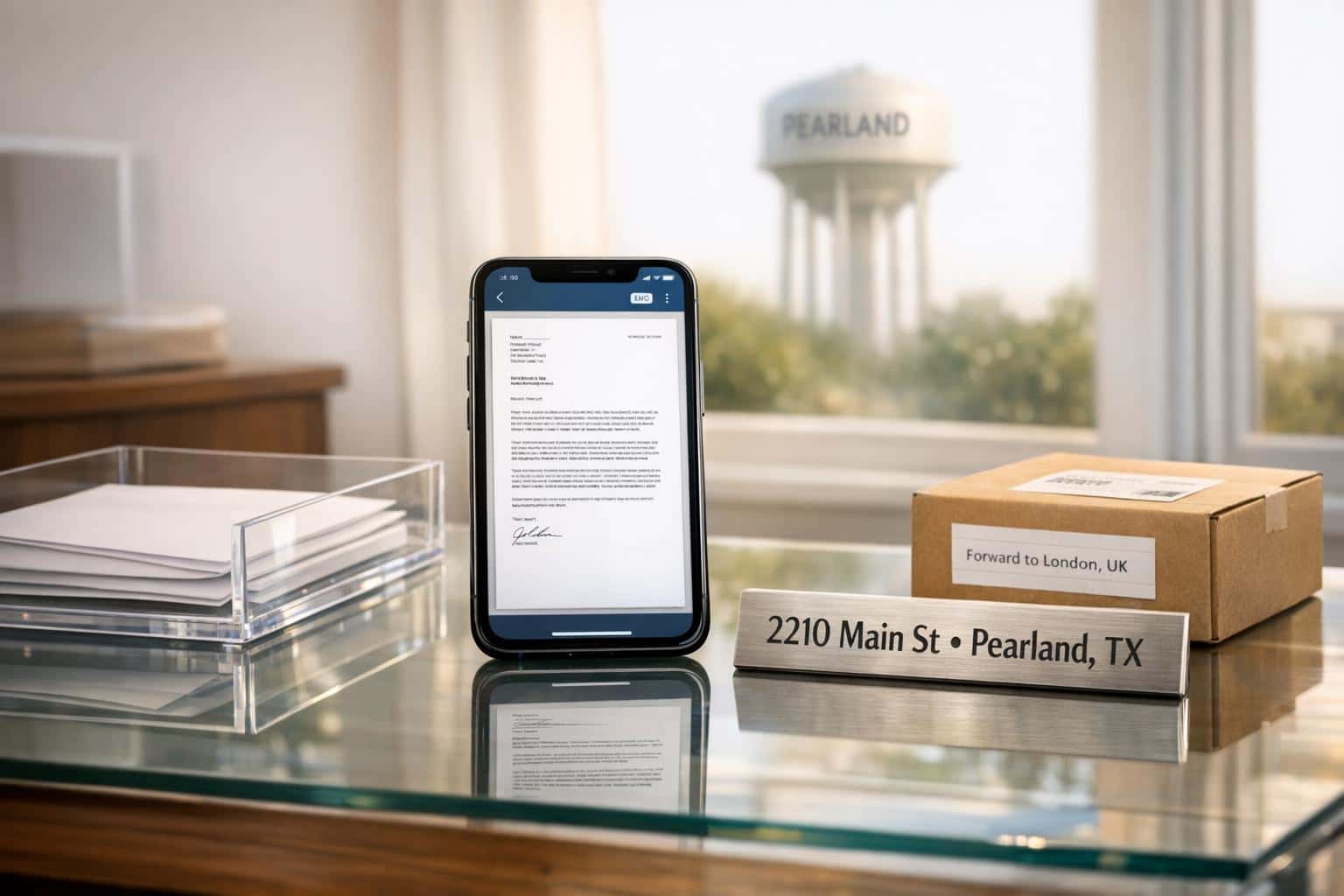
A virtual mailbox in Pearland, Texas, gives you a real street address to manage your mail online. It scans and uploads mail to a secure platform, lets you forward packages worldwide, and even shred documents securely – all starting at $20/month. Perfect for entrepreneurs, remote workers, and travelers, this service protects your privacy, boosts professionalism, and simplifies mail handling.
Key highlights:
- Mail Scanning: Access scanned PDFs of your mail anytime.
- Global Forwarding: Send mail and packages anywhere.
- Real Street Address: Keeps your home address private and enhances your business image.
- Affordable Plans: Starting at $20/month annually for basic needs.
BusinessAnywhere offers unlimited mail scanning, storage, and compliance tools, making it ideal for managing business operations. Setup is quick, requiring two IDs and USPS Form 1583. Plans include features like registered agent services, EIN applications, and tax filing support.
Plans Overview:
- Basic: $20/month (annual), up to 2 recipients.
- Premium: $30/month (annual), up to 5 recipients.
- Advanced: $65/month (annual), up to 20 recipients.
With BusinessAnywhere, you can handle everything from business registration to receiving legal documents – all through a secure, user-friendly dashboard.
Benefits of a Virtual Mailbox in Pearland
A virtual mailbox in Pearland gives you the freedom to manage your mail with ease, offering privacy, professionalism, and flexibility – all without the need for a physical office. It’s a practical solution for anyone looking to stay connected to their mail from anywhere in the world.
Mail Scanning and Digital Access
With this service, your mail is scanned into PDF files and uploaded to a secure cloud platform, giving you instant access no matter where you are. Notifications alert you to new mail, and you can choose to scan, forward, or shred it right from your device. The system also provides unlimited online storage, making it simple to retrieve documents whenever you need them. Plus, everything is protected with encrypted connections, ensuring your mail remains secure and accessible 24/7.
Mail and Package Forwarding Worldwide
Virtual mailboxes don’t just stop at digital convenience – they make physical mail handling easier, too. You can have your mail and packages forwarded to any address around the globe. This is ideal for remote workers, expats, and frequent travelers. Packages are delivered to secure, staffed facilities, keeping them safe from theft or damage caused by the weather.
"Awesome and easy! Needed a solution for an international move and this will work." – Nathania S.
Real Street Address in Pearland
A real street address in Pearland adds a level of professionalism that a P.O. Box simply can’t provide. It protects your personal privacy by keeping your home address off public records and out of customer communications. At the same time, it enhances your business image, making you appear more credible and established.
"These addresses offer a professional image without the cost and commitment of an office lease." – Anytime Mailbox
This service not only ensures compliance with USPS Commercial Mail Receiving Agency (CMRA) regulations but also boosts your credibility with vendors and clients. Texas is a leader in virtual mailbox services, with 287 locations statewide, and Pearland stands out as a prime spot for businesses looking to maintain a professional presence without the expense of leasing an office.
BusinessAnywhere Virtual Mailbox Plans and Pricing
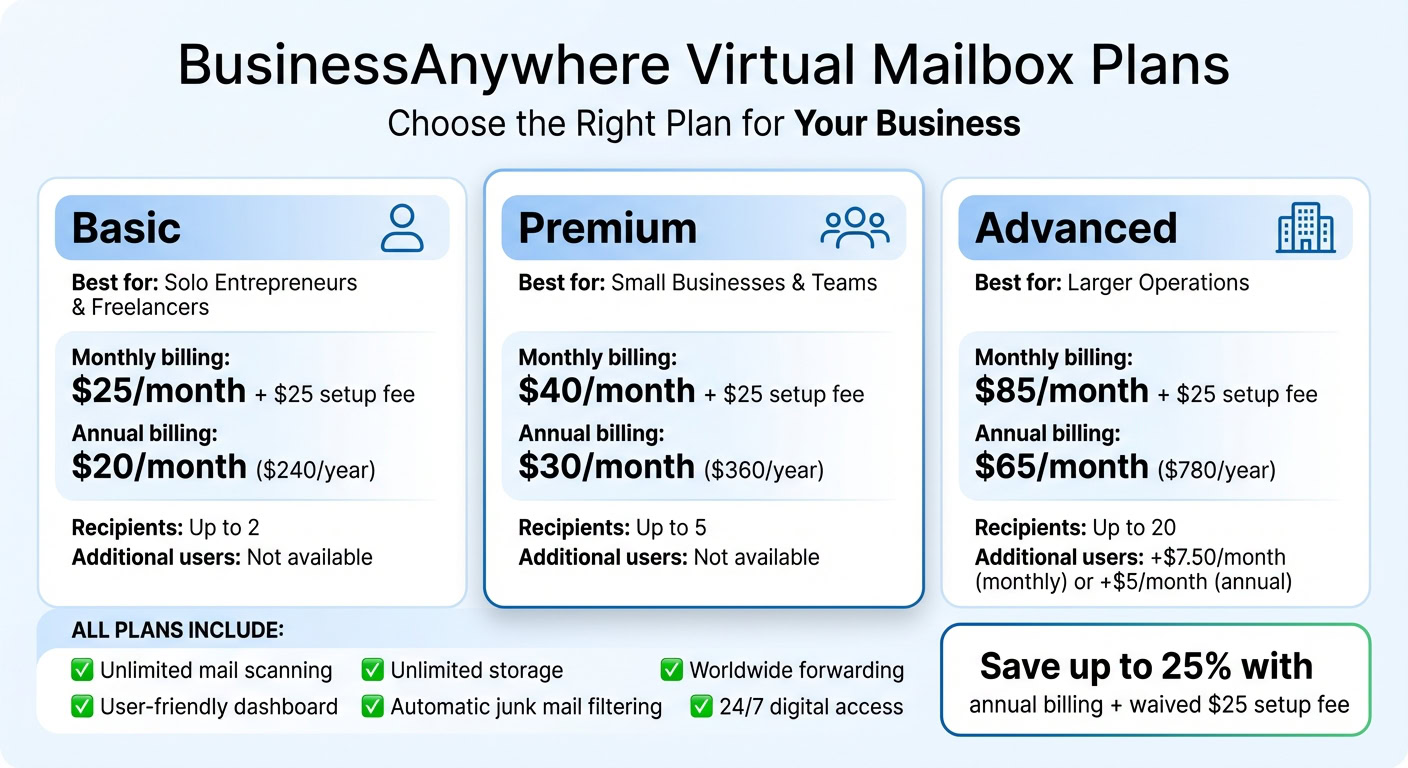
If you’re considering a virtual mailbox, BusinessAnywhere offers three plans designed to fit different needs and mail volumes. Each plan includes unlimited mail scanning, unlimited storage, and worldwide forwarding with straightforward pricing. What sets the plans apart is the number of recipients you can add to your account, making it easy to find an option that matches your business size and structure.
The Basic plan is perfect for solo entrepreneurs or freelancers handling a single business entity. It starts at $25/month with monthly billing or drops to $20/month when you choose the annual option, totaling $240/year. This plan supports up to 2 mail recipients.
The Premium plan steps up for small businesses with multiple team members or entities. It costs $40/month on a monthly basis or $30/month annually, which comes out to $360/year. This plan accommodates up to 5 recipients.
For larger businesses or operations, the Advanced plan is the go-to choice. It’s priced at $85/month when billed monthly or $65/month annually, totaling $780/year. This plan includes up to 20 recipients, and you can add extra users for $7.50/month (monthly billing) or $5/month (annual billing).
If you opt for monthly billing, there’s a $25 one-time sign-up fee, but this fee is waived for annual plans, which also save you up to 25%.
Plan Comparison Table
| Plan | Monthly Price | Annual Price | Recipients Included | Additional User Fee |
|---|---|---|---|---|
| Basic | $25/mo + $25 setup | $20/mo ($240/year) | Up to 2 | Not available |
| Premium | $40/mo + $25 setup | $30/mo ($360/year) | Up to 5 | Not available |
| Advanced | $85/mo + $25 setup | $65/mo ($780/year) | Up to 20 | +$7.50/mo or +$5/mo annually |
No matter which plan you choose, you’ll enjoy the same core features: unlimited incoming mail and packages, unlimited scans with no per-page fees, a user-friendly dashboard for mail management, automatic junk mail filtering, and global forwarding to any address. The only additional costs come from forwarding services you request, keeping everything clear and predictable.
Connecting Your Virtual Mailbox with Business Services
A virtual mailbox in Pearland does more than just handle your mail securely – it becomes a cornerstone of your business operations. With a real street address provided by a virtual mailbox service, you can register your business, stay compliant with regulations, and manage tax obligations efficiently. This integration simplifies everything from setting up your business to handling tax filings.
Business Registration and Compliance Support
In Texas, starting a business requires a physical street address, and a virtual mailbox gives you exactly that. Unlike a PO Box, which most states won’t accept for registering an LLC or corporation, a USPS-approved Commercial Mail Receiving Agency (CMRA) address meets the requirements for official business documents. Providers like BusinessAnywhere even offer full registration services, including free business formation (state fees apply) and a complimentary registered agent service for the first year.
The registered agent service is especially helpful for businesses in Pearland. Your virtual mailbox address can serve as the official contact point for receiving legal and government documents. Any compliance-related documents are scanned and uploaded instantly to your dashboard or mobile app, ensuring you never miss an important deadline or notice.
To activate your virtual mailbox and legally receive business mail, including sensitive compliance documents, you’ll need to complete the notarized USPS Form 1583.
Once you’re registered, managing financial compliance becomes easier with EIN and tax support services tailored to your needs.
EIN Application and Tax Filing Support
After registering your business, obtaining an Employer Identification Number (EIN) from the IRS is the next step. For $97, BusinessAnywhere handles the entire process, including form preparation, submission, and follow-up. This ensures your virtual address is used for all IRS correspondence, keeping your personal address private.
Tax documents are securely scanned into your dashboard, making it easy to share them with your accountant or download them for use with tax software. If your business involves foreign ownership or international operations, BusinessAnywhere also offers US LLC tax filing services for $700, which includes the preparation and filing of Form 5472 and pro forma Form 1120.
Some virtual mailbox providers even go a step further by offering check deposit services, allowing you to deposit checks directly into your business account without any manual effort. You can also enable mobile app notifications to get instant alerts whenever tax documents or IRS correspondence arrives, helping you address time-sensitive issues promptly instead of dealing with delays.
sbb-itb-ba0a4be
How to Set Up Your Pearland Virtual Mailbox with BusinessAnywhere
You can have your Pearland virtual mailbox fully set up in about 5 business days – from signing up to seeing your dashboard marked as "Active" and ready to receive mail. Once activated, your virtual mailbox syncs effortlessly with all BusinessAnywhere services.
Start by choosing a plan that fits your needs. Sign up using your email and password, then verify your account through the confirmation link (be sure to check your spam folder if you don’t see it right away). If you go with a monthly plan, there’s a $25 sign-up fee, but annual billing skips this fee altogether.
Next, list the names of everyone who will receive mail at your virtual address. Each recipient needs to complete a notarized USPS Form 1583, which gives BusinessAnywhere legal permission to handle your mail. For this, you’ll need two forms of ID: one with a photo and another showing your current residential address. To make notarization easier, you can use BusinessAnywhere’s Online Notary service, which costs $37 per document.
Once you’ve uploaded all required documents, your account will go into review. The team will verify your details, and you’ll get an email once your mailbox is active. Make sure to wait until your dashboard shows "Active" before sharing your Pearland address – using it too soon could lead to mail delivery problems. This setup not only provides you with a Pearland street address but also connects seamlessly with services like business registration and compliance support.
When your mailbox is active, your dashboard becomes your go-to hub. From there, you can manage scanned mail, handle billing, and manage subscriptions. You can even add services like registered agent support or EIN applications, keeping everything for your business in one organized place. Plus, you can securely access all scanned documents from your dashboard, whether you’re on desktop or mobile.
Why Use BusinessAnywhere for Virtual Mailbox Services in Pearland
BusinessAnywhere stands out in Pearland by offering features that go beyond the basics. A key highlight? Unlimited scanning on every plan. No limits mean you can access all your important documents without worrying about extra charges.
Another advantage is their transparent pricing. All features and add-ons are clearly listed upfront – no surprises, no hidden fees.
With BusinessAnywhere, you also get 24/7 digital access from any device. Scanned documents are securely stored in your dashboard, ready for you whenever you need them.
Their secure, cloud-based dashboard makes managing your Pearland mail a breeze. It integrates essential business tools like registration services, compliance alerts, and registered agent support. This setup simplifies your U.S.-based business operations while complementing the wide range of features already mentioned in earlier sections.
FAQs
Can I use this Pearland address to register my LLC?
Yes, you can use a Pearland virtual address to register your LLC in Texas. Virtual addresses meet the requirements for business registration and can also be used for filing taxes and managing legal documents. This gives your business a professional address while staying in line with state regulations.
How soon will my mailbox be ready to receive mail?
Your mailbox is usually ready to receive mail just a few days after your virtual address is set up. The exact timing can vary based on the provider’s processing time and whether you’ve completed all the required registration steps. To avoid any delays, be sure to submit any necessary forms as soon as possible.
What happens to my mail after it’s scanned?
Once your mail is scanned, you can securely access and manage it online. From there, you can choose to keep the scanned version, forward the physical mail to another address, or have it discarded – entirely based on what works best for you.
Related Blog Posts
- Virtual Mailbox in Wilmington, Delaware: Mail Scanning, Forwarding and a Real Street Address
- Virtual Mailbox in Rockville, Maryland: Mail Scanning, Forwarding and a Real Street Address
- Virtual Mailbox in Austin, Texas: Mail Scanning, Forwarding and a Real Street Address
- Virtual Mailbox in Dallas, Texas: Mail Scanning, Forwarding and a Real Street Address