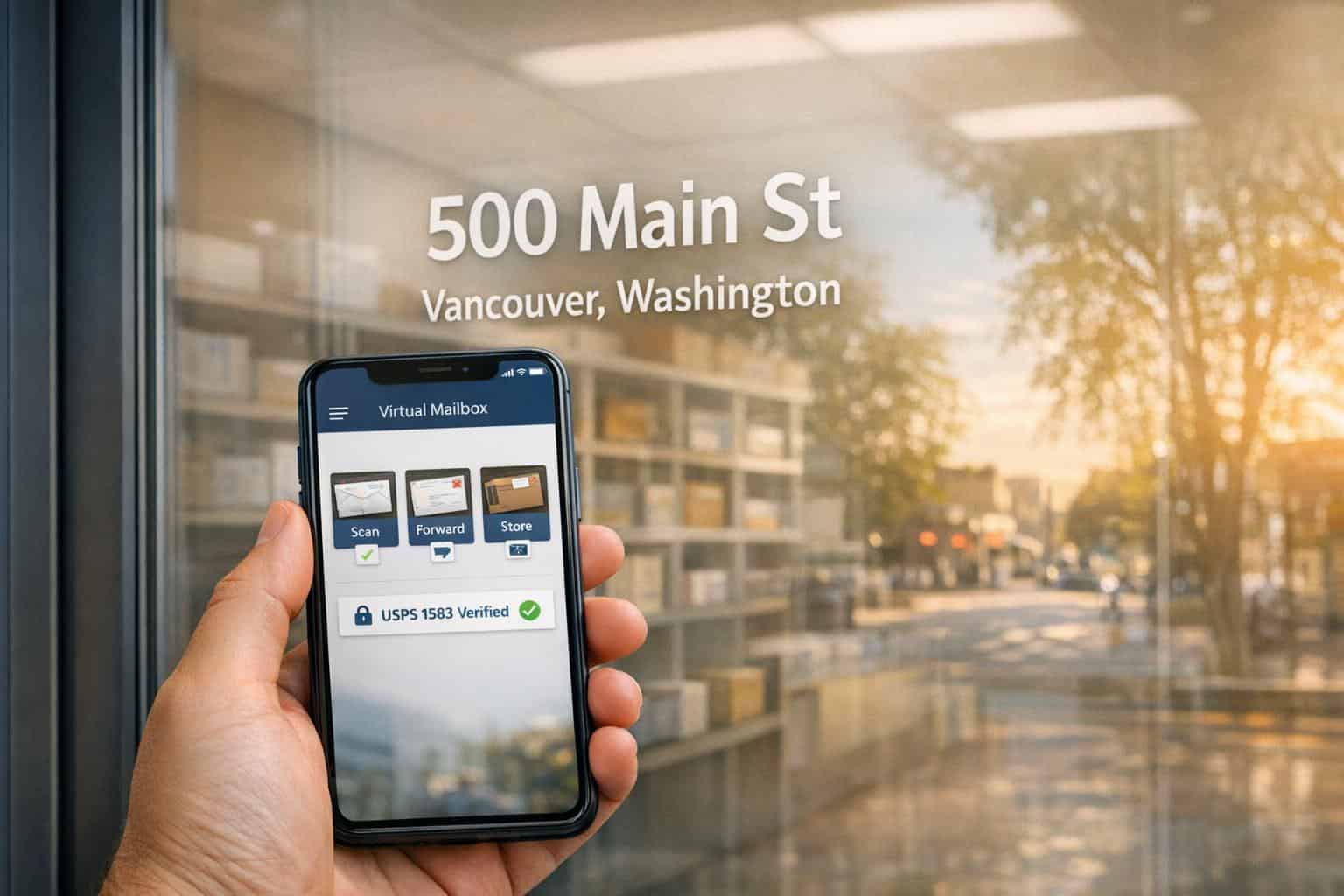
A virtual mailbox in Vancouver, Washington, offers a convenient way to manage mail remotely while providing a professional street address. Whether you’re a business owner, frequent traveler, or remote worker, this service allows you to receive, scan, forward, or securely shred mail – all from your device. Unlike traditional PO Boxes, virtual mailboxes accept deliveries from carriers like USPS, FedEx, and UPS, making them versatile for personal or business use.
Key Benefits:
- Professional Street Address: Use it for business registration, marketing materials, or privacy.
- Mail Scanning: View scanned images of mail online within 24 business hours.
- Mail Forwarding: Forward mail globally with real-time tracking.
- Secure Storage: Letters stored free for 30 days, packages for 7 days (fees apply afterward).
- Cost-Effective: Plans start at $10/month, saving significantly compared to renting office space.
Virtual mailboxes comply with Washington’s LLC registration rules, making them a practical option for businesses. Setup involves selecting an address, completing USPS Form 1583, and managing mail via an online dashboard. Providers offer features like two-factor authentication, encrypted mail handling, and optional services like shredding or package consolidation.
Who Benefits Most?
- Entrepreneurs seeking professional addresses for LLC filings.
- Remote workers managing mail from anywhere.
- E-commerce businesses needing secure package handling.
Starting at $10/month, virtual mailboxes provide an affordable way to streamline mail management while maintaining flexibility and privacy.
What Virtual Mailboxes in Vancouver, Washington Offer
Virtual mailboxes in Vancouver simplify mail management for businesses, remote workers, and frequent travelers. Here’s a closer look at the key features that can help streamline your operations.
Real Street Address
Having a real street address in Vancouver instantly boosts your business’s professional image. This address can be used on business cards, websites, and other marketing materials. It also meets Washington State’s legal requirements for LLC registration and business filings. Your mail is delivered to a secure, staffed facility, minimizing the risk of package theft. You can even select from multiple Vancouver address options, like NE Fourth Plain Blvd, NE Hwy 99, E Evergreen Blvd, SE Mill Plain Blvd, or SE McGillivray Blvd, to best match your needs.
Mail Scanning and Online Access
When mail arrives at the Vancouver facility, it’s scanned and uploaded as images to your online account. You’ll receive an instant notification via email or mobile app, keeping you informed about what’s waiting for you. Need to see the contents? Simply request an "Open and Scan" service, where trained staff will open your mail, scan the contents, and upload them as high-quality PDFs to your dashboard. These scans are accessible 24/7 and are typically available within 24 business hours after the mail arrives. You can read, download, print, archive, or forward your documents whenever it’s convenient. Additionally, mail forwarding and storage options add even more flexibility to how you manage your correspondence.
Mail Forwarding and Storage
Virtual mailboxes also allow you to forward mail anywhere – domestically or internationally. You can pick your preferred carrier and track shipments in real time through your online dashboard. To save on shipping costs, you can bundle items together. Handling fees are typically $2.00 for the first item and $0.50 for each additional item, plus the actual shipping costs. If you’re local to Vancouver, you can pick up your mail at a nearby center for around $2.00 per session.
For storage, letters are kept free for 30 days, and packages for 7 days. After that, storage fees apply: $0.05 per envelope per day for letters and $0.10 per pound per day for packages. Automated alerts will notify you when items are nearing the end of their free storage period.
Virtual mailboxes in Vancouver offer a practical solution for managing your mail efficiently, no matter where you are.
Why Entrepreneurs and Remote Workers Use Vancouver Virtual Mailboxes
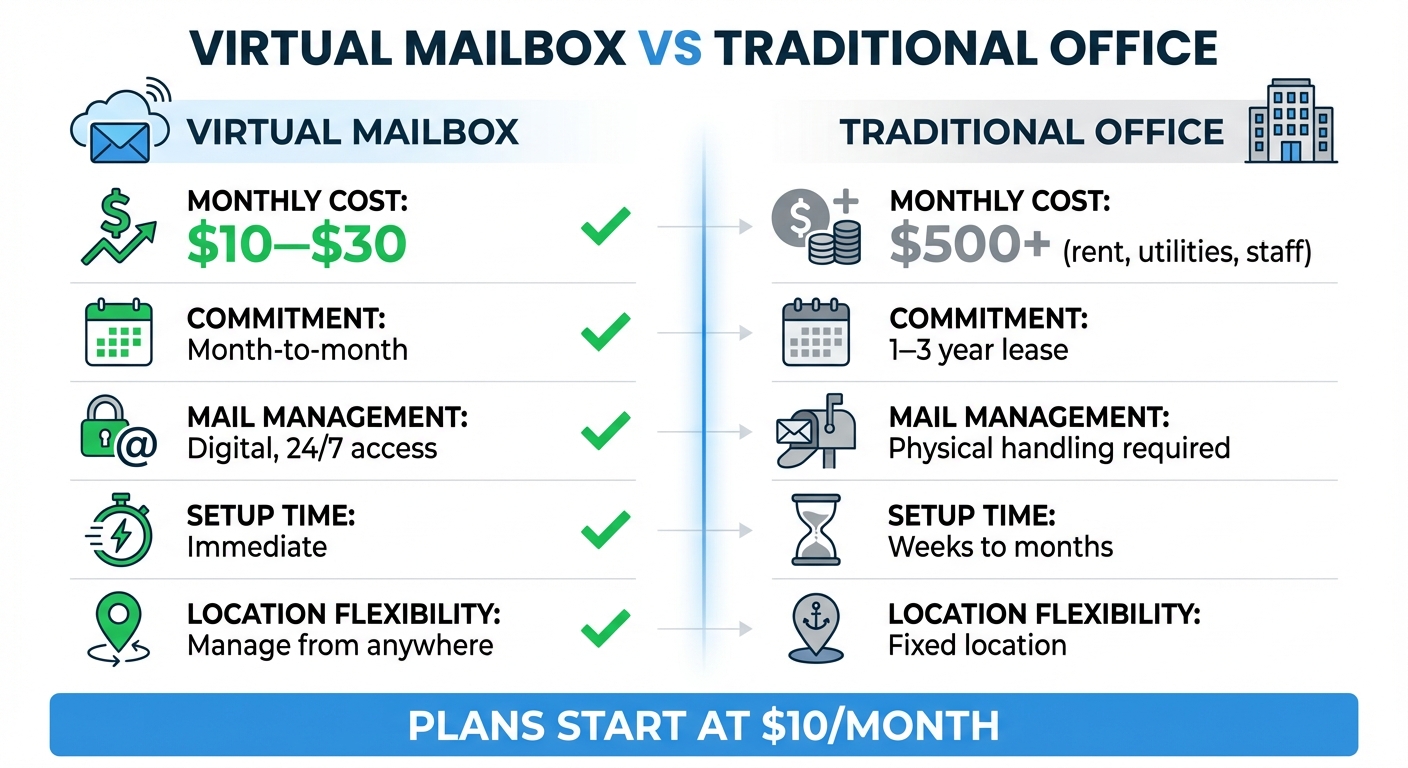
Virtual Mailbox vs Traditional Office: Cost and Features Comparison
Privacy and Security
A virtual mailbox offers a simple yet effective way to keep your home address private. Whether it’s for your website, marketing materials, or business cards, you can use a Vancouver street address instead of your personal one – keeping your private details out of public records.
It also addresses a common problem for home-based businesses: package theft. Instead of leaving your mail and packages vulnerable on your porch, a virtual mailbox ensures they are delivered to a secure, staffed facility. This eliminates the risk of porch piracy entirely.
Digital security is another strong point. Virtual mailbox providers protect your mail images with 2048-bit SSL encryption, and two-factor authentication (2FA) adds an extra layer of account security. If you need to dispose of sensitive documents, you can opt for professional shredding services for around $1.00 per item, ensuring your private information doesn’t end up in the trash.
This setup not only protects your personal information but also supports the needs of modern remote businesses by offering a secure and reliable solution.
Support for Remote Operations
For remote professionals, maintaining a stable business presence is crucial. A Vancouver virtual mailbox provides a legitimate street address that supports LLC registration and boosts business credibility. Plus, you can manage your mail entirely online – whether you’re using a smartphone or laptop – making it ideal for those who work on the go.
This flexibility allows you to handle important tasks like forwarding contracts, downloading tax documents, or archiving invoices without ever needing to physically visit Washington State. For remote teams, virtual mailboxes offer even more convenience. You can add additional users to the same account for just $5.00 per month per recipient, enabling different departments or team members to access the mail they need.
Cost Efficiency
Compared to traditional office spaces, virtual mailboxes are a far more budget-friendly option. Plans start as low as $10 per month, while physical offices come with hefty costs like rent, utilities, insurance, and staffing – expenses that can easily add up to thousands of dollars annually. In contrast, virtual solutions only require a fraction of that investment.
Another advantage is the month-to-month flexibility of virtual mailboxes. You’re not tied to long-term contracts, so you can modify or cancel your plan as your business evolves without facing penalties. Additionally, package consolidation features can help cut down on shipping expenses by bundling multiple items into a single shipment.
| Feature | Virtual Mailbox | Traditional Office |
|---|---|---|
| Monthly Cost | $10–$30 | $500+ (rent, utilities, staff) |
| Commitment | Month-to-month | 1–3 year lease |
| Mail Management | Digital, 24/7 access | Physical handling required |
| Setup Time | Immediate | Weeks to months |
| Location Flexibility | Manage from anywhere | Fixed location |
How to Set Up and Use a Virtual Mailbox in Vancouver
Selecting a Vancouver Address
The first step in setting up a virtual mailbox in Vancouver is choosing a real street address that fits your needs. These addresses can accept deliveries from USPS, UPS, FedEx, and DHL. Vancouver has several options across neighborhoods like NE Fourth Plain Blvd, E Evergreen Blvd, and SE McGillivray Blvd. If you’re nearby, picking an address with local pickup options can save you forwarding fees since you can collect items yourself. Once you’ve selected your address, you’ll need to complete USPS Form 1583 to activate your mailbox service.
USPS Form 1583 Requirements
USPS Form 1583 is a key requirement that authorizes your provider to manage mail on your behalf. To complete the form, you’ll need a photo ID (like a driver’s license or passport) and proof of your current address, such as a lease agreement or utility bill. The form must also be notarized to verify your identity. Many providers make this easy by offering remote online notary services for about $20 during the sign-up process. If you’d prefer to avoid the fee, check with your bank – many offer free notary services to account holders. Once the form is processed, you’ll be ready to manage your mail digitally.
Managing Mail Online
Once your virtual mailbox is activated, you’ll start receiving email or app notifications whenever new mail arrives. Using an online dashboard, you can view scanned images of mail envelopes and decide what to do next. Options include "Open & Scan" (about $2 per envelope), forwarding to another address, shredding ($1 per item), or saving digital copies. Think of it like managing an email inbox – you can sort, search, and organize by sender or date. To avoid extra storage fees, take action on your mail within the first 30 days of free storage. After that, fees of around $0.05 per envelope per day may apply. If you receive several packages, you can request consolidation to combine them into one shipment, which can help cut down on shipping costs.
sbb-itb-ba0a4be
How to Choose a Virtual Mailbox Provider in Vancouver
What to Look For
When selecting a virtual mailbox provider, ensure they offer a real street address – this is essential for LLC registration and adds credibility to your business. Pay close attention to monthly fees and any additional charges for mail scanning. For instance, if you receive 20 pieces of mail each month, per-envelope fees can pile up quickly. If your business involves multiple team members or departments, look for a plan that accommodates at least 3–5 users to avoid limitations down the line.
Security should be a top priority. Look for providers that implement strong measures like two-factor authentication (2FA), bank-level encryption, and secure shredding for sensitive mail. If your business handles confidential information, such as in healthcare or legal industries, check if the provider offers mail handling aligned with HIPAA standards – this feature typically costs an extra $25 per month.
Understand storage policies. Check if the provider offers 30 days of free mail storage and reasonable fees for extended storage. After the free period, you might face charges like $0.05 per envelope per day or $0.10 per pound per day for packages. If you travel often or can’t access your mail regularly, these fees can add up, so factor them into your decision.
Lastly, assess customer support. Test their responsiveness by reaching out via phone or chat. Ideally, look for a service that offers support seven days a week and across multiple channels to ensure you can get help whenever you need it.
By evaluating these factors, you can confidently choose a provider that aligns with your business needs while staying within your budget.
Business Anywhere: Virtual Mailbox Plans and Features
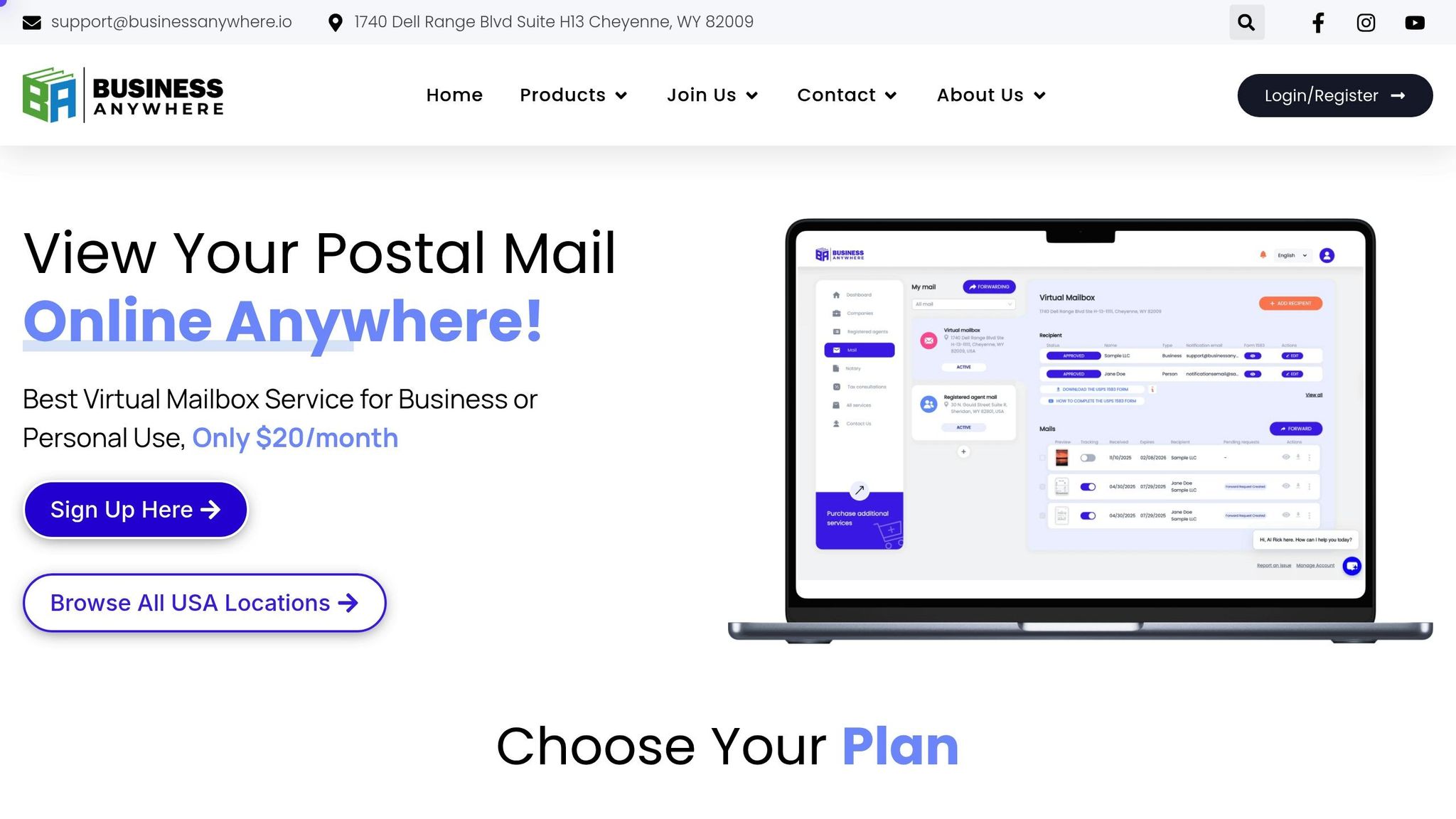
Business Anywhere stands out with unlimited scanning, 24/7 online access, and global forwarding. Each plan includes a professional street address and supports multiple recipients, making it straightforward to manage mail for your entire team.
While Vancouver-specific addresses aren’t available, Business Anywhere offers options in Florida, Arizona, New Mexico, and Wyoming. These locations still provide the professional street address benefits required for business registration.
| Plan | Monthly Price | Recipients Included | Key Features |
|---|---|---|---|
| Basic | $20 | 2 | Unlimited scanning, global forwarding, secure storage |
| Premium | $30 | 5 | Unlimited scanning, global forwarding, secure storage |
| Advanced | $65 | 20 | Unlimited scanning, global forwarding, secure storage |
Plans are billed annually, and you can add optional services like remote online notary ($37 per notarization) or choosing the best registered agent service ($147 per year after the first free year). The platform also integrates with various business tools, allowing you to manage mail, business registration, and compliance alerts all in one place.
Legal and Compliance Requirements for Virtual Mailboxes in Vancouver
Washington State Business Compliance
In Washington, businesses are required to list a physical street address as their Principal Office. According to RCW 23.95.105, filings that include a PO Box or Private Mailbox (PMB) are not accepted.
"The Principal Office address must be the street address of the business. PO Boxes and PMBs are not accepted as the physical address; they may only serve as alternate mailing addresses." – Washington Secretary of State
A Commercial Mail Receiving Agency (CMRA) virtual mailbox offers a real street address, complete with a suite number, that complies with Washington’s LLC and corporation registration rules. Additionally, starting January 20, 2026, the Washington Secretary of State will mandate valid email addresses for both the Registered Agent and Principal Office. Any filings missing these email addresses will be rejected.
Keep in mind that all address and contact details you provide become public record. To maintain privacy, many business owners choose a virtual mailbox instead of using their home address. These state-level compliance rules also tie into federal mail handling regulations, which are discussed in the next section.
USPS and Forwarding Restrictions
Federal regulations ensure secure mail handling for virtual mailbox users. To use a virtual mailbox, federal law requires completing a notarized USPS Form 1583. This form authorizes your provider to receive and open mail on your behalf, helping to prevent mail fraud and identity theft.
"To fully activate your account, you need to submit a notarized USPS Form 1583. This document, required by the United States Postal Service (USPS), authorizes us to receive mail on your behalf." – PostScan Mail
USPS Form 1583 requires two forms of identification: one must be a photo ID, such as a driver’s license or passport, and the other must verify your address, like a lease agreement or vehicle registration. In April 2023, the form was updated to align with the CMRA Customer Registration Database, and processing typically takes 1–3 business days.
Some virtual mailbox services in Vancouver only forward standard mail and do not handle packages. If you operate an e-commerce business or expect frequent package deliveries, it’s important to confirm these limitations before signing up. Additionally, USPS Change-of-Address orders can forward mail to your virtual address for up to one year.
Conclusion
A virtual mailbox in Vancouver, Washington, offers entrepreneurs, remote workers, and small business owners a professional street address that complies with state regulations while safeguarding your privacy. With features like 24/7 mail scanning, global forwarding, and secure package handling, you can stay on top of your business mail from practically anywhere – whether you’re working from home, traveling, or managing multiple ventures. These tools not only provide added security and compliance but also help cut costs effectively.
Starting at just $10 per month, virtual mailbox services eliminate the need for a physical office, offering perks like 30 days of free mail storage and package consolidation to help reduce expenses even further. Providers like Business Anywhere showcase how these services can be bundled into a seamless and efficient solution.
Business Anywhere delivers virtual mailbox services with unlimited scanning, secure storage, and global forwarding – all accessible through an easy-to-use platform. While their addresses aren’t specific to Vancouver, their plans include professional locations in Florida, Arizona, New Mexico, and Wyoming. Their Basic plan starts at $20 per month (billed annually), making it a competitive option for streamlined mail management.
FAQs
Can I use a virtual mailbox in Vancouver, Washington, to register my LLC?
If you’re looking to register your LLC in Vancouver, Washington, you can absolutely use a virtual mailbox – provided it offers a physical street address rather than a P.O. box. Washington State law requires LLCs to list a verifiable physical address during registration, and many virtual mailbox providers meet this standard.
Beyond meeting legal requirements, a virtual mailbox comes with perks like mail scanning, mail forwarding, and enhanced privacy. This makes it an appealing option for entrepreneurs and small business owners who want a flexible and efficient way to handle their business correspondence while maintaining a professional image.
How is my mail kept secure with a virtual mailbox service?
Virtual mailbox services in Vancouver, Washington, take multiple steps to ensure the security of your mail and personal information. For starters, they use secure storage facilities with restricted access, so only authorized staff can handle your mail. On the digital side, platforms are typically protected with encryption and secure login credentials, keeping your account and mail management activities private and safe.
To further enhance security, many providers require identity verification, such as submitting a notarized USPS Form 1583, before they can manage your mail. This added step ensures your mail stays protected from theft or unauthorized access. With both physical and digital safeguards in place, these services work hard to keep your privacy intact.
Can I use a virtual mailbox to receive both personal and business mail?
Yes, a virtual mailbox works perfectly for both personal and business mail. It’s a convenient way to handle all your correspondence in one place, whether you’re managing professional documents or personal letters.
Features like mail scanning and mail forwarding make it simple to stay on top of your mail, even when you’re on the go. And for businesses, the added bonus of a real street address not only boosts your professional image but also helps protect your privacy.
Related Blog Posts
- Virtual Mailbox in Sacramento, California: Mail Scanning, Forwarding and a Real Street Address
- Virtual Mailbox in Denver, Colorado: Mail Scanning, Forwarding and a Real Street Address
- Virtual Mailbox in Wilmington, Delaware: Mail Scanning, Forwarding and a Real Street Address
- Virtual Mailbox in Rockville, Maryland: Mail Scanning, Forwarding and a Real Street Address