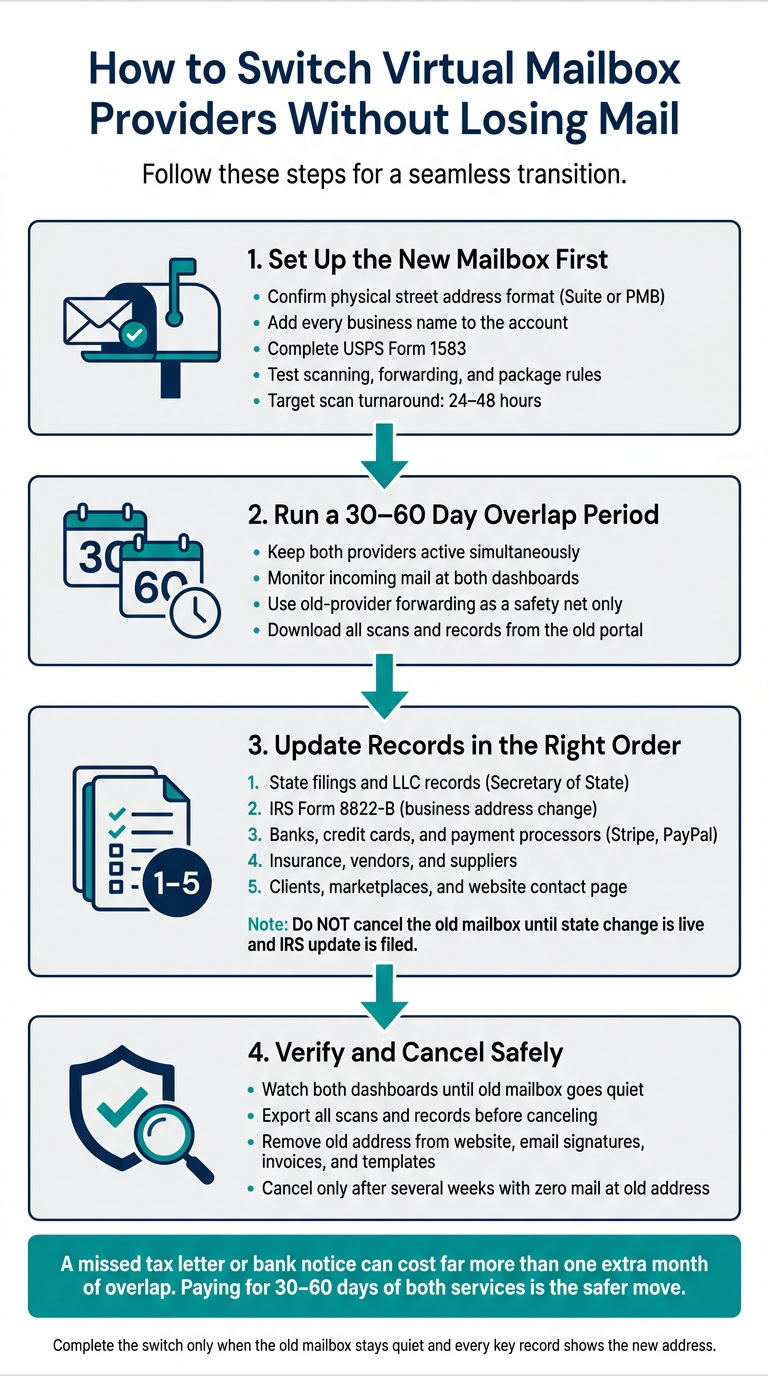
You can switch virtual mailbox providers without missing mail if I do three things in order: set up the new mailbox first, keep both mailboxes active at the same time, and update every record before I cancel the old one.
This is not just a billing change. It affects IRS mail, state filings, bank statements, checks, and client notices. Since virtual mailbox companies act as USPS CMRAs, I need the new account ready, with Form 1583 completed, before any mail goes there.
Here’s the short version:
- Set up the new mailbox first
- Confirm the street address format
- Add every business name
- Finish USPS Form 1583
- Test scanning, forwarding, and package rules
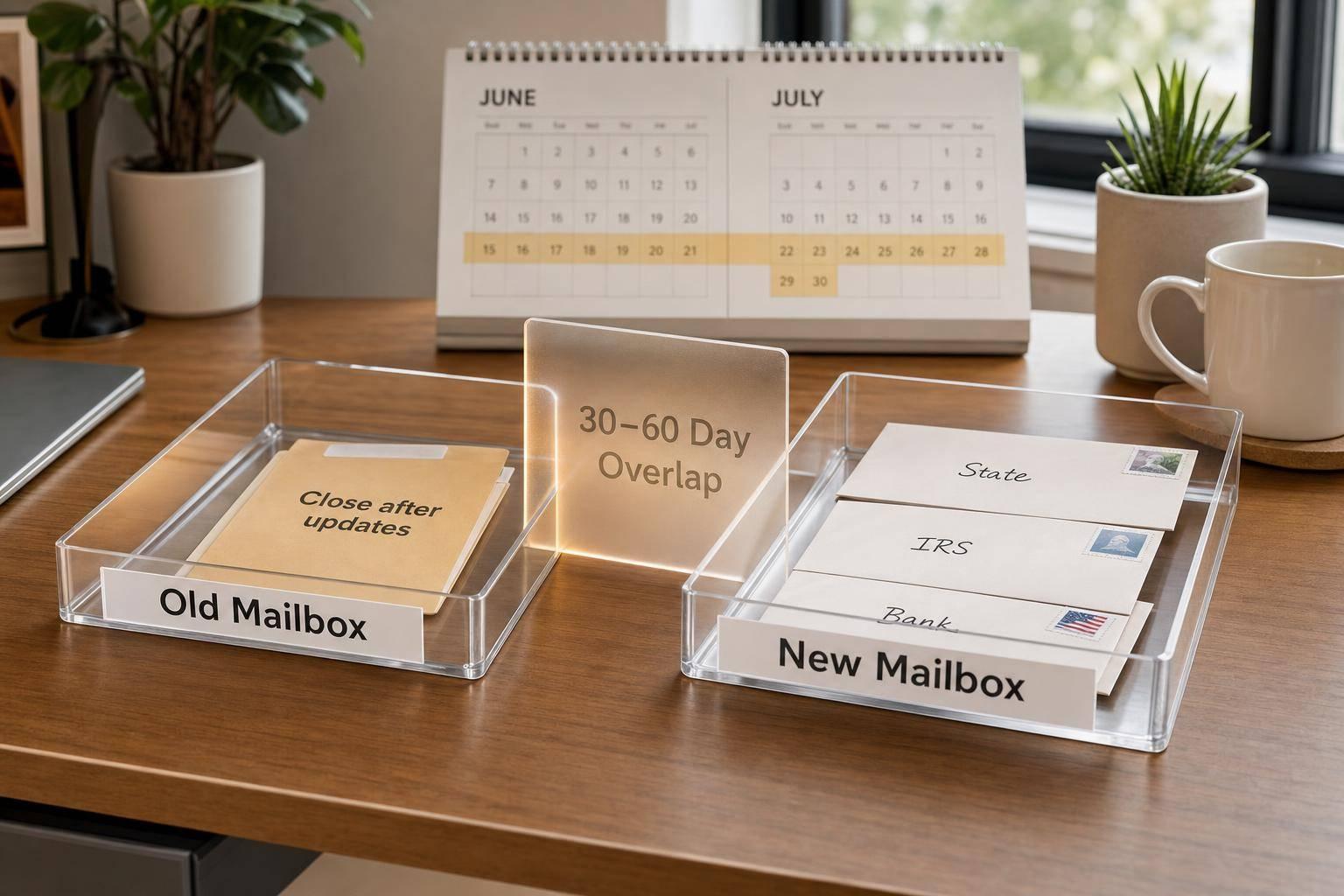
- Keep both providers active for at least 30 days
- Watch incoming mail before the switch
- Use old-provider forwarding as a backup
- Download scans and records from the old portal
- Update records in the right order
- State filings and LLC records
- IRS Form 8822-B
- Banks, cards, and payment tools
- Vendors, insurance, clients, and website details
- Do not cancel the old mailbox too soon
- Check both dashboards for several weeks
- Look for mail still going to the old address
- Cancel only when the old mailbox stays quiet
A missed tax letter or bank notice can cost far more than one extra month of overlap. In most cases, paying for 30 to 60 days of both services is the safer move.
| Step | What I focus on | Main goal |
|---|---|---|
| 1 | New mailbox setup | Make sure mail can be accepted |
| 2 | Overlap period | Catch mail during the change |
| 3 | Record updates | Move senders to the new address |
| 4 | Final checks | Confirm the old mailbox stops receiving mail |
If I treat forwarding as backup – not the main plan – and verify each sender one by one, I can switch providers without losing business mail.
1. Check the new mailbox setup before you switch
Check the new address, recipient names, and mail rules before you make the switch. Doing this now helps you avoid missed mail later, especially during the overlap when both providers may be receiving mail. Start with the address format and recipient names first. Those are usually the fastest way for mail to fail.
Check address format, recipient names, and document handling rules
Make sure the provider gives you a physical street address, not a PO Box, and that the address matches the exact format required, such as Suite or PMB. Tiny differences here can lead to returned mail or rejected applications.
You’ll also want to check how many recipient names your plan allows. Then confirm that every business name is approved before the switch.
The address also needs to work for your business mail, including IRS, bank, and state notices. Confirm that the provider is a registered CMRA and complete USPS Form 1583 before any mail is sent to the new address.
Confirm mail scanning, forwarding, and package policies
Review scan turnaround times, forwarding rules, package limits, storage fees, and secure destruction after scanning. Then test the dashboard yourself. Open scans, share documents, and set forwarding rules so you know everything works before you update any records.
Use this checklist to confirm the details that matter most during the switch:
| Item | What to Confirm |
|---|---|
| Address Format | Physical street address in the exact format required (Suite or PMB) |
| Recipient Names | All business names approved before the switch |
| Scan Turnaround | Target 24–48 hours |
| Forwarding Rules | Domestic coverage confirmed; international if needed |
| Package Handling | Size and weight limits, storage fees confirmed |
Once the new provider clears these checks, pick the overlap date and turn on backup forwarding.
2. Set an overlap period and turn on backup forwarding
Keep both services active for the rest of your paid term. That overlap gives you breathing room to check delivery, alert senders, and download any files still sitting in the old portal. It also helps you spot which senders still haven’t updated your address.
Pick a switch date that minimizes disruption
Watch incoming mail for at least 30 days before choosing a new provider. That gives you a clear view of active senders, time-sensitive documents, and upcoming filings. Once you’ve picked the date, update the records that decide where your mail goes.
Use forwarding as backup, not your main plan
If your old provider offers forwarding during the transition, use it as a safety net for mail from senders you forgot to notify. It can catch missed mail, but it doesn’t replace direct updates. It won’t change your records anywhere, and it won’t tell state or federal agencies, banks, vendors, or clients that your address has changed.
Update every important sender directly. Then work through IRS, state, banking, vendor, and client records in that order.
3. Update official records and business contacts in the right order
Once backup forwarding is set, move from short-term coverage to permanent address updates. The order matters here: state filings first, then the IRS, then banks, payment tools, vendors, and clients.
Start with state filings, LLC records, and the IRS
If your mailbox address shows up in state filings or LLC records, set up the new virtual mailbox service first. Then file the address change with the state and confirm the record is live before you cancel the old mailbox. Most states charge a filing fee for this type of amendment, and the cost depends on the state.
Next, file Form 8822-B with the IRS to update your business address. After government records are updated, you can move on to banks and other senders.
Don’t cancel the old mailbox yet. Wait until the state change is live and the IRS update has been filed.
Then update banks, payment processors, vendors, and clients
After government records are confirmed, turn to your financial accounts. Update banks and credit cards first. Then handle payment processors, bookkeeping tools, insurance, marketplaces, vendors, and clients.
The main idea is simple: once the state filing is live, update the IRS and financial accounts next.
Build a simple address-change checklist for every sender
A basic checklist helps you keep track of each update so nothing falls through the cracks.
| Category | Who to Update |
|---|---|
| Government | Secretary of State, IRS (Form 8822-B) |
| Compliance | Registered agent, business licenses, professional permits |
| Finance | Business bank accounts, credit cards, Stripe, PayPal, bookkeeping software |
| Operations | Insurance carriers, suppliers, vendors |
| Customers | Client contracts, marketplaces like Amazon or eBay, website contact page |
Log the date you sent each change and the date it was confirmed. If a bank statement or tax notice still lands in the old mailbox after you’ve sent an update, contact that sender directly. In most cases, the change either wasn’t processed yet or wasn’t started for that sender.
sbb-itb-ba0a4be
4. Verify incoming mail and close the old mailbox safely
After you’ve filed the updates and turned on forwarding USPS mail, make sure every sender is using the new address. This last step helps you avoid missed notices, checks, and filings. At this point, the goal isn’t just to keep getting mail. It’s to confirm the old address has stopped receiving it.
Watch both mailboxes until the old address goes quiet
Once the records are updated, the last job is verification. Check both dashboards on a regular basis during the overlap period. A few quiet days at the old address are a good sign, but they don’t prove the switch is done. Keep watching both dashboards.
Pay closest attention to the IRS, state agencies, banks, and key vendors. They often take longer to update. If a recurring sender still uses the old address, contact that sender and fix it directly. It’s also smart to review recurring senders you may have missed and update them one by one.
Cancel or downgrade the old service only after the transition is stable
Before you cancel anything, export all scans and records. Leave the old account active through the paid period so you can still access scans, download records, and request final forwarding.
Once the old account stays quiet, remove the old address everywhere it still appears, including:
- your website
- email signatures
- invoices
- templates
Cancel or downgrade the old service only after several weeks with no mail there and confirmed updates across every official record. That last check is what makes the switch safe.
Conclusion: A safe mailbox switch comes down to overlap, updates, and verification
Once the setup, overlap, and updates are finished, the last review is pretty simple. A safe switch comes down to three steps: verify the new setup, keep both services active during the transition, and update records in a fixed order. Follow that order and you can avoid missed notices, misrouted checks, and compliance gaps.
Start with the IRS and state filings. Then update banks and payment platforms. After that, move to vendors and clients.
Keep the old account active through the full billing period so you can download scans, forward any remaining physical mail through mail forwarding for virtual addresses, and catch straggler mail. Then do one final mailbox check to confirm the switch is stable.
Leave the old account active until every key sender has been updated and no mail arrives there.
The switch is complete only when the old mailbox stays quiet and every key record shows the new address.
FAQs
How long should I keep both mailbox accounts active?
Keep both accounts active while you transition. That way, you’re less likely to miss bank notices, client messages, vendor paperwork, or mail from government agencies.
A good rule of thumb is to keep your current account open until you’ve updated your address everywhere that matters and confirmed that mail is showing up at the new location.
For a little breathing room, keep both services running for at least one full billing cycle. USPS also requires commercial mail receiving agencies to hold and remail items for six months after termination.
What happens if I cancel the old mailbox too early?
Canceling too soon can mean missing mail you can’t afford to miss, like bank verification letters, tax forms, and legal notices. That can create compliance problems or even lead to penalties.
To avoid a gap, keep your old mailbox active until your new provider is fully set up. Once you terminate service, CMRAs usually must forward or remail incoming items for six months, which gives you a buffer while everything shifts over.
Which senders should I update first?
Update your official government and financial records first. That helps protect compliance and keeps day-to-day business moving without issues.
Start with the IRS and your LLC’s principal office or registered agent records with your state’s Secretary of State. Then update your business bank account.
After that, move to the platforms you use to get paid, such as Stripe or PayPal. Next, update marketplace storefronts like Shopify or Etsy. Finally, let your vendors, clients, and service providers know.