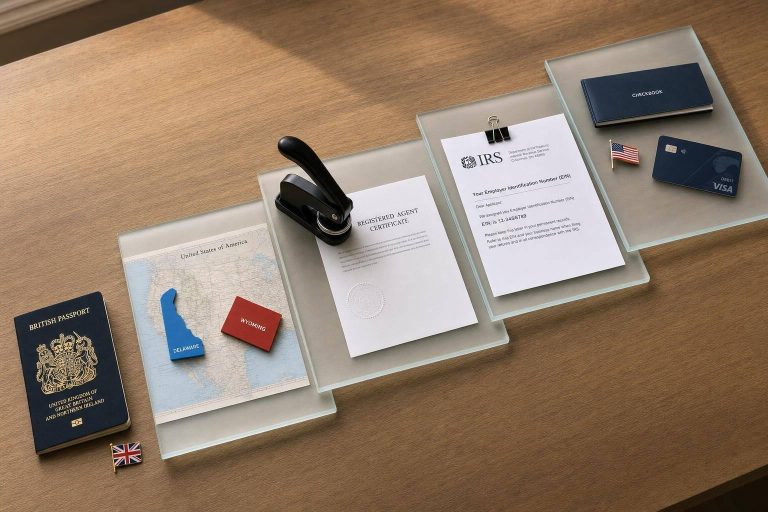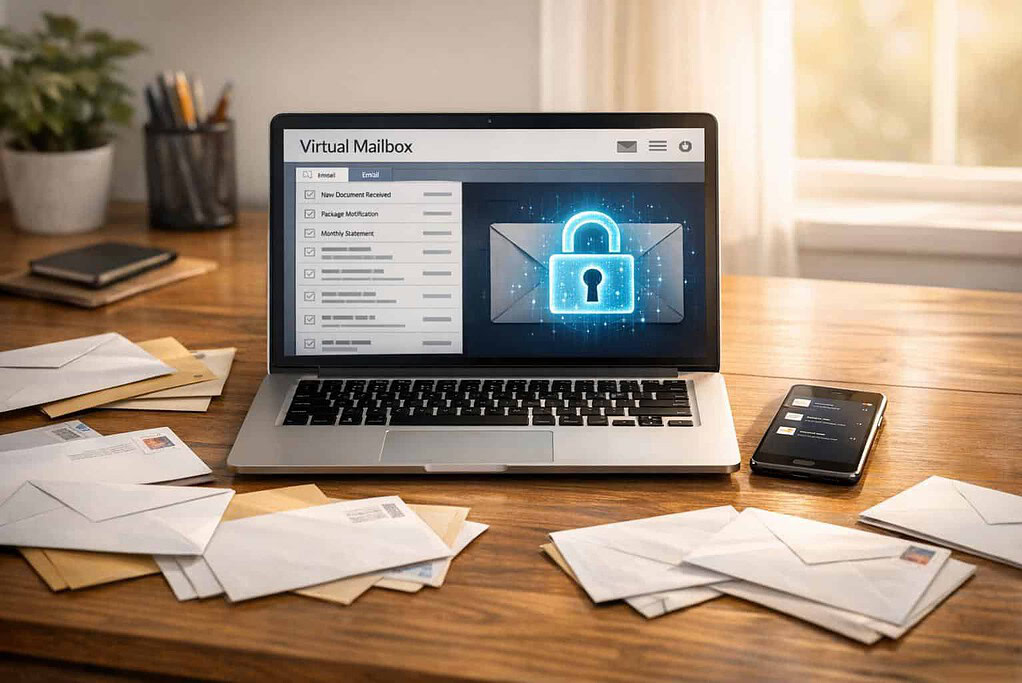
Virtual mailboxes offer a convenient way to manage mail digitally, but they come with challenges. Key issues include weak security, poor scanning quality, hidden fees, and compliance obstacles. These problems can lead to data breaches, missed deadlines, and legal complications.
Key Takeaways:
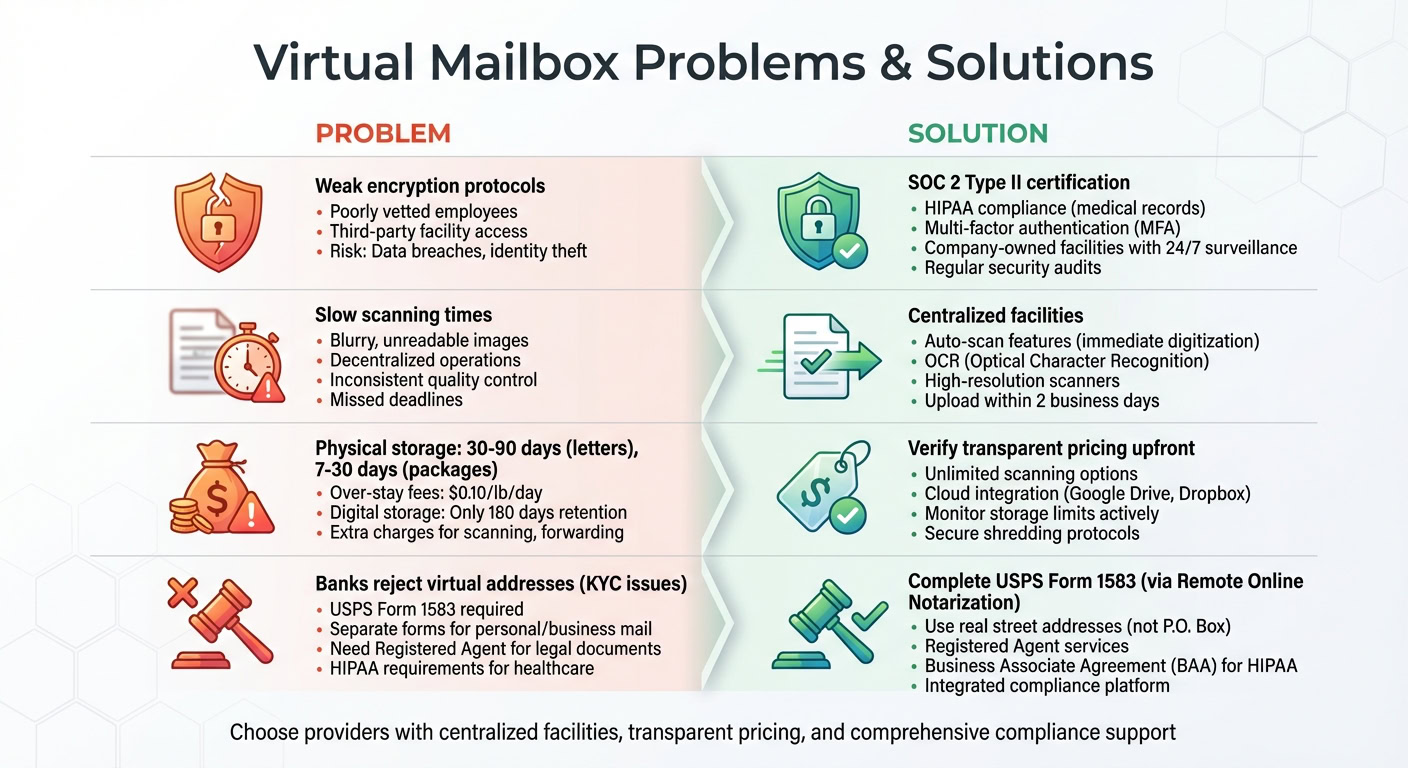
- Security Risks: Weak encryption and third-party handling increase vulnerability to data theft.
- Scanning Issues: Delays and low-quality scans disrupt workflows.
- Hidden Fees: Extra charges for scanning, storage, and forwarding inflate costs.
- Compliance Challenges: Banks and legal processes often reject virtual addresses.
Solutions:
- Choose providers with SOC 2 Type II or HIPAA certifications.
- Opt for centralized facilities with strict access controls and consistent quality.
- Verify transparent pricing and ensure compliance with USPS Form 1583.
- Use multi-factor authentication and secure destruction protocols for sensitive data.
Security and Data Protection Issues
When you entrust your mail to a virtual mailbox provider, you’re placing sensitive documents – like bank statements, legal contracts, tax forms, and credit card details – in their hands. Unfortunately, not all providers prioritize robust security measures. This can leave your information vulnerable to hackers, identity thieves, and even poorly vetted employees in outsourced facilities.
The risks are far from hypothetical. Many people turn to virtual mailboxes for convenience and protection, only to encounter security challenges of their own. Weak encryption during transmission and insufficient employee screening at third-party centers can compromise your data, putting your personal and financial information at risk.
Weak Encryption and Data Breaches
One of the most critical vulnerabilities lies in the encryption protocols used for scanning and transmitting your mail. If these protocols are outdated or poorly implemented, your sensitive documents – like contracts or bank account details – could be intercepted during transmission.
"Encryption and decryption process helps to ensure that sensitive information is only read by its intended recipients." – Vault50 Editorial Team
Weak encryption doesn’t just threaten privacy; it can lead to identity theft, financial fraud, and even long-term damage to your credit score. Some providers fail to implement modern security standards, leaving your data exposed both during transmission and storage.
To safeguard your information, choose providers with SOC 2 Type II certification. This certification indicates that the provider has undergone rigorous third-party audits of their security measures. If you’re dealing with medical records, ensure the provider is HIPAA-compliant. These certifications demonstrate a commitment to regular security testing and accountability, reducing the risk of data breaches.
Unauthorized Access to Mail and Data
Digital safeguards are only part of the equation – physical security is just as important. Many virtual mailbox providers outsource mail handling to third-party centers, such as UPS stores or small independent shops. In these cases, your mail may be stored in areas accessible to multiple employees. Without thorough background checks or strict access controls, there’s no guarantee that your documents are being handled securely.
To protect against unauthorized digital access, multi-factor authentication (MFA) is essential. Even if someone steals your password, they won’t be able to access your account without a second verification step, like a code sent to your phone or a biometric scan.
For even greater security, consider providers that own and operate their facilities. Company-owned hubs typically maintain higher and more consistent security standards, including 24/7 video surveillance, restricted access, and comprehensive employee background checks. You can even verify a provider’s physical security by using online street view tools to check their location.
Regular security audits further strengthen protection. For instance:
"At Earth Class Mail, cyber security experts regularly test our systems to find online vulnerabilities. If weak spots are discovered, our IT team works to address them." – LegalZoom Staff
When combined with identity verification through USPS Form 1583, these measures create multiple layers of security. By ensuring stringent digital protocols and tightly controlled physical access, virtual mailbox providers can offer a safer and more reliable solution for managing your mail.
Mail Scanning and Processing Problems
Even with robust security measures, virtual mailbox services can still mishandle your mail. Slow scanning times, blurry documents, and inconsistent processing can disrupt your workflow – especially when you’re dealing with time-sensitive items like contracts, invoices, or legal notices.
The core issue often lies in how these services are structured. Many rely on decentralized networks of third-party mail centers or independent contractors. This setup can lead to inconsistent quality control and delays. For instance, one facility might scan your mail within hours, while another could take days due to a lack of standardized procedures.
Poor Scanning Quality and Delays
Missed deadlines are a common consequence of poor mail handling. Payment due dates might pass unnoticed, legal response windows could close, and critical business opportunities may be lost. While some services promise to digitize mail within hours of receipt, not all providers meet this expectation.
Decentralized operations often create bottlenecks. Equipment quality varies widely, with some locations using high-resolution scanners and others relying on outdated machines that produce blurry, unreadable images.
"The downside of decentralized providers comes at the price of a lack of customer support… and a lack of quality control." – LegalZoom Staff
Manual processing systems can further delay digitization, as documents often sit idle until specifically requested. Services with auto-scan features address this issue by digitizing mail immediately upon arrival.
To avoid these frustrations, consider providers that operate their own centralized facilities. This approach ensures consistent quality, faster processing, and direct customer support. Look for features like Optical Character Recognition (OCR), which converts scanned images into searchable PDFs. This functionality can save you significant time when searching for specific details.
BusinessAnywhere stands out with unlimited scanning and a promise to upload scans within two business days. Their centralized system ensures every piece of mail receives consistent, high-quality treatment, no matter when it arrives.
Of course, scanning challenges often overlap with issues related to document storage and secure retention.
Document Storage and Retention Problems
Most providers offer free physical storage for letters for 30 to 90 days, but packages usually have shorter storage windows – often just 7 to 30 days. After that, "over-stay" fees kick in, typically around $0.10 per pound per day. If you’re not actively managing your account, these fees can add up quickly.
Digital storage comes with its own complications. Some services only keep scanned images for 180 days, requiring you to download or export files to prevent permanent loss. Others offer indefinite cloud storage or integrate with platforms like Google Drive, Dropbox, or QuickBooks for seamless archiving.
For secure disposal of physical mail, it’s crucial to ensure that your provider uses proper shredding methods. On-site shredding or locked, mobile shredding bins are far safer than standard recycling bins, which could expose sensitive documents to unauthorized access.
"One of the safeguards is the proper disposal of protected health information (PHI), which includes the shredding of any paper records containing PHI to prevent unauthorized access or disclosure." – VirtualPostMail
If your business handles sensitive data, confirm that the provider’s staff is HIPAA or SOC 2-trained and that they offer Business Associate Agreements (BAA). Some services even use barcodes to track mail through scanning and destruction, creating a complete audit trail.
To protect your data and avoid unnecessary costs, enable auto-scanning for immediate digitization, monitor physical storage limits, and verify that your provider follows secure destruction protocols. These steps can help safeguard your information while keeping your operations efficient and cost-effective.
Mail Forwarding and Delivery Restrictions
Once your mail is digitized, the next challenge is getting it delivered – especially when dealing with international shipments or large packages. Many virtual mailbox providers impose limitations that can complicate this process, including restricted global delivery options and strict package size policies.
Limited Global Forwarding Options
A number of virtual mailbox services limit international shipping. These restrictions often stem from factors like international sanctions, carrier limitations, or global events. If you travel frequently or run an international business, it’s essential to review the provider’s list of supported destinations before signing up.
International shipping also comes with its own set of challenges. Tracking can disappear for days when packages switch between carriers.
"International packages depend on the availability of transportation, meaning they go with whichever transportation mode is there at the time (typically a plane, but sometimes it’s a boat)." – MBX Inc
Certain carriers, such as USPS and Asendia, are particularly prone to these tracking "dead zones." To avoid this, consider using couriers with extensive global networks and secure international shipping insurance.
Courier compatibility is another key factor. Providers like BusinessAnywhere tackle these issues by offering real street addresses in states like Florida, Arizona, New Mexico, and Wyoming. These addresses work seamlessly with all major couriers and support unlimited global forwarding, sidestepping the geographic restrictions that hinder many other services.
The next consideration is how package size and handling policies can further complicate mail delivery.
Package Size and Handling Limits
Many virtual mailbox providers don’t accept freight shipments or specialized freight services, which can pose a problem for businesses requiring bulk inventory or large equipment deliveries.
This limitation becomes even more significant for companies that deal with consolidated shipments from overseas suppliers. Additionally, most virtual mailbox services lack fulfillment capabilities, such as dividing a bulk shipment into smaller units for distribution. While some providers offer package consolidation – removing outer packaging and combining items into one shipment to lower costs – this can complicate returns or warranty claims.
If your business anticipates growth or higher shipping volumes, it’s wise to choose a provider with multiple facility options and flexible handling policies. Check if they allow in-person pickups for oversized items, as some facilities prohibit this altogether, forcing local customers to pay forwarding fees. Also, review their policies on perishables, as most facilities lack refrigeration and require immediate forwarding to prevent spoilage.
sbb-itb-ba0a4be
Privacy and Identity Protection Risks
Using virtual mailboxes comes with some serious privacy concerns. Your mail often contains highly sensitive information – think W-2s, healthcare records, tax documents, investment statements, and checks. When third parties handle this kind of information, it becomes more vulnerable to breaches.
Identity Theft and Confidentiality Risks
The shift toward digital mail management has introduced new risks, especially around identity theft and data exposure. For instance, when virtual mailbox providers operate out of third-party locations like strip malls or shared office spaces, physical security can be less stringent. Add to that weak encryption or a lack of multi-factor authentication, and hackers may gain access to digital scans of sensitive documents. Outsourcing mail processing to independent contractors can further weaken oversight, increasing the number of individuals who come into contact with your personal information.
Entrepreneur and virtual mailbox expert Josh Summers emphasizes:
"When it comes to security and privacy, understanding who owns and operates your virtual address location is critical".
If personal information falls into the wrong hands, thieves can use it to take over financial accounts, open new credit lines, apply for loans, or commit tax-related fraud. Even during physical mail forwarding, sensitive documents can be misdirected or intercepted if secure, tracked delivery methods aren’t in place.
To address these risks, many providers have introduced enhanced security measures designed to protect against both physical and digital threats.
Improving Privacy with Security Features
Leading virtual mailbox providers now employ advanced security protocols to minimize risks. Look for facilities equipped with features like 24/7 video surveillance, restricted access systems, and locked storage for physical mail. On the digital side, bank-level encryption and mandatory multi-factor authentication are non-negotiable essentials.
Additionally, thorough background checks and specialized training for staff handling sensitive documents – such as financial or healthcare records – are critical. For example, in February 2024, Earth Class Mail revealed details about its operations in Beaverton, Oregon. Their system assigns a unique barcode to every piece of mail, tracking each step of the process, from scanning to shredding, while requiring operators to confirm every action aligns with the customer’s digital request.
Providers with in-house operations tend to offer better security, as they maintain strict oversight and consistent protocols. Features like real-time notifications for mail receipt also enable users to quickly spot any unusual activity. For highly sensitive documents, such as those related to healthcare or legal matters, it’s crucial to confirm that the provider offers a Business Associate Agreement (BAA) and complies with HIPAA standards.
BusinessAnywhere tackles these privacy concerns head-on, offering virtual mailbox services with unlimited scanning through secure, professionally managed facilities in states like Florida, Arizona, New Mexico, and Wyoming. Their services not only protect your personal address from public records but also enforce strict security measures for both physical and digital mail handling.
Business Compliance and Legal Requirements
Virtual mailboxes can simplify U.S. registration and compliance processes, but they also come with legal complexities. Missteps, like incomplete documentation, can lead to violations of federal and state regulations. Navigating these challenges is crucial for maintaining operational legitimacy and earning customer trust.
Virtual Mailboxes for Business Registration
A virtual mailbox provides the physical address needed to file incorporation documents in all 50 U.S. states. This is especially helpful for digital nomads, international entrepreneurs, or anyone who prefers not to use their home address on public records.
However, federal law requires completing USPS Form PS 1583 – the "Application for Delivery of Mail Through Agent" – before a Commercial Mail Receiving Agency (CMRA) can legally handle your mail. Business strategist Rick Mak emphasizes its importance:
"It’s illegal for anyone other than the addressee to open or handle mail without proper authorization. This form [PS 1583] provides that authorization and protects both you and your mail service provider".
To complete this form, you’ll need one primary photo ID and a secondary document to verify your address. Thanks to Remote Online Notarization (RON) services, this process can even be done remotely via video call.
One common issue arises when USPS requires separate PS 1583 forms for personal and business mail, as these categories are handled differently. Additionally, ensure your virtual mailbox provider offers a proper street address rather than a P.O. Box, as the latter may not meet legal requirements.
While these steps cover the basics of registration, ongoing compliance introduces additional complexities.
Compliance Documentation and Legal Support
Beyond registration, businesses face ongoing challenges with compliance documentation and legal requirements. For instance, banks often view virtual addresses as CMRAs, which may conflict with Know Your Customer (KYC) regulations. Many financial institutions insist on a physical address for verification purposes.
For healthcare businesses, compliance becomes even more stringent. The Health Insurance Portability and Accountability Act (HIPAA) mandates that documents containing protected health information (PHI) must be sent via First Class mail. According to VirtualPostMail, meeting HIPAA standards requires providers to offer a Business Associate Agreement (BAA), employ SOC 2-trained staff, use secure AWS infrastructure, and follow strict disposal protocols for PHI. This includes using on-site shredding services and locked bins for discarded mail.
It’s also vital to understand the difference between a virtual mailbox and a Registered Agent. While a virtual mailbox handles general correspondence, most states require a Registered Agent with a physical address to receive legal documents like summons and official notices – referred to as "service of process". A virtual mailbox address alone typically doesn’t meet this statutory requirement.
BusinessAnywhere has streamlined these challenges by offering a comprehensive solution. They combine virtual mailbox services with unlimited scanning in states like Florida, Arizona, New Mexico, and Wyoming, along with Registered Agent services (free for the first year). They also provide remote online notary services for Form 1583 completion at $37 per notarization and business registration assistance starting at $0 plus state fees. This all-in-one platform allows entrepreneurs to meet federal postal regulations, state corporate laws, and industry-specific requirements without juggling multiple service providers.
Conclusion
Virtual mailboxes bring convenience to managing business correspondence, but they can also come with challenges. Issues like security vulnerabilities, poor scanning quality, privacy risks, and complex compliance requirements can disrupt operations if not properly handled.
When choosing a provider, it’s crucial to prioritize security and reliability. Opt for services that operate their own secure facilities rather than outsourcing to third-party locations. This ensures tighter employee screening and consistent quality control. Centralized processing in access-controlled facilities isn’t just a nice-to-have – it’s a critical safeguard for your business communications.
Both digital and physical security play a vital role. On the digital side, features like two-factor authentication and bank-level encryption are essential. If your business deals with sensitive information, such as protected health data, make sure the provider offers HIPAA compliance and Business Associate Agreements. These measures help protect against unauthorized access and identity theft.
Security isn’t just about protecting data; it’s also about meeting regulatory requirements. U.S.-based businesses must navigate processes like completing USPS Form 1583, working with a Registered Agent for legal documents, and ensuring their virtual address aligns with banking requirements under Know Your Customer regulations. Relying on multiple providers for these services can lead to missed deadlines or compliance issues. An integrated solution can help eliminate these risks.
BusinessAnywhere simplifies these challenges by combining virtual mailbox services with unlimited scanning, Registered Agent services (free for the first year, then $147 annually), and remote online notary services for Form 1583 completion at $37 per notarization. This all-in-one approach eliminates the need to juggle multiple vendors, allowing you to securely manage mail handling, compliance, and notarization from a single dashboard. It’s a streamlined way to protect your business while maintaining efficiency and peace of mind.
FAQs
How can I make sure my virtual mailbox provider is secure?
To make sure your virtual mailbox provider keeps your information safe, start by verifying that they follow recognized security protocols. This should include features like encrypted document storage, secure data transmission, and multi-factor authentication (MFA) to protect your account. Providers registered as USPS Commercial Mail Receiving Agencies (CMRA) also comply with federal mail-handling rules, giving you an added layer of confidence.
Take a close look at their privacy policies to see how they handle your data. A trustworthy provider will limit how long they store scanned mail, give you the option to delete it permanently, and never share your data without your explicit consent. It’s also a good idea to keep an eye on your account for any unusual activity and enable alerts if that option is available.
Lastly, go with a provider that has a proven track record and responsive customer support. For example, platforms like BusinessAnywhere combine strong security measures, such as encrypted mail handling, with CMRA compliance. This ensures your mail and data stay secure while making it easier to manage your business.
How can I avoid hidden fees when choosing a virtual mailbox service?
To steer clear of hidden fees, start by carefully examining the pricing details of any virtual mailbox provider. Focus on finding a clear and straightforward monthly rate that specifies what’s included – like mail scanning, storage, forwarding, and the number of recipients allowed. Be wary of providers that promote low base rates but tack on additional charges for things like per-page scanning, extended storage, or extra recipients.
It’s also important to check whether the provider owns or leases its mailing addresses. Providers that own their addresses often deliver better security, more consistent service, and fewer unexpected costs compared to those that depend on third-party mail centers.
BusinessAnywhere stands out with its transparent pricing. Their plans cover unlimited mail scanning, standard storage, and global forwarding without surprise fees. Always compare what’s included in a provider’s plan with your specific needs, and make sure all costs are clearly disclosed to avoid any unpleasant surprises.
How do virtual mailboxes stay compliant with legal and regulatory requirements?
Virtual mailboxes operate within legal and regulatory frameworks by serving as Commercial Mail Receiving Agencies (CMRAs), authorized by the U.S. Postal Service. To allow these services to receive and manage your mail, you’re required to complete USPS Form PS 1583. This form gives them permission to handle your mail and ensures compliance with federal regulations. As part of the process, identity verification is also conducted to prevent misuse or fraud.
Beyond USPS requirements, virtual mailbox providers meet the standards demanded by entities like the IRS, banks, and state authorities, which often require a physical street address for tasks such as tax filings, business registrations, or opening bank accounts. These services supply a real commercial address (not a P.O. box), which fulfills these obligations seamlessly.
To protect your privacy and maintain security, many providers implement strict safeguards, including SOC 2 certification or, where relevant, HIPAA compliance. By combining USPS authorization, a legitimate commercial address, and strong security protocols, virtual mailboxes provide a dependable and regulation-compliant way to manage your mail remotely.