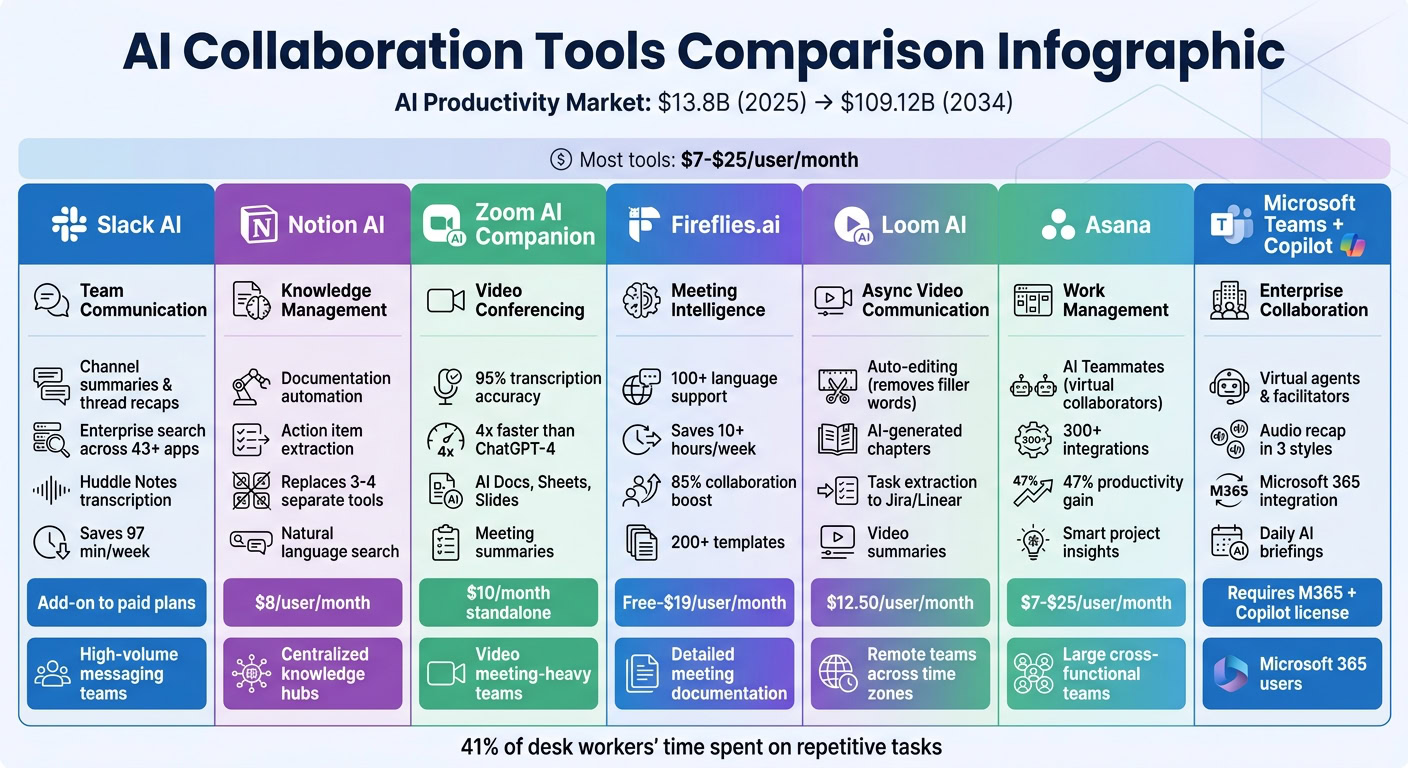
AI tools are transforming team collaboration by automating repetitive tasks and simplifying workflows with AI. From meeting summaries to project management, these tools save time and boost productivity. Here’s a quick look at the top options:
- Slack AI: Simplifies communication with channel summaries, thread recaps, and enterprise search. Ideal for teams managing high message volumes.
- Notion AI: Combines documentation, wikis, and project databases. Great for teams needing a centralized knowledge hub.
- Zoom AI Companion: Automates meeting summaries and follow-ups. Perfect for teams relying on video conferencing.
- Fireflies.ai: Offers meeting transcription, searchable notes, and action item tracking. Best for detailed meeting documentation.
- Loom AI: Focuses on asynchronous video updates with AI-generated summaries and task extraction. Designed for remote teams.
- Asana: AI-powered project tracking and workflow management. Suited for large, cross-functional teams.
- Microsoft Teams with Copilot: Enhances meetings and communication with virtual agents and integration across Microsoft 365.
Quick Tip: Choose a tool based on your team’s biggest pain points, whether it’s meeting follow-ups, knowledge management, or communication overload. Most tools start at $7–$25 per user/month.
Quick Comparison Table:
| Tool | Primary Use Case | Key Features | Best For |
|---|---|---|---|
| Slack AI | Team Communication | Summaries, enterprise search | High-volume messaging teams |
| Notion AI | Knowledge Management | Content automation, action item extraction | Centralized knowledge hubs |
| Zoom AI Companion | Video Conferencing | Summaries, action items | Video meeting-heavy teams |
| Fireflies.ai | Meeting Intelligence | Transcription, searchable notes | Detailed meeting documentation |
| Loom AI | Async Video Communication | AI summaries, task extraction | Remote teams across time zones |
| Asana | Work Management | AI workflows, project tracking | Large, cross-functional teams |
| MS Teams (Copilot) | Enterprise Collaboration | Virtual agents, meeting recaps | Microsoft 365 users |
These tools address inefficiencies like administrative tasks and coordination challenges, helping teams focus on meaningful work.
1. Slack AI
Slack AI helps teams save time by simplifying communication, offering features like channel recaps and thread summaries that can save up to 97 minutes per week [6]. Here’s how it makes collaboration easier and more efficient.
Primary Use Case
Slack AI focuses on improving meeting management, retrieving information, and streamlining communication. Its Huddle Notes feature transcribes audio and video huddles into concise summaries that highlight key takeaways and action points. The enterprise search tool is another game-changer, allowing users to ask natural language questions – like "What was the final decision on the project budget?" – to quickly locate relevant information from messages, files, or connected apps such as Salesforce and Google Drive [6].
Key AI Capabilities
Slackbot has evolved to take on tasks like drafting briefs, analyzing documents, and creating meeting agendas – all within the chat interface. It also offers real-time message translation with just one click, making global collaboration smoother. Other helpful tools include message explanations that decode company-specific acronyms and profile summaries that provide quick background information on colleagues, making workflows more efficient [6].
Integration Compatibility
Slack AI works seamlessly with an average of 43 apps per team, including Google Workspace, Microsoft 365, Asana, Box, and Atlassian [9]. Its enterprise search indexes data across these platforms, so users can easily access files and records. Additionally, AI meeting assistants like Fireflies.ai and Otter.ai can integrate with Slack, pushing transcripts and action items from Zoom or Google Meet directly into Slack channels [7].
Best Suited For
Slack AI is particularly beneficial for remote and hybrid teams dealing with high message volumes and asynchronous workflows. Companies experiencing rapid scaling, such as Anthropic, rely on Slack AI to maintain alignment and efficiency. Kate Jenson, Head of Americas at Anthropic, shared:
"Slack has been essential to our growth, our speed, and our ability to stay aligned as we scale" [9].
Slack AI is available as an add-on to all paid plans, with more advanced features accessible on higher-tier plans [6].
2. Notion AI
Notion AI redefines how teams handle knowledge by acting as a centralized workspace. It combines documentation, wikis, and project databases into a single platform, helping to eliminate those frustrating information silos. On top of that, it simplifies content creation and search, making it a must-have for modern knowledge management.
Primary Use Case
Notion AI shines in documentation automation and knowledge management. It can take raw meeting notes and turn them into well-structured pages, highlighting decisions and action items. Plus, with natural language queries, teams can quickly search through their entire workspace to find specific details – even if they’re buried in a sea of documents [12].
Key AI Capabilities
This platform takes on tedious tasks like drafting project briefs, job descriptions, roadmap updates, and user stories, saving teams hours of effort [12]. It can also summarize lengthy documents or entire databases into concise overviews, clarify unclear text, and ensure updates are consistent across team spaces. A standout feature is action item extraction, which pinpoints tasks and next steps from meeting notes or project files automatically [12].
Integration Compatibility
Notion AI doesn’t stop at content automation – it also integrates effortlessly with other tools to streamline workflows. Native integrations with Slack, Jira, GitHub, and Google Drive allow teams to pull data from various sources. There’s also an API for creating custom integrations with developer tools and CRM systems. Many teams use Notion AI to replace 3 to 4 separate tools, consolidating wikis, document editors, and basic project management apps into one platform. This reduces the need for constant tool-switching and keeps workflows smooth [2].
Best Suited For
Notion AI is ideal for remote and hybrid teams that rely on asynchronous collaboration and need a unified knowledge hub. For organizations aiming to cut down on the number of tools they use, its all-in-one approach is a game changer. Pricing starts at $8 per user/month (billed annually) with the Plus plan, and there’s a free tier available for individuals. Larger organizations can opt for the Business plan, which includes advanced features like SAML SSO.
3. Zoom AI Companion
Zoom AI Companion is designed to handle the full meeting lifecycle, from preparation to follow-up. It provides real-time assistance during meetings, automates post-meeting summaries, and helps users prepare with features like Daily Reflection Reports, which highlight upcoming topics. Beyond meetings, it simplifies communication by organizing team chat threads, email chains, and voicemails, making workflows more efficient.
Primary Use Case
This tool shines in managing meetings and automating documentation. While it’s tailored for Zoom virtual sessions, it also works with third-party platforms like Microsoft Teams and Google Meet to capture notes and summaries. The "My Notes" feature allows users to document insights from in-person conversations and enhances them with AI-generated transcripts. Additionally, it supports custom workflows to handle repetitive tasks, laying the groundwork for its advanced features.
Key AI Capabilities
Zoom AI Companion offers standout features like 95% transcription accuracy and the ability to answer in-meeting questions four times faster than ChatGPT-4 web [13]. It generates detailed meeting summaries, identifies key action items, and introduces "AI Canvases" – tools like AI Docs, AI Sheets, and AI Slides. These features transform meeting insights into structured documents, spreadsheets with automated formulas, and ready-to-share presentations. As Bob Goodwin, President of Career Club, shared:
"The level of accuracy and insight into the discussion is outstanding and my ability to capture the essence of a call, including next steps, is massively better" [15].
Integration Compatibility
Zoom AI Companion integrates effortlessly with platforms like Google Workspace (Drive, Gmail, Meet), Microsoft 365 (OneDrive, Outlook, Teams), Slack, Salesforce, ServiceNow, and Box. Its "Ask AI Companion" feature allows users to search connected platforms, synthesize data, and draft content – all without leaving their current app. Christine Sarros, SVP OCI Enterprise Engineering at Oracle, remarked:
"AI Companion has already transformed how we work at Oracle, helping our teams turn conversations into clear next steps and actionable insights" [14].
Best Suited For
This tool is perfect for remote and hybrid teams, ensuring seamless transitions between live meetings and asynchronous documentation. It’s included at no extra cost with most paid Zoom Workplace plans or available as a standalone subscription for $10 per month. Its popularity is evident, with monthly active users tripling year-over-year in Q4 FY26, demonstrating its appeal across both enterprises and small businesses [16]. This growth aligns with broader emerging business trends where AI adoption is becoming standard for operational efficiency.
4. Fireflies.ai
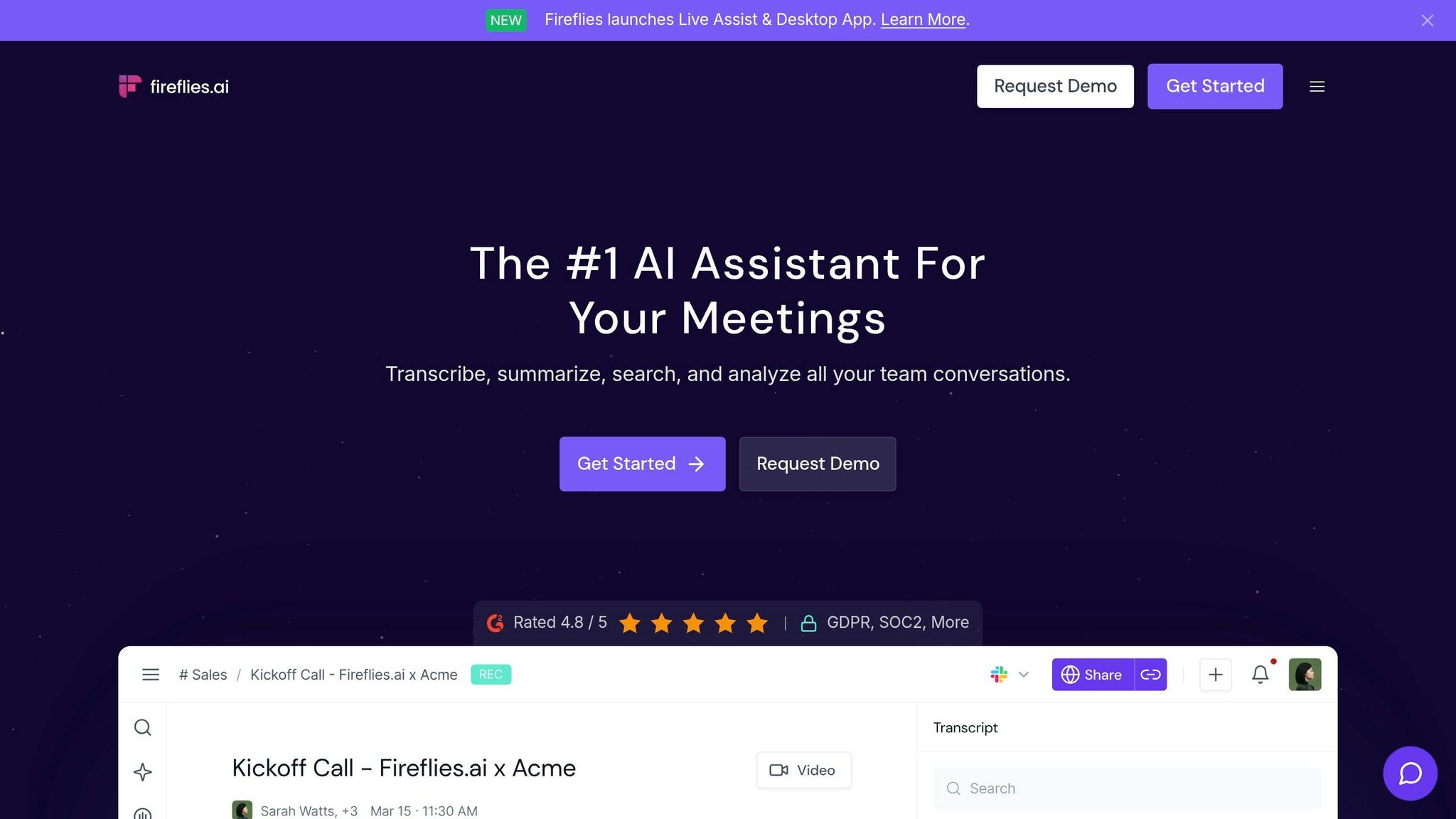
Fireflies.ai stands out among AI meeting assistants like Slack AI and Zoom AI Companion by offering advanced transcription and insight tools that simplify meeting documentation.
This AI-powered assistant records, transcribes, and organizes meetings into a searchable notebook. Teams can easily sort insights by project, client, or department. Supporting over 100 languages with transcription accuracy exceeding 95%, Fireflies.ai is trusted by more than 1 million companies worldwide [18].
Primary Use Case
Fireflies.ai shines in streamlining meeting documentation and knowledge management. It automatically joins calls on platforms like Zoom, Google Meet, and Microsoft Teams to capture every detail, eliminating the need for manual note-taking. Users report saving over 10 hours weekly on meeting-related tasks, while teams see an 85% boost in cross-team collaboration and project updates delivered up to three times faster [17].
Key AI Capabilities
The platform’s AskFred chatbot, powered by GPT, goes beyond transcription. It answers questions about past meetings, summarizes discussions, drafts follow-up emails, and uses over 200 specialized templates to extract critical data. For instance, it can pull candidate questions for HR teams or organize sales frameworks like BANT. These insights are automatically pushed to CRMs and project management tools [18]. Matias Rodsevich, CEO of PR Labs, shared:
"Fireflies brought more structure in our meetings and more transparency within our company" [17].
Additionally, its dashboard provides valuable engagement metrics to further enhance team productivity.
Integration Compatibility
Fireflies.ai integrates with over 100 tools, including Salesforce, HubSpot, Asana, Trello, Slack, and Notion. It also works smoothly with video platforms and dialers like Aircall and RingCentral. Its MCP Server connects meeting insights to advanced AI tools like Claude and ChatGPT [18]. These integrations help teams reduce follow-up time by 45% through automated CRM updates and task creation.
Best Suited For
Fireflies.ai is ideal for remote teams, sales organizations, and HR departments seeking a comprehensive solution for meeting documentation. It offers a free plan (providing 800 minutes of storage), a Pro plan at $10 per user/month, a Business plan at $19 per user/month, and custom Enterprise options with HIPAA compliance [19]. With a 4.8/5 rating on review platforms, users frequently highlight its accuracy and time-saving features. Its robust documentation tools and seamless integrations make it an essential asset for improving remote team collaboration.
5. Loom AI
Loom AI takes collaboration to the next level by introducing asynchronous video communication as a way to replace traditional meetings. Instead of scheduling yet another call, teams can record video messages to share updates, demos, or handoffs. These videos can be watched at any time, making it easier for colleagues in different time zones to stay in sync without the hassle of coordinating schedules.
Primary Use Case
While tools like Slack AI and Zoom AI Companion focus on text and live meetings, Loom AI stands out by emphasizing video communication. This approach keeps the human element intact, something often missing in text-based interactions. By enabling asynchronous video updates, Loom AI helps teams eliminate unnecessary meetings without sacrificing personal connection. It’s particularly useful for tasks like product demos, engineering handoffs, and status updates, allowing team members to stay informed without needing to be present in real time. AI-generated summaries and searchable transcripts make these updates even more efficient.
Key AI Capabilities
Loom AI enhances video communication with several smart features:
- Automatic editing: Filler words like "um" and "uh" and long silences are removed, making videos more polished and concise.
- Instant insights: Each video is equipped with AI-generated titles and chapter markers, so viewers can jump straight to the most relevant sections.
- Task extraction: The AI identifies tasks and action items from video transcripts and converts them into structured issues for tools like Jira or Linear.
- Contextual sharing: It can draft emails or Slack messages based on the video’s content, simplifying the process of sharing updates across platforms.
Integration Compatibility
Loom AI integrates smoothly with tools like Slack, Google Workspace, Microsoft 365, Jira, and Linear. These connections ensure that video content fits seamlessly into existing workflows. For example, it can automatically generate project tickets, draft direct messages, or transform spoken explanations into written formats, reducing the need for manual follow-up.
Best Suited For
Loom AI is a great fit for remote and distributed teams working across time zones, especially those that embrace asynchronous communication. With 94% of employees believing AI will take over at least a third of their repetitive tasks [4], Loom AI offers a practical solution. The free Starter plan supports up to 25 videos, while the Business plan is priced at $12.50 per user per month [1]. This makes it a cost-effective option for fast-growing teams aiming to improve collaboration while cutting down on meeting overload. Loom AI supports the growing trend toward efficient, AI-driven asynchronous workflows, making it a valuable tool for modern remote work environments.
sbb-itb-ba0a4be
6. Asana
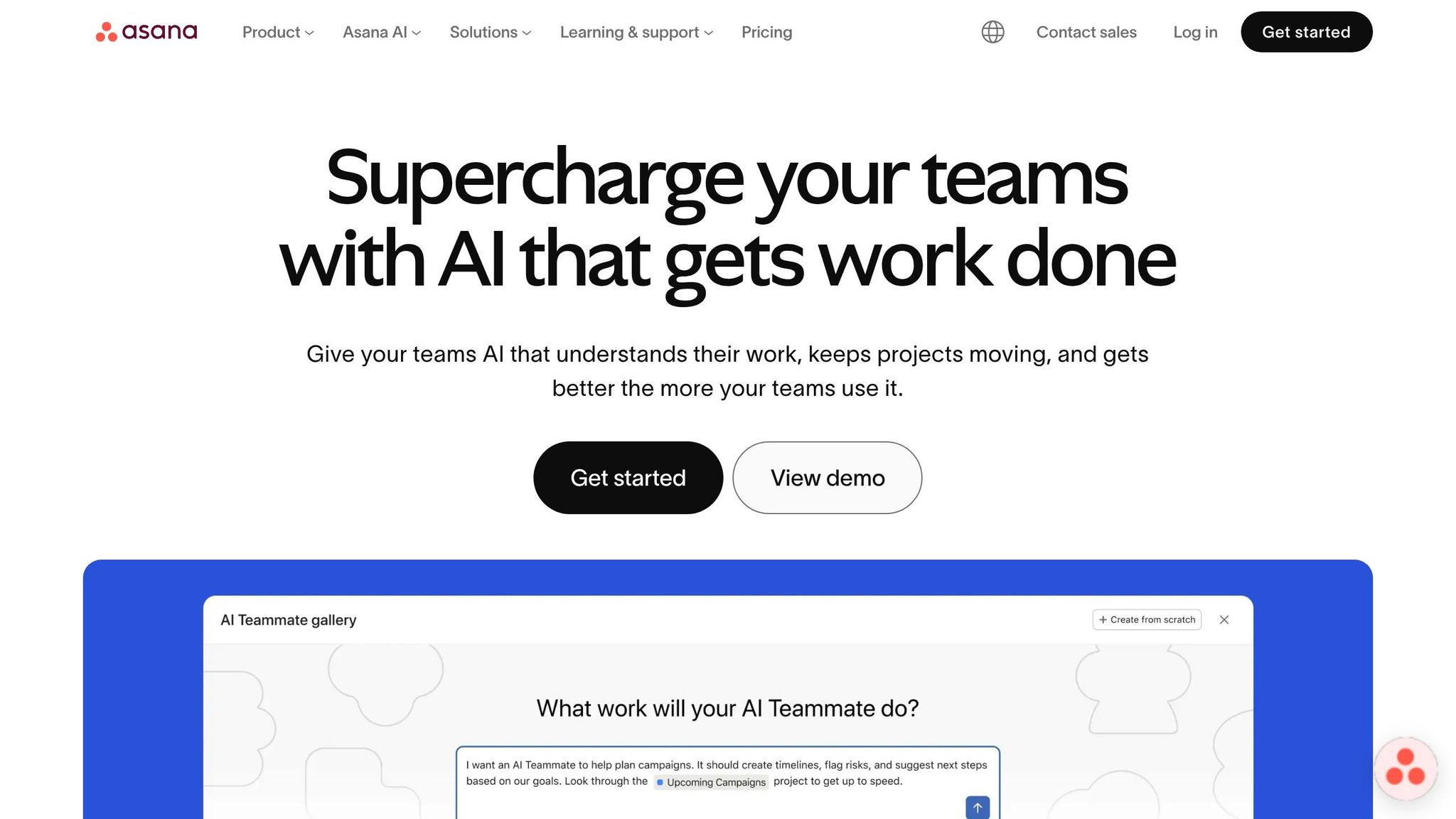
Asana blends project tracking with AI automation, creating a central workspace where teams can align strategic goals with daily tasks, manage intricate workflows, and collaborate across departments. This level of coordination is essential when setting up your business to be fully remote. By December 2023, 85% of Fortune 100 companies were already utilizing Asana [22]. It’s become a go-to tool for organizations juggling multiple projects while keeping everyone on the same page.
Primary Use Case
Asana shines in cross-functional project tracking and enterprise work management. Teams use it to handle campaigns, product launches, and creative production while easily tracking resources and organizational objectives. The platform gives users clear visibility into tasks and deadlines. Eugenia Contreras from Spotify describes Asana as "our air traffic control", helping scale their production to meet revenue goals [22]. This strong foundation supports the platform’s advanced AI tools.
Key AI Capabilities
Asana’s AI features enhance its already robust remote performance tools. AI Teammates are like virtual collaborators that can draft brand-specific content, convert creative briefs into actionable designer specs, and analyze project data. For example, in 2024, Kea Brun from KW Automotive’s Performance Marketing team used an AI Teammate to analyze an Excel file alongside an Asana project board. This saved 2–3 hours of manual work while providing fresh strategic insights [21].
Additionally, AI Studio offers a no-code platform to design custom workflows, while Smart Assists deliver real-time insights and flag potential project risks before they escalate. Belinda Hardman, Director of Program Management at Morningstar, shared:
"Previously, it took two weeks to review a request. Now we can eliminate time spent on manual back and forth because Asana AI is embedded directly into our workflows and captures the information we need right off the bat" [20].
Integration Compatibility
Asana integrates with over 300 tools [22], including Slack, Google Workspace, Microsoft 365, Zoom, Salesforce, Adobe Creative Cloud, and Figma. Its AI Connectors link conversations from other AI platforms directly into Asana, so teams can initiate projects and organize tasks without switching between apps. For instance, users can convert Slack messages into Asana tasks, get real-time updates, and collaborate on Google Drive files – all while maintaining a unified view of project progress.
Best Suited For
Asana is perfect for large, cross-functional teams managing intricate workflows. Teams using the platform report productivity gains of up to 47% [5]. It offers a free Personal tier for individuals, as well as paid Starter, Advanced, Enterprise, and Enterprise+ plans. AI features are included in all paid plans, with AI Studio available from the Starter tier onward, and AI Teammates offered as an add-on [20][21].
7. Microsoft Teams with Copilot

Microsoft Teams with Copilot brings AI-driven efficiency to the workplace by introducing virtual agents that assist in meetings, manage channels, and help coordinate projects. As Kerry Perez Heffernan from Microsoft explains:
"We are giving every channel, meeting, and community an agent that can collaborate with you and your team, acting as a virtual teammate" [24].
The Teams AI Library also allows developers to create intelligent agents up to 90% faster [24]. By leveraging natural language processing, Teams with Copilot simplifies communication and helps teams work more effectively.
Primary Use Case
This tool shines in facilitating meetings and streamlining communication across teams. The Facilitator agent handles tasks like setting agendas, tracking discussion times, taking notes in real time, and managing action items. On the other hand, the Channel Agent acts as a subject matter expert by identifying deadlines from conversations, drafting reports using data from Planner and meetings, and answering questions such as "What’s the latest on our budget?" Additionally, users can create initial drafts of documents in Microsoft Word or Loop directly based on meeting discussions [24].
Key AI Capabilities
Copilot enhances meetings and communication with several intelligent features. It transcribes discussions, identifies unresolved questions, and captures action items on the fly. For one-on-one and group chats, it summarizes unread messages and provides highlights from specific timeframes – daily, weekly, or monthly [23]. The Audio Recap feature offers meeting summaries in audio form, tailored to styles like Newscast, Casual, or Executive. Daily briefings are automated using AI templates, offering personalized overviews of tasks and agendas [24]. Even small time savings, such as 11 minutes per day, can lead to noticeable productivity boosts over time, with significant improvements observed after 11 weeks [27].
Integration Compatibility
Teams with Copilot integrates seamlessly within the Microsoft 365 ecosystem, working alongside tools like Word, Excel, PowerPoint, Outlook, Planner, Loop, SharePoint, and Viva Engage [24][26]. Using Work IQ, it accesses data across emails, files, meetings, and chats. Developers can also use the GitHub app to open pull requests and write code directly within Teams. Copilot adheres to existing Microsoft 365 permissions and sensitivity labels, ensuring secure and compliant data access [25]. This interconnected setup consolidates workflows, making team collaboration smoother and more efficient.
Best Suited For
With its deep integration and automation, Teams with Copilot is particularly ideal for businesses already using Microsoft 365. To use this tool, organizations need a Microsoft 365 subscription (Business or Enterprise) and a dedicated Copilot license. Some advanced features, such as Intelligent Meeting Recap, Live Translated Captions, and Audio Recap, require a Teams Premium license [24]. According to a Forrester Report, organizations using Teams with Copilot have seen improvements in productivity, faster decision-making, and higher employee satisfaction [24].
Tool Comparison Table
Finding the right tool for your team depends on your workflow, size, and specific needs. The table below highlights how seven different tools perform across key use cases, AI-driven features, integrations, and ideal team profiles.
| Tool | Primary Use Case | Key AI Features | Top Integrations | Best Suited For |
|---|---|---|---|---|
| Slack AI | Team Communication | Channel summaries, Huddle notes, Enterprise search | Salesforce, Google Drive, 2,600+ apps | Large teams managing high volumes of communication |
| Notion AI | Knowledge Management | Meeting notes, Content automation, Enterprise search | Slack, Google Drive, Jira, GitHub | Small to mid-sized teams streamlining multiple tools |
| Zoom AI Companion | Video Conferencing | Meeting summaries, Action items, In-meeting chat recaps | Slack, Google Calendar | Teams hosting regular video meetings and webinars |
| Fireflies.ai | Meeting Intelligence | Transcription, Searchable audio, Topic tracking | Zoom, Google Meet, MS Teams, CRMs | Teams requiring detailed meeting documentation |
| Loom AI | Async Video | Auto-chapters, Filler word removal, Task extraction | Jira, Slack, Linear | Remote teams spread across time zones |
| Asana | Work Management | Smart Goals, Auto-status updates, Smart Editor | Slack, Box, Microsoft 365 | Large enterprises needing cross-department coordination |
| MS Teams (Copilot) | Enterprise Collaboration | Chat insights, Meeting recaps, Co-editing | Microsoft 365 Suite | Businesses deeply integrated with Microsoft 365 |
Pricing for these platforms typically ranges from $7 to $25 per user per month, depending on the features and scale.
The AI productivity tools market is projected to grow from $13.80 billion in 2025 to $109.12 billion by 2034, with an annual growth rate of 25.82% [3]. This surge reflects the increasing demand for solutions to bridge productivity gaps. Currently, desk workers spend 41% of their time on repetitive, low-value tasks [8], and 94% of employees believe AI will replace at least one-third of these tasks [4].
When deciding on a tool, focus on where your team loses the most time. For smaller teams, start by addressing a single repetitive task – like meeting follow-ups or status updates – and select a tool that tackles that problem effectively [2]. Larger organizations should prioritize tools with enterprise-level security, compliance, and AI-powered search to manage vast amounts of data and conversations [2][8].
Conclusion
AI collaboration tools are not just about adding bells and whistles – they’re about reclaiming the hours we lose to tedious coordination tasks. Think about all the time spent on status updates, searching for files, or running a business remotely while jumping between apps. The tools discussed here tackle those pain points head-on by automating meeting notes, providing instant access to company knowledge, and keeping context intact across platforms [2].
Choosing the right tool boils down to identifying where your team struggles most. For example, Fireflies.ai and Slack AI excel at reducing the time spent on meeting follow-ups and improving communication with smart summaries and search features [2]. Teams that embrace these platforms often see productivity boosts of 20–35% within just three months, and some organizations even report cutting communication costs by up to 30% [28][10]. These numbers highlight how impactful AI integration can be.
The best part? You don’t need to overhaul your entire tech stack to see results. Start small – enable AI features in tools your team already uses, like Slack or Zoom. This gradual approach helps build confidence and adoption. Assigning an "AI champion" to experiment, train others, and track progress can double or even triple adoption rates [2]. Over time, what once felt like administrative drudgery can transform into meaningful productivity gains.
With the AI productivity tools market projected to grow from $13.8 billion in 2025 to over $109 billion by 2034 [3], the question isn’t if you should adopt these tools – it’s which one will solve your biggest collaboration challenge. Focus on your team’s bottlenecks, ensure data privacy standards are met, and choose a tool that integrates seamlessly into your existing systems.
FAQs
How do I choose the right AI collaboration tool for my team?
To find the best AI collaboration tool for your team, start by identifying your specific needs. Are you looking to simplify communication, automate repetitive tasks, or improve project management? Once you have a clear understanding, focus on tools that:
- Work seamlessly with your current systems and software.
- Offer an intuitive, user-friendly experience.
- Can grow with your team, accommodating future expansion.
- Meet necessary security and compliance standards.
Make sure the tool’s features are a good match for your team size and industry requirements. This way, it can help boost productivity and support your team’s long-term goals.
Will these AI tools work with the apps we already use?
Most AI collaboration tools are built to fit right into the apps your team already relies on. For instance, Slack GPT, Notion AI, and Microsoft Copilot operate within their respective platforms, improving workflows rather than overhauling them. Additionally, many of these tools offer integrations with widely-used communication, project management, and file-sharing apps. This means teams can add AI capabilities to their current tech setup without any major interruptions.
What privacy and security risks should we consider with AI meeting summaries?
AI meeting summaries often keep recordings and transcriptions in the cloud, raising concerns about potential data breaches or unauthorized access. To address these risks, some tools provide the option to store data locally, offering an added layer of privacy. Key factors to consider include how the data is stored, who can access it, and how long it’s kept. To ensure better security, look for tools with robust protection measures, transparent data handling policies, and compliance with recognized standards like SOC 2.