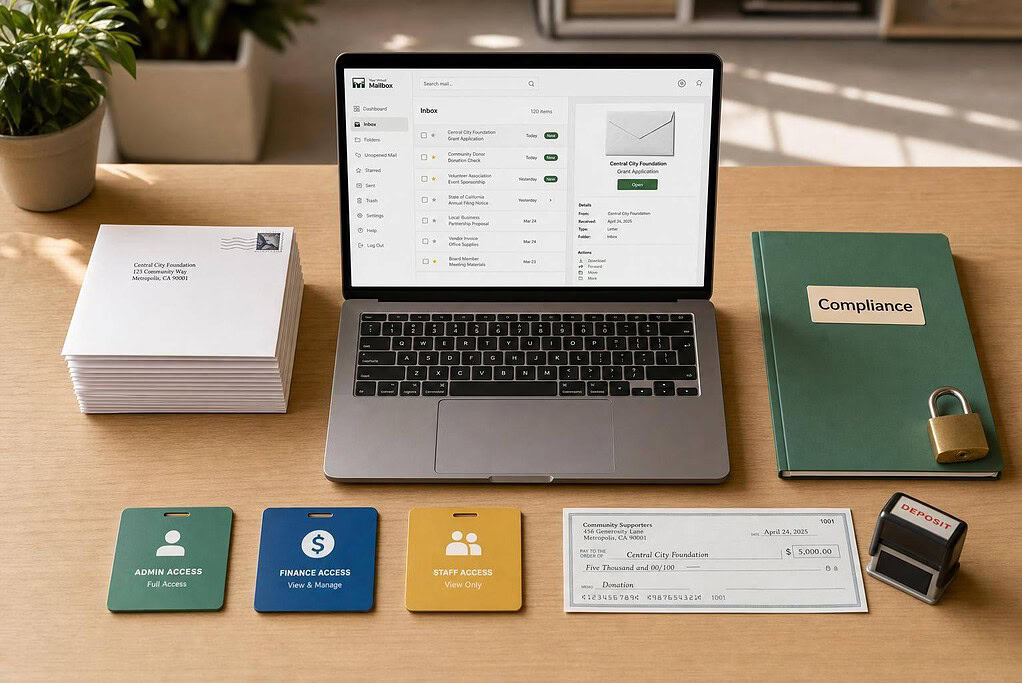
If I had to narrow it down fast, I’d sort these five services by one thing: what kind of mail work your team does every week. In this group, pricing runs from $4.99 to $85.00 per month, recipient limits range from 1 to 20, and some services charge extra for inside scans, check deposits, or added users.
Here’s the short version:
- BusinessAnywhere: best if I want flat pricing, unlimited scans, and room for up to 20 recipients
- VirtualPostMail: best if I care most about official mail and need registered agent support in select states
- iPostal1: best if I need a specific city or lots of address options, with 3,500+ locations
- Anytime Mailbox: best if I want broad location choice, but I’d double-check each location’s pricing and features
- US Global Mail: best if I get mailed checks often and want check deposit included
What matters most for a nonprofit or association is pretty simple:
- Mail handling: scans, forwarding, shredding, storage time
- Team access: how many people or departments can use it
- Compliance fit: whether it works for official notices and legal mail
- Monthly cost: base price plus scan, storage, forwarding, and user fees
Quick Comparison
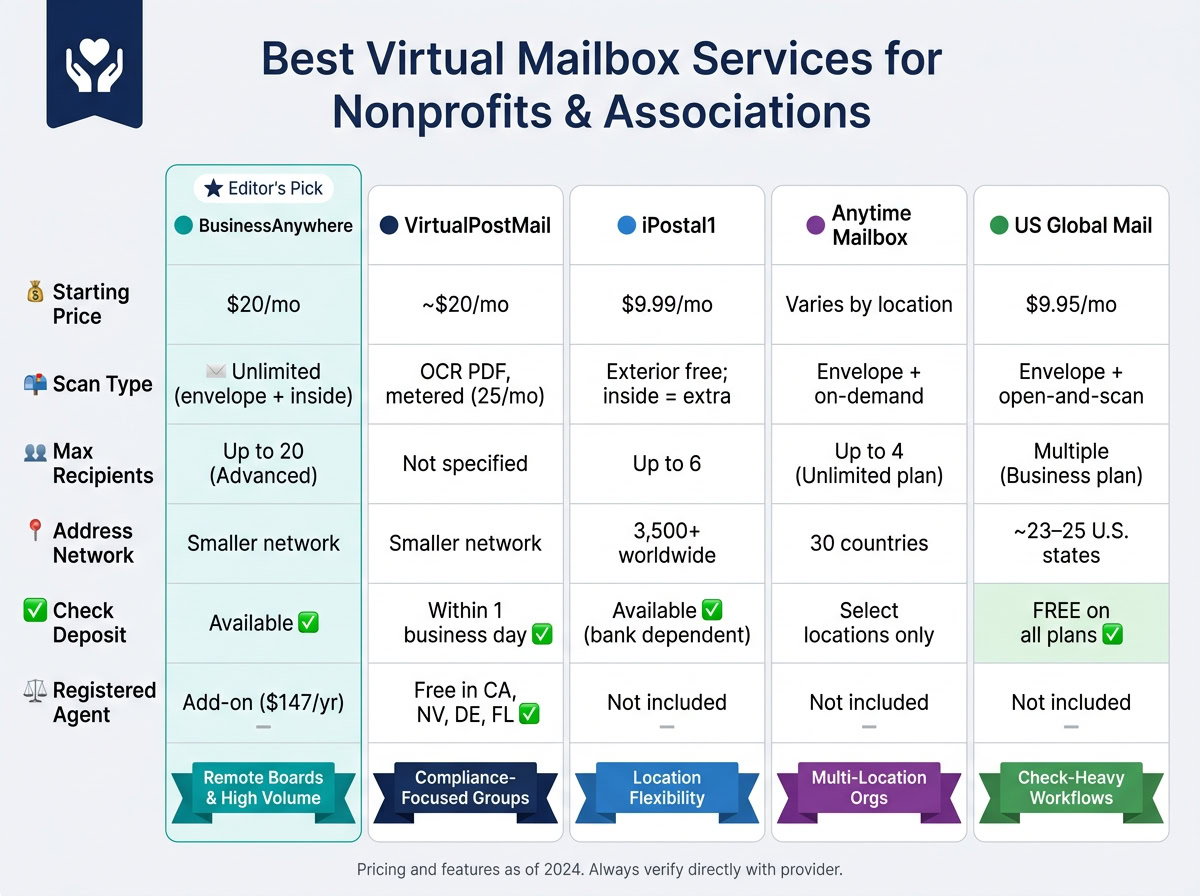
| Provider | Best For | Starting Price | Standout Point | Watch For |
|---|---|---|---|---|
| BusinessAnywhere | Remote boards, high mail volume | $20.00/mo | Unlimited mail and scans; up to 20 recipients on Advanced | Registered agent costs extra |
| VirtualPostMail | Compliance-focused groups | About $20.00/mo | OCR PDFs; free registered agent in select states | 25 mail items on Starter |
| iPostal1 | Address choice and chapter-based groups | $9.99/mo | 3,500+ addresses; app access | Inside scans usually cost extra |
| Anytime Mailbox | Multi-location groups | Varies by location | Large global network | Features and fees change by address |
| US Global Mail | Check-heavy mail flow | $9.95/mo | Check deposit on all plans | State coverage is more limited |
My take: if I want the most predictable setup for a small or midsize nonprofit, I’d start with BusinessAnywhere. If legal and state mail comes first, I’d look at VirtualPostMail. If mailed donations are a big part of the workflow, US Global Mail moves up the list.
That gives me a simple way to read the full comparison: match the service to my team size, mail volume, and compliance needs. Understanding how a virtual mailbox works can help you decide which features are essential for your organization.
1. BusinessAnywhere
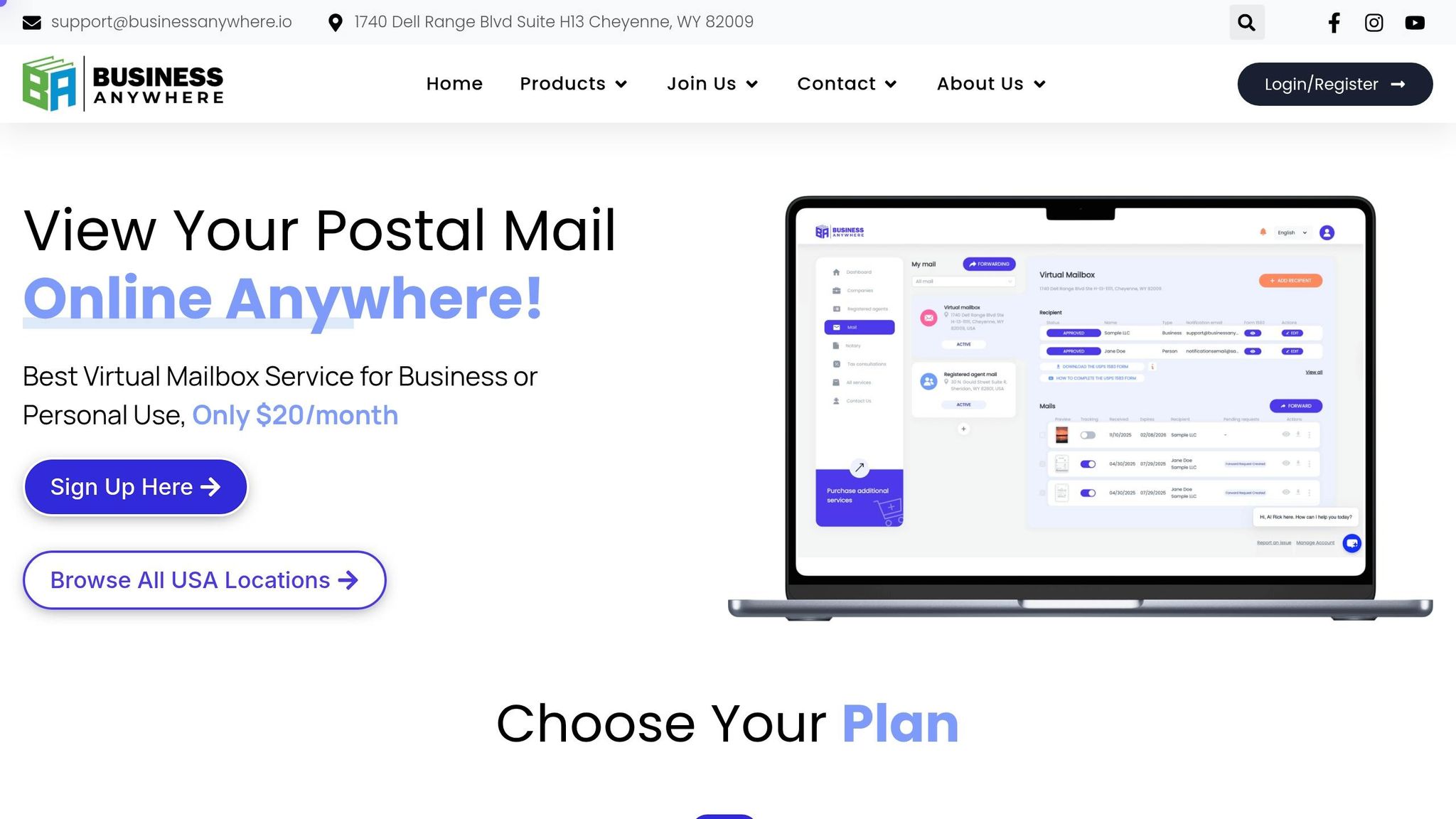
For nonprofits, the big draw here is simple: you get a searchable record of donor mail, board notices, and compliance documents.
Mail Handling
BusinessAnywhere scans every piece of mail automatically, including the envelope and everything inside, then uploads it to your dashboard within two business days. It also accepts checks and cards, which you can review, download as PDFs, or forward from the dashboard.
Physical mail stays in storage for 90 days and is then securely shredded. Digital scans remain in your dashboard with no time limit. That gives your team a long-term paper trail for audits, board packets, and everyday admin work.
Team Access
BusinessAnywhere prices its plans by recipient count, meaning the people or entities linked to the mailbox. The Advanced plan includes up to 20 mail recipients for $65/month when billed annually, which can work well for nonprofits with remote boards or several departments.
| Plan | Annual Billing (per month) | Recipients Included |
|---|---|---|
| Basic | $20 | 2 |
| Premium | $30 | 5 |
| Advanced | $65 | 20 |
Extra recipients cost $5/month each with annual billing. Every recipient also has to complete USPS Form 1583. BusinessAnywhere offers online notarization for $37 per document.
Compliance Support
You can use the mailbox for routine organization mail, then add registered agent service for legal notices and filings. One catch: the mailbox address can’t be used as a registered agent address for legal service of process.
If your nonprofit needs a legal address for official government notices and legal documents, you can add the Registered Agent service for $147/year.
Pricing
Annual billing removes the $25 sign-up fee and cuts the cost of extra recipients from $7.50 to $5.00 per month. Mail forwarding comes with a flat $2.00 handling fee, plus actual shipping costs for each request. All plans include unlimited mail and package receipt.
If your group wants a different mix of team access, legal mail support, and price, the next provider goes in another direction.
2. VirtualPostMail
VirtualPostMail is a solid pick for nonprofits that deal with board mail, state filings, and other sensitive correspondence.
Mail Handling
For official notices and donor mail, VPM leans into fast digital processing. It uses a street address and typically scans mail within 6 business hours. Those scans arrive as OCR-searchable PDFs, which makes filing and finding official notices much less of a hassle.
Physical mail is stored for 60 days at no charge, while digital records are kept indefinitely. If your nonprofit receives checks, deposits are usually processed within one business day.
Team Access
Mail management happens in the browser, so there’s no iOS or Android app at this time. On the security side, the platform stores data on Amazon Web Services (AWS) and is SOC 2 Type II certified.
If your team handles donor records or board documents with health-related data, HIPAA compliance with a Business Associate Agreement (BAA) is available on premium or business plans.
Compliance Support
VPM includes a free registered agent service in select states, including Nevada, California, Delaware, and Florida. That’s helpful if your nonprofit is based in one of those states. If not, you’ll need a separate registered agent service elsewhere.
As a Commercial Mail Receiving Agency (CMRA), VPM also requires a notarized USPS Form 1583 and two forms of ID before it can legally receive your mail.
Pricing
| Feature | VirtualPostMail (Starter) |
|---|---|
| Monthly cost | ~$20/month |
| Included mail items | 25 per month |
| Extra items | $0.50 each |
| Registered agent | Free in select states |
If your nonprofit gets more than 25 pieces of mail each month, forwarding and check deposits can bring the monthly total to about $30. There are no setup or cancellation fees.
If you need a different mix of mail volume, access, and price, the next provider may be a better fit.
3. iPostal1
For associations with chapters, regional offices, or remote staff, location coverage can matter just as much as mail handling. That’s where iPostal1 stands out. Its biggest draw is a huge address network: more than 3,500 street addresses worldwide, including major hubs like New York, London, and Singapore. For nonprofits that operate across regions, that opens up a lot of mailing options.
Mail Handling
iPostal1 accepts mail and packages from major carriers, including USPS, FedEx, UPS, DHL, and Amazon. Standard service includes exterior scanning. If you want content scanning – where they open a letter and scan what’s inside – that costs extra.
That extra fee matters. If your team often gets compliance notices, donor letters, or other time-sensitive mail, it’s smart to build that cost into your monthly budget instead of treating it like a small add-on.
Physical mail storage is free for 30 days. Scans are kept in unlimited cloud storage. Check deposit service is also available, though it depends on your bank’s support.
Team Access
Some plans support up to six recipients. Teams can manage mail through the iPostal1 mobile app on iOS and Android, or from any web browser. That makes it easy for staff and board members to check incoming mail from anywhere.
You can also manage multiple addresses under one login. For associations with more than one location, that’s a practical setup and can save a lot of back-and-forth.
Pricing
Pricing depends on address type and mail volume. Add-ons such as content scanning, check deposits, and extended storage are billed separately.
| Plan | Monthly Price | Annual Price | Mail Items Included |
|---|---|---|---|
| Green | $9.99 | $99.00 | 30 |
| Blue | $14.99 | $149.00 | 60 |
| Silver | $24.99 | $249.00 | 120 |
| Gold | $39.99 | $399.00 | 240 |
The starting price is low, which is appealing at first glance. But once you add services like content scanning and check deposits, the total can climb.
If your organization cares more about simpler pricing than a large address network, the next option goes in a different direction.
sbb-itb-ba0a4be
4. Anytime Mailbox
Anytime Mailbox runs through a global network of locations in 30 countries. That makes it a solid fit for associations with local chapters, remote staff, or donor mail coming into more than one place.
Mail Handling
When mail arrives, you get an envelope scan and a notification. From there, you can choose to open and scan it, forward it, or shred it.
It uses real street addresses, which means it can receive packages from major carriers like USPS, FedEx, UPS, and DHL. Those addresses can also support business registration, but they do not replace a registered agent.
Check deposit is available at select locations. So if a nonprofit needs that feature, it’s smart to confirm it before choosing a secure virtual mailbox.
Team Access
Recipient limits depend on the plan:
- Gold includes 2 recipients
- Unlimited includes 4 recipients
Extra recipients may cost up to $35 per person, per month at some locations. That can add up fast if several team members need access.
Compliance Support
To activate the service, you must complete and notarize USPS Form 1583. You also need to provide two forms of identification: one photo ID and one proof of address.
Pricing
Pricing changes by location. Here’s one example for a Denver, CO address:
| Plan | Monthly Price | Incoming Mail | Open & Scan | Recipients |
|---|---|---|---|---|
| Bronze | $26.99 | 25 items | 10 items | 1 |
| Silver | $36.99 | 40 items | Unlimited | 1 |
| Gold | $48.99 | 110 items | Unlimited | 2 |
| Unlimited | $79.99 | Unlimited | Unlimited | 4 |
Pricing and features vary by address. If your organization wants more fixed pricing and more room for team access, the next provider goes a different way.
5. US Global Mail
US Global Mail is a good fit for nonprofits that need secure check handling, team access, and a permanent U.S. street address. That address can be used for banking, registrations, and formal correspondence.
Mail Handling
The service offers envelope scanning, open-and-scan content review, and secure shredding or recycling for mail you don’t want to keep. One feature stands out: free check depositing on all plans.
For nonprofits that still receive donation checks or membership payments by mail, that can save time and cut down on manual work. Mail and packages can also be forwarded worldwide.
Digital mail stays in storage for 180 days, while packages are stored for 30 days. In plain terms, this setup makes the most sense for groups that deal with checks and official notices on a steady basis.
Team Access
Business plans let multiple users share one account. On the security side, US Global Mail includes bank-grade encryption and 2FA to protect sensitive data.
Compliance Support
As a Commercial Mail Receiving Agency (CMRA), US Global Mail requires a notarized USPS Form 1583. It also offers addresses in about 23 to 25 states, so nonprofits should check state availability before signing up.
Pricing
| Plan | Starting Price | Notes |
|---|---|---|
| Individual | $9.95–$10.00/mo | Single recipient |
| Business | $25.00–$29.95/mo | Multiple users |
Physical storage is free for the first 45 days on basic plans. After that, storage fees apply by the pound, per day. The next section compares these tradeoffs across all five providers.
Pros and Cons by Provider
The table below boils the five providers down to the things most nonprofits care about: scan volume, team access, address coverage, and help with compliance.
| Provider | Key Pros | Key Cons | Best Nonprofit Scenario |
|---|---|---|---|
| BusinessAnywhere | Unlimited scans, online notarization, and high recipient capacity | Smaller address network than some services | Small-to-midsize nonprofits with high mail volume or remote boards needing predictable costs |
| VirtualPostMail | Strong fit for organizations needing registered agent support | Smaller address network; metered scanning | Compliance-focused organizations that want a long-term legal address |
| iPostal1 | Best when location-specific address choice matters | Metered scanning adds cost for high-volume mail | Nonprofits that need a specific local address where other providers don’t operate |
| Anytime Mailbox | Large global address network | Pricing and service quality vary by location; metered scanning | Multistate nonprofits managing mail from several locations through one dashboard |
The biggest price gap usually comes down to scanning limits. If your organization gets a lot of official mail, unlimited scanning – or at least low per-page fees – can make a big difference.
Team access matters too. BusinessAnywhere sets its plans by recipient count: 2 on Basic, 5 on Premium, and 20 on Advanced. That setup fits neatly with how many nonprofits work, especially when mail needs to be shared with board members or department leads.
Address coverage is the other big piece. A larger network gives you more freedom if you need a mailing address in a certain city or want to manage mail across more than one location.
Use this summary to line up each provider with your mail volume, team size, and address needs before moving to the final selection guide.
Which Provider Should Your Organization Choose?
Pick based on four things: mail volume, how many people need access, whether you need a registered address for compliance, and your monthly budget.
From there, narrow the field by your top use case.
If your nonprofit has a remote board or a distributed admin team, BusinessAnywhere’s Advanced Plan is a strong match. It supports up to 20 recipients and unlimited scans, which helps keep monthly costs predictable.
If your organization gets donor checks on a regular basis, go with a mailbox service that supports check deposit.
If having a certain local address matters, choose a provider with broad address coverage. If compliance comes first, pick one that offers registered agent support for official mail and compliance notices.
Here’s the simple match-up:
| Situation | Best Fit | Why |
|---|---|---|
| Remote board, high volume | BusinessAnywhere Advanced | Up to 20 recipients, unlimited scans, flat monthly cost |
| Check deposit needs | US Global Mail or iPostal1 | Check deposit included in service |
| Specific local address needed | Anytime Mailbox | Largest network of physical addresses |
| Compliance-heavy mail | VirtualPostMail | Registered agent support for official notices |
In plain English, the choice comes down to your day-to-day mail workflow: team access, check handling, local presence, or compliance.
FAQs
Do nonprofits need a registered agent too?
Yes. Nonprofits need a registered agent.
A virtual mailbox can help with day-to-day mail and donor communications, but it can’t be used as your registered agent address. Your registered agent is the official in-state contact with a physical address who must be available during normal business hours to receive service of process and government notices.
That setup helps your nonprofit stay compliant and keeps private home addresses off public records.
How many people can share one virtual mailbox?
It depends on the plan you choose. BusinessAnywhere offers three tiers:
- Basic: 2 recipients
- Premium: up to 5 recipients
- Advanced: up to 20 recipients
If your needs change, you can upgrade your plan or add recipients as needed.
What extra fees should we expect each month?
BusinessAnywhere doesn’t tack on extra charges for more mail, page scans, or storage.
Your monthly cost only changes based on your billing cycle and the number of users you add. If you choose monthly billing, there’s a $25 one-time sign-up fee. And if you go over the number of recipients included in your plan, each extra user costs $5 with annual billing or $7.50 with monthly billing.