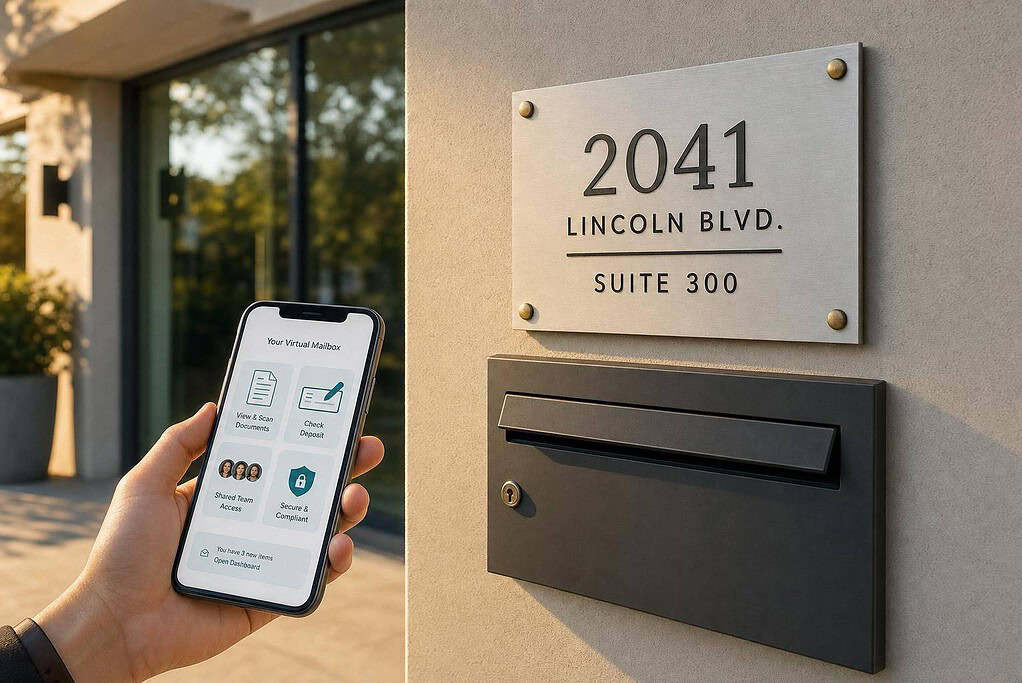
If nobody is in the office, your mail still needs a system. For remote teams, a virtual mailbox gives you one business address, online mail access, and a way to handle legal notices, invoices, checks, and packages without sending someone to a physical mailbox.
Here’s the short version:
- You get a real U.S. street address
- Mail is usually scanned in 24–48 hours
- Teams can view, forward, shred, store, or deposit checks
- It helps keep a home address off public records
- It does not replace a registered agent
- Some banks and payment providers may reject CMRA addresses
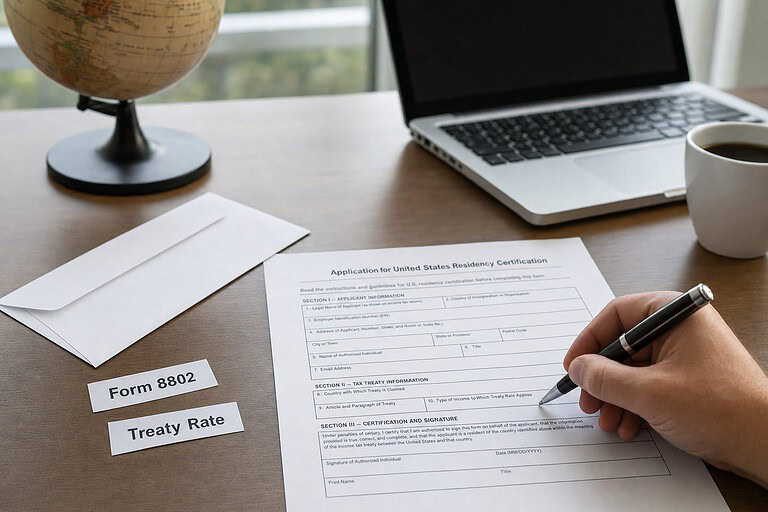
- Setup usually requires USPS Form 1583, 2 IDs, and notarization
If I were picking a service, I’d check four things first:
- Mail speed: How fast envelope and content scans appear
- Team access: Multi-user permissions for finance, admin, and legal
- Total cost: Monthly fee plus forwarding, storage, and scan charges
- Compliance fit: Whether the address works for banking, filings, and email rules
A virtual mailbox solves a simple problem: paper mail does not work well when your team is spread out. And when legal or tax mail sits for even a few days, the cost can be more than the monthly plan.
That’s the core idea behind this article.
How Virtual Mailbox Workflows Work for Remote Teams
A virtual mailbox sends your business mail to a physical street address, then makes it visible in a digital dashboard. The provider sorts incoming mail and scans the envelope within 24–48 hours. Your team gets a notification in a secure web portal or mobile app, checks the scan, and decides what to do next: open it, forward it, shred it, or deposit the check.
Once mail is in the system, your team can move fast without being in the same place. That usually means scanning, storing, forwarding, or depositing, depending on what showed up.
Mail Scanning, Digital Storage, and Document Retrieval
If you request a content scan, the provider opens the envelope and uploads a PDF to your dashboard. From there, finance or legal can review the file without waiting on physical delivery. It’s a simple setup, but it saves a lot of back-and-forth.
One small move helps a lot here: turn on automatic junk mail filtering from day one. Filtering junk mail first cuts down on scan fees and keeps your dashboard from filling up with mail no one needs.
Mail Forwarding, Package Handling, and Check Deposits
Physical forwarding is available when you need it. Providers accept packages and documents from standard carriers. That matters when someone on the team needs the original version of a document, a credit card, or a shipped item.
Check deposits follow a similar path. A client sends payment to your business address, and the provider deposits the check into your bank account in 2–5 business days. No trip to the bank.
For physical packages, most providers hold items for 30 to 90 days before storage fees start. If a large shipment is on the way, it’s smart to check that limit ahead of time.
Shared Access for Finance, Admin, and Legal Teams
Business-class plans support multiple users and role-based access. In plain terms, one admin can sort incoming mail, send invoices to finance, route contracts to legal, and keep general correspondence in one dashboard.
That helps close the coordination gaps that slow down distributed finance, admin, and legal teams. It also creates an audit trail, so your team isn’t stuck managing a physical filing cabinet.
These are the workflow choices remote teams use most often.
| Mail Action | Typical Turnaround | Primary Use Case |
|---|---|---|
| Envelope scan | Same day to 24 hours | Triage: identify urgent vs. junk mail |
| Content scan | 24–48 hours | Review invoices, legal notices, tax forms |
| Check Deposit | 2–5 business days | Remote accounts receivable |
| Forwarding | On-demand | Original documents, credit cards, packages |
| Package arrival | Immediate notification | Hardware, samples, client returns |
| Shredding | Immediate upon request | Secure disposal after digitization |
| Digital archive | Indefinite (cloud) | Audit records for finance and legal |
Those workflows matter only if the mailbox also meets U.S. mailing and identity rules.
Legal and Compliance Rules U.S. Businesses Need to Know
USPS Form 1583 and Identity Verification Requirements
Virtual mailbox providers are USPS Commercial Mail Receiving Agencies, or CMRAs. That means they can’t just start receiving and opening your mail on day one.
Before they can do that, they need a completed USPS Form 1583, two forms of ID, and notarization on file. A lot of providers now include online notarization, which makes this much easier if you’re setting everything up from home.
Using a Virtual Mailbox as a Business Address
A virtual mailbox address can work well for vendor mail, client correspondence, and meeting the CAN-SPAM Act physical address rule for commercial email.
That said, there’s a catch: some banks and payment providers don’t accept CMRA addresses during KYC checks. So before you sign up, check with your bank first. It’s a small step that can save you a headache later.
Some providers also offer lease-backed addresses with utility bills attached. That can help if you’re dealing with stricter bank or e-commerce verification rules.
There’s another limit to keep in mind. Many virtual mailbox addresses won’t qualify for Google Business Profile verification because they aren’t staffed, customer-facing locations. So when you compare providers, don’t treat every address as if it does the same job. One may work for mail and email compliance, while another may be better for banking, shipping, or local listings.
When You Still Need a Registered Agent
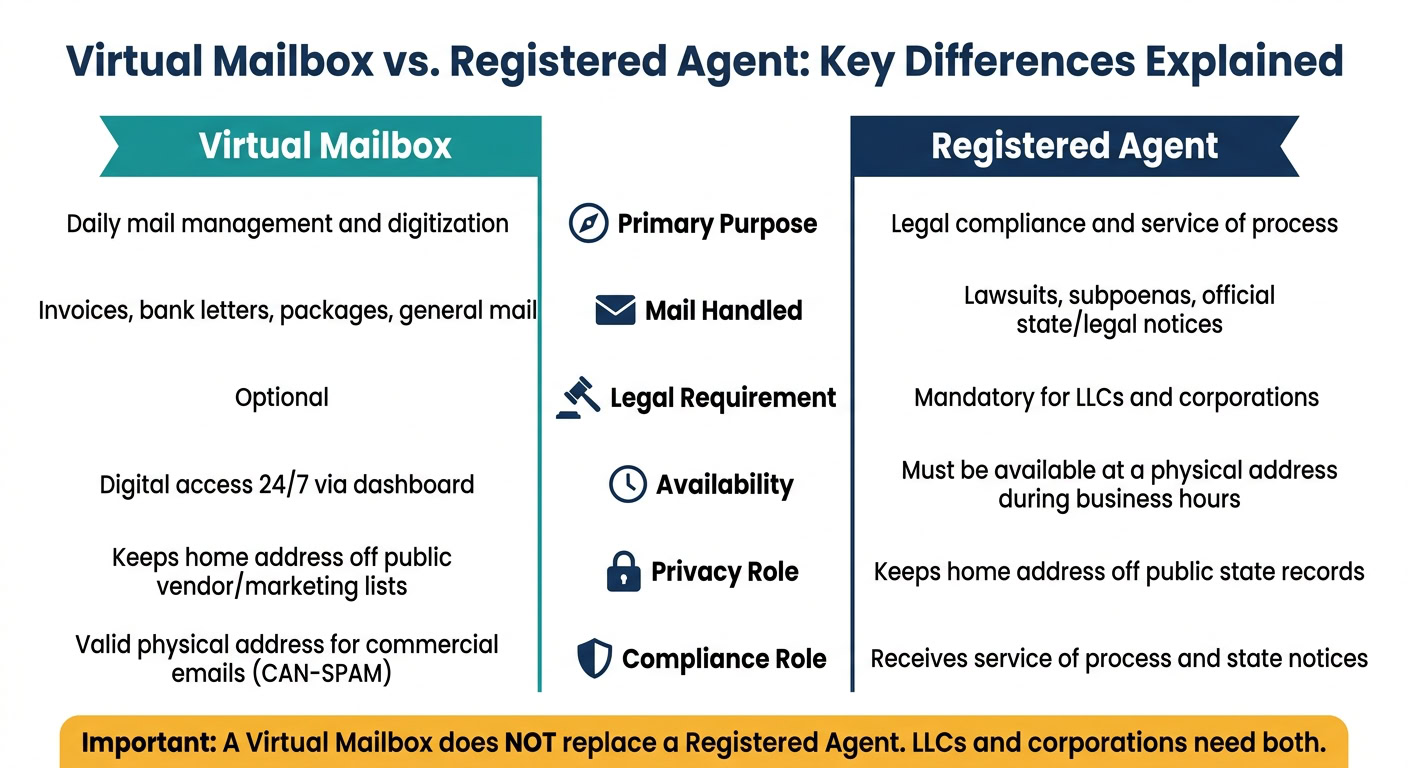
A virtual mailbox is for day-to-day mail. A registered agent is for lawsuits, subpoenas, and official state mail.
Those are two different jobs. One does not replace the other.
| Feature | Virtual Mailbox | Registered Agent |
|---|---|---|
| Primary Purpose | Daily mail management and digitization | Legal compliance and service of process |
| Mail Handled | Invoices, bank letters, packages, general mail | Lawsuits, subpoenas, official state/legal notices |
| Legal Requirement | Optional | Mandatory for LLCs and corporations |
| Availability | Digital access 24/7 via dashboard | Must be available at a physical address during business hours |
| Privacy Role | Keeps home address off public vendor/marketing lists | Keeps home address off public state records |
| Compliance Role | Valid physical address for commercial emails | Receives service of process and state notices |
If you run an LLC or corporation, you’ll usually need to name a registered agent in the state where the business is formed. A virtual mailbox by itself does not meet that rule. That’s why address type, bank acceptance, and compliance support matter so much when you compare providers.
sbb-itb-ba0a4be
How to Choose the Right Virtual Mailbox for Your Team
Once you know how virtual mail works, the next step is picking a service that fits your team’s mail volume, access needs, and compliance setup.
Features That Matter Most for Distributed Teams
Start with the basics: how much mail you get, what kinds of mail show up, and whether volume jumps at certain times of year. For distributed teams, speed matters. So does shared access. And if more than one person handles incoming mail, clear document control matters too.
Focus on features like:
- Multi-user permissions
- Unlimited scans
- Package handling
- Check deposits
- Searchable records
These are the tools that help teams sort mail fast, stay on the same page, and keep records easy to find later.
After features, pricing usually decides the winner.
Pricing, Hidden Fees, and Total Monthly Cost
Don’t stop at the monthly sticker price. Compare that with forwarding fees, storage charges, and any add-ons that can quietly push your bill up.
BusinessAnywhere offers flat-rate monthly plans at $25, $40, and $85, with unlimited mail scanning and unlimited recipients. That can make costs easier to plan for as your team grows.
If mail is just one piece of your admin work, it helps to look past mailbox-only plans.
When to Choose an All-in-One Platform
A standalone virtual mailbox is a good fit if mail handling is your only need. But many distributed teams also deal with business formation, registered agent support, annual compliance filings, EIN support, and online notary services.
In that case, an all-in-one platform can cut down on admin work by keeping those services in one place. That means fewer tools, fewer logins, and less manual coordination.
Conclusion: What to Check Before You Set Up a Virtual Mailbox
After you’ve sorted out workflow and compliance, this is the last filter: picking the service that fits how your team actually works.
A virtual mailbox makes sense when a distributed team needs one U.S. street address, shared access, and faster mail handling. It also helps keep home addresses off public-facing business records. But it does not replace a registered agent. If you run an LLC or corporation, you still need a registered agent for service of process and official notices.
Once compliance is handled, look closely at the address and the provider setup. Make sure the address is a real business location. Then check how the provider manages incoming mail, scanning, and forwarding.
If your business gets a lot of mail, don’t just look at the monthly price. Compare flat-rate plans with per-scan and per-page fees. A low starting price can add up fast when volume climbs.
Key Takeaways for Founders and Operations Managers
Use this short list to narrow your options fast.
- Multi-user access: If more than one person handles incoming mail, make sure the plan includes role-based permissions so finance, legal, and admin can work from the same dashboard.
- Check deposit support: If your finance team gets client payments by mail, confirm that check deposit is part of the service and review the turnaround time.
- Pricing structure: Match the plan to your mail volume. Flat-rate plans tend to work better for uneven or high-volume mail. Per-item plans may cost less when mail is light and steady.
FAQs
Is a virtual mailbox enough for an LLC?
A virtual mailbox can handle your LLC’s day-to-day mail just fine. That includes scanning, forwarding, and package storage. And if it’s a legit physical street address, you can use it as your business mailing address, which helps protect your privacy.
But it does not replace your LLC’s registered agent.
You still need a registered agent with a physical in-state address who’s available during business hours to accept legal documents.
Can I use a virtual mailbox for banking?
Yes, often for receiving scanned banking documents like statements, cards, and account paperwork.
Many U.S. banks will accept a CMRA-registered virtual address. That said, some still ask for a separate physical address during verification. To avoid headaches, use a compliant setup such as USPS Form 1583 and check each bank’s rules ahead of time.
How do remote teams share mailbox access?
Remote teams usually share mailbox access through a virtual mailbox’s shared account with custom permissions. That way, approved team members can check and handle incoming mail from one online dashboard.
The provider’s secure staff scans and uploads the mail. From there, users can download documents or ask for forwarding or storage. If mail access is shared with more than one person, each person needs proper authorization under USPS Form 1583.