Small businesses lose time and money handling paper-based documents. Digital signature platforms solve this problem by allowing you to sign, send, and manage documents online. They speed up processes, cut costs, and ensure legal compliance under standards like ESIGN, UETA, and eIDAS. For example, businesses have reduced document turnaround times by 79% and saved thousands annually by switching to digital solutions.
Here are 8 digital signature platforms tailored for small businesses, compared by pricing, features, and usability:
- FillFaster: Custom pricing, high usability, limited integrations, ideal for startups.
- DocuSign: $10/month, integrates with 400+ apps, best for established businesses.
- Adobe Acrobat Sign: $12.99/month, part of Adobe’s ecosystem, great for PDF-heavy workflows.
- PandaDoc: $19/month, advanced templates, suited for sales teams.
- Dropbox Sign: $20/month, simple to use, integrates with Dropbox and Google.
- SignNow: $8/month, cost-effective, supports bulk sending.
- Zoho Sign: $10/month, integrates with Zoho products, blockchain-based security.
- BoldSign: $10/month, API-focused, ideal for developers.
Quick Comparison
| Platform | Starting Price | Free Plan | Integrations | Best For |
|---|---|---|---|---|
| FillFaster | Custom pricing | No | Limited | Budget-conscious startups |
| DocuSign | $10/month | Yes (sign only) | 400+ apps | Established businesses |
| Adobe Acrobat Sign | $12.99/month | Yes (2 docs/month) | Adobe ecosystem | Adobe users |
| PandaDoc | $19/month | 14-day trial | 30+ apps | Complex workflows |
| Dropbox Sign | $20/month | 30-day trial | Dropbox, Google | Dropbox users |
| SignNow | $8/month | 7-day trial | 50+ apps | Cost-conscious teams |
| Zoho Sign | $10/month | Yes (5 docs/month) | Zoho suite | Zoho ecosystem users |
| BoldSign | $10/month | 30-day trial | API-focused | Developers |
Each platform offers secure, legally binding signatures with varying features and pricing. Choose based on your budget, workflow needs, and existing tools.
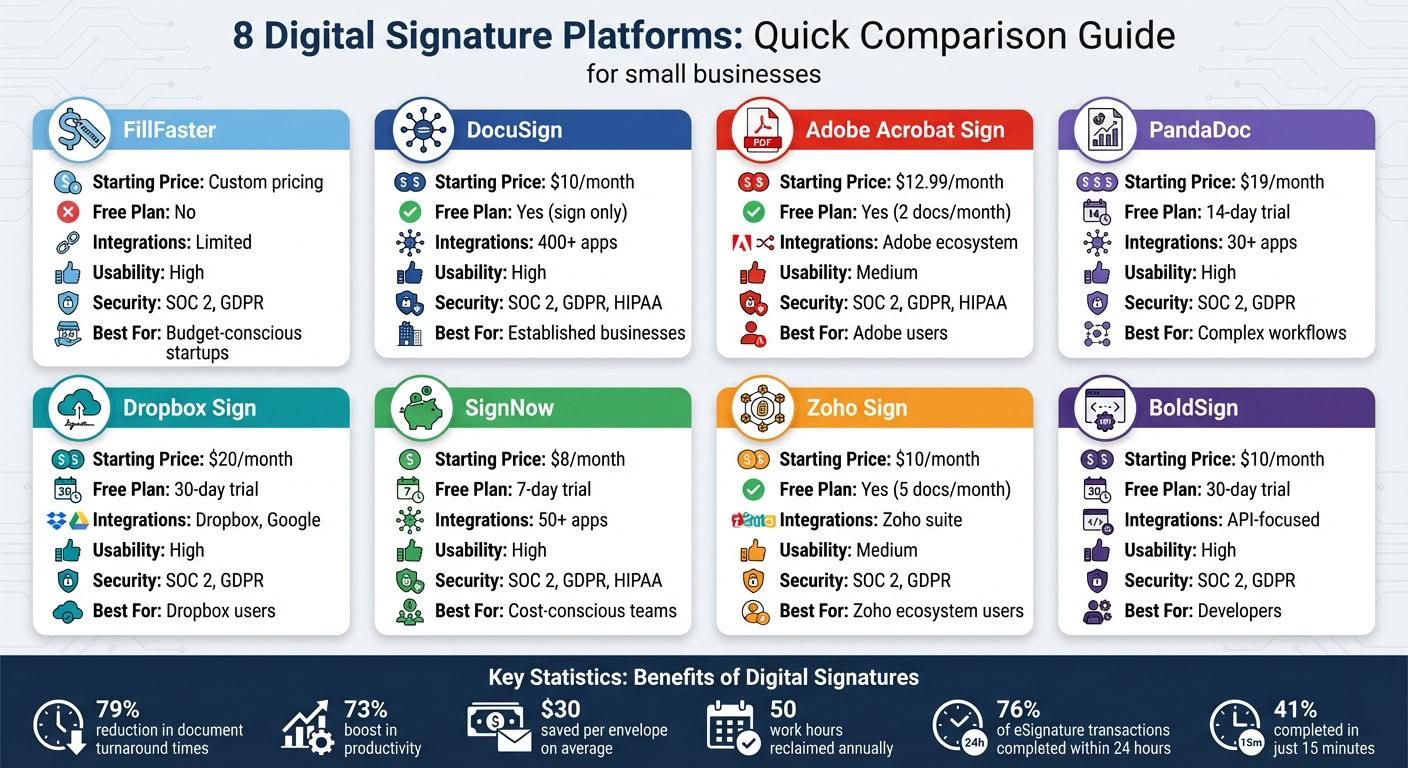
Comparison Table of 8 Digital Signature Platforms
When picking a digital signature platform, it helps to compare the essentials side by side. Below, you’ll find a table that breaks down pricing, free options, security compliance, usability, and key features for eight popular platforms. This overview lets you quickly spot which option fits your budget, compliance requirements, and workflow preferences.
| Platform | Starting Price | Free Plan | Security Compliance | Integrations | Best For |
|---|---|---|---|---|---|
| FillFaster | Custom pricing | No | SOC 2, GDPR | Limited | Budget-conscious startups |
| DocuSign | $10/month | Yes (sign only) | SOC 2, GDPR, HIPAA | 400+ apps | Established businesses |
| Adobe Acrobat Sign | $12.99/month | Yes (2 docs/month) | SOC 2, GDPR, HIPAA | Adobe ecosystem | Adobe users |
| PandaDoc | $19/month | 14-day trial | SOC 2, GDPR | 30+ apps | Complex workflows |
| Dropbox Sign | $20/month | 30-day trial | SOC 2, GDPR | Dropbox, Google | Dropbox users |
| SignNow | $8/month | 7-day trial | SOC 2, GDPR, HIPAA | 50+ apps | Cost-conscious teams |
| Zoho Sign | $10/month | Yes (5 docs/month) | SOC 2, GDPR | Zoho suite | Zoho ecosystem users |
| BoldSign | $10/month | 30-day trial | SOC 2, GDPR | API-focused | Developers |
Prices range from $8/month (SignNow) to $20/month (Dropbox Sign). Free plans are available but come with restrictions: DocuSign allows signing only, Adobe limits users to two documents per month, and Zoho supports up to five envelopes. All platforms meet essential security standards, so your decision should consider factors like software integrations, mobile accessibility, and whether you need advanced templates or offline features.
6 Digital Signature Platforms for Small Businesses
Here are six platforms that stand out for their features and usability. Some focus on seamless integrations and advanced workflows, while others prioritize simplicity and affordability. The best fit for your business will depend on your specific needs, budget, and the tools you already use.
1. DocuSign
DocuSign is a popular choice, known for its drag-and-drop editor, custom branding options, and scalable workflows. It integrates with over 400 apps, including Salesforce, making it a powerful tool for improving team efficiency. Pricing starts at $10 per user per month, with the Business Pro plan costing $40 per user per month. While the free plan allows signing only, DocuSign’s strong security compliance – covering SOC 2, GDPR, and HIPAA – makes it particularly suited for industries like healthcare and finance.
2. Adobe Acrobat Sign
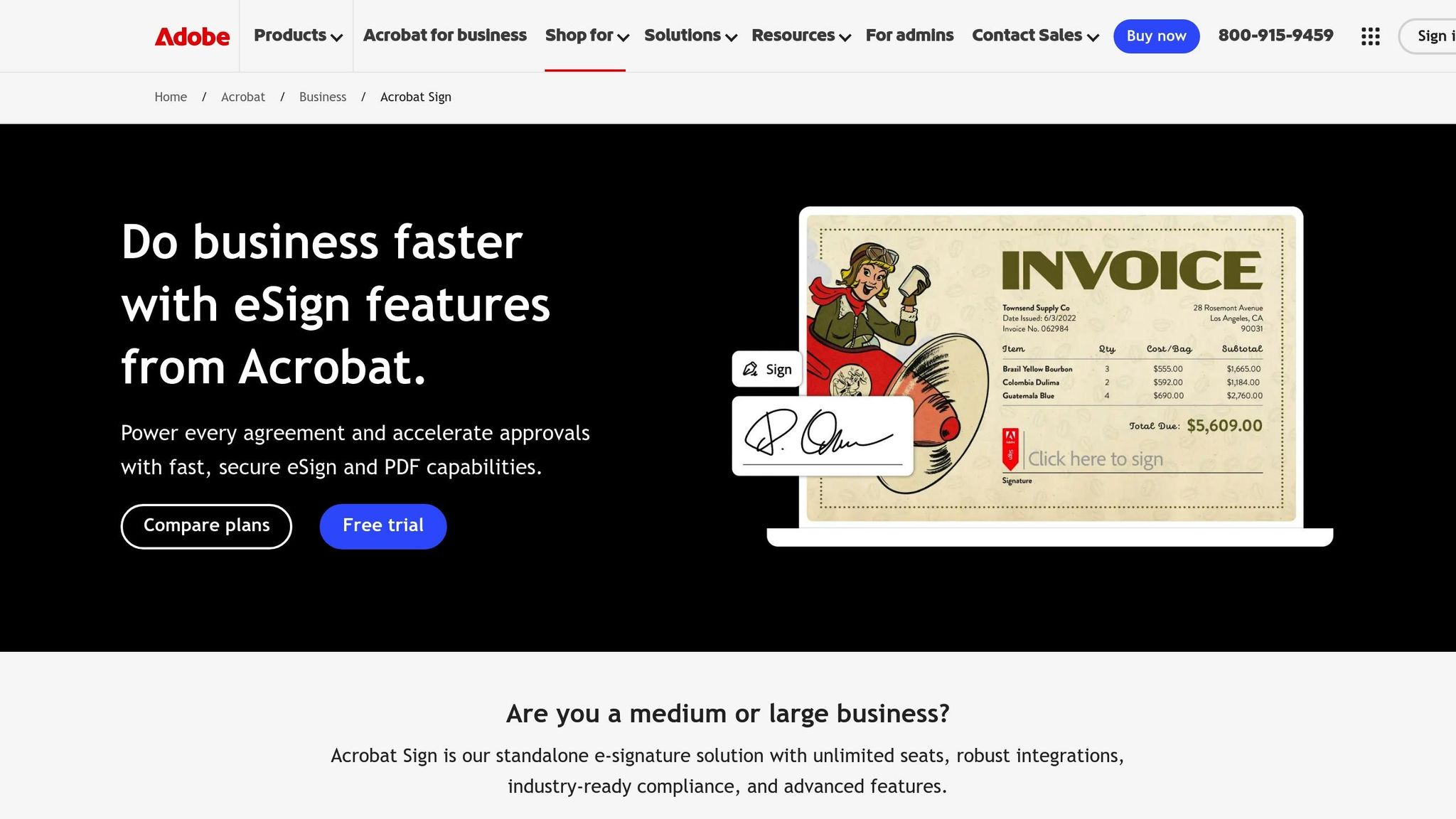
Adobe Acrobat Sign integrates seamlessly with Microsoft 365 and offers the ability to edit and convert PDFs while managing e-signatures. Plans start at $12.99 per month, with higher-tier options like Acrobat Pro available for $19.99 per month. The platform adheres to key security standards, including SOC 2, GDPR, and HIPAA, ensuring data protection.
3. PandaDoc
PandaDoc simplifies the document lifecycle by allowing users to create proposals, quotes, and contracts. It also includes built-in analytics and automatic reminders, making it a great choice for sales teams that require visibility into the deal process. Integrating with over 30 apps – such as major CRM systems – PandaDoc’s Essentials plan starts at $19 per user per month.
4. Dropbox Sign (formerly HelloSign)
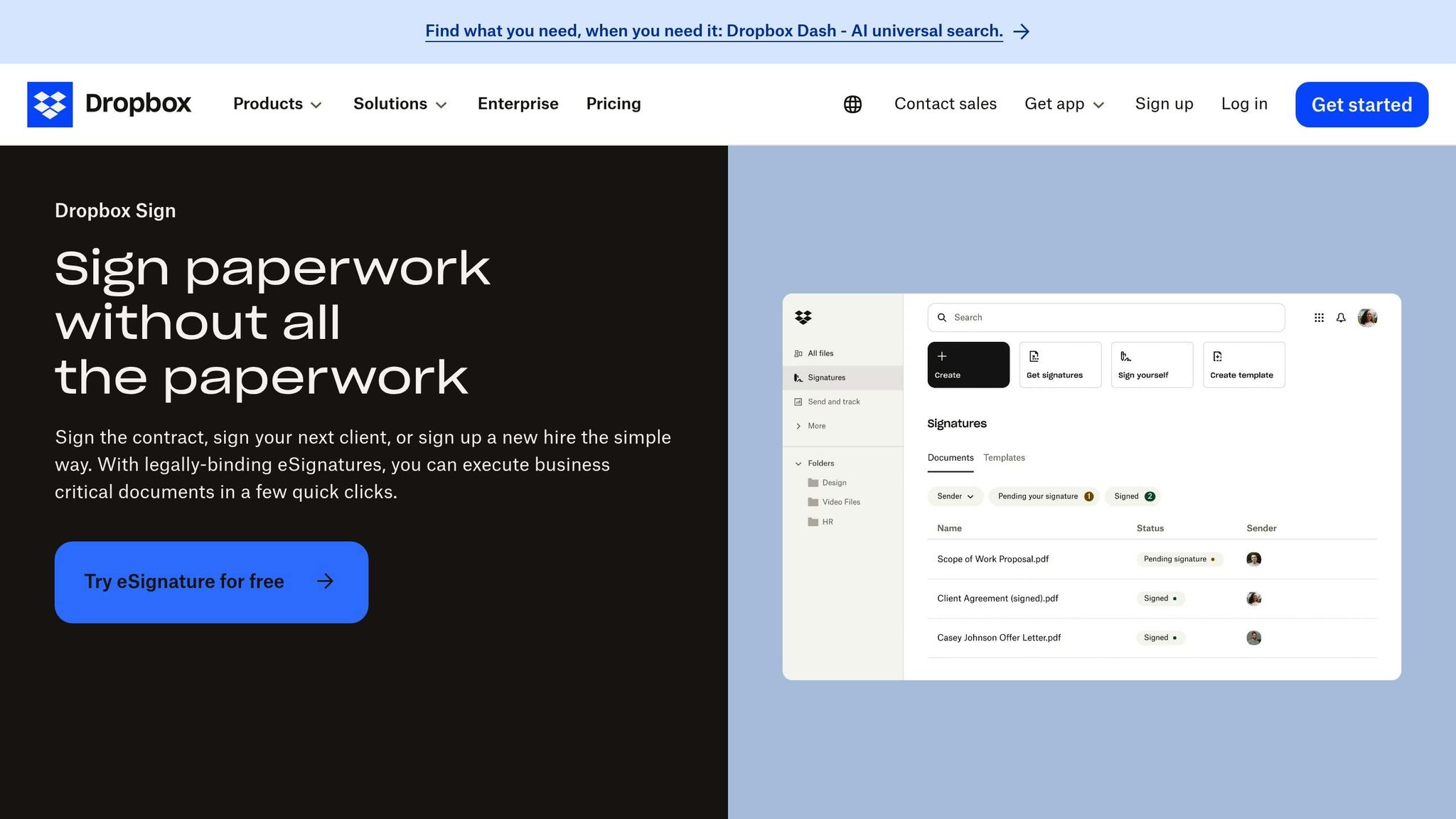
Dropbox Sign is designed with simplicity in mind, making it ideal for users who aren’t tech-savvy. Its mobile signing feature has been shown to significantly speed up contract completion times – cutting a two-week process down to just one day. With seamless integration into Dropbox and Google Workspace, pricing begins at $9.99 per month for the Plus plan. Daniel Halter, a Group IT Manager, highlights its ease of use:
"HelloSign [now Dropbox Sign] is location and device-agnostic, and scalable. For an IT team, that’s the dream: everyone gets the same experience, and maintenance is simple".
Dropbox Sign also meets SOC 2 and GDPR compliance standards.
5. SignNow
SignNow offers excellent value for small teams managing a high volume of documents. Its entry-level plan costs $8 per user per month when billed annually (or $20 on a monthly plan). The platform supports bulk sending, automated reminders, and a highly rated mobile experience. It integrates with over 50 apps and complies with SOC 2, GDPR, and HIPAA standards.
6. Zoho Sign
Zoho Sign is a natural fit for businesses already using other Zoho products like Zoho CRM, Zoho People, or Zoho Books. It features blockchain-based timestamping and multi-factor authentication for secure document signing. Plans start at $10 per month, and a free tier is available for up to 5 envelopes per month. Zoho Sign uses AES-256 encryption for data at rest and meets SOC 2 and GDPR compliance standards.
Each of these platforms brings unique strengths to the table, allowing small businesses to choose the one that best aligns with their needs and workflows.
sbb-itb-ba0a4be
Why Small Businesses Need Digital Signature Platforms
Small businesses often operate on tight budgets, making efficiency and cost savings critical. Digital signature platforms deliver on both fronts. For example, they can reduce turnaround times by an impressive 79% and boost productivity by 73%. When Bon Voyage Credit Repair adopted automated agreement workflows in 2025, co-founder Daniel Walker shared:
"The simple, yet effective, tool condensed the sign-up process to just five minutes".
What once took days now happens almost instantly, allowing businesses to move faster and serve customers better.
By eliminating the need for printing, scanning, and mailing, businesses save an average of $30 per envelope and reclaim around 50 work hours annually. For a small team, that’s nearly an entire extra week of productivity – without hiring additional staff.
Digital signatures also simplify legal compliance. They include cryptographic audit trails (like IP addresses, emails, and timestamps) to meet standards such as ESIGN, UETA, and eIDAS. As Kris O’Brien, Director of IT at Kindsight, put it:
"If it’s the last two days of the month or quarter, and you need a non-disclosure or sales agreement, Docusign IAM is the difference between closing the deal then or moving it to the next sales period".
Cloud-based platforms grow with your business, too. For instance, Catchafire doubled its contracting capacity and cut processing time by 77%. This kind of efficiency not only supports growth but also strengthens overall operations.
On top of all this, digital signatures enhance your professional image. They speed up revenue recognition, with 76% of eSignature transactions completed within 24 hours and 41% wrapped up in just 15 minutes. It’s a win-win for productivity and customer satisfaction.
How to Choose the Right Digital Signature Platform
Finding the right digital signature platform starts with identifying what your business truly needs. Begin by checking if the platform complies with essential legal standards and incorporates strong security features like AES-256 encryption and multi-factor authentication to protect sensitive documents.
Next, think about how well the platform integrates into your workflow. Look for features like account-free signing for external users and sequential signing to handle multiple approvals efficiently. If you frequently deal with recurring document types, tools like reusable templates and integrations with Microsoft 365, Google Workspace, or your CRM system can save valuable time.
Don’t overlook mobile accessibility. Since 41% of eSignature transactions are completed within 15 minutes, it’s clear that many signings happen on mobile devices. A good platform should automatically adjust document formatting to ensure a smooth experience for users on the go.
Budget is another key factor. Instead of focusing solely on monthly subscription costs, consider whether a pay-as-you-go model might better accommodate fluctuating document volumes. This approach can help you manage costs more effectively.
Finally, test the platform’s usability by sending a sample document. If a first-time user finds the process confusing, chances are your clients might as well. The best digital signature platform is one that provides a seamless, intuitive experience for everyone involved.
FAQs
How do digital signature platforms ensure their signatures are legally valid?
Digital signature platforms guarantee legal validity by complying with important regulations such as the U.S. ESIGN Act, UETA, and the EU’s eIDAS regulation. They rely on advanced encryption to protect documents, apply tamper-evident seals to ensure integrity, and include timestamps to verify exactly when signatures were added. On top of that, they provide detailed audit trails, which log information like who signed, when they signed, and how their identity was authenticated.
To combat fraud and meet compliance requirements, these platforms often implement multi-factor authentication methods. This might include checks like verifying identity documents, sending SMS codes, or using two-factor verification. Many platforms also achieve third-party certifications, such as SOC 2 or ISO 27001, to demonstrate adherence to strict security and legal standards. These safeguards give businesses peace of mind, knowing their e-signatures are secure and legally defensible.
What should small businesses look for in a digital signature platform?
When selecting a digital signature platform, small businesses should focus on legal compliance and security features. Make sure the platform uses encryption, provides detailed audit trails, and includes strong signer authentication methods like two-factor verification. These elements ensure that signatures are both secure and legally binding.
User-friendliness matters too. Opt for platforms with a simple, intuitive interface, drag-and-drop tools, and compatibility with services like Google Drive or Dropbox. Mobile-friendly platforms are a plus, enabling users to sign documents anytime, anywhere.
Lastly, think about pricing and scalability. Look for straightforward subscription plans, unlimited signature requests, and extras like templates or branding options. These features can help your business expand without breaking the budget.
Can digital signature platforms work with my current business tools?
Yes, most digital signature platforms are built to work effortlessly with the tools your business already relies on. Many of these platforms offer direct integrations with popular software, such as CRMs, productivity tools, and cloud storage services. For instance, you can often connect digital signature solutions to systems like Salesforce, Google Workspace, or Microsoft 365, ensuring smoother workflows.
On top of that, many platforms include APIs that let developers create custom integrations. This means you can automate document processes, design workflows tailored to your needs, and simplify tasks like managing contracts or approving invoices. These integrations help cut down on manual work and make operations more efficient across your systems.