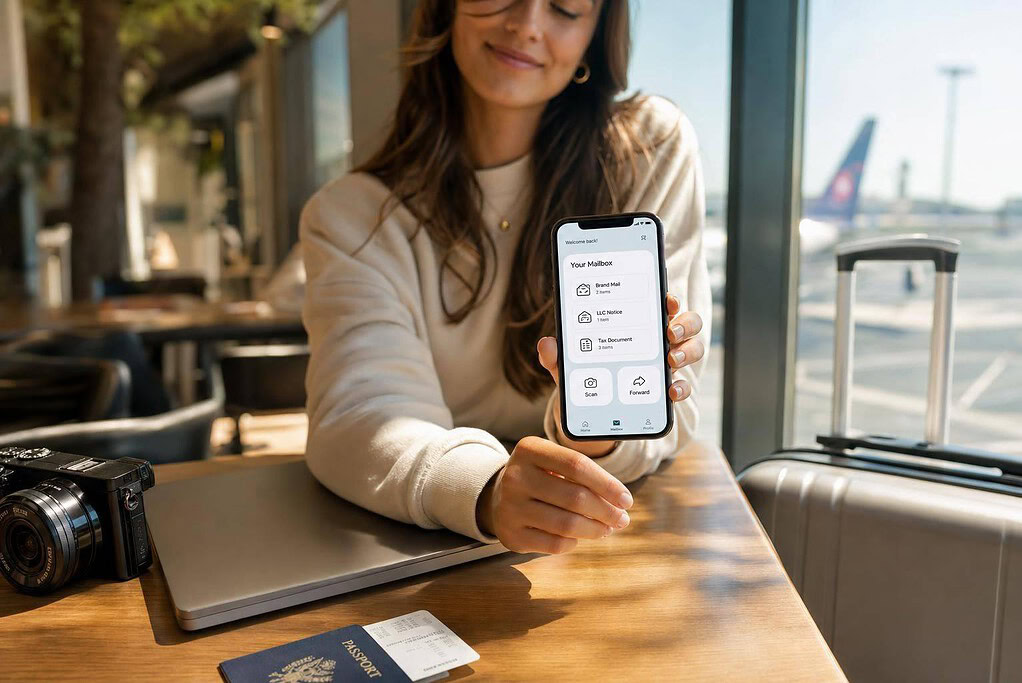
If I want to keep my home address private, get brand mail in one place, and stay on top of LLC and tax letters while traveling, a virtual mailbox is one of the simplest tools I can use.
At a basic level, it gives me a real street address, scans incoming mail into an online dashboard, and lets me choose what happens next: open and scan, forward, shred, or deposit checks. For many creators, that solves three problems at once:
- Privacy: my home address stays off public records, shipping labels, and outreach materials
- Business image: a street address often looks better than a home address or PO Box
- Mail control: I can review contracts, tax notices, PR deliveries, and LLC mail from anywhere
A few details matter before I sign up:
- I still need USPS Form 1583 to activate mail handling
- A virtual mailbox is not always the same as a registered agent
- Some providers charge $2+ per scan or $2 per forwarded package plus postage
- Many plans include about 30 days of storage
- If I have both my personal name and LLC receiving mail, I may need at least 2 recipients on the plan
Here’s the short version: if I’m a creator, influencer, freelancer, or digital nomad, a virtual mailbox can help me keep mail private, organized, and easy to access without using my home address.
Quick comparison
| Option | Privacy | Carriers | Online access | LLC use |
|---|---|---|---|---|
| Home address | Low | All major carriers | No | Yes, but public |
| USPS PO Box | Medium | USPS mainly | No | Often limited |
| Private mailbox | High | All major carriers | No | Usually yes |
| Virtual mailbox | High | All major carriers | Yes | Usually yes |
For pricing, the example in the article shows plans from $25/month to $85/month as of July 30, 2026, with lower annual rates and a $25 sign-up fee on monthly billing.
So if I need one address for brand deals, PR packages, contracts, IRS mail, and LLC paperwork, this setup is often a better fit than using my house or a PO Box.
How virtual mailboxes work for creators
What a virtual mailbox is and how it works
A virtual mailbox gives you a real commercial street address, not a PO Box, at a staffed mail facility. When mail or packages show up, staff scan the outside of each item and upload those images to your secure dashboard. From there, you can ask them to open and scan the contents, forward the item, archive the file, or securely shred or recycle it.
For creators, that setup can make day-to-day business a lot easier. Say you’re away on a brand shoot and a sponsorship contract arrives. You can pull up the scanned document on your phone and check it right away. The same applies to state LLC notices, IRS mail, or PR packages from brand partners. Instead of dealing with mail in three different places, it all lands in one secure digital inbox.
To get set up, you complete USPS Form 1583 during signup through online notarization.
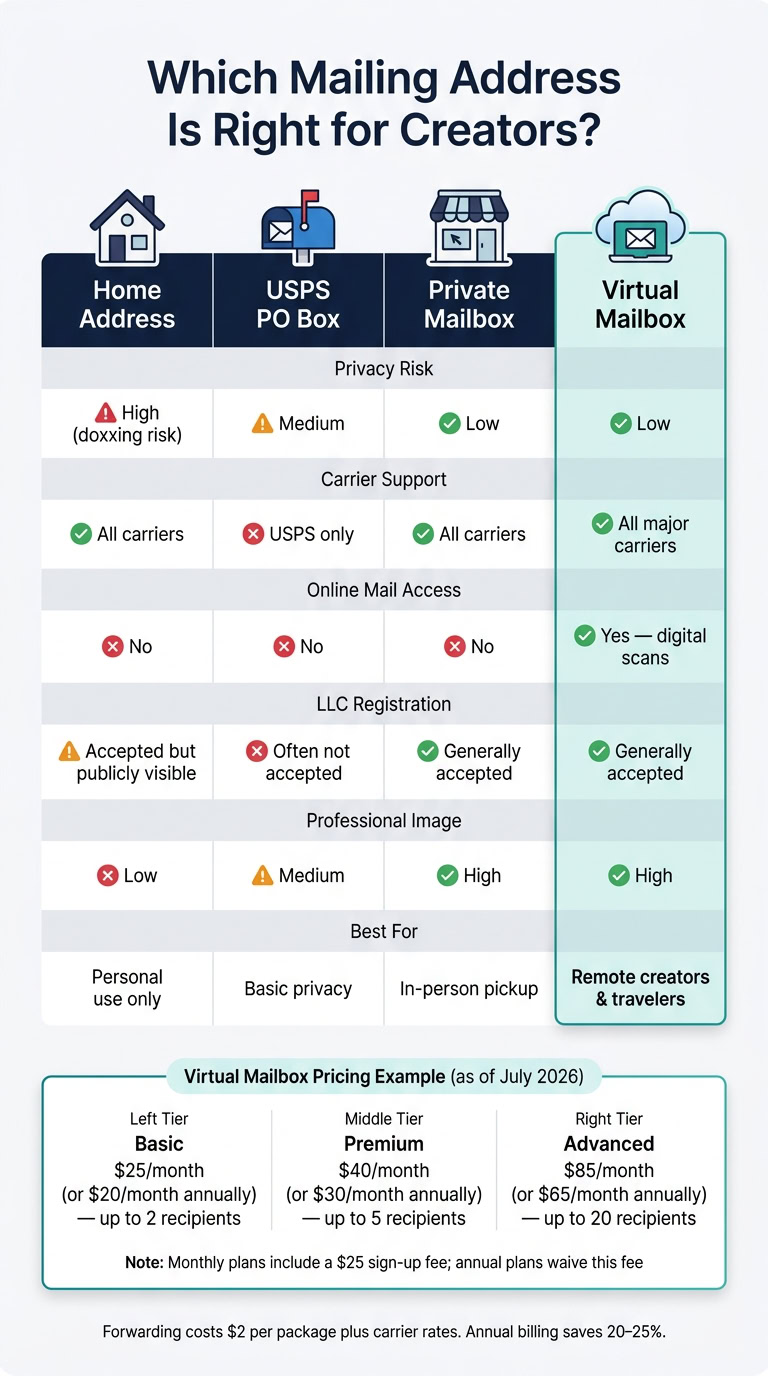
Home address, PO box, private mailbox, and virtual mailbox compared
Each option comes with trade-offs, and for creators those details matter more than people think.
| Address Type | Privacy Risk | Carrier Support | Online Mail Access | LLC Registration |
|---|---|---|---|---|
| Home Address | High (doxxing risk) | All carriers | No | Accepted, but publicly visible |
| USPS PO Box | Medium | USPS only (usually) | No | Often not accepted for LLC formation or banking |
| Private Mailbox | Low | All carriers | No | Generally accepted |
| Virtual Mailbox | Low | All major carriers | Yes – digital scans | Generally accepted |
That comparison points to two big things: privacy and how you present your business.
Why creators and influencers use a virtual mailbox
The main reason is privacy. When your home address appears on creator materials, public filings, or business records, it can end up in registries, databases, or even social media bios. That’s not just awkward. It can become a safety issue.
There’s also the business side. A commercial street address with a suite number tends to look more professional on contracts and invoices than a home address. It can also help with things a PO Box often can’t. Many states and banks reject PO Boxes for LLC registration and business bank accounts, while a virtual mailbox address is generally accepted for both.
For creators who get PR packages on a regular basis, there’s another clear plus: deliveries from all major carriers can go to one place. That keeps creator mail, products, and business documents together instead of scattered across different addresses or pickup spots.
Next, the privacy and compliance side matters just as much as convenience.
Privacy, professionalism, and business compliance
Keeping your home address off public records
Creators need one address that handles privacy, brand work, and official mail. A virtual mailbox does that by keeping your home address off LLC filings, shipping labels, and brand materials.
That matters more than a lot of people think. If your audience grows, your personal details can start to feel a little too public. Doxxing – publicly posting someone’s home address – is a real risk for creators with large audiences, and a virtual mailbox keeps your home out of public records entirely.
It also helps with email compliance. The CAN-SPAM Act requires a valid physical postal address on commercial emails and newsletters. A virtual mailbox address can meet that rule. The same address can also be used for brand paperwork and legal mail.
Using a professional address for brand deals and LLC mail
A virtual mailbox address can be used on sponsorship agreements, vendor invoices, and LLC mail. It can also receive IRS correspondence and state business filings.
That said, a mailing address is not the same as a registered agent address. A registered agent receives lawsuits and formal legal notices for your LLC. Some virtual mailbox providers offer registered agent service as an add-on, but you need to check before assuming your mailing address handles both jobs.
This small detail can save a lot of stress when the mail includes tax notices, state filings, or contract deadlines.
Staying on top of legal notices, tax mail, and contracts
Missing a state annual report reminder or an IRS notice can lead to penalties, a lapsed LLC, or a missed contract deadline. That’s the kind of problem that starts small and gets expensive fast.
Scanned documents are saved as searchable PDFs, so it’s much easier to pull up a contract or tax letter months later without digging through stacks of paper. If you work with a manager or assistant, higher-tier plans may let them review mail in the same dashboard.
Fast scanning and searchable records make time-sensitive mail easier to track and harder to miss.
Next, compare the mailbox features that matter most: scanning speed, forwarding, check deposit, and security.
sbb-itb-ba0a4be
Features to compare before choosing a virtual mailbox
Once privacy and compliance are handled, the next step is simple: pick the features that fit how you get and manage mail.
Mail scanning, package forwarding, and check deposit
For creators, mail scanning is a must. Go with color scans so you can review contracts, tax forms, and campaign mail from anywhere. That sounds small, but it matters when you’re on the road and need to check a document fast. Also watch the fee structure. Some providers charge $2 or more per scan, and that can get expensive fast.
Package forwarding matters if brands send you PR boxes or product samples. Make sure the provider accepts mail and packages from USPS, UPS, FedEx, and DHL, because brands often use private carriers. If you expect multiple deliveries, check whether consolidated forwarding is offered. Bundling items into one shipment can cut domestic or international shipping costs.
Check deposit is still worth checking too. Some brands and affiliate programs still send physical checks, and this feature lets you deposit them into your bank account from a distance. Just note that check deposit is location-specific.
| Feature | Why It Matters for Creators | What to Verify Before Signing Up |
|---|---|---|
| Mail scanning | Read contracts and tax forms remotely | Are scans unlimited or charged per page? |
| Package forwarding | Receive PR packages and brand samples safely | Does the provider accept FedEx, UPS, and DHL? |
| Consolidated forwarding | Reduce shipping costs on multiple packages | Is consolidation included or an add-on fee? |
| Check deposit | Get paid via physical checks while traveling | Is this available at your specific location? |
| Storage window | Hold packages without immediate forwarding | How many days of free storage are included? |
| Secure shredding | Dispose of sensitive contract or financial mail | Is shredding on-site or through a third party? |
Many plans come with 30 days of free storage before daily fees start, and digital copies are usually kept indefinitely.
These features matter most if you need fast access to contracts, packages, and payments while traveling.
Registered agent compatibility and account security
If your creator business runs through an LLC, make sure the mailbox works with your filing and mail setup. Some providers include registered agent service as an add-on.
Security deserves a close look too. After documents are scanned, you need to know what happens next. Mail with contract terms or financial details should be shredded securely. It also helps to check access controls. Some higher-tier plans let assistants view mail without you handing over your main login.
Instant alerts by email or mobile app can help a lot. If a brand deal deadline or a state filing reminder hits your mailbox while you’re traveling, you don’t want to find out days later.
With security and access sorted, the next step is picking a plan that fits both your mail volume now and where your business is headed.
Pricing and plan fit for solo creators and growing teams
Choose a plan based on recipient count, mail volume, and team access.
A recipient is any person or business name allowed to receive mail at your address. So if you’re a solo creator with a personal LLC, you usually need at least two recipients: one for your own name and one for the LLC. Add another business entity, and you’ll need more.
Start by checking your current recipient count against the plan limits. As of July 2026, BusinessAnywhere offers three tiers:
- Basic – $25/month, or $20/month billed annually, with up to 2 recipients
- Premium – $40/month, or $30/month billed annually, with up to 5 recipients
- Advanced – $85/month, or $65/month billed annually, with up to 20 recipients
Monthly plans come with a $25 sign-up fee, while annual plans waive that fee. Forwarding costs $2 per package plus carrier rates. Annual billing cuts costs by 20% to 25%, depending on the plan.
In plain English: Basic works for many solo creators, Premium fits those adding more names or entities, and Advanced makes sense for larger creator setups.
Once you pick the plan, the last step is tying the address into your creator business and day-to-day mail workflow.
How to set up a virtual mailbox for your creator business
A simple setup for remote creators and frequent travelers
After you pick a plan, the next step is activation and mail routing. Choose a location and a plan that works for both you and your LLC.
Complete USPS Form 1583 and get it notarized online in the dashboard.
Once your account is active, update your business address with your bank, clients, and vendors. You can also use it on your LLC formation documents. Turn on notifications so you know when new mail comes in. From there, you can scan, forward, shred, or hold mail based on what you need. If you still get sponsorship checks by mail, it helps to pick a provider that offers check deposit.
If you want mail handling, formation, and notarization in one flow, using one dashboard can make the whole setup feel a lot less messy.
Using BusinessAnywhere as an all-in-one creator business platform
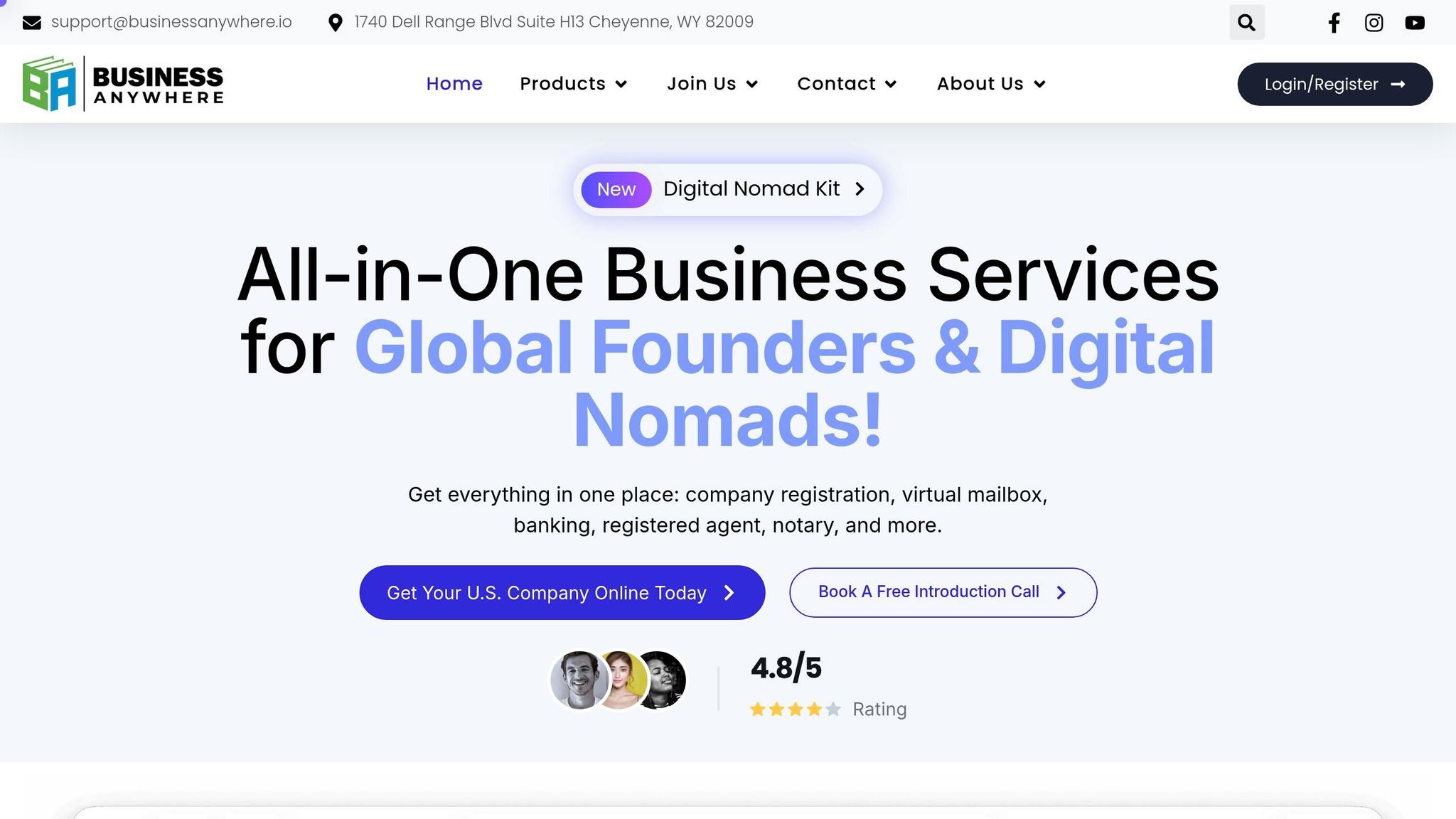
BusinessAnywhere brings virtual mail, formation, registered agent, EIN, and online notarization into one dashboard. That means creators can handle business mail and filings from one place instead of bouncing between tools.
Use the virtual mailbox for day-to-day business mail. Use registered agent service for official legal notices and service of process.
Once the address is active, the system should be simple: mail shows up, you review it, and the business keeps moving.
Practitioners who see clients at home need the same address privacy. See our guide to a virtual mailbox for therapists and private practices.
FAQs
Can I use a virtual mailbox for my name and LLC?
Yes. Many providers let you receive mail for both your personal name and your LLC through the same virtual mailbox. In some cases, you can add other recipients too.
That setup can help keep your home address private. It also gives you one steady, professional address to use for mail, contracts, and filings.
One thing to watch: a virtual mailbox is not the same as a registered agent address. You still need a registered agent for legal notices and state compliance.
Do I still need a registered agent if I have a virtual mailbox?
Yes. A virtual mailbox and a registered agent do different jobs.
A registered agent is required for LLCs and corporations. This person or service must accept lawsuits and official state notices at a physical address during normal business hours.
A virtual mailbox is optional. It’s used for general business mail and helps with privacy and day-to-day mail handling.
What happens to PR packages when I’m traveling?
When you’re traveling, your PR packages are delivered to your virtual mailbox’s professional facility and kept secure. As soon as they arrive, you get an instant notification.
From your online dashboard, you can handle everything from anywhere. Forward packages to your current location, schedule pickup for later, or leave them in storage until you get back.