Yes, you can notarize USPS Form 1583 online – and if you do it right, you can finish it in one sitting. To get approved, you need the current PS Form 1583, 2 IDs, your mailbox number, and a live video session with a notary. Miss one detail – like signing too early or using an old form – and your mailbox setup can stall.
Here’s the whole process in plain English:
- Fill out PS Form 1583 with your legal name, home address, and mailbox details
- Use 2 accepted IDs: one photo ID and one proof of home address
- Do not sign before the notary session
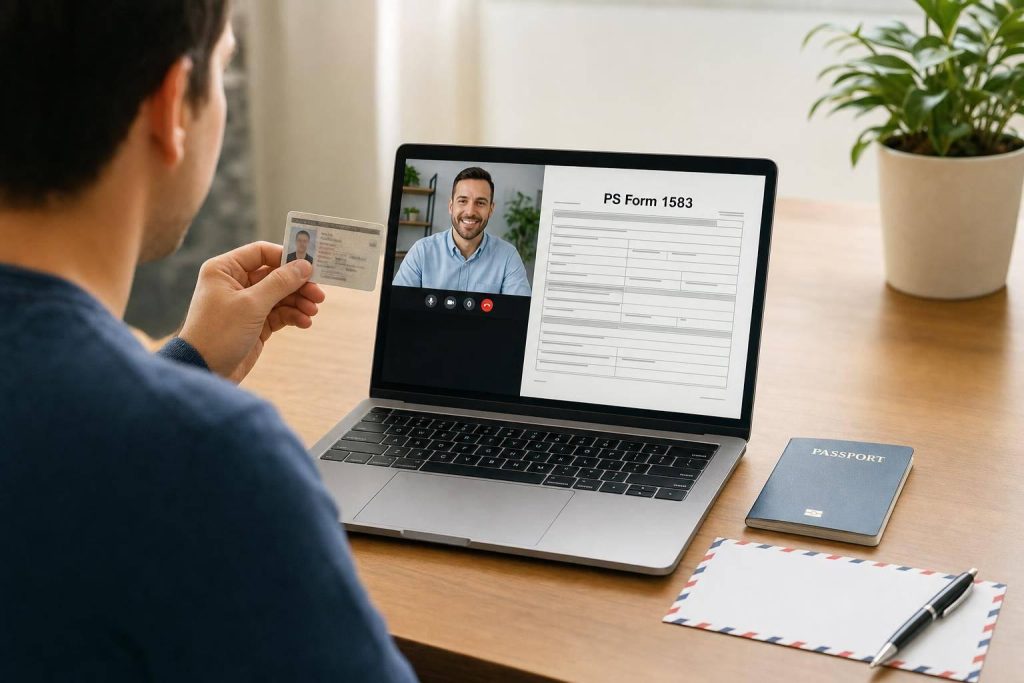
- Join a live online notary call and sign on camera
- Upload the notarized form and ID copies to your mailbox provider
A few facts matter here. USPS requires a separate Form 1583 for each person or business getting mail through a CMRA. That means if you want mail for yourself and your LLC, you’ll usually need 2 forms. And your secondary ID must show a street address, not a P.O. Box.
If I wanted to avoid rejection the first time, I’d check these 5 things before uploading:
- Current form version
- Exact name match
- Exact address match
- Mailbox number included
- All pages uploaded
This guide walks through the process from start to finish, but the core idea is simple: match your documents exactly, sign only during the live session, and send a complete packet.
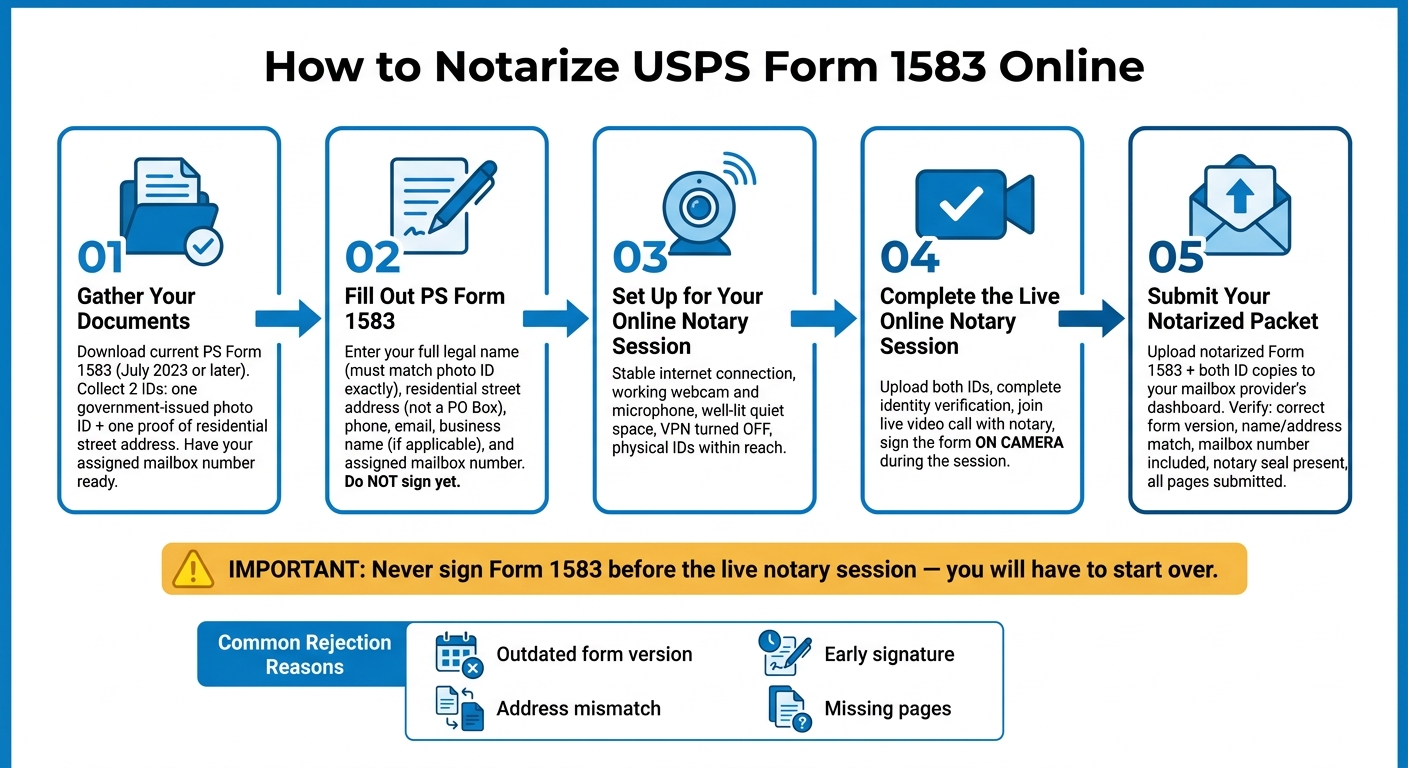
How to Notarize USPS Form 1583 Online: Step-by-Step Process
What USPS Form 1583 is and when you need it
PS Form 1583, also called the Application for Delivery of Mail Through Agent, is the USPS form that lets a Commercial Mail Receiving Agency (CMRA) accept mail on your behalf.
Put simply, this form gives a CMRA legal permission to receive and handle your mail. Without it, they can’t do that. And your mailbox can’t be turned on until USPS Form 1583 is notarized and approved.
USPS also requires a separate Form 1583 for each person or business getting mail at the same CMRA address. So if you have an LLC and also want to receive personal mail at that address, you’ll need two forms.
Why virtual mailbox users must notarize Form 1583
USPS requires notarization because Form 1583 is a legal authorization, not just a signup form.
If you’re using a virtual mailbox, that step still applies. The good news is that remote online notary services can handle it from anywhere, which makes the process a lot easier if you’re not near a notary in person.
Who needs to complete this process
Anyone using a CMRA mailbox needs Form 1583. That includes common groups like these:
- LLC owners and entrepreneurs who want to keep their home address off public records
- E-commerce sellers who need a valid physical postal address to comply with the CAN-SPAM Act
- Digital nomads and full-time travelers who need a stable U.S. address while on the move
- International founders setting up a U.S. business presence
Before you fill out the form, gather the information and IDs listed next.
sbb-itb-ba0a4be
What to prepare before you start
Gather everything first so you can finish the form and notarization in one sitting.
Use PS Form 1583 dated July 2023 or later. Check the bottom corner of the document for the revision date. An older version can delay approval. To play it safe, download it from the USPS website or through your BusinessAnywhere dashboard.
Personal, business, and mailbox details you will need
Before you fill out the form, have these details in front of you:
- Your full legal name, exactly as it appears on your government-issued ID
- Your residential street address, not a PO Box
- Your phone number and email address
- Your business name, if you’re receiving mail for an LLC or other entity
- Your assigned mailbox number and CMRA address
You should also complete signup and choose your mailbox location ahead of time. You’ll need the assigned mailbox number to fill out the form the right way. If you are new to this service, you can learn more about how a virtual mailbox works before proceeding.
The two IDs USPS requires
USPS requires exactly two forms of identification. The first must be a government-issued photo ID. The second must confirm your current residential street address.
| ID Type | Accepted Examples | Common Rejections |
|---|---|---|
| Primary photo ID | U.S. Driver’s License, Passport, State ID, Permanent Resident Card | Expired IDs, Social Security cards, Credit cards |
| Secondary address ID | Utility bill, Lease/mortgage agreement, Voter registration card, Auto or homeowners insurance policy | Documents that list only a PO Box, Expired documents |
Your name, address, and ID details need to match your documents exactly. Even a small difference, like "St." instead of "Street," can lead to a rejection.
Technical setup for your online notary session
The notary session is a live audio-video call, so your setup matters. You’ll need a stable internet connection, a working webcam, and a microphone. In many cases, a smartphone or tablet camera shows IDs more clearly than a built-in laptop webcam.
Before the session, turn off any VPN. Online notary platforms use location checks during identity verification, and a VPN can get in the way. Sit in a quiet, well-lit space with light in front of you so your face is easy to see. Keep your physical IDs close by because the notary will ask you to hold them up on camera.
Once your form, IDs, and device are ready, you can move on to filling out PS Form 1583.
Step-by-step: How to fill out USPS Form 1583 correctly
Work through the form from top to bottom. That simple approach helps you spot mistakes early, before they turn into a rejected form.
Enter your name, home address, and personal or business use
Start with your full legal name exactly as it appears on your government-issued photo ID. Even small mismatches can lead to rejection, so this part needs to match letter for letter.
For your address, enter your residential street address, not the CMRA address. Keep your home address separate from the mailbox address on the form.
Next, mark whether the mailbox is for personal or business use. USPS requires one Form 1583 for each person or business that will receive mail at the CMRA address.
Add business details and record both IDs on the form
If the mailbox is for a business, enter the legal business name exactly as filed so USPS can match the application to the business. Include the business legal name exactly as filed and the street address.
For the ID section, record the issuing authority, ID number, and expiration date for both IDs. Your secondary ID address must match your residential address exactly.
Review the form before signing
Before the notary session, check every field one more time. Make sure your name matches your photo ID exactly and that your residential address appears the same way across the form and your supporting documents.
Do not sign the form before the notary session. If you compare the best online notary services, the notary must watch you sign in real time. This is a standard part of how online notary services work. If you sign too early, you may have to start over with a new form.
Once the form matches your IDs, it’s ready for the live online notary session.
Step-by-step: How to notarize Form 1583 online and submit it
How to complete your online notary session
Once your form is filled out and your IDs are ready, move to the online notarization step.
The process is simple. You’ll:
- Upload both IDs
- Complete identity verification
- Join a live video call with the notary
- Sign the form on camera
That last part matters. Do not sign the form before the session. The notary needs to watch you sign it live.
What the final notarized form must include
Before you upload anything, give the packet a quick review.
Make sure it includes:
- Your signature, added during the live session
- The notary’s completed acknowledgment and seal/stamp
Also check that your name, home address, and ID details match exactly across the form and your supporting documents. Even a small mismatch can lead to rejection.
How to submit the form and avoid common rejection reasons
After the notary finishes the session, upload the signed packet as soon as possible.
Send the notarized Form 1583 and both ID copies through your virtual mailbox provider’s dashboard. Before you hit upload, review the usual rejection issues below.
| Rejection Reason | What to Check |
|---|---|
| Outdated form revision | Download the current version of Form 1583 from USPS.gov |
| Address mismatch | Home address on the form must match your secondary ID exactly |
| Missing mailbox number | Your assigned mailbox number must appear on the form |
| Early signature | Form must be signed during the live notary session, not before |
| Blurry ID images | Upload clear, high-resolution scans |
| Missing pages | Submit every page of the completed form, not just the signature page |
| Unacceptable address document | Use a USPS-accepted secondary ID |
A quick check here can save you from having to redo the whole thing.
Conclusion: Get Form 1583 right the first time and activate your mailbox faster
Once your notarized packet is done, take a minute for one last check. That final review can help you avoid an easy rejection.
In most cases, approval comes down to a few simple things: using the current USPS Form 1583 and making sure your name, address, and IDs match exactly. Before you upload anything, check that the form is filled out from top to bottom, the notary section is signed and sealed, and the business section is filled in if the mailbox is for an entity.
That extra bit of care can lower the odds of rejection and help keep your activation on track. This is a critical step when setting up the best virtual mailbox services for your business. Send in a clean, fully notarized packet, and your mailbox can move through approval faster.
FAQs
How long does USPS Form 1583 approval usually take?
USPS Form 1583 approval usually takes a few business days. The exact timing mostly comes down to how fast your provider finishes identity verification.
Filling out the form itself usually takes about 15 minutes. But there’s a catch: most providers won’t turn on mail forwarding until the form has been fully processed and approved.
If you want to keep things moving, have two valid IDs ready, including one photo ID, and get the notarization done as soon as you can.
Can I use a non-U.S. ID for Form 1583?
Yes. If you’re a non-resident, you can use a valid passport and complete notarization online by webcam.
You’ll need to submit two forms of ID:
- One primary photo ID, such as a passport
- One secondary document that shows your home address, such as a utility bill or lease agreement
Make sure the name and address on the form match your documents exactly. Even a small mismatch can lead to rejection.
What if my business and personal mail use the same mailbox?
If you and another person – like a spouse – will get mail at the same virtual mailbox, each adult needs to complete and sign a separate USPS Form 1583.
This form gives the CMRA clear permission to handle mail for each person or business. Parents can add minors to their own application. But if two adults share one mailbox, each person must file separately to meet USPS rules.