If I run a one-person business, a virtual mailbox can give me a street address, online mail access, and one place to track tax forms, checks, and state notices.
Here’s the short version:
- It helps protect my home address when I use a business address on invoices, websites, and some filings.
- It helps me avoid missed mail by sending alerts after envelopes are scanned, often within 24 to 48 hours.
- It keeps records in one place with digital mail storage and searchable PDFs.
- It does not replace a registered agent for lawsuits or state service of process.
- It requires USPS Form 1583 and ID checks before mail can be handled.
- Plans start at $25/month with monthly billing, or $20/month with annual billing, plus a $25 sign-up fee.
- Physical mail storage is 90 days, while digital scans stay in the dashboard with no stated time limit.
If I travel, work from home, or manage an LLC without an office, this setup can make mail less of a mess. The main things I’d look at are address use, scan quality, forwarding, recipient limits, and whether I need space for more than one business name.
A virtual mailbox is mostly about three things: privacy, mail access, and recordkeeping. The fit comes down to how I get paid, how often I move, and whether I need one address for clients, tax mail, and business paperwork.
What a Virtual Mailbox Is and How It Works
For freelancers and solopreneurs who want privacy and mail access from anywhere, the setup is pretty straightforward. A provider receives your mail, scans it, and uploads it to a secure dashboard. You log in and manage everything online.
Unlike a USPS PO Box, a virtual mailbox gives you a real street address plus digital access to your mail from anywhere. That sounds simple, but it helps to separate the mailbox itself from the other address roles solo owners often use.
Virtual Mailbox, Virtual Business Address, and Registered Agent: The Differences
These terms do different jobs.
A virtual mailbox handles your day-to-day business mail. A virtual business address is the public address you put on your website, invoices, and business cards. A registered agent receives legal service of process and state notices.
For most solo business owners, that means you need:
- a virtual mailbox for general correspondence
- a registered agent for legal and state documents
Those roles don’t overlap. Once that part is clear, the next thing to understand is how the mail flow works.
What Happens After Mail Arrives at Your Address
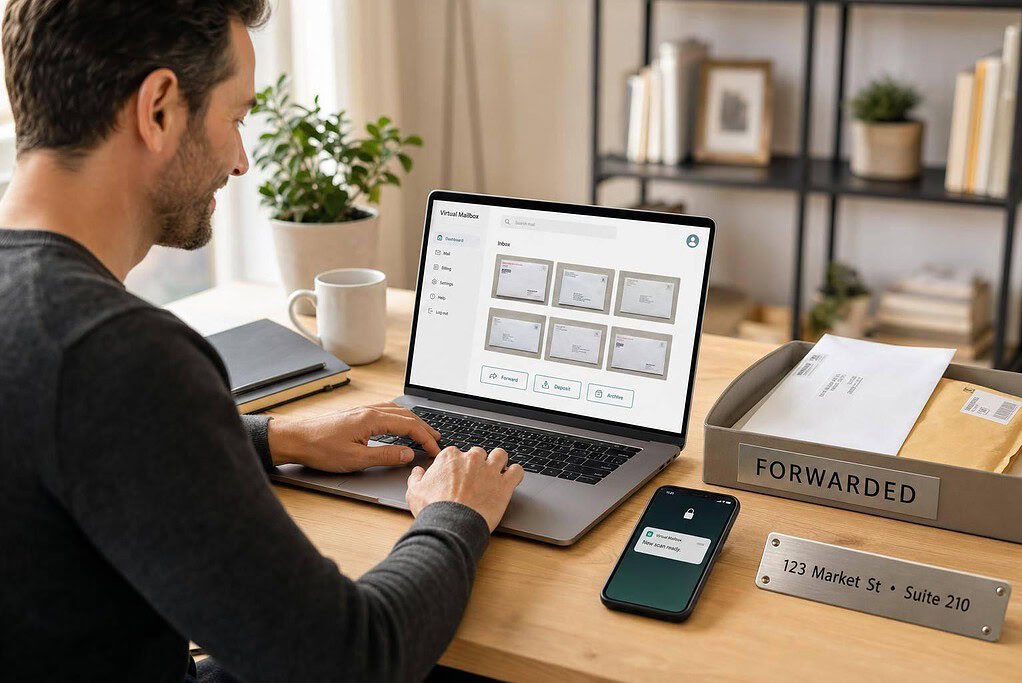
When mail shows up, staff log the envelope, scan it within 24 to 48 hours, and send you a notice. From your dashboard, you can ask for a content scan, forward the item, archive it, or shred it.
If you request a content scan, staff open the envelope, scan the contents into a high-resolution PDF, and upload it to your dashboard. From there, you can download it, share it with your accountant, or tag it for tax records.
That’s what makes the service so useful in day-to-day business. A check comes in? You can see it. A tax form arrives? It’s ready to review. An urgent notice lands in the mailbox while you’re out of town? You don’t have to wait by the front door.
USPS Form 1583 and Identity Verification
Before a provider can handle your mail, USPS requires identity verification. You must complete USPS Form 1583, a notarized federal authorization that lets the provider receive mail on your behalf.
The form requires two IDs, including one photo ID. Most providers support remote online notarization, so you can complete this step from home. It’s a one-time verification step. After that, you’re ready to use the service and focus on the features that matter most.
The Features That Matter Most for Freelancers and Solopreneurs
When you’re picking a virtual mailbox, the day-to-day stuff matters most: clear scans, dependable forwarding, check handling, and how long mail is kept. Those are the things that shape your routine. They affect how private you stay, how organized you are, and whether you can handle mail from anywhere without a headache.
Mail Scanning, Forwarding, and Digital Storage
Scan quality is a big deal. If a check amount looks blurry or a deadline on a legal notice can’t be read, that scan doesn’t help much. And searchable PDFs make a big difference too. Instead of digging through a long list of files, you can pull up a specific invoice or IRS letter in seconds.
How mail forwarding works affects both cost and timing. You can ask to have physical originals shipped within the U.S. or overseas, and bundling several items into one shipment can cut shipping costs. For a one-person business, forwarding matters most when you still need the original document for signing, saving, or archiving.
Retention is another detail worth checking before you sign up. With BusinessAnywhere, physical mail is stored for 90 days, while digital scans remain in your dashboard with no time limit, which makes old records easy to pull up later.
Check Handling, Notifications, and Secure Document Access
A virtual mailbox can scan incoming checks and place the image in your dashboard. BusinessAnywhere scans and stores checks, but it does not deposit them for you. You handle the deposit through your bank’s mobile app, at a branch, or with a mail-in deposit.
Notifications help you move fast on contracts, tax notices, and payment mail. That way, you’re not left wondering whether something important showed up. For sensitive documents like contracts, tax forms, and legal notices, encrypted access and tight permission controls matter too, especially if an accountant or bookkeeper can view the dashboard.
Feature Comparison Checklist for Solo Businesses
Every plan includes the same core features:
- Unlimited scanning
- Domestic and international forwarding
- Check scanning and storage
- 90-day physical retention
- Digital storage with no time limit
- Junk-mail filtering
The table below is best used to match a plan to the size of your setup, not to compare feature lists line by line.
| Feature | Basic | Premium | Advanced |
|---|---|---|---|
| Monthly price (annual billing) | $20/mo | $30/mo | $65/mo |
| Monthly price (monthly billing) | $25/mo | $40/mo | $85/mo |
| Mail recipients | 2 | 5 | 20 |
| Address type | Real U.S. street address | Real U.S. street address | Real U.S. street address |
Those plan details match BusinessAnywhere’s published pricing and recipient limits.
For most freelancers, Basic covers what they need: unlimited scans, domestic and international forwarding, and up to 2 recipients. Premium fits better if you run more than one business name. Advanced is aimed at bigger setups with multiple LLCs or several business names.
The simple rule here is to pay for added speed, storage, or forwarding only when your workflow calls for it.
Once you’ve matched the features to your workflow, the next step is looking at how the address works for LLC filings, taxes, and legal mail.
sbb-itb-ba0a4be
Using a Virtual Mailbox for LLCs, Taxes, and Legal Mail
For solo owners, a virtual mailbox can do a lot of heavy lifting. It supports LLC filings, tax mail, and client-facing documents while keeping your home address private. So this isn’t just about privacy. It’s also about handling filings, tax notices, and legal mail without putting your personal address out in public.
Using a Business Address for LLC Formation and Client-Facing Operations
A virtual mailbox address is a real U.S. street address. That matters because most states require a street address for LLC filings, and tax forms often need a real mailing address too. In many cases, you can use it as a mailing address or public business address on:
- LLC formation paperwork
- EIN applications
- Client invoices
- Your website
That said, state rules vary. Some states separate the principal office address from the mailing address on formation forms. Others require a physical street address for certain fields. Before you file, check what your state’s Secretary of State requires.
On the client side, using this address on invoices and your website helps keep your home address off public records. It also gives you one place to receive and track tax mail and official notices.
IRS Notices, Tax Forms, and Record Retention
Your dashboard can store EIN letters, 1099s, IRS notices, and state tax mail in one searchable archive. That makes bookkeeping easier and helps when you need records for an audit request.
If your business address changes, file IRS Form 8822-B so IRS notices keep going to the right place.
Legal Notices and When a Registered Agent Is Still Required
A virtual mailbox can receive general legal correspondence. That includes vendor disputes, state agency letters, renewal reminders, and some legal mail sent through regular mail. But it does not replace a registered agent.
Service of process and official state notices still need to go to a registered agent. That person or service must have a physical in-state address and be available during business hours to accept lawsuits, subpoenas, and official state notices. A virtual mailbox address does not meet that rule unless the provider also offers registered agent service as a separate option.
For many solo business owners, the setup is simple: use two addresses. The registered agent handles service of process and official state notices. The virtual mailbox handles IRS mail, banking correspondence, client documents, and bank records.
BusinessAnywhere offers both services, so you can manage them from one dashboard.
Next, match those mail needs to the plan limits and workflow that fit your business.
How to Choose and Set Up BusinessAnywhere for Your Workflow
BusinessAnywhere Plans, Pricing, and Who Each Plan Fits
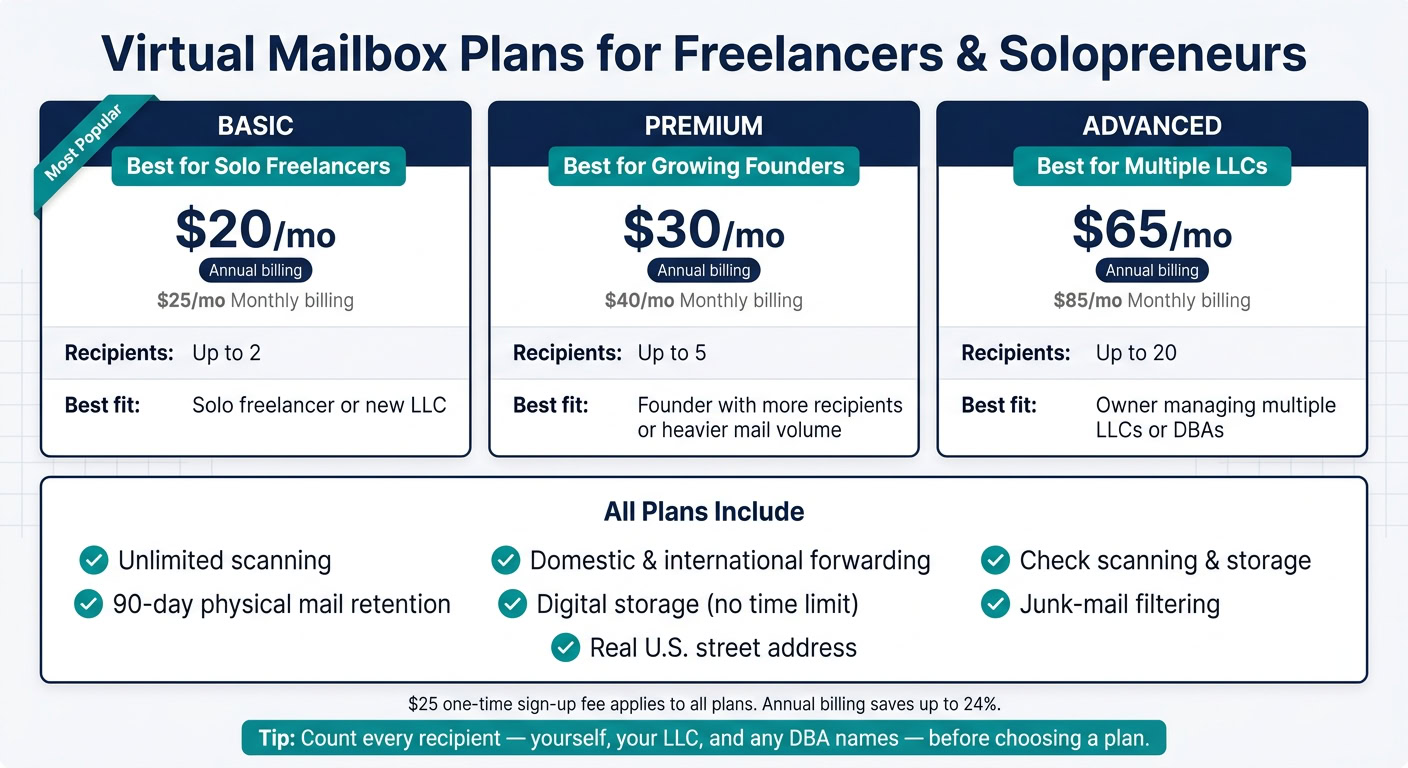
Now that the core features are clear, the next step is simple: pick the plan that lines up with your mail volume and the number of recipients you need. All three plans come with the same main tools. The biggest difference is how many recipients each one includes.
| Plan | Monthly Billing | Annual Billing | Recipients Included | Best Fit |
|---|---|---|---|---|
| Basic | $25/mo | $20/mo billed annually | Up to 2 | Solo freelancer or new LLC |
| Premium | $40/mo | $30/mo billed annually | Up to 5 | Founder with more recipients or heavier mail volume |
| Advanced | $85/mo | $65/mo billed annually | Up to 20 | Owner managing multiple LLCs or DBAs |
A $25 sign-up fee applies to all plans.
Before you pick a tier, count every recipient. That includes you, your LLC, and any DBA names that need to receive mail. Miss one, and you may end up on the wrong plan.
A Simple Setup Workflow for a Solo Business
After you choose a tier, setup is mostly about verification and updating your address where it matters.
- Purchase a plan and sign in to your dashboard.
- Add all recipients – yourself personally, your LLC, and any DBA names that will receive mail.
- Complete USPS Form 1583 for each recipient with the online notary at $37/document, then upload it in the dashboard.
- Wait for approval. Once reviewed, your mailbox status changes to Active and you receive a confirmation email.
- Update your records. Use the new address only after activation – with your bank, the IRS, clients, and any vendors.
Conclusion: When a Virtual Mailbox Is the Right Move
A virtual mailbox makes sense when privacy, mobility, and steady mail handling matter more than having a physical office. It works best if you want to keep your home address off public records, need a dependable way to handle tax mail and client documents, and run your business remotely without a fixed location. The right plan mostly comes down to two things: how many recipients you need and how much mail you expect.
Health professionals have extra privacy needs. See our guide to a virtual mailbox for therapists and private practices.
FAQs
Can I use a virtual mailbox for my LLC?
Yes – you can use a virtual mailbox as your LLC’s business address for registration, general mail, and tax filings.
Because it gives you a real street address through a CMRA, it can meet principal office address rules in all 50 U.S. states.
However, it cannot be your Registered Agent address.
A Registered Agent must be physically present at a street address in your formation state during business hours to receive legal documents.
Will a virtual mailbox replace a registered agent?
No. A virtual mailbox and a registered agent do different jobs.
A registered agent is required by law for LLCs and corporations. They receive service of process, lawsuits, and notices from the state.
A virtual mailbox handles your day-to-day business mail, like correspondence, invoices, tax documents, and marketing materials.
If you want to stay compliant, you need both.
How many business names can I receive mail for?
It depends on the plan you pick. Some plans include unlimited recipients, while others cap the number, usually somewhere between 2 and 20 recipients.
There’s one rule that applies across the board: every person or business that will receive mail must appear on your USPS Form 1583.
That matters because a commercial mail receiving agency can only accept and handle mail for the names authorized on that form.