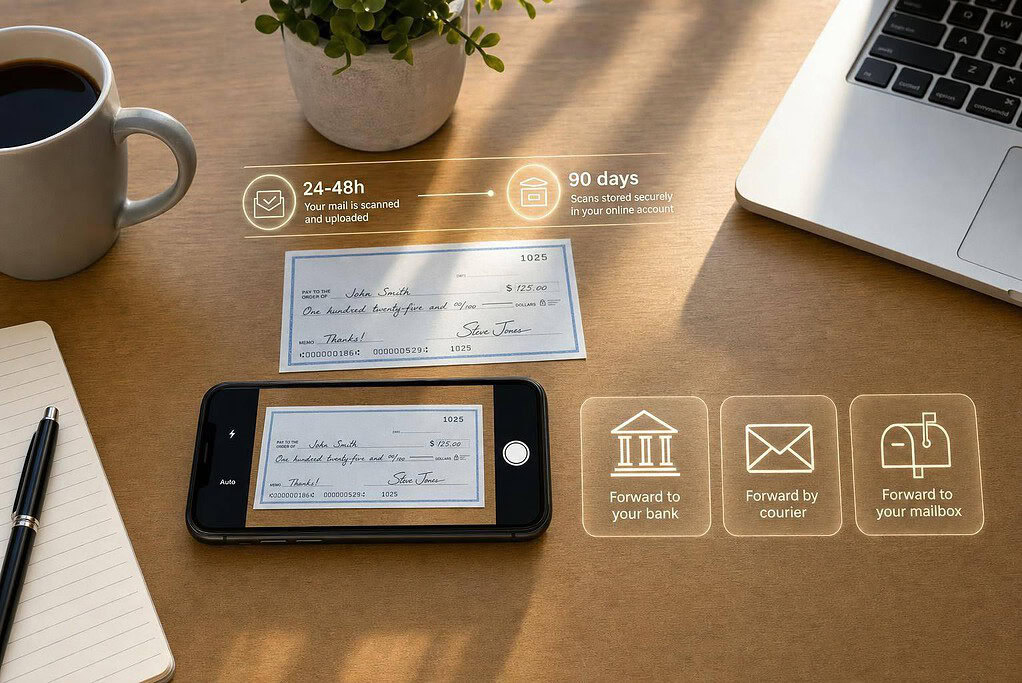
Yes, you can deposit checks while traveling or working remotely – but a virtual mailbox only gets you part of the way. It can receive your mail, scan the check, and hold the original for up to 90 days. After that, you still need to deposit the original check through a bank-approved method.
Here’s the short version:
- Scans usually appear in 24–48 hours
- BusinessAnywhere does not endorse, sign, or deposit checks
- Most banks want the original check, not a printed PDF
- Same-day bank cutoffs often fall between 4:00 PM and 9:00 PM local time
- Your main options are:
- forward the check to yourself for mobile deposit
- send it to your bank or lockbox
- send it to a team member using an RDC scanner
If I were choosing a setup, I’d match it to check volume, bank rules, and who handles the mail. For a few checks, mobile deposit is often enough. For higher volume, mailing to the bank or sending checks to a team member with RDC usually makes more sense.
Quick comparison
| Deposit path | Best for | Original check needed | Main issue |
|---|---|---|---|
| Forward to me + mobile deposit | Solo owners, travelers | Yes | Mail transit delays and mobile limits |
| Forward to bank/lockbox | Owners who want less handling | Yes | Hard to fix if the bank rejects it |
| Forward to team + RDC | Businesses with more checks | Yes | More internal handling risk and extra bank setup |
Bottom line: a virtual mailbox helps you see the check fast, but the bank still controls how the deposit happens.
Set up your virtual mailbox to receive checks
Activate your mailbox and authorize mail receipt
Getting started with BusinessAnywhere is pretty simple. You choose a U.S. street address from the available locations, pick a plan, and complete payment. Pricing depends on how many recipients you need.
The big step is authorization. USPS Form 1583, notarized, gives BusinessAnywhere permission to receive and open your mail. BusinessAnywhere includes an online notary service, so you can finish this step from anywhere.
Before any checks show up, add every name that might appear on a check as an authorized recipient. In most cases, that means your personal name and your business name if checks may be made out to both.
Once your mailbox is approved, incoming checks can be received and scanned.
How BusinessAnywhere handles incoming checks
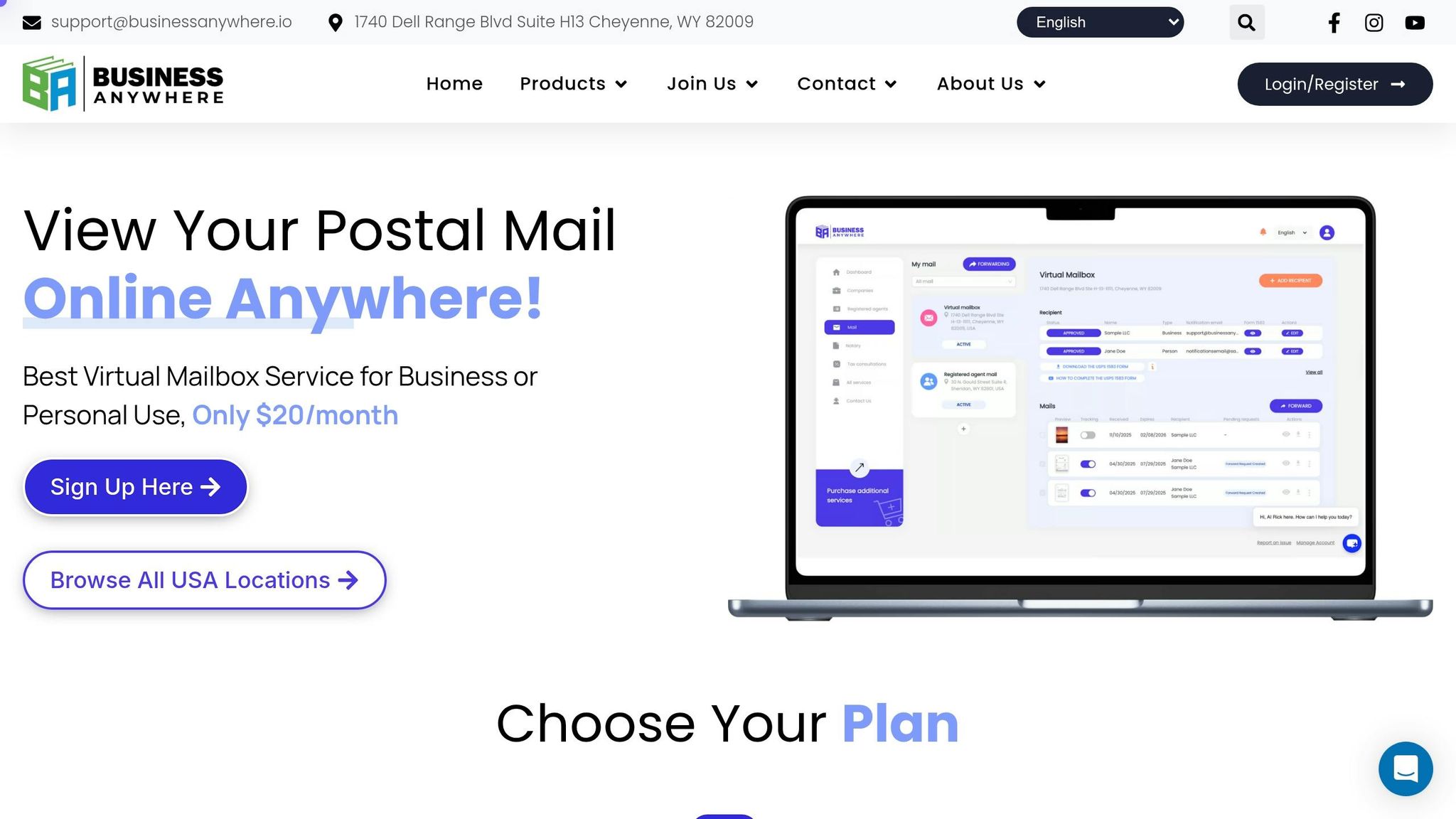
When a check arrives at your mailbox address, staff open the envelope and scan what’s inside. A PDF scan is uploaded to your dashboard after the envelope is processed. The original check is then stored for up to 90 days, and after that it can be forwarded or shredded on request.
After the scan appears in your dashboard, you decide how to get the original check into your bank.
What the mailbox can and cannot do
Here’s what the service does – and what it doesn’t do:
| Action | BusinessAnywhere |
|---|---|
| Receive & open mail | ✅ Yes, authorized via Form 1583 |
| Scan check to PDF | ✅ Yes, uploaded to dashboard |
| Store original check | ✅ Yes, up to 90 days |
| Forward original check | ✅ Yes, to any address you specify |
| Endorse or sign checks | ❌ No |
| Deposit checks to your bank | ❌ No |
| Access your bank account | ❌ No |
The next section compares the three deposit workflows.
Pick the right remote deposit workflow
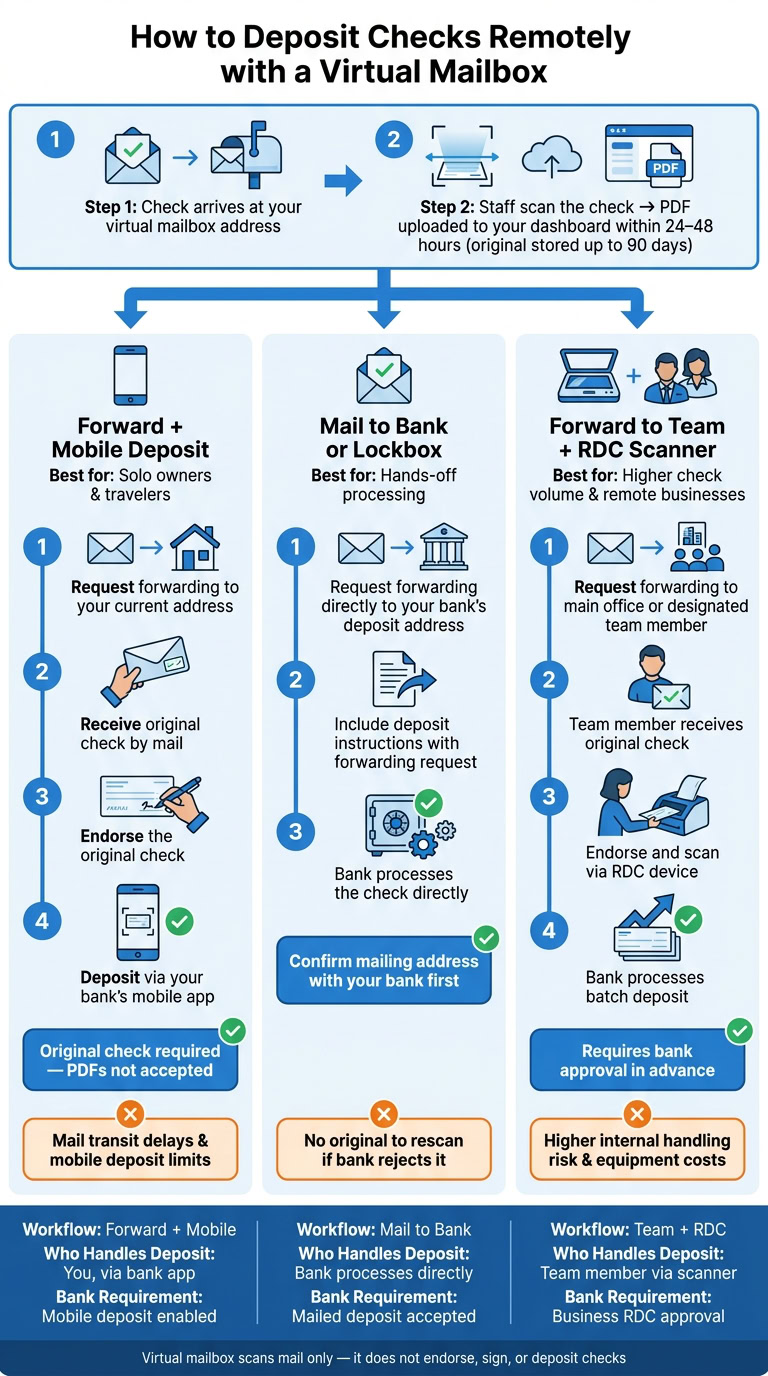
After you review the scan, you have three ways to handle the deposit. Once the scan is uploaded, the next move is getting the original check into a bank-approved channel.
The right option comes down to a few simple things:
- How fast you need the money
- Whether you or a team member will handle the original check
- What your bank allows
Forward the original check and use mobile deposit
This route makes sense if you’re a solo owner or digital nomad who only gets checks from time to time.
First, request forwarding to your current address. BusinessAnywhere can send the original physical check to wherever you are. Then, endorse the original check and deposit it through your bank’s mobile app.
One important rule: Most banks require the original endorsed check. A printed PDF copy will not work.
If your bank won’t accept mobile deposit for that check, switch to the mailed-deposit option instead.
Forward the original check to your bank or lockbox
This option works well if you want a more hands-off setup and your bank accepts mailed deposits.
Instead of sending the check to yourself, request forwarding straight to the bank’s deposit address. Include that address and any deposit instructions with the forwarding request. Banks don’t all handle this the same way, so check the right mailing address with your bank before you use this path.
If your business deals with multiple checks, RDC is usually the faster batch method.
Forward checks to your team and use a business RDC scanner
This path is for businesses that handle more checks and need batch processing.
Remote Deposit Capture (RDC) is a bank-approved desktop scanner process for batch deposits. Request forwarding to a main office or a designated team member. That person receives the original check, endorses it, and scans it through the RDC device.
RDC works best for higher check volume and usually needs bank approval in advance. Not every bank offers it to small businesses, so check first before making it part of your setup.
| Workflow | Best For | Who Handles Deposit |
|---|---|---|
| Forward + mobile deposit | Solo owners, digital nomads | You, via bank app |
| Forward to bank/lockbox | Hands-off processing | Bank processes directly |
| Forward to team + RDC scanner | Higher check volume, remote businesses | Team member, via scanner |
Next, check which banks and check types qualify, plus the security rules that affect each workflow.
sbb-itb-ba0a4be
Limits, security rules, and bank requirements to check first
Now that the three deposit workflows are clear, the next step is simple: make sure your bank will accept the one you want to use.
Which checks and banks work with remote deposit
Remote deposit rules change from bank to bank, and they can also depend on the type of check. Before you deposit anything remotely, review your bank’s endorsement rules, deposit limits, and approved deposit methods.
How to protect your mail, bank access, and original checks
The mailbox scans mail; it does not sign, endorse, deposit, or access your bank account.
Protect your dashboard with a strong, one-of-a-kind password and multi-factor authentication (MFA). Access should stay limited to the people who actually handle deposits.
Keep the original check until it clears, then shred it securely.
Side-by-side comparison of the 3 deposit workflows
Use the comparison below to line up each workflow with your bank’s rules and your team’s handling risk.
| Workflow | Original Check Required | Key Risk | Bank Fit |
|---|---|---|---|
| Forward + Mobile Deposit | Yes | Mail loss in transit; mobile deposit limits | Banks that accept mobile deposit |
| Mail to Bank/Lockbox | Yes | No original to rescan if the bank rejects it | Banks that accept mailed deposits |
| Forward to Team + RDC Scanner | Yes | Higher internal fraud risk; equipment and service costs | Banks that offer business RDC approval |
Once the bank and security checks are clear, pick the workflow that fits your check volume and team setup.
Who benefits most and how to decide which workflow fits you
Use cases for small businesses and remote owners
Now that the bank and security rules are clear, the next step is simple: pick the workflow that lines up with how often checks arrive and who deals with the mail.
The best setup usually comes down to two things:
- How many checks you get
- Whether one person or a team handles them
Here’s a simple match-up:
| Business Profile | Check Volume | Recommended Workflow | Why It Fits |
|---|---|---|---|
| Solo LLC Owner (Frequent Traveler) | Low to moderate | Forward original check for mobile deposit | Dashboard PDF preview, physical forwarding, 90-day storage |
| Digital Nomad | Occasional | Forward original check for mobile deposit | Dashboard PDF preview, physical forwarding, 90-day storage |
| Remote team with shared mail handling | Moderate to high | Forward to team for RDC scanner deposit | Multi-user access, centralized mail dashboard |
| Real Estate Investor | Variable, often high value | Mail original check directly to bank or lockbox | Automated scanning, physical forwarding |
For example, if you’re a solo owner who travels a lot, getting a dashboard preview first and then forwarding the original check can keep things moving without tying you to one place. If your team already shares mail duties, sending checks to the person with the RDC scanner often makes more sense.
Real estate investors are a bit different. When checks are high-value or come from out of state, mailing the original check straight to a bank or lockbox is often the better fit.
Conclusion: Speed up check handling without being tied to one location
Once you line up the workflow with the way you run the business, check handling gets much easier, even when you’re nowhere near your mail.
A virtual mailbox helps you move faster by giving you a scan first and the original after that. From there, the right deposit method depends on your check volume, your team setup, and your bank’s rules.
FAQs
Can I deposit a check using only the PDF scan?
No. With BusinessAnywhere, you can receive and view a scanned PDF of the check in your dashboard, but you can’t deposit or endorse the check using only that PDF.
BusinessAnywhere scans and stores checks and can forward the physical check, but the actual deposit is still your job through your bank’s remote deposit capture or mobile banking process.
What if my bank rejects a remotely deposited check?
If your bank rejects a remotely deposited check, start by contacting customer service to confirm why it was declined. Common reasons include a missing endorsement, a mismatch in the check amount, or details on the check that don’t match your business profile or the bank’s records.
If the bank still can’t process the check, you may need to have the original paper check sent to you for manual processing or another form of handling.
Which remote deposit method is best for my business?
The right choice comes down to one thing: do you need the provider to deposit checks for you?
With BusinessAnywhere’s virtual mailbox, checks are scanned and uploaded to your dashboard. But BusinessAnywhere does not endorse or deposit them for you.
This setup makes sense if you want fast access to check images, plus the option to forward or store mail based on what you need. It also works well if you already plan to deposit checks through your bank’s mobile deposit feature or remote deposit capture.
One thing matters here: your address setup needs to be CMRA-compliant and it also has to meet your bank’s rules.