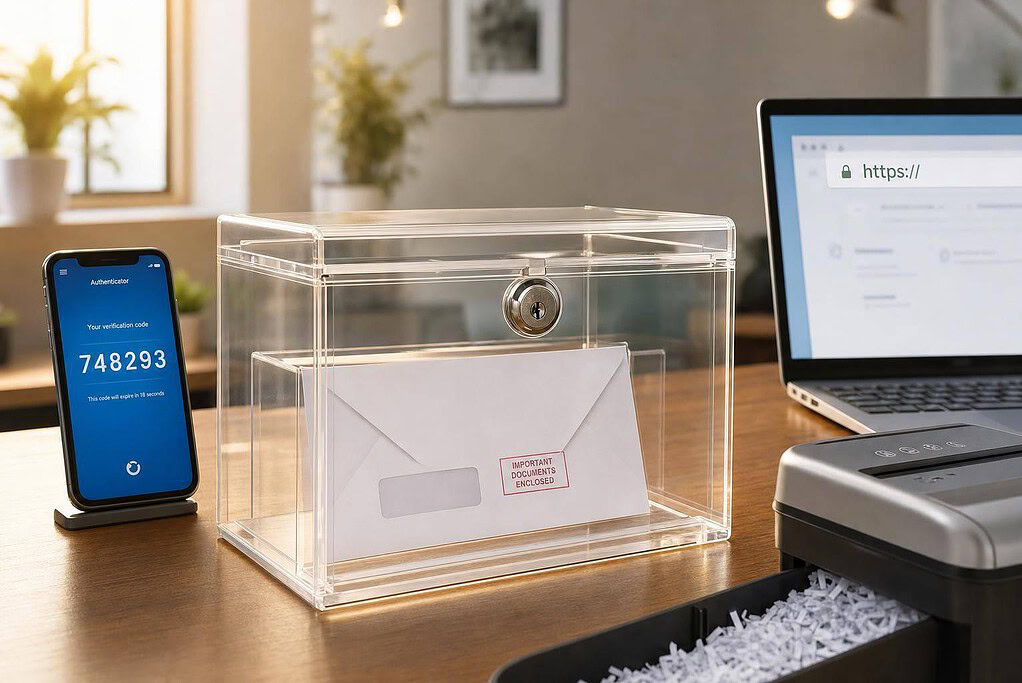
Yes – virtual mailboxes can be safe, but only if the provider protects your mail at every step. If a service has 2FA, SSL/TLS in transit, AES-256 at rest, audit logs, and secure mail handling, your risk drops a lot. If it doesn’t, your mail, legal notices, bank letters, and tax documents can be exposed.
Here’s the short answer:
- Physical mail safety depends on how the provider receives, stores, scans, forwards, and shreds mail.
- Account safety depends on login controls like 2FA and user-level access instead of shared passwords.
- File safety depends on encryption, especially SSL/TLS for data in transit and AES-256 for stored scans.
- Business use needs extra controls, like audit logs and team permissions.
- A fast scan time matters too – many providers upload mail in 24 to 48 hours, which helps you act on checks, legal mail, and IRS notices sooner.
If I were checking a provider, I’d ask six things right away:
- Do they require a notarized USPS Form 1583?
- Do they offer 2FA?
- Do they encrypt scans in transit and at rest?
- Do they keep audit logs?
- How do they track, store, and shred originals?
- Is the address in a commercial street address, not a retail mail drop or home address?
Quick comparison
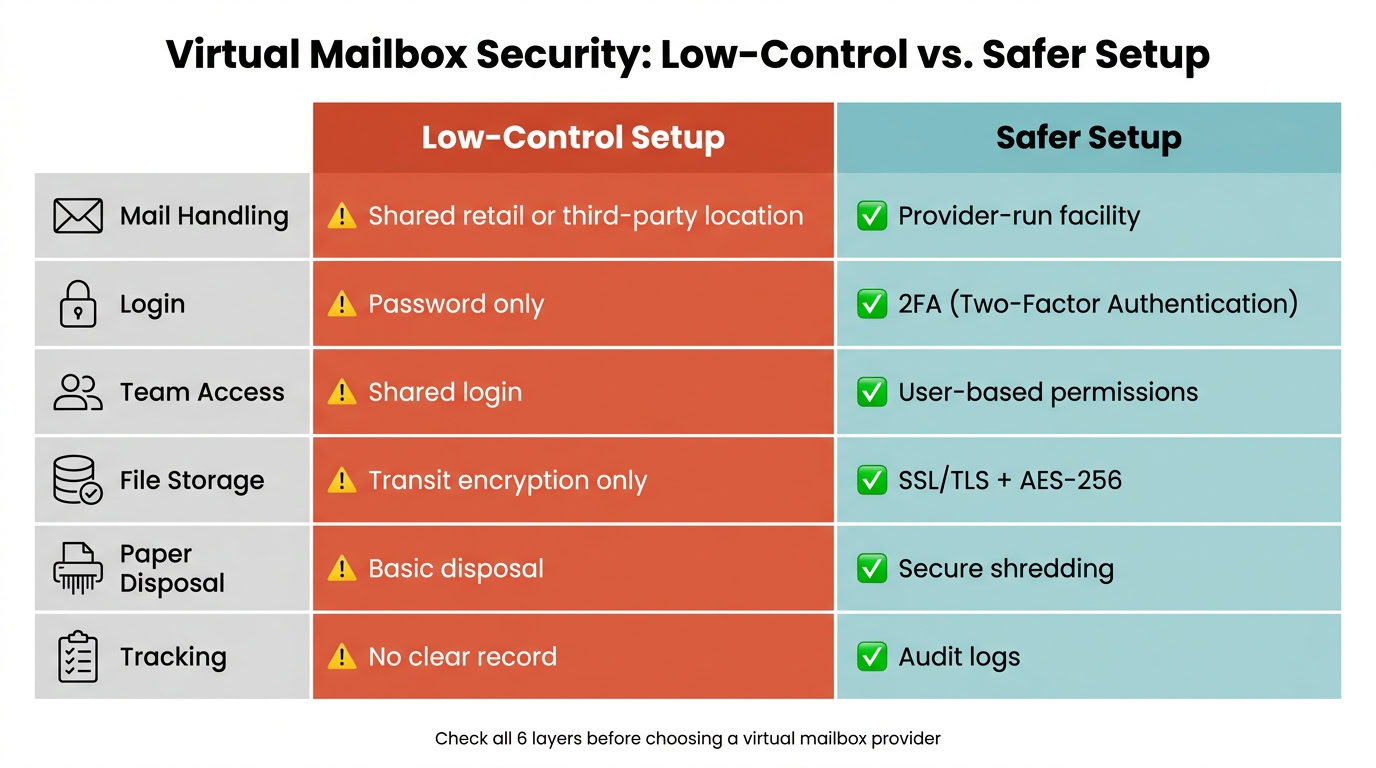
| Area | Low-control setup | Safer setup |
|---|---|---|
| Mail handling | Shared retail or third-party location | Provider-run facility |
| Login | Password only | 2FA |
| Team access | Shared login | User-based permissions |
| File storage | Transit encryption only | SSL/TLS + AES-256 |
| Paper disposal | Basic disposal | Secure shredding |
| Tracking | No clear record | Audit logs |
Bottom line: a virtual mailbox is not safe just because it puts your mail online. Understanding how a virtual mailbox works is the first step in identifying these security gaps. It’s safe when the provider controls the building, the staff process, the login system, and the file storage. That’s what I’d check before choosing a virtual mailbox service for business or personal mail.
The main risks: account access, data breaches, and mail fraud
The main risks come down to three things: unauthorized account access, exposed document scans, and physical mail being mishandled. Understanding these virtual mailbox problems and solutions is the first step toward securing your data. The next section explains how strong providers cut down each risk.
Account access risks: stolen passwords, shared logins, and weak permissions
One of the most common problems is a shared login. If a business owner gives an assistant or partner the same username and password, there’s no audit trail. And if that password gets exposed, all scanned mail is exposed too.
Without role-based access, any user may be able to change mail forwarding instructions. That means checks or legal notices could be rerouted without a clear record of who did it. Use role-based access.
Access controls matter because they limit who can read, route, or delete mail.
Data breaches: what happens when scanned documents are not stored securely
Virtual mailboxes turn sensitive records into digital files – IRS notices, bank letters, client contracts, and legal documents. If those scans aren’t encrypted in storage, a breach could expose that information and make identity theft much easier.
Mail fraud, identity theft, and mishandled physical mail
Third-party mail centers can weaken oversight and increase the chance that checks, credit cards, or IRS notices are left unattended or mishandled.
That’s why secure facilities need tracking, shredding, and controlled access.
Next: how secure virtual mailboxes address these risks.
How secure virtual mailboxes address those risks
A secure virtual mailbox protects both your physical mail and the digital scans that come from it. That only works if each layer has the right controls in place. The risks above usually come down to three areas: physical mail handling, account access, and encrypted storage.
Physical controls: secure facilities, mail handling, and shredding
Provider-owned facilities give you tighter control over staffing and mail handling than third-party sites. That matters more than it may seem at first glance. If mail passes through shared retail counters or communal office setups, more hands may touch it.
Mail should be scanned fast, then sent through a secure portal so you can forward, store, or shred the original. That last step matters. Shredding closes the loop and cuts down the chance that old documents end up where they shouldn’t.
Once the envelope is digitized, account access becomes the next line of defense.
Identity checks and access controls: 2FA and role-based permissions
U.S. mail opening requires a notarized USPS Form 1583. Many providers complete the notarization online.
From there, the controls that matter most are two-factor authentication (2FA), role-based access, and secure portals or apps. These tools help block damage from stolen passwords and reduce the risk tied to shared logins, which is a critical part of cybersecurity for remote teams. Role-based access means each team member can deal with only the mail they need to see.
After login control comes file protection, which depends on encryption and storage security.
Encryption and secure storage: SSL/TLS in transit and AES-256 at rest
SSL/TLS protects mail while it moves between the server and your device. AES-256 protects it after storage. Put simply, if scans are copied during a breach, encryption is what helps keep those files unreadable.
Here’s a quick way to size up any provider:
| Security Layer | Standard Control | Enhanced Control |
|---|---|---|
| Physical Handling | Third-party retail mail centers or communal office locations | Provider-owned facilities |
| Account Login | Single password | Two-factor authentication (2FA) |
| Scan Storage | SSL/TLS only | SSL/TLS in transit + AES-256 at rest |
| Team Access | Shared credentials | Role-based, multi-user permissions |
| Document Disposal | Unsecured disposal | Secure shredding |
sbb-itb-ba0a4be
How to evaluate a virtual mailbox provider before you sign up
Before you sign up, slow down and check the basics. A virtual mailbox provider should protect your physical mail, scanned files, and account access – not just forward envelopes from Point A to Point B.
The goal here is simple: separate real protection from plain mail forwarding.
Security checklist for U.S. business owners
Before signing up, get direct answers to these questions from the provider:
- Does the provider require a notarized USPS Form 1583?
- Is 2FA available?
- Is mail encrypted in transit and at rest? Look for SSL/TLS in transit and AES-256 at rest.
- Are audit logs available?
- How are originals tracked, stored, and shredded?
- Can the platform limit each user to the mail they need to see?
Also, verify that the address is in a dedicated commercial building, not a residential address or a retail mail drop.
Where BusinessAnywhere fits for secure remote mail management
A provider that clears these checks should make remote mail management feel straightforward, not like extra admin work.
BusinessAnywhere is built for remote entrepreneurs, digital nomads, and small business owners who need a professional U.S. address. The platform offers a professional U.S. address, mail scanning, and document access through one central dashboard.
It also connects with registered agent services and compliance workflows. So if you run an LLC or corporation, you can handle day-to-day mail and official government and legal correspondence in one place.
Conclusion: what makes a virtual mailbox safe
After looking at account access, data breaches, and mail fraud, the answer is pretty simple: a virtual mailbox is safe only when the provider has control at every layer.
That means all three need to be covered:
- Physical controls for how mail is received, stored, and handled
- Digital controls like encryption and audit logs
- Access controls such as 2FA and user-level permissions
Provider-owned facilities often mean tighter control over mail handling.
Don’t go by appearances alone. Check for encryption, shredding, audit logs, 2FA, and individual user permissions before you sign up. If a provider can’t explain its controls in plain English, it isn’t secure enough for sensitive mail.
FAQs
Can virtual mailbox staff read my mail?
Yes. Authorized staff may handle, open, and scan your mail to provide the services you request.
There are strict safeguards around this. You must approve the service through notarized Form 1583, and providers are expected to use secure, monitored facilities, encrypted dashboards, and secure handling procedures so only authorized personnel can access your documents.
What happens if my virtual mailbox account is hacked?
If your virtual mailbox account is compromised, the main risk is access to sensitive business documents and personal correspondence by someone who shouldn’t have it. Reputable providers help lower that risk with breach notification protocols that alert you if your information is exposed.
To limit the damage, change your login details right away, turn on multi-factor authentication, and check recent account activity for anything out of place. Providers that conduct regular security audits and strict employee background checks add another layer of protection.
How can I verify a provider’s security claims?
Confirm the provider is a USPS-registered CMRA and requires a notarized Form 1583 plus identity verification. If they skip those steps, that’s a major red flag.
Also look for:
- background-checked staff, monitored facilities, and restricted access
- TLS/AES-256, multi-factor authentication, and audit logs
- clear data retention policies, regular security audits, and standards such as SOC 2 or HIPAA