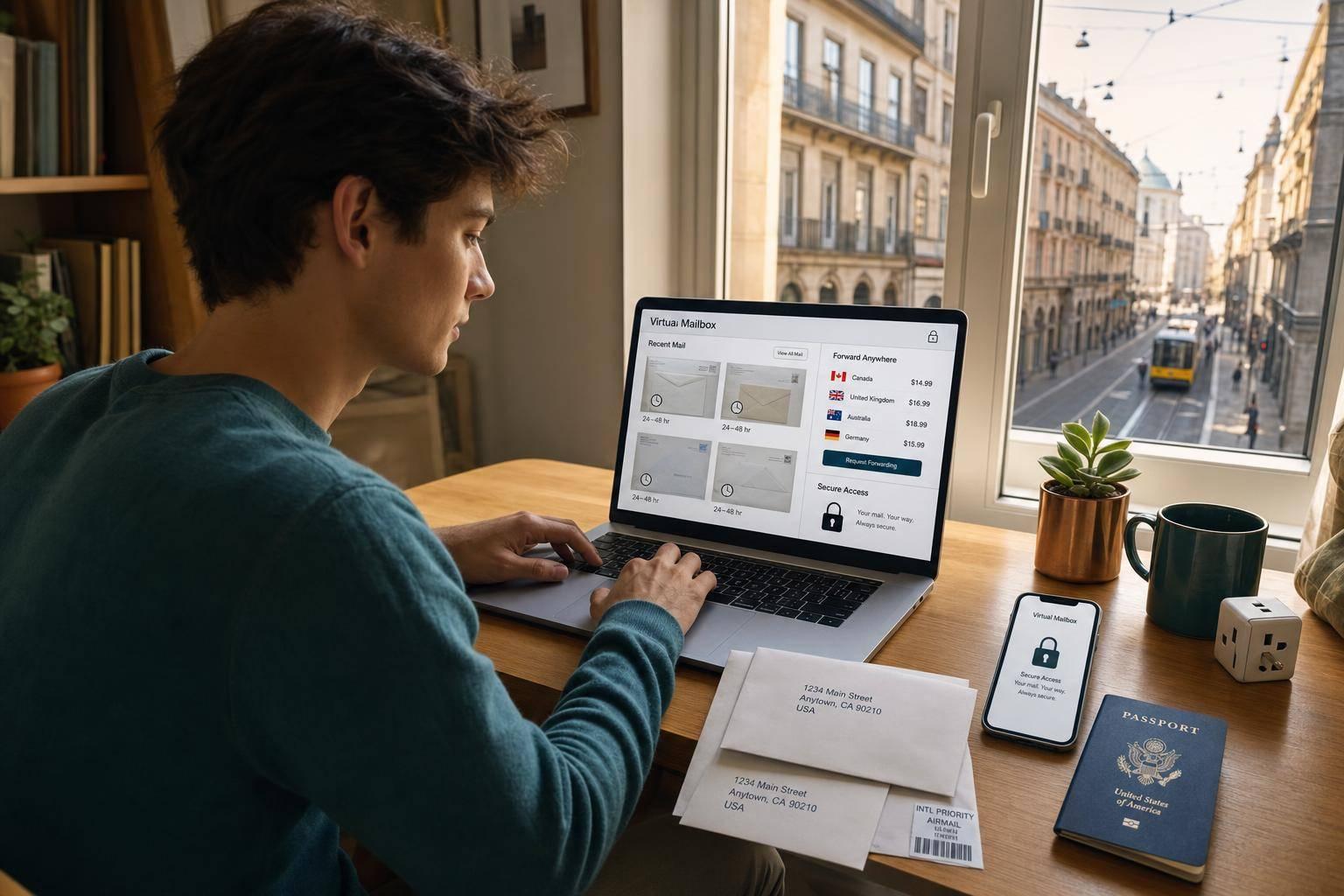
If I study abroad, I can still keep one U.S. street address, see my mail online in 24 to 48 hours, and forward only the items I need.
That’s the core idea. A virtual mailbox helps me keep up with bank mail, tax forms, school records, and replacement cards without relying on a dorm, a friend, or my family to sort everything. It also helps when an organization won’t accept a P.O. Box and asks for a street address instead.
Before I sign up, I’d focus on a few things:
- Street address acceptance for banks, schools, and government mail
- Envelope scans and full document scans
- International forwarding for cards, forms, and packages
- Security tools like 2FA and encrypted file access
- Clear pricing, including monthly fees and shipping charges
- USPS Form 1583, which I need to complete to let the service receive mail for me
A student plan around $20.00 to $25.00 per month may work for moderate mail volume, but extra scan fees and forwarding charges can add up fast. So if I move between campuses, countries, or short-term housing, the best setup is usually one fixed U.S. address, simple online mail controls, and pricing I can track without surprises.
This article explains how a virtual mailbox works and what I’d check before choosing a plan.
What a Virtual Mailbox Is and How It Works for Study Abroad
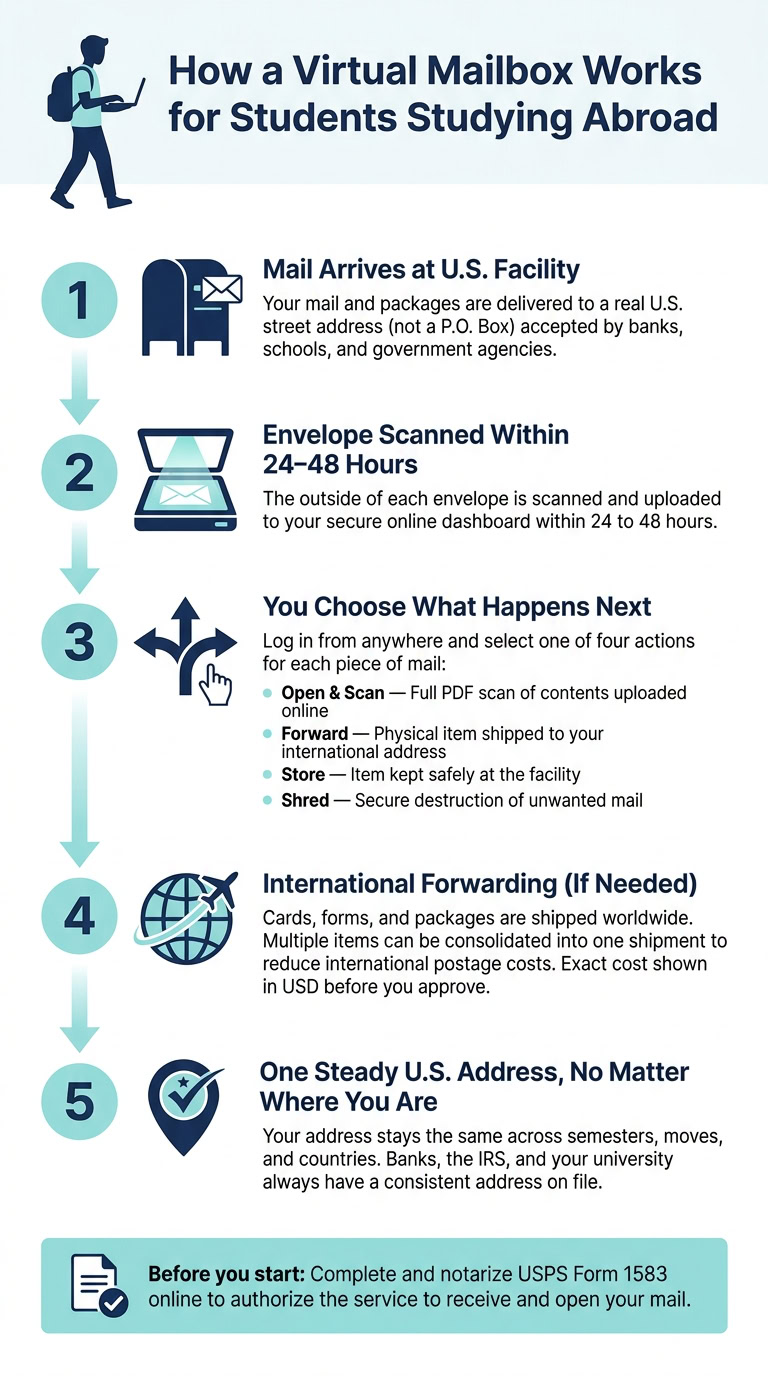
For students abroad, a virtual mailbox keeps one U.S. address active while your mail is scanned and handled online. When mail or packages arrive at the provider’s facility, a scan shows up in your secure dashboard, often within 24 to 48 hours.
In plain English, you get a physical U.S. address without having to live there. That can make life a lot simpler when you need to keep up with official mail and don’t want to depend on a dorm, a family home, or a short-term overseas address.
A Real Street Address With Online Mail Access
The address is a commercial street address, not a P.O. Box. That matters because many banks, schools, and agencies ask for a street address, not a P.O. Box.
For students studying abroad, that kind of consistency helps. You might move between semesters, switch programs, or change housing, but your mailing address stays put. So bank letters, university documents, and government notices keep going to one place instead of getting lost in the shuffle.
How Scanning, Storage, Forwarding, and Shredding Work
When mail arrives, the provider scans the outside of the envelope and uploads the image to your dashboard. From there, you can decide what happens next:
- Open and scan – read the contents online
- Forward – have the physical item shipped to your current international address
- Store – keep the item at the facility
- Shred – securely destroy mail you don’t want
For packages, the provider can photograph the item and send it to your current international address. Some services also combine multiple items into one shipment, which can help cut shipping costs.
Before you get started, you’ll need to complete and notarize USPS Form 1583. This form gives the service permission to receive and open your mail. Many providers let you do the notary step online.
This setup becomes especially helpful when important mail still needs to reach you as you move between countries, campuses, and short-term housing.
sbb-itb-ba0a4be
Why a Virtual Mailbox Matters When Living Overseas
This setup matters even more when you’re living far from home. While you’re overseas, important mail still shows up by post, and missing it can lead to late fees, account holds, or missed deadlines.
How to Avoid Missing Mail From Banks, Schools, and Government Agencies
The main upside is speed. Fast scanning gives you time to deal with bank letters, enrollment forms, tax records, or card replacements before they turn into a headache. It also helps keep sensitive mail secure and out of shared mailrooms and physical mailboxes until you decide whether to scan, forward, or shred it.
Keeping One Address Across Semesters, Moves, and Travel
There’s another big plus: one address means fewer updates every time life shifts. Your mailing address stays the same even if your campus, housing, or country changes during semester breaks and trips abroad.
Features Students Should Look for Before Signing Up
Students abroad need a mailbox that can keep up with time zones, border crossings, and housing changes. That’s the job. Once you understand how a virtual mailbox works, the next step is picking features that match the way student life abroad actually looks.
Mail Scanning and Secure Document Access
Start with envelope scans and on-demand content scans. When mail comes in, the service scans the outside of the envelope so you can see who sent it. If it looks important, like a tax form or a financial aid letter, you can ask for a full scan. The staff then open it and upload each page as a PDF.
Speed matters here. If a bank letter, tax record, or scholarship notice shows up, you need enough time to do something about it. For items like bank cards, tax forms, or scholarship letters, a fast scan can be the difference between dealing with it on time and missing a deadline.
Security matters too. Look for virtual mailbox security, two-factor authentication (2FA), and a clear policy that explains how long scanned files stay in storage. If you’re logging in from campus Wi-Fi overseas, 2FA is a smart extra layer. For students, the main point is simple: get key mail online fast enough to act on it.
International Forwarding and Package Handling
Some things can’t stay digital. A replacement debit card, a notarized form, or a care package from home still needs to be shipped. A good service should support major carriers, let you pick the shipping speed, and show the exact cost in USD before you approve anything.
One feature that can save money is package consolidation. If your family mails books in one box and clothes in another, the provider can combine them into a single shipment. That can lower international postage, which adds up fast. You should also be able to update your forwarding address whenever you need to, whether you’re moving from a dorm to a host family’s home or changing countries during your program.
It’s also smart to check what the service will forward. Some providers only handle letters. That can be a problem if you need government IDs, bank cards, or signed forms sent to your host country for visa processing or university enrollment.
Dashboard Usability, Address Acceptance, and Clear Pricing
A mobile-friendly dashboard isn’t just nice to have. It’s a must. You should be able to approve a scan or send out a shipment from your phone or laptop without digging through menus. Helpful tools include:
- Time-stamped activity logs
- Custom notifications
- Fast filters for mail from your bank or university
Before you sign up, make sure banks, universities, and government offices will accept the address for official mail.
Then look at the full price, not just the monthly number. Add up the base monthly fee, any scan charges beyond what’s included, and the usual international forwarding costs. A plan in the $20.00 to $25.00 per month range can make sense for a student with moderate mail volume, but per-page scan fees or international handling surcharges can push the cost up in a hurry. A good dashboard and clear pricing help students stay on top of official mail without paying more than they planned. With those basics covered, the next step is matching the plan to your mail volume and travel schedule.
How to Choose the Right Setup and Get Started
A Short Checklist for Matching Your Needs to a Plan
Once you know which features matter, the next step is simple: match the plan to your mail volume and how often you’re on the move.
| Decision Factor | What to Look For |
|---|---|
| Mail volume | Unlimited scanning included in the base plan |
| Sensitive documents | Encrypted storage and secure shredding options |
| International forwarding | Worldwide shipping with upfront costs shown before approval |
| Multiple recipients | Plans with higher recipient limits if sharing access with another authorized user |
A flat-rate plan with unlimited scanning is a good fit when your mail volume changes from month to month. It takes the guesswork out of pricing, which helps when you don’t know if you’ll get two letters one week and ten the next.
To get started, complete USPS Form 1583 and notarize it online to authorize mail handling.
Conclusion: Staying on Top of Your U.S. Mail While Studying Abroad
After you pick a plan, the aim is pretty straightforward: keep access to your mail steady and keep costs easy to track.
With a real street address, timely scanning, secure document access, and international forwarding, you can stay connected to bank letters, tax documents, school notices, and family shipments without asking someone else to sort your mail for you. It also helps to look for unlimited scanning so surprise fees don’t creep in, a dashboard you can open from anywhere, clear forwarding costs before you approve a shipment, and one steady U.S. address that keeps your records lined up with banks, the IRS, and your school.
That mix makes the service a solid fit for studying abroad.
FAQs
Can I use a virtual mailbox as my bank mailing address?
It depends on your bank’s rules. Many banks will send general mail, statements, and tax forms to a virtual mailbox address, but they often have tighter address rules than other organizations.
Because these addresses may be listed as a CMRA, some banks may also ask for a separate home or physical street address for their records. Check with your bank before you use one.
How quickly will I see my mail while studying abroad?
Most virtual mailbox services process and upload your mail to your secure online dashboard within 24 to 48 hours after it arrives. Some premium services also offer same-day scanning for urgent documents.
Once your mail is scanned, you can view or download it right away, or ask to have it forwarded to your international address.
What extra fees should I watch for?
Don’t stop at the base monthly fee. Extra charges can add up fast, especially with international forwarding.
Common add-ons include:
- Shipping and postage for mail forwarding overseas
- Handling fees
- Scanning charges if your plan doesn’t cover much mail
- Storage fees if physical mail or packages sit too long
It also helps to check for per-item fees and whether scanning is unlimited or charged per page. That small detail can make your monthly costs much easier to predict.