
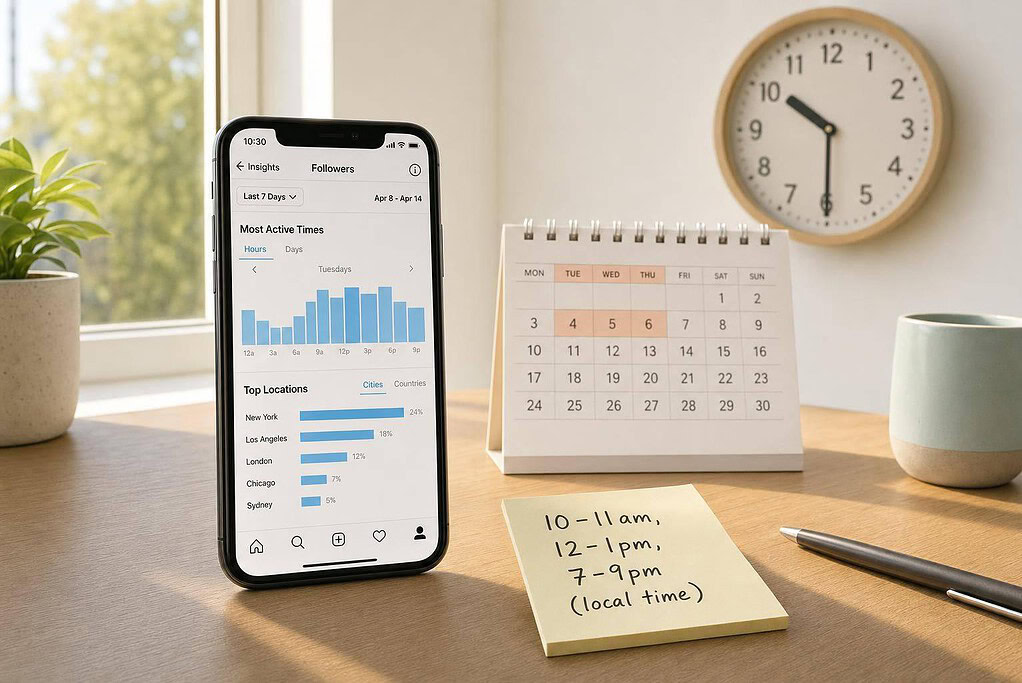
If you want more clicks, DMs, and sales from Instagram, post on weekdays – especially Tuesday through Thursday – during 10–11 a.m., 12–1 p.m., or 7–9 p.m. in your audience’s local time.
I’d start there because organic reach for business pages is down 33% year over year, while Meta lead costs now average $19 and are up 27% year over year. When fewer people see each post, timing can help you get more from the posts you already make.
Here’s the short version:
- Best days: Tuesday, Wednesday, and Thursday
- Best time windows: 10–11 a.m., 12–1 p.m., and 7–9 p.m.
- Best rule: Post in your followers’ local time zone
- By business type:
- B2B: mornings, Tuesday–Thursday
- E-commerce: midday, Tuesday–Saturday
- Coaches and services: evenings on weekdays
- What to track: inquiries, DMs, clicks, and sales – not just likes
A post at 10:00 a.m. ET reaches California at 7:00 a.m. PT, which is often too early. So even if general averages help, your own audience data should decide your final schedule.
I’d use benchmark times first, then check Instagram Insights, test by region, and keep the slots that lead to customer action. That’s the whole idea of this guide: start simple, measure what leads to business results, and build a posting routine you can repeat every week.
Instagram posting benchmarks by day and time
Start with day-and-time benchmarks, then narrow them based on your audience and time zone.
Best days to post for business visibility
Start with weekdays, then look more closely at Tuesday through Thursday versus Monday and Friday. For business accounts, midweek days tend to drive stronger engagement more often, which makes them the safest place to begin before you test how your own audience behaves.
Think of it as a starting map, not a fixed rule. If you need a simple default, Tuesday, Wednesday, and Thursday are usually the best bets for visibility.
Best time windows from late morning to evening
Start with these time blocks:
- Late morning: 10–11 a.m.
- Lunch: 12–1 p.m.
- Early evening: 7–9 p.m.
Then compare how your posts perform across each window. These periods line up with moments when people are more likely to pause, browse, and act, not just scroll by.
From there, match each window to the audience you serve most. A B2B audience may respond better during the workday, while a consumer audience may be more active in the evening.
Why local time matters more than general averages
Schedule posts based on follower activity in local time. A post published at 10 a.m. ET hits West Coast followers at 7 a.m. PT, which is often too early for strong activity. That’s why your customers’ time zone should guide your schedule from the start.
Local timing is the baseline. Once that’s set, you can adjust your posting windows for the specific people you want to reach.
sbb-itb-ba0a4be
Best posting windows by business type
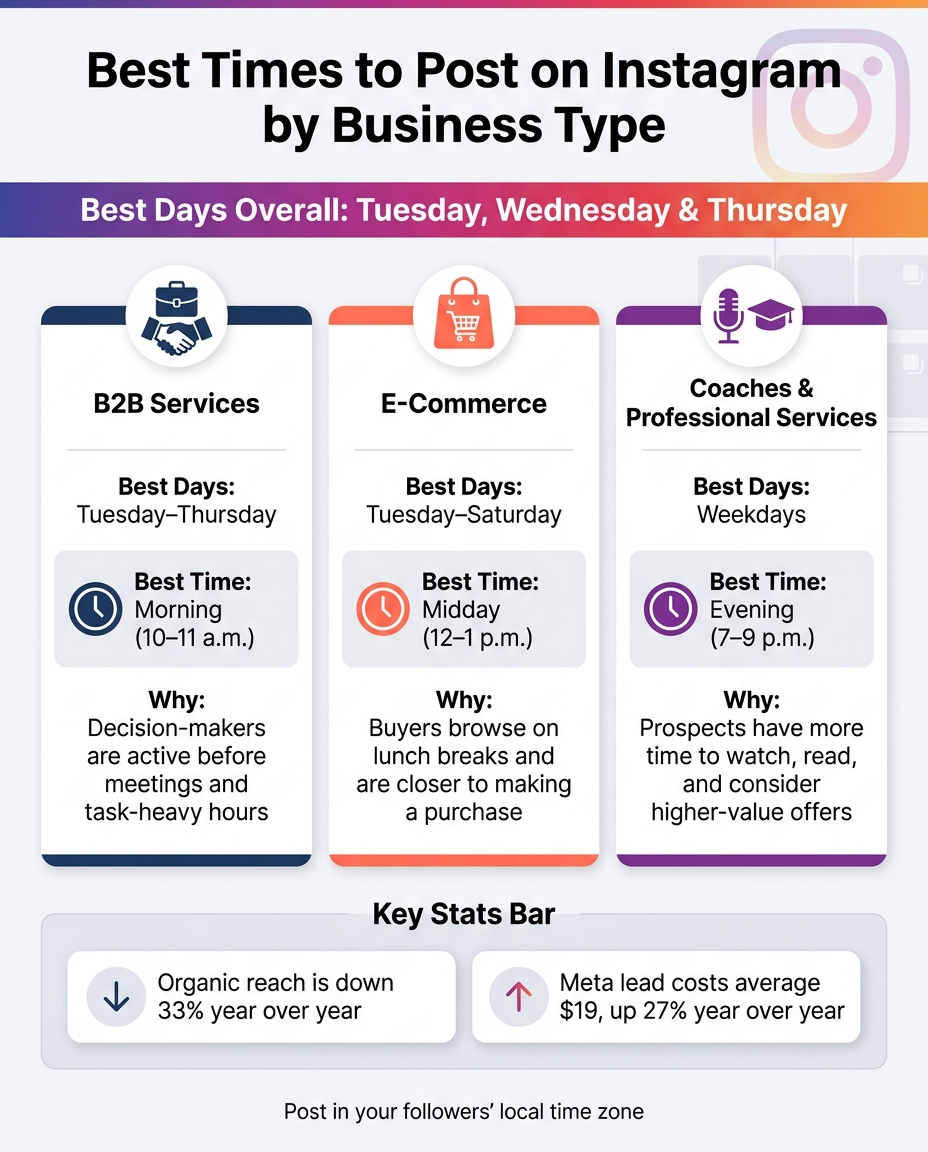
Best Times to Post on Instagram by Business Type
Once you have a general posting window, line it up with the people you want to reach.
Morning, midday, and evening posting blocks
Morning, midday, and evening are good starting windows. Each one tends to pull in a different crowd, depending on where people are in their day.
| Time Block | Best For | Why It Fits |
|---|---|---|
| Morning | B2B and professional audiences | Decision-makers are active before meetings and before task-heavy hours start |
| Midday | E-commerce and consumer brands | Buyers browse on lunch breaks and are closer to making a purchase |
| Evening | Coaches and service providers | Prospects have more time to watch, read, and think through higher-value offers |
Best posting times by business type
Different business models tend to work better at different times of day. The goal is simple: post when your buyers are most likely to reply, click, or buy.
| Business Type | Best Time to Post | Why It Fits |
|---|---|---|
| B2B services | Morning, Tuesday–Thursday | Trust-building content tends to land better when the sale value is high and buyers are in a focused mindset |
| E-commerce | Midday, Tuesday–Saturday | User-generated content-style product highlights tend to drive stronger engagement when buyers are actively browsing |
| Coaches and professional services | Evening, weekdays | Thought leadership and on-demand video help build the authority needed for higher-value conversions |
Treat these patterns as a starting point, then check them against Instagram Insights.
How to choose the right posting time for your market
Benchmark times are a solid starting point. But they’re only that: a starting point. Your audience might be most active at times that don’t match the general pattern, so it helps to use your own data to build a schedule that fits your market.
Use Instagram Insights to find when your followers are active
Instagram Insights shows when your followers are online most often. Check which days and hours keep showing the highest activity, then compare those patterns with the benchmark windows above.
If your peak follower activity lines up with a posting window that already tends to perform well, that’s the best place to start. In plain English: you’re not guessing. You’re using Instagram’s own data to pick a practical posting time for each customer segment.
Adjust posting times for U.S. time zones and customer location
Set posting times based on customer region, not one national average. This matters a lot in the U.S., where a post that works at 9:00 a.m. ET can hit way too early for people in California.
If you sell across several regions, match your schedule to where your customers live. A post aimed at East Coast buyers should go out at their peak time. A post aimed at West Coast buyers should go out at their peak time. That local timing can make a big difference.
Test, measure, and refine based on customer actions
Posting at the right time only matters if it leads to business results. Track inquiries and sales, not likes, to identify the best posting times.
Then compare which posting windows bring in the most inquiries and sales over time. Once you see a pattern, shift more of your future posts toward the time slots that convert best.
Schedule posts consistently and build a repeatable routine
The best posting window only helps if you can hit it week after week. Once you know your best time slots, set up a routine that makes those posts go out on schedule.
This is where timing starts to pay off. Organic reach is limited, so posting at the right moment works best when you can do it again and again. Plan posts ahead, use scheduling tools, and check results each week.
How to schedule posts with Meta Business Suite and Later
Use tools to lock in your posting windows and take the guesswork out of the process. Meta Business Suite and Later both make it easier to plan Instagram posts in advance.
When you schedule posts ahead of time and review performance every week, patterns start to show up. You’ll see which times work best and which posts are more likely to bring in leads and sales.
Conclusion: Start with benchmarks, then build your own schedule
Start with benchmark posting times, then adjust based on what your weekly results tell you. A repeatable schedule helps you show up when customers are most likely to take action.
FAQs
How long should I test a posting time before changing it?
Test a posting time for 2 to 4 weeks so you have enough data to spot engagement patterns without dragging out your strategy.
Change one factor at a time, then check the results after 4 to 6 weeks. Use Instagram Insights to compare date ranges, and make changes only when the data shows a clear lift in reach and engagement.
What if my audience is spread across multiple time zones?
Anchor your posting schedule to your biggest audience group. You can also split posts by region, so each group sees your content when they’re most active.
To make this easier, use scheduling tools to check time zone gaps and automate posting windows. That way, your audience sees your content when they’re awake and ready to engage.
Should I prioritize reach or sales when choosing posting times?
Prioritize both – just for different jobs.
Reach helps you build awareness and spot when your audience is most active. Sales metrics tell you whether those posting times turn into conversions.
A simple way to handle it:
- Use reach and engagement to find high-traffic time windows
- Test those slots to see which ones drive leads, booked calls, or sales
- Track the results in Google Analytics, not engagement alone
That way, you’re not just posting when more people are online. You’re posting when those views have the best shot at turning into business.