Email can bring in sales without a big budget. If I were starting from scratch, I’d focus on 3 things first: build an opt-in list, pick a simple email tool, and send a short welcome series plus a steady newsletter. The article also shows that email can return $36–$42 for every $1 spent, welcome emails can reach 68%–83% open rates, and list cleanup matters because inactive contacts hurt results.
Here’s the article in plain English:
- I build my list from website forms, checkout, and past customers who said yes
- I keep signup forms short and give people a clear reason to join, like 10% off
- I use an email platform with forms, simple automation, tagging, and easy reports
- I start with 1 welcome sequence, 1 regular newsletter, and 3 simple automations
- I write short emails with 1 main point and 1 clear CTA
- I track opens, clicks, bounces, unsubscribes, and sales
- I remove cold or bad contacts so deliverability does not slip
- I make unsubscribing easy and follow CAN-SPAM rules
If you want the short version, it’s this: grow a clean list, send useful emails on a steady schedule, and improve one metric at a time.
A quick platform snapshot from the article:
| Platform | Best for | Free plan | Starting price |
|---|---|---|---|
| Mailchimp | General use | Yes | About $13/month |
| Constant Contact | Simple setup and support | Trial only | About $12/month |
| ConvertKit | Creators and tagging | Yes | Paid plans after free limits |
This gives me a simple roadmap before getting into the full article.
How to Build an Email List Worth Having
A good email list is made up of people who want your emails, open them, and buy from you. That matters because engagement affects deliverability, clicks, and sales. If people ignore your emails, inbox providers notice. So the smart move is to start with subscribers who actually want to hear from you.
Collect Subscribers from Your Website, Checkout, and Existing Customers
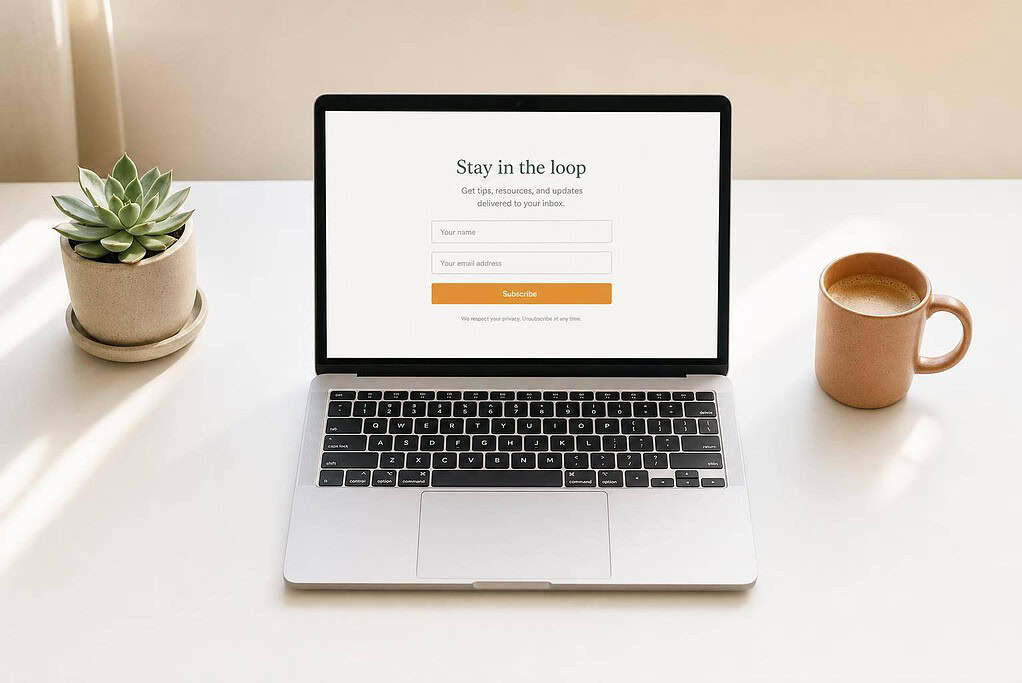
Place signup forms where people are already looking: your homepage, product or service pages, blog posts, and footer. A dedicated signup page can work well too. Keep the form short. In most cases, name and email are enough.
Your call to action should tell people what they get. Get 10% off your first order when you join our email list is much stronger than a plain Subscribe. Exit-intent pop-ups can also help catch visitors right before they leave.
Lead magnets can turn more visitors into subscribers, but the offer needs to fit your business. A retail store might offer a discount. A service business might offer a checklist. A fitness studio might offer a short workout plan. The closer the offer matches what you sell, the better your list tends to be, because the people signing up are more likely to care about your emails.
At online checkout, add an unchecked opt-in box with plain language such as: Yes, email me offers, updates, and event invites. Never pre-check it. In physical locations, staff can ask: Would you like email-only offers and updates? If you already have customer emails in a CRM or e-commerce platform, and those customers agreed to marketing messages, you can import them.
It also helps to tag each contact by source. That way, you can segment follow-ups and see which channels bring in the best subscribers.
Once the list is sorted by source, the next job is keeping it clean so engagement stays high.
Keep Your List Clean and Handle Unsubscribes the Right Way
List growth only helps if you protect deliverability. A typical B2B email list can decay by about 28% per year if it is not maintained. Clean lists tend to beat neglected ones. Research shows they can produce 50% higher open rates and 75% better click-through rates.
Most email platforms automatically flag hard bounces and stop sending to those addresses. Check those reports on a regular basis. Delete or suppress addresses that bounce again and again, and merge duplicate contacts.
If someone has not engaged for a long time, send one re-engagement message such as: Still want to hear from us? Click to stay on our list. If they do not respond, remove them. It may feel harsh, but sending to people who never engage drags the whole list down.
Make unsubscribes easy, and process them right away. Under the CAN-SPAM Act, opt-outs must be processed within 10 business days. A preference center can also help by giving subscribers the option to get fewer emails instead of leaving altogether.
With a clean, organized list in place, the next step is choosing a platform that can manage it well.
How to Pick a Beginner-Friendly Email Platform
A clean list is only half the job. You also need a tool that can send emails the right way. An email service provider (ESP) sends campaigns, manages opt-outs, and tracks opens and clicks. At this stage, you don’t need every bell and whistle. You just need the features that matter on day one.
Features That Matter Most When You Are Just Starting Out
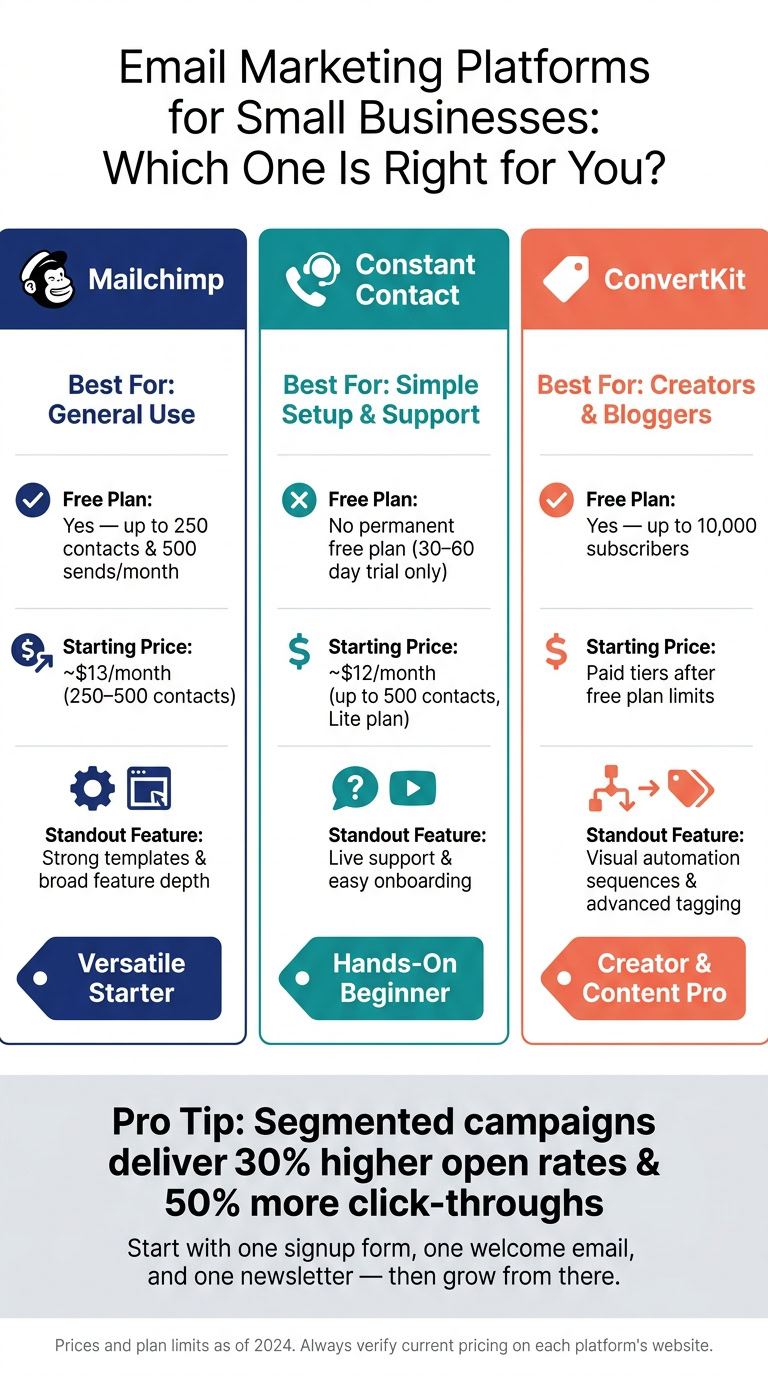
Start with the basics: a clean dashboard, a drag-and-drop editor, built-in signup forms, simple automation, and tagging or segmentation. Those last two matter more than many beginners think. Segmented campaigns can deliver 30% higher open rates and 50% more click-throughs than unsegmented sends.
Your reporting area should also be easy to read. If you have to hunt around to figure out what happened, that’s a bad sign. Look for a dashboard that shows opens, clicks, bounces, and unsubscribes in plain English.
Mailchimp vs. Constant Contact vs. ConvertKit: A Side-by-Side Look
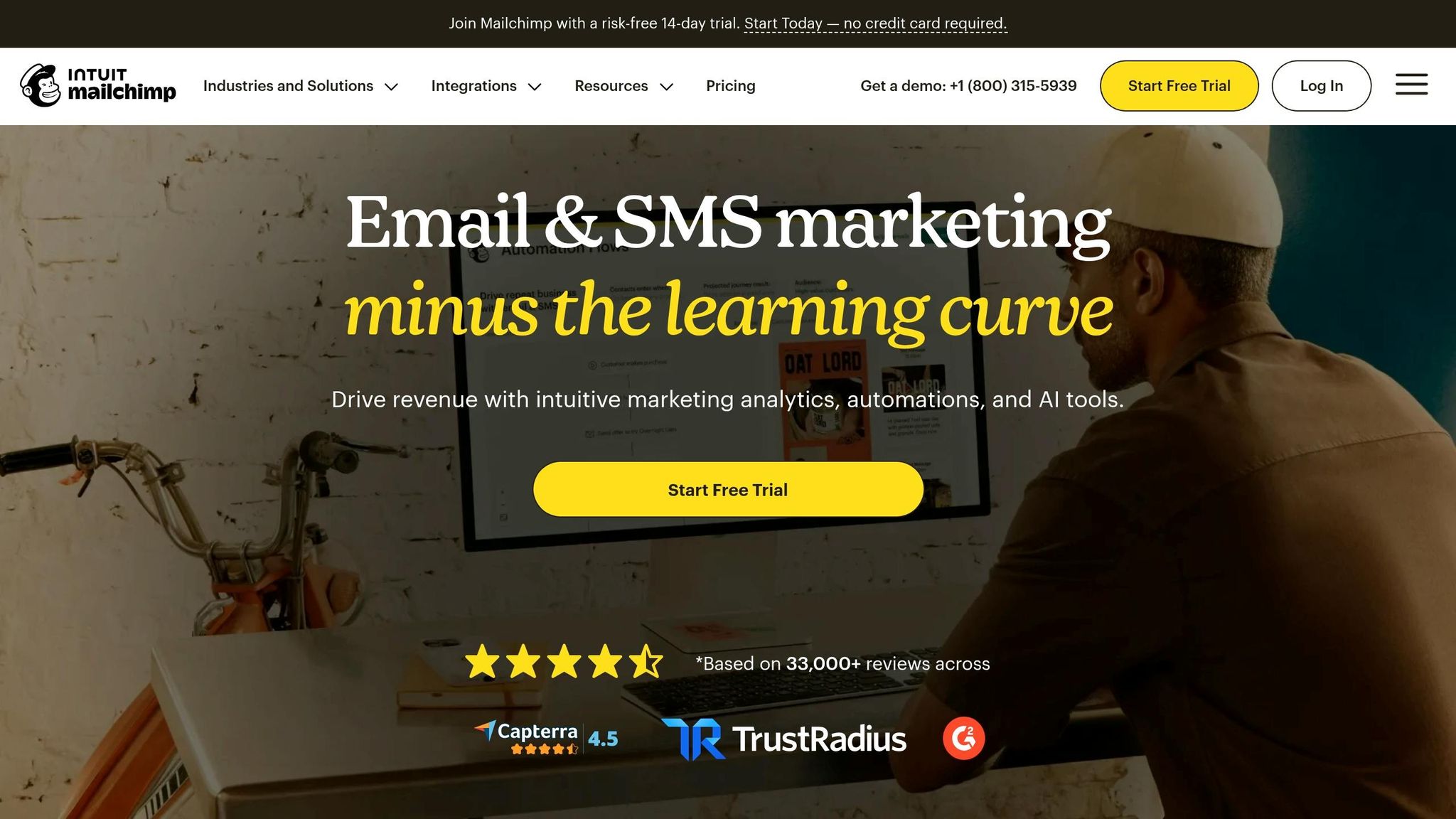
These three platforms cover most beginner needs, but they don’t feel the same in day-to-day use.
Mailchimp works well as a general-use option. It has strong templates and a deep feature set, so it’s a solid pick if you want room to do more later.
Constant Contact leans into simplicity and live support. That’s often a good fit for small businesses that want to get up and running fast without much trial and error.
ConvertKit is built with creators and bloggers in mind. It stands out for tagging, segmentation, and visual sequences, which makes it easier to map out subscriber paths without making your head spin.
| Platform | Best known for | Free plan | Starting price |
|---|---|---|---|
| Mailchimp | General-purpose use, strong templates, broad feature depth | Yes – up to 250 contacts and 500 sends/month | Around $13/month for 250–500 contacts |
| Constant Contact | Simplicity and live support | No permanent free plan; 30–60 day trial only | Around $12/month for up to 500 contacts (Lite) |
| ConvertKit | Creator-focused automation, tagging, segmentation, and visual sequences | Yes – up to 10,000 subscribers | Paid tiers start after the free plan limits |
After you pick a platform, keep the setup simple. Build one signup form, one welcome email, and one newsletter first. That’s enough to get moving without turning your setup into a mess. Then you can move on to your first welcome sequence.
sbb-itb-ba0a4be
Campaigns That Attract, Nurture, and Convert Customers
With your list and platform set up, it’s time to send emails that get people to act. Start with three campaign types: a welcome sequence, a recurring newsletter or promo, and one simple automation. Each one should have a single job: get the first sale, bring people back, or drive bookings.
Start with a Welcome Email Sequence
A welcome email is often one of the best automated messages you can send. Industry benchmarks show welcome emails can get open rates around 68–83% and click-through rates around 16–27%, far above standard promo emails. That makes sense. People pay the most attention right after they sign up.
Send the first welcome email immediately, within minutes of signup. Wait even an hour, and engagement can drop by as much as 10x. After that, send a short sequence of 3–5 emails over the first 7–10 days. That kind of series can drive up to 90% more orders than sending just one welcome email.
Each email should do one thing:
- The first gives the promised incentive and introduces your business
- The second shares your story or main value
- The third adds social proof, like reviews or testimonials
- The fourth makes a direct offer with a clear call to action
That same setup works for almost any small business: one clear offer, one clear next step, one measurable result.
Here’s what a first welcome email might look like for a U.S. retail boutique:
Subject: Welcome! Here’s your $10 off your first order
Body: A short intro, the $10 off coupon (valid on orders of $50 or more), and one button: Shop with your $10 off
Footer: You’ll get 1–2 emails per week with new arrivals and style tips. Unsubscribe anytime.
Once the welcome series is done, move into regular campaigns that keep customers interested.
Use Newsletters and Promotions to Drive Repeat Business
After your welcome sequence is live, recurring campaigns help bring customers back. A solid starting rhythm for most small businesses is one weekly or biweekly newsletter, plus one or two promo campaigns per month.
Newsletters tend to work best when they mix useful content with occasional offers. A landscaping company might send Fall lawn care checklist for your home in September. A local CPA firm could send 3 tax tips to prepare for April 15 in early March. Emails like these build trust without asking for a sale every single time.
Promotional campaigns are more direct. They put a spotlight on one offer, deadline, or event. Subject lines that often work well include:
- Your 10% welcome offer ends Friday
- New arrivals are here
- Labor Day Sale: Save 25% This Weekend
- Holiday Gift Guide: Top Picks Under $50
Service businesses like salons, auto repair shops, and clinics can also get a lot from appointment reminders. Messages such as Reminder: Your appointment on September 10 at 3:00 PM or Time for your next oil change – schedule today. can cut down on no-shows and help keep revenue steady without extra selling.
Segment Your List and Automate with Simple Rules
Segmentation doesn’t need to get fancy. Start by splitting your list into two or three groups based on details you already have: buyers vs. non-buyers, local vs. out-of-state, or signup source like website form, checkout, or in-store.
Then add three simple automations:
- Abandoned checkout reminder: Send it 1–24 hours after someone leaves checkout. A simple email like Did you forget something? Your items are still in your cart with a direct link back to checkout can recover sales that were close to done.
- Post-purchase follow-up: Send it a few days after purchase to ask for a review or suggest a related product.
- Re-engagement email: Send it to subscribers who haven’t opened anything in 60–90 days. A subject like Still want to hear from us? with a Come back and save 15% offer, plus a clear unsubscribe option, can help clean up your list and win back some inactive contacts.
Once these automations are set, they run on their own. Paired with a welcome sequence and a steady newsletter schedule, they give your email program a strong base.
Next, tighten your email structure and track opens, clicks, bounces, and unsubscribes so you can improve each send.
Write Better Emails and Track What Works
Structure Emails for Clicks, Not Clutter
Once your campaigns are live, the next job is tightening the writing so more people click. A strong email usually has six parts: a clear subject line, preview text that adds context, a sender name people know, a short opening, one main message with one CTA, and a clear footer.
Subject lines do a lot of the heavy lifting. Keep them short, direct, and focused on the payoff. About 40–60 characters is a good range. For example, Save $15 on your next oil change is much clearer than Check out our latest offer. Personalized subject lines can lift open rates by about 26% to 50% compared with generic ones. Preview text should add something new, like context or urgency, instead of echoing the subject line. Offer ends Sunday at 5:00 PM works well because it gives the reader one more reason to open.
Your sender name matters more than people think. Names like Main Street Fitness or Smith’s Hardware feel familiar and easier to trust than a generic address. Use a reply-to inbox that someone checks, too. If a customer wants to respond, you want that door open. No-reply addresses do the opposite.
The opening should be short, usually one to two sentences, and tie the email to a clear customer benefit right away. Then keep the message focused. One email, one point, one CTA. You can place the CTA once near the top and once again at the end so readers don’t have to hunt for it.
Because more than half of U.S. email opens happen on phones, mobile formatting isn’t optional. Stick with:
- A single-column layout
- 14–16 px font
- Short paragraphs
- Buttons that are easy to tap
Before you hit send, do a quick check. Click every link. Preview the subject line and preheader on mobile. Make sure the sender name is right. Then confirm the footer includes a physical mailing address and an unsubscribe link, since both are required under the CAN-SPAM Act.
Send time matters too. Test morning and afternoon windows in your audience’s local time, then adjust based on what the results show.
Track Open Rates, Click-Through Rates, Bounces, and Unsubscribes
Once the email is out, the numbers tell you what happened. Four metrics cover most of what you need to know about campaign health:
| Metric | What It Measures | Healthy Benchmark |
|---|---|---|
| Open rate | % of delivered emails that were opened | 20–40% (many industries around 30%) |
| Click-through rate (CTR) | % of delivered emails where someone clicked a link | 2–5% |
| Bounce rate | % of emails that couldn’t be delivered | Under 2% total; under 0.7% hard bounces |
| Unsubscribe rate | % of recipients who opted out after a send | Under 1% per campaign |
Don’t read these numbers one by one. Look at how they work together.
If open rate is low, the issue is often the subject line or preview text. In that case, try a more specific subject line or write a better preheader. If opens look fine but CTR is weak, the body copy probably isn’t doing enough to earn the click. Tighten the message, stick to one offer, and make the CTA button easier to spot.
A high bounce rate usually points to list quality problems. Remove hard bounces right away and stop adding unverified contacts. If unsubscribes jump, the problem is often the offer, the sending pace, or the audience match.
These metrics matter most when you connect them to business results. For a sales campaign, track opens, clicks, and purchases, then calculate revenue per email sent. For a loyalty campaign aimed at past customers, pay close attention to CTR and repeat purchase frequency. A simple spreadsheet can do the job. Track the campaign name, goal, sends, opens, CTR, conversions, and revenue. That gives you a feedback loop you can use to make the next send a little tighter.
Conclusion: Start Simple and Get Better with Each Send
Email marketing doesn’t need a huge list or fancy automation to work. Start with one welcome email, one recurring newsletter, and one simple automation. After each send, review your open rate, CTR, and unsubscribe rate.
Email works best when you keep the list clean, send on a steady schedule, and improve one part at a time.
FAQs
How many emails should I send each month?
Aim for a weekly newsletter every Tuesday so your brand stays top of mind without flooding people’s inboxes.
Then add an automated nurture sequence of 3 to 5 emails for new leads. That gives you a steady rhythm: one track keeps regular contact going, while the other welcomes new subscribers, shares useful information, and nudges them to engage.
What should I do if my open rates stay low?
If your email open rates stay low, start with the basics and work through fixes in a clear order: update the offer first, tighten audience targeting next, and refresh the creative last – things like subject lines and preview text.
Use A/B split testing to test one change at a time. That way, you can tell what actually moved the needle instead of guessing. Then keep a close eye on performance metrics so you can spot problems early and adjust before a weak campaign turns into a pattern.
When should I remove inactive subscribers?
Remove inactive subscribers on a regular schedule. Review your list, then delete inactive or spam accounts as part of your normal email upkeep.
Use your email platform’s activity logs, like a recent actions view or engagement view, to spot subscribers who haven’t taken meaningful action lately. Removing them helps keep deliverability in good shape and improves targeting.