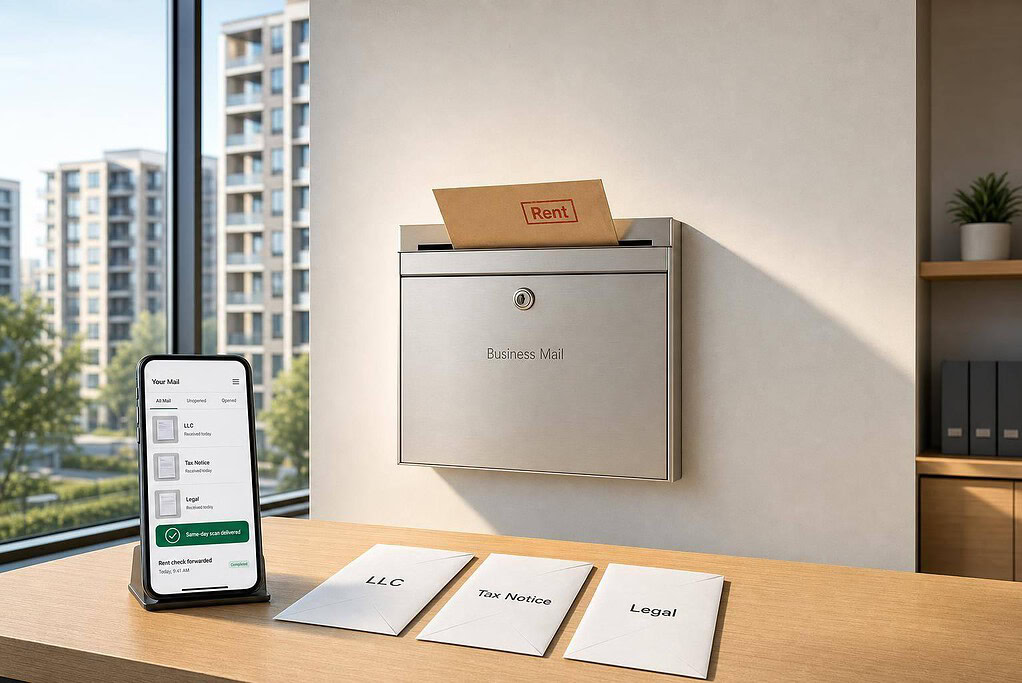
If I invest in real estate across properties, LLCs, or states, one mailbox system can cut missed notices, keep my home address private, and give me one record for tax, bank, tenant, and insurance mail.
Here’s the short version: I’d use a virtual mailbox to send all business mail to one commercial address, scan mail into one dashboard, route tax and legal items the same day, and keep each LLC separate with folders and tags. That matters because one late tax notice, one missed insurance renewal, or one certified tenant letter can turn into fees, lapses, or legal trouble.
What I’d focus on first:
- One address for LLC, EIN, bank, and insurance records
- Same-day review for IRS, state tax, HOA, and code notices
- Clear handling for rent checks, tenant mail, and lender letters
- Separate routing for each LLC and property
- USPS Form 1583 for each LLC during setup
- Registered agent vs. virtual mailbox: one is for formal legal service, the other is for daily business mail
A few numbers stand out:
- Standard scan turnaround is often within 2 business days
- Some services hold physical mail for up to 90 days
- Per-item scan fees can run about $2 to $4 each
- At 60 mail pieces a year, that can add about $120 to $240+ annually
- Sample plans in the article range from $25/month to $85/month
If I were setting this up, I’d keep the goal simple: get urgent mail to the right person fast, keep records clean, and avoid missed deadlines.
The rest of the article explains how to do that without making the system harder than it needs to be.
The Mail and Compliance Workflows That Matter Most
Real estate investors should sort mail into three workflows: compliance, tenant operations, and entity records. A virtual mailbox puts all three in one place and helps urgent items stand out fast. That’s why routing rules matter just as much as the mailbox itself.
Legal Notices, Tax Bills, and State Compliance Mail
IRS and state tax notices need same-day review. The same goes for property tax statements, assessment notices, and delinquency warnings. Miss one, and the fallout can be serious: liens, penalties, or even loss of the property.
HOA letters and code enforcement notices can be just as time-sensitive. These also need same-day review because response windows are often short.
There’s an important split here. A registered agent handles lawsuit service of process and formal state service. A virtual mailbox handles day-to-day business mail. That line matters because formal service should go to your registered agent.
Tenant Correspondence, Rent Checks, and Insurance Documents
For out-of-state landlords, certified tenant mail and maintenance requests are some of the most urgent items in the stack. Certified mail from a tenant can start a legal response window. If it goes to a professional virtual address with same-day scanning, you can send it to a property manager or attorney right away.
Paper rent checks also need a clear plan. That usually means same-day forwarding or deposit so rent keeps moving and you don’t need to be nearby. Insurance renewals, escrow notices, and lender statements should get prompt review too. A delay here can leave you with a coverage gap or put you out of step with loan covenants.
Organizing Mail Across Multiple Properties and Entities
Once you have multiple LLCs, mail can get messy in a hurry. Start with folder and tag routing by LLC name so each property’s correspondence stays in the right lane instead of getting mixed together. Then, when your CPA, lender, or attorney asks for records tied to one entity, you can pull them in minutes instead of digging through paper files.
Use this priority map to route mail fast.
| Mail Category | Priority Level | Recommended Action |
|---|---|---|
| IRS/State Tax Notices | Critical | Same-day scan and review |
| Legal Service of Process | Critical | Handled by Registered Agent; immediate attorney notification |
| Rent Checks | High | Same-day forwarding or deposit |
| HOA/Code Enforcement | High | Immediate scan to property manager |
| Insurance Renewals | Medium | Review promptly to prevent coverage gaps |
| Bank Statements | Medium | Monthly reconciliation |
sbb-itb-ba0a4be
Key Virtual Mailbox Features to Review Before You Sign Up
Once you know which mail needs fast attention, compare plans based on how they scan, store, and forward it. Virtual mailbox plans can look similar at first glance, but the details vary quite a bit. And when you’re dealing with time-sensitive investor mail, those details matter.
Scan Speed, Storage, and Forwarding Rules
Fast processing matters for investor mail. IRS notices and legal filings can turn into headaches if they sit unread for too long. Standard turnaround is usually within 2 business days, while some premium services offer same-day processing.
Mail holding rules also vary by provider. Some services include 90 days of free physical mail holding, which gives you breathing room to decide whether to forward, shred, or keep the originals. If you receive rent checks or other key documents, check whether the plan includes same-day forwarding or direct check deposit.
One easy-to-miss cost is per-item scanning fees. Some providers charge around $2–$4 for each scanned piece of mail, which can add about $237 per year if you receive 60 items annually. Plans with unlimited scans and no per-item fees are often easier to budget for.
Privacy, Professional Address, and Registered Agent Support
For investors, the address itself matters just as much as mail speed. A commercial street address that banks and state agencies accept helps keep your home address off public records, yard signs, and marketing materials.
A registered agent and a virtual mailbox do different jobs. But if both are available under one account, compliance is easier to manage across multiple entities.
Services Investors May Come Across While Researching
Use feature differences, not brand names, to pick the right plan. The table below highlights the features that matter most for real estate investors and why each one can affect acquisitions, out-of-state operations, or compliance.
| Feature | What to Look For | Why It Matters for Investors |
|---|---|---|
| Scanning Limit | Unlimited scans or a clearly defined allowance | Helps control costs across multiple LLCs |
| Scan Turnaround | Fast processing, ideally within 2 business days | Reduces the risk of missing deadlines |
| Recipient Capacity | Enough recipients for each LLC and team member | Keeps multi-entity mail organized |
| Check Handling | Same-day forwarding or direct deposit | Helps keep cash flow moving |
| Address Type | Real commercial street address | Important for bank and state filing use |
| Mail Holding Period | A free holding window | Gives you time to review originals |
| Registered Agent | Available on the same platform | Simplifies compliance management |
| Junk Mail Filtering | Filtered by default | Keeps your inbox focused on relevant mail |
Each row ties back to one of three investor needs: faster notice handling, cleaner entity separation, or safer check processing. Check plans against those needs before you commit to a tier.
How to Set Up a Virtual Mailbox for Your Portfolio
Once you know which mail needs the fastest response, you can set up the mailbox around those priorities.
Choose an Address Based on Where You Invest and Form LLCs
Use one mailing address across your LLC, EIN, banking, and insurance records. That kind of consistency helps cut down on KYC friction and compliance questions.
The mailing address on Form SS-4 becomes the IRS address on file until you change it. If you move to a new provider later, file Form 8822-B to update the address.
Match Your Mailbox Plan to Your Number of Recipients and LLCs
Pick a plan based on how many recipients you need to cover. That includes each LLC and any person who needs to receive scans. Then line up the account with both your LLC count and your recipient count.
| Plan | Monthly Price | Annual Price (per month) | Recipients |
|---|---|---|---|
| Basic | $25/mo | $20/mo | Up to 2 |
| Premium | $40/mo | $30/mo | Up to 5 |
| Advanced | $85/mo | $65/mo | Up to 20 |
Set Up Mail Rules for Acquisitions, Operations, and Compliance Mail
Once the account is live, assign each type of mail to one owner. Set up digital folders on day one with clear names like Taxes, Legal, Tenant, Banking, Insurance, and Acquisition Due Diligence.
Here’s a simple way to route things:
- Tax bills and IRS letters go to your bookkeeper or CPA
- Legal notices go straight to your attorney
- Checks can be sent to a deposit address, or handled through a provider with mobile check deposit in its app
This kind of central routing helps prevent lost mail and speeds up responses across entities.
You’ll also need to complete USPS Form 1583 during onboarding for each LLC. You can do this through remote video notarization. File one Form 1583 for each LLC.
Conclusion: Build a Mailbox Setup That Prevents Missed Notices
The goal is simple: get critical mail to the right person fast. A virtual mailbox gives you one place for compliance, tenant operations, and entity records, so urgent items don’t get buried or delayed across properties and LLCs.
Pick the plan based on your mail volume and entity count. That choice should line up with the mail-routing rules you’ve already set for compliance, tenant operations, and entity records. For smaller portfolios, a scanning-focused plan helps keep costs predictable. For higher-volume portfolios, a service with automated categorization and compliance alerts may be worth the higher monthly cost.
A virtual mailbox and a registered agent do different jobs. Keeping that line clear makes investor mail easier to manage as the portfolio grows. If you want both functions in one system, look for a platform that bundles mail handling and compliance support under a single login.
Set up one mailbox system that keeps notices, checks, and entity documents organized before deadlines hit.
FAQs
Do I need a separate virtual mailbox for each LLC?
No. One virtual mailbox platform can handle mail for multiple LLCs from a single dashboard.
That means you can give each entity its own professional street address through the same provider, without juggling separate tools or logins. It also makes it much easier to keep legal notices, invoices, and tenant communications sorted in one place.
If the service supports multiple entities, you can organize mail by LLC, owner, or property. That setup is especially helpful when you’re managing several businesses at once and don’t want mail from one entity mixed in with another.
Can I use a virtual mailbox address for my EIN and bank account?
Yes. In many cases, you can use a virtual mailbox address for your EIN application and your business bank account because it gives you a commercial street address, not a P.O. Box.
For your EIN, that address becomes your official IRS mailing address. So if you switch to a different provider later, you need to file Form 8822-B to update your address with the IRS.
That said, some banks have their own rules and may limit which addresses they accept for account setup. And one more thing: you can’t use this address as your registered agent address.
What mail should still go to my registered agent?
Your registered agent is there to receive official government and legal documents. That includes service of process, lawsuits, court filings, and formal state notices.
A virtual mailbox serves a different role. It’s a better fit for day-to-day business mail, such as rent checks, vendor invoices, tenant notices, and tax forms.
That said, a virtual mailbox does not replace the legal requirement for a registered agent.