If you want the short answer: QuickBooks is my top pick for U.S. small businesses, FreshBooks fits service work, Wave is best if your budget is $0, Xero is best for multi-currency billing, Zoho Invoice is best for invoicing-first automation, and Square Invoices is best for mobile payment collection.
I’d choose based on one thing first: do you want just invoicing, or invoicing plus accounting? That choice usually narrows the list fast. In this guide, I’m comparing 6 tools on the points that matter most:
- Recurring invoices
- Online payments in U.S. dollars
- Expense tracking
- Sales tax support
- Automation
- Mobile access
- Total cost, including payment fees
A lot of small businesses focus on the monthly plan price and miss the bigger cost. Card fees, ACH fees, add-ons, and foreign exchange charges can push the total much higher over 12 months.
My quick take:
- QuickBooks: best for bookkeeping + invoicing in one place
- FreshBooks: best for freelancers, agencies, and consultants
- Zoho Invoice: best for invoice automation without full accounting
- Xero: best for teams billing in more than one currency
- Square Invoices: best for mobile invoicing and card payments
- Wave: best for solo businesses that want free invoicing
The main tradeoff is simple: lower-cost tools are often easier to use, but they usually give you less reporting, fewer tax features, and less automation.
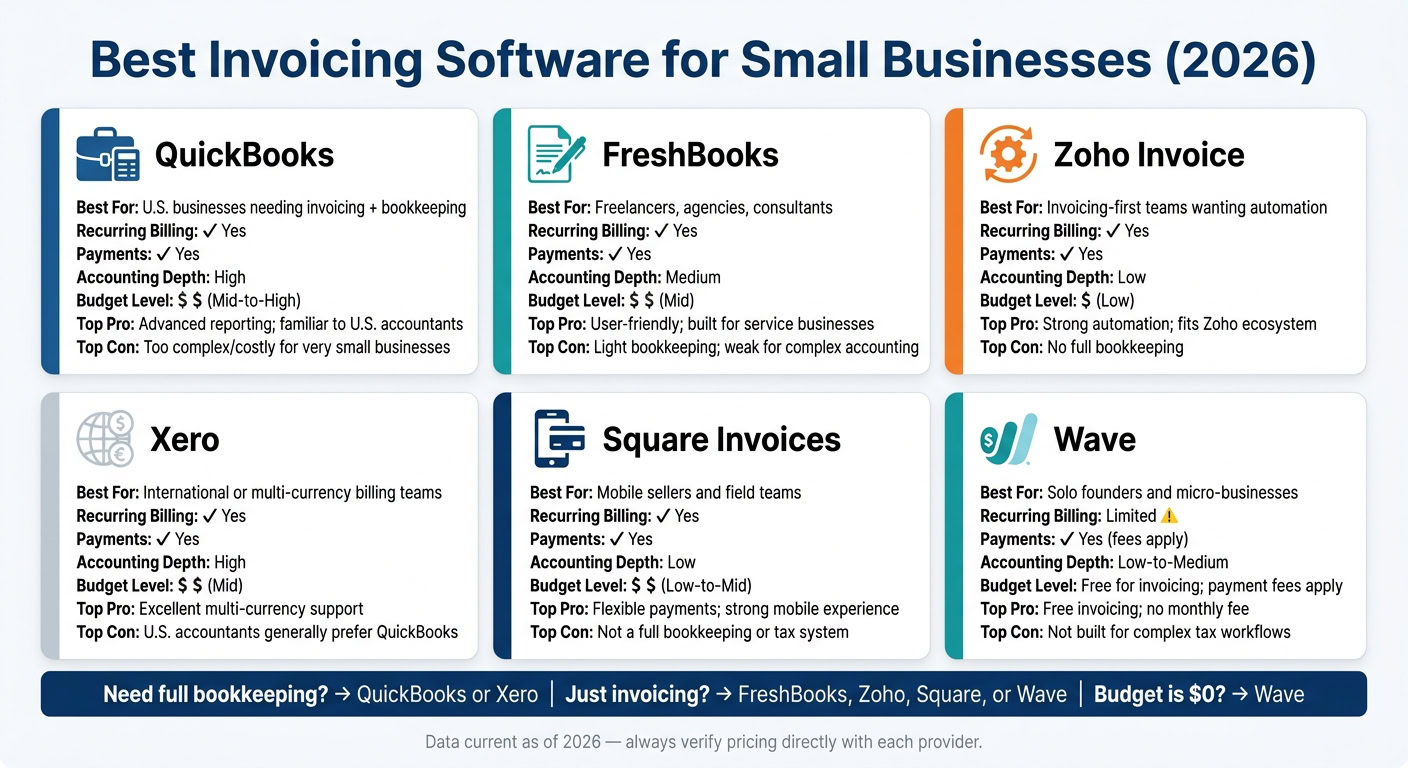
Quick Comparison
| Tool | Best For | Recurring Billing | Payments | Accounting Depth | Budget |
|---|---|---|---|---|---|
| QuickBooks | U.S. businesses that want invoicing tied to bookkeeping | Yes | Yes | High | $$–$$$ |
| FreshBooks | Service businesses | Yes | Yes | Medium | $$ |
| Zoho Invoice | Invoicing-first teams | Yes | Yes | Low | $ |
| Xero | Multi-currency billing | Yes | Yes | High | $$ |
| Square Invoices | Mobile sellers and field teams | Yes | Yes | Low | $–$$ |
| Wave | Solo founders and micro-businesses | Limited | Yes | Low to medium | $0 + fees |
If you need accountant-ready books, I’d start with QuickBooks. If you just want to send invoices fast and get paid, I’d look first at FreshBooks, Zoho Invoice, Square Invoices, or Wave, depending on your setup.
1. QuickBooks
QuickBooks is the top pick for U.S. businesses that want invoicing tied directly to bookkeeping, expense tracking, and sales tax reporting. In plain English, it works well when recurring billing, tax handling, and reporting matter more than bare-bones, lower-cost invoicing.
Recurring Billing
QuickBooks supports recurring invoices, so you can set up automatic billing for repeat clients without rebuilding the same invoice every month. It also sends payment reminders on its own, which cuts down the time you spend chasing unpaid invoices.
Payments and Fees
QuickBooks uses subscription pricing, with card, payment, and foreign exchange fees added where they apply.
Accounting and Tax Support
This is where QuickBooks stands out from invoicing-only apps. It adds bookkeeping and tax tools, connects to bank feeds, sorts expenses into categories, and gives you detailed reporting plus sales tax coverage.
Integrations and Mobile Access
QuickBooks connects with many business apps, and its mobile app makes it easy to send invoices and capture receipts while you’re away from your desk.
If you want simpler invoicing without full bookkeeping, the next option is lighter and easier to manage.
2. FreshBooks
FreshBooks is a good fit for service businesses that want to send invoices faster and spend less time on admin, without dealing with the extra weight of a full bookkeeping system.
Recurring Billing
FreshBooks handles recurring invoices well, which makes it handy for service providers with repeat client work. It also supports multicurrency invoicing, which matters if you bill clients outside the U.S. Built-in payment reminders help cut down on manual follow-up for overdue invoices.
Payments and Fees
FreshBooks uses a monthly subscription, plus card processing, currency conversion, and add-on fees when they apply.
Accounting and Tax Support
FreshBooks tracks income, expenses, and basic tax records well, but it stays lighter than a full accounting suite. That makes it a match for businesses that need simple income, expense, and tax tracking without a lot of extra accounting tools.
Integrations and Mobile Access
FreshBooks supports mobile invoicing and integrations, which helps remote service teams keep billing simple. If you want an even lighter invoicing-only option, next is Zoho Invoice.
3. Zoho Invoice
Zoho Invoice is a lighter, invoicing-first pick for teams that want automation without a full bookkeeping system. It works well for small businesses that need recurring billing handled for them but don’t want a complete accounting suite. In plain English: automation comes first, accounting comes second. It’s a good fit for businesses already using Zoho tools or for those that want an invoicing-only workflow.
Recurring Billing
Zoho Invoice uses Recurring Profiles for monthly billing. These profiles automate invoice creation, delivery, and auto-charge when a payment gateway is connected. It also includes multiple reminder triggers, which helps cut down on manual follow-up.
Payments and Fees
In the U.S., Zoho Invoice connects with Stripe, PayPal, Square, Authorize.net, Braintree, and ACH payment options through Stripe and Forte. Gateway fees still apply. That setup makes sense for businesses that bill through different payment methods and still want clean sales tax records.
Accounting and Tax Support
Zoho Invoice supports sales tax tracking on invoices.
Integrations and Mobile Access
Zoho Invoice connects with Zoho CRM and Zoho Projects, which makes it a solid match for teams already working inside the Zoho ecosystem. Its mobile app lets you create, send, and track invoices while you’re away from your desk. If you need deeper bookkeeping after that, Xero takes a broader accounting approach.
4. Xero
If invoicing-only tools start to feel a little bare-bones, Xero gives you more room to work. It combines invoicing, bookkeeping, and reporting in one place, while still keeping invoice automation in the mix. That makes it a good fit for small businesses that want to handle billing and books together, especially if they invoice in more than one currency.
Recurring Billing
Xero supports recurring invoices and auto-pay through Stripe or GoCardless.
Payments and Fees
Customers can pay straight from the invoice using a Pay Now button. Payment options include credit card, debit card, and ACH through Stripe, PayPal, and GoCardless. Fees depend on the payment gateway, so it’s smart to review the full setup before you commit.
Accounting and Tax Support
Xero supports sales tax, multi-currency transactions, and detailed reporting. So if you’re dealing with cross-border invoicing, it tends to offer more than basic invoice-only tools. One thing to watch: many U.S.-based accountants still lean toward QuickBooks for domestic tax and bookkeeping workflows, so checking your CPA’s preference before switching can save you a headache later.
Integrations and Mobile Access
Xero’s integrations and mobile app let remote teams send invoices, track payments, and review reports from anywhere.
If you want something lighter and more focused on invoicing first, the next tool is simpler.
sbb-itb-ba0a4be
5. Square Invoices
Square Invoices works well for businesses that send invoices on the go, take card payments often, and want billing and payment collection in one place.
Recurring Billing
Square lets you set up recurring invoice series with custom schedules. You can bill daily, weekly, monthly, or yearly, and you can choose exact start and end dates for each series. With Card on File, you can save a customer’s card with permission and charge it automatically on each due date.
Payments and Fees
Square Invoices supports Visa, Mastercard, American Express, Discover, ACH bank transfers, Apple Pay, Google Pay, Square Gift Cards, and Afterpay for buy now, pay later (BNPL).
Accounting and Tax Support
Square handles invoicing and payment collection, but it’s not a full accounting software for small businesses or tax software for small business owners.
Integrations and Mobile Access
The Square mobile app is a good fit for service businesses, field teams, and mobile sellers that need to send invoices, check payment status, and manage customers from their phones.
If all you want is a free, bare-bones invoicing tool, Wave is the next option.
6. Wave
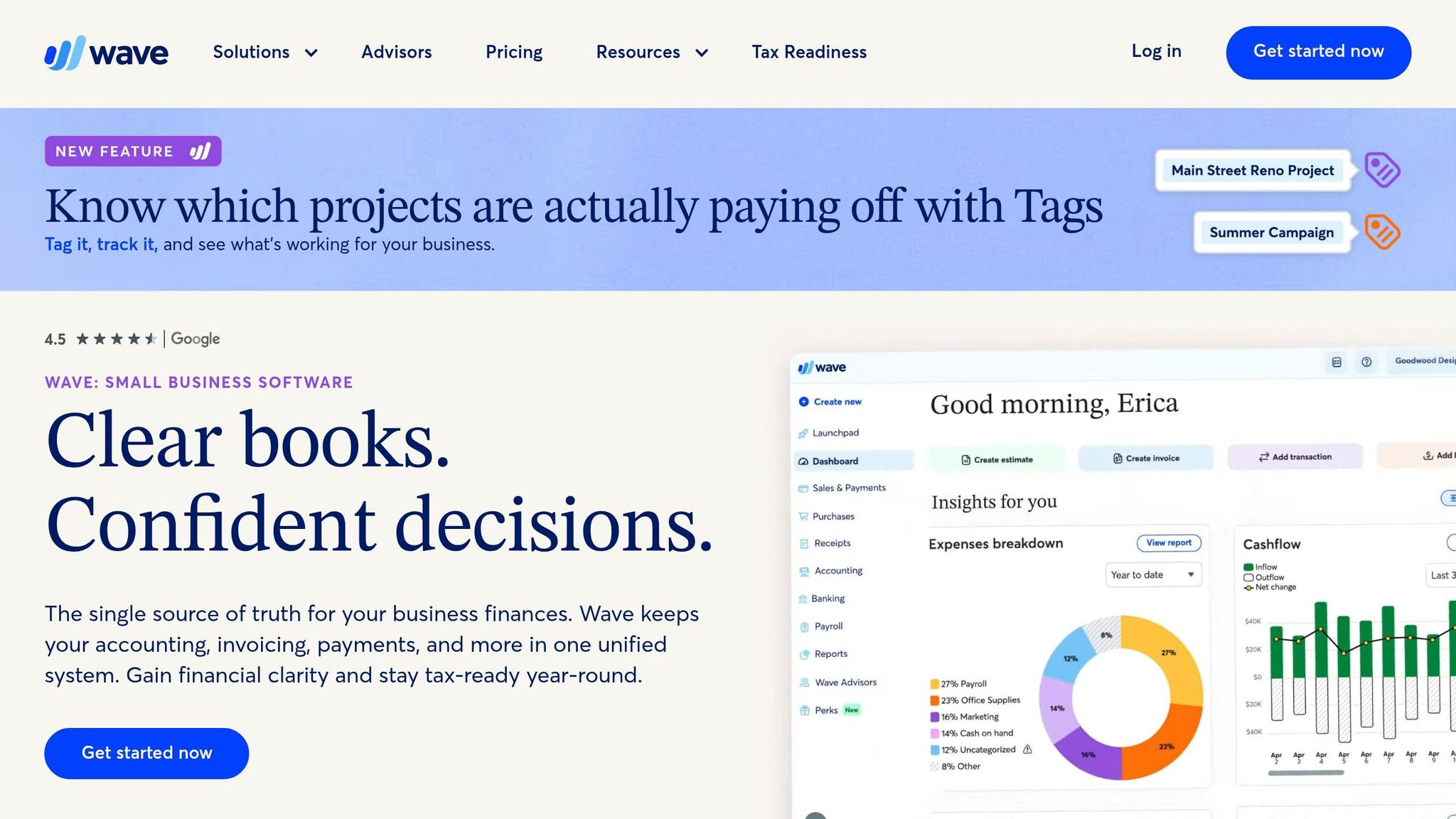
If low cost is the top priority, Wave is the leanest pick here. It gives solo founders, freelancers, and micro-businesses a free way to handle invoicing and bookkeeping without a monthly fee.
Recurring Billing
Wave offers limited support for recurring invoices, so make sure your billing setup matches what it can do before you choose it. It fits simple invoicing best, not subscription-heavy billing or setups that depend on lots of automation.
Payments and Fees
Wave’s invoicing is free, but payment processing fees still apply. Check current pricing with Wave directly before you sign up.
Accounting and Tax Support
Wave handles basic bookkeeping, reporting, and sales tax. That said, it falls short of QuickBooks for more complex tax workflows.
Integrations and Mobile Access
Wave lets you send invoices, check invoice status, and export reports from your phone. That makes it handy for basic work on the go.
If your business depends on lots of app connections, though, review Wave’s current integration support before you commit. It tends to work best for businesses with a light app stack and simple mobile invoicing.
Its main draw is price. The tradeoff is less automation and fewer integrations.
Pros and Cons of Each Tool
This table gives you the main tradeoffs fast. It pulls the feature-by-feature notes into a simple decision guide, so you can spot the best fit without digging through every detail.
| Tool | Top Advantages | Key Drawbacks | Best-Fit Business Type | Budget Level (USD) |
|---|---|---|---|---|
| QuickBooks | Advanced reporting; familiar to many U.S. accountants | Too complex and costly for very small businesses | U.S. LLCs needing full-scale bookkeeping | Mid-to-High |
| FreshBooks | User-friendly invoicing; built for service businesses | Light bookkeeping; weak for complex accounting | Freelancers, agencies, consultants | Mid |
| Zoho Invoice | Strong automation; fits teams in the Zoho ecosystem | Invoicing-only; no full bookkeeping | Small businesses wanting automation without accounting | Low |
| Xero | Excellent multi-currency support | U.S. accountants generally prefer QuickBooks | International businesses billing through a U.S. entity | Mid |
| Square Invoices | Flexible payment options; strong mobile experience | Not a full bookkeeping or tax reporting system | Field teams and mobile sellers | Low-to-Mid |
| Wave | Free for invoicing; payment fees apply | Not built for complex LLC tax workflows | Solopreneurs and micro-businesses | Free for invoicing; payment fees apply |
Price matters less than the listed plan alone. Monthly fees, payment processing charges, and add-ons can make the actual cost much higher than the sticker price.
Which Invoicing Software Should You Choose?
Choose based on how your business gets paid. The table below matches each tool to the billing setup it handles best.
| Business Scenario | Recommended Tool | Why It Fits |
|---|---|---|
| Freelancers & Consultants | FreshBooks | Best for service billing |
| Solo founders and micro-businesses | Wave | Best for no-cost basics |
| U.S. businesses that need full bookkeeping | QuickBooks | Best for U.S. bookkeeping |
| International or Multi-Currency Teams | Xero | Best for cross-border billing |
| Invoicing-first teams | Zoho Invoice | Best for automation and recurring billing without full bookkeeping |
| Mobile sellers and field teams | Square Invoices | Best for invoicing on the go and fast payment collection |
Wave is a strong starting point, especially if you want to keep costs at $0. But as a business grows, many teams end up needing deeper reporting in QuickBooks or Xero.
If your team works remotely, focus on the basics that matter day to day: mobile access, payment links, and integrations.
FAQs
Should I choose invoicing-only or full accounting software?
It comes down to how complex your business is and where you are in your growth.
Invoicing-only software works best for freelancers and solo entrepreneurs. If you mostly need to send invoices, track time, and keep an eye on basic expenses, it usually does the job without a lot of extra setup.
Full accounting software makes more sense for established businesses. If you need inventory, payroll integration, tax compliance, and detailed reporting, this type of software gives you a broader view of your finances. It can take more time to learn, but it gives you a more complete picture as your business grows.
What fees matter most beyond the monthly price?
Beyond the monthly subscription, a few extra charges can push your total cost higher than expected.
Watch for:
- Payment processing fees
- Setup costs, hardware, and paid add-ons
- International transaction fees, currency conversion, and chargebacks
It’s also smart to check the fine print for monthly transaction volume limits. A platform might look affordable at first, then get more expensive once your sales start to climb.
Which invoicing software is best for my business type?
The best invoicing software comes down to three things: your business size, how you work, and where you are right now.
Here’s the simple breakdown:
- FreshBooks works well for freelancers and small service businesses that want an easy setup and simple expense tracking.
- QuickBooks fits established businesses with more involved needs, including inventory and U.S. tax compliance.
- Xero makes sense for growing businesses that need unlimited users and lots of integrations.
- Wave is a solid starting point for very small businesses that want free, simple bookkeeping.