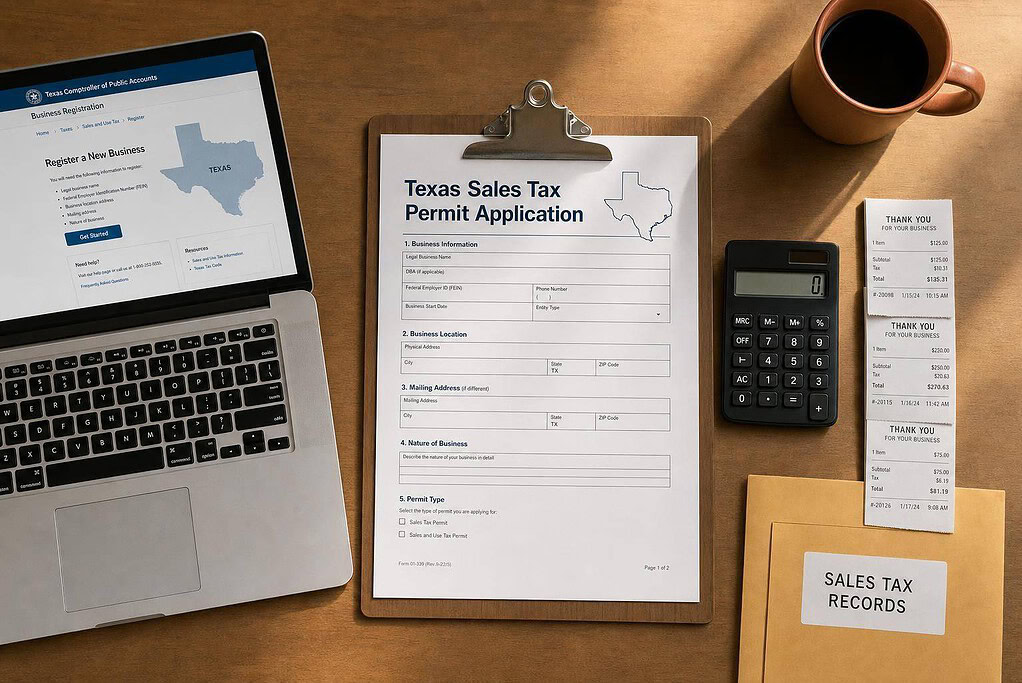
If I sell taxable goods or taxable services in Texas, I usually need a sales tax permit before the first sale. For remote sellers, the main number is $500,000 in Texas revenue over the prior 12 months. The permit is issued by the Texas Comptroller, the application fee is $0, and the total sales tax rate can reach 8.25%.
Selling in more than one state? Our seller’s permit guide for every state lists each state’s tax agency, fee and rules, and explains how resale certificates work.
Here’s the short version:
- I need a permit if I sell taxable items or taxable services in Texas
- Remote sellers must register once Texas revenue goes over $500,000
- Texas-based sellers usually still need a permit even if a marketplace collects tax
- Texas does not issue a separate resale permit; the sales tax permit covers that use too
- I can apply online through the Comptroller or mail Form AP-201
- After approval, I still have to collect the right rate, file returns, and keep records for 4 years
A few points matter most. Texas sales tax is 6.25% at the state level, and local tax can add up to 2.00% more. Not all services are taxable, so I need to check whether my service is on Texas’s list. And if I buy taxable items without paying tax and use them in Texas, I may owe use tax.
This guide explains who needs the permit, what sales count as taxable, what info I need for the application, how to apply, and what to do after approval.
Who Needs a Seller’s Permit in Texas
Use these rules to figure out whether your activity in Texas means you need to register. If a person or business sells, leases, or rents taxable goods, or provides taxable services in Texas, a Texas sales and use tax permit is required. And each legal entity needs its own permit.
This same permit is also what lets you issue Texas resale certificates to suppliers. Texas does not issue a separate resale permit.
Texas Businesses Selling Taxable Goods or Services
For Texas businesses, three common types of activity trigger the permit requirement.
- Selling tangible personal property, meaning physical goods like clothing, electronics, or handmade items
- Leasing or renting tangible personal property, such as equipment or furniture
- Providing taxable services
That said, not every service is taxable in Texas. Only services named under Texas law are subject to sales tax. That includes data processing, certain information services, and repair or maintenance services. Many professional services, like legal or medical work, are generally not taxable.
Before you assume you need a permit based on services alone, check whether your service appears on Texas’s taxable-services list.
Out-of-State and Online Sellers with Texas Nexus
For out-of-state sellers, a Texas permit can be triggered in two main ways: physical nexus or economic nexus.
Physical nexus means you have a physical presence in Texas. That can include owning or leasing property, storing inventory in a Texas warehouse or fulfillment center, or having employees or agents working in the state. It applies even if your business is set up in another state. In fact, storing inventory in a Texas fulfillment center, including a third-party logistics facility, is enough on its own to create physical nexus.
Texas also has an economic nexus rule for remote sellers. If your total Texas revenue is more than $500,000 during the previous 12 calendar months, you must register. If you’re below that threshold, sales volume alone does not force registration, though physical presence still can.
There’s one point that trips people up. Texas-based sellers still have to register even when a marketplace collects tax for them. But remote sellers under the threshold who sell only through a certified marketplace generally do not need their own permit.
Common Small-Business Scenarios in Texas
These examples show how the rule works in day-to-day situations.
| Business Type Nexus Trigger Permit Required? | ||
|---|---|---|
| Sole proprietor selling handmade jewelry from a home in Dallas | Physical presence (home office + inventory in Texas) | Yes |
| Texas LLC providing data processing services to Texas clients | Physical presence + taxable service | Yes |
| Out-of-state e-commerce brand with inventory in a Texas fulfillment center | Physical nexus via in-state inventory | Yes |
| Remote seller, $400,000 in Texas sales, selling only via a certified marketplace | Under the economic nexus threshold; marketplace assumes collection | Generally no |
| Remote seller, $600,000 in Texas sales, with direct website sales | Exceeds the $500,000 economic nexus threshold | Yes |
If your business creates Texas nexus, the next step is to check which of your sales are taxable and what information the application asks for.
What Sales Are Taxable and What You Need Before Applying
Taxable Sales, Use Tax, and Texas Tax Rates
Texas charges a 6.25% state sales and use tax. Local taxes can add up to 2%, which means the total rate can reach 8.25%.
In plain English: if you sell physical goods in Texas, there’s a good chance those sales are taxable. Most sales of tangible personal property are taxable unless a specific exemption applies. Common exceptions include certain prescription medicines and some food products.
Services work differently. Texas does not tax every service. Only the services named in state law are taxable. That list includes cleaning and janitorial services, landscaping and lawn maintenance, data processing and web hosting, information services such as newsletters and mailing lists, security services, amusement services, and motor vehicle parking and storage.
Use tax matters too. If you buy taxable equipment, supplies, or software without paying Texas tax, then use those items in Texas, you must report use tax at the same rate on your sales and use tax return.
Before you apply, make sure you know where your business fits:
- Tangible goods: Physical products are taxable unless a specific exemption applies.
- Services: Tax applies only if the service is on Texas’s taxable service list, such as cleaning, landscaping, data processing, information services, security, parking, or amusement.
- Mixed operations: If you sell both exempt and taxable items, you’ll want clean records that separate them.
- Business purchases: Equipment or supplies bought without Texas sales tax should be marked for use tax reporting.
Once that’s clear, the next step is simple: get your application details together.
Information and Documents Required for the Application
Have these details ready before you open Form AP-201 or the Texas Comptroller’s online portal. Doing this up front can save you from stopping halfway through to hunt down a date, code, or address.
| Information Needed | Details to Prepare |
|---|---|
| Legal business name | Exactly as shown on your formation documents |
| DBA name | Any "doing business as" name used with customers |
| EIN or SSN | EIN for LLCs and corporations; SSN for sole proprietors without an EIN |
| Business address | Physical location where operations occur or inventory is stored |
| Mailing address | If different from physical address (e.g., a PO Box) |
| Responsible party | Owner, managing member, or officer, plus SSN and date of birth |
| Ownership structure | Sole proprietorship, partnership, LLC, or corporation, plus ownership percentages |
| NAICS code | The classification code matching your primary business activity |
| Business start date | The date you began (or will begin) taxable activity in Texas |
| Product/service description | A clear summary of what you sell, e.g., "residential cleaning services" or "SaaS data processing subscriptions" |
| Estimated monthly taxable sales | A reasonable figure the Comptroller uses to set your filing frequency |
| All Texas locations | Every address where you have a store, office, warehouse, or inventory – including home addresses where inventory is stored and any third-party fulfillment centers |
A few of these fields tend to trip people up. Your product or service description should be plain and specific, not vague. And your estimated monthly taxable sales doesn’t need to be perfect, but it should be a fair estimate because the Comptroller uses it to decide how often you need to file.
You’ll also want to list all Texas locations. That includes more than just a storefront. If you keep inventory at home, in a warehouse, or with a third-party fulfillment center, those addresses belong in the application too.
sbb-itb-ba0a4be
How to Apply for a Texas Sales Tax Permit
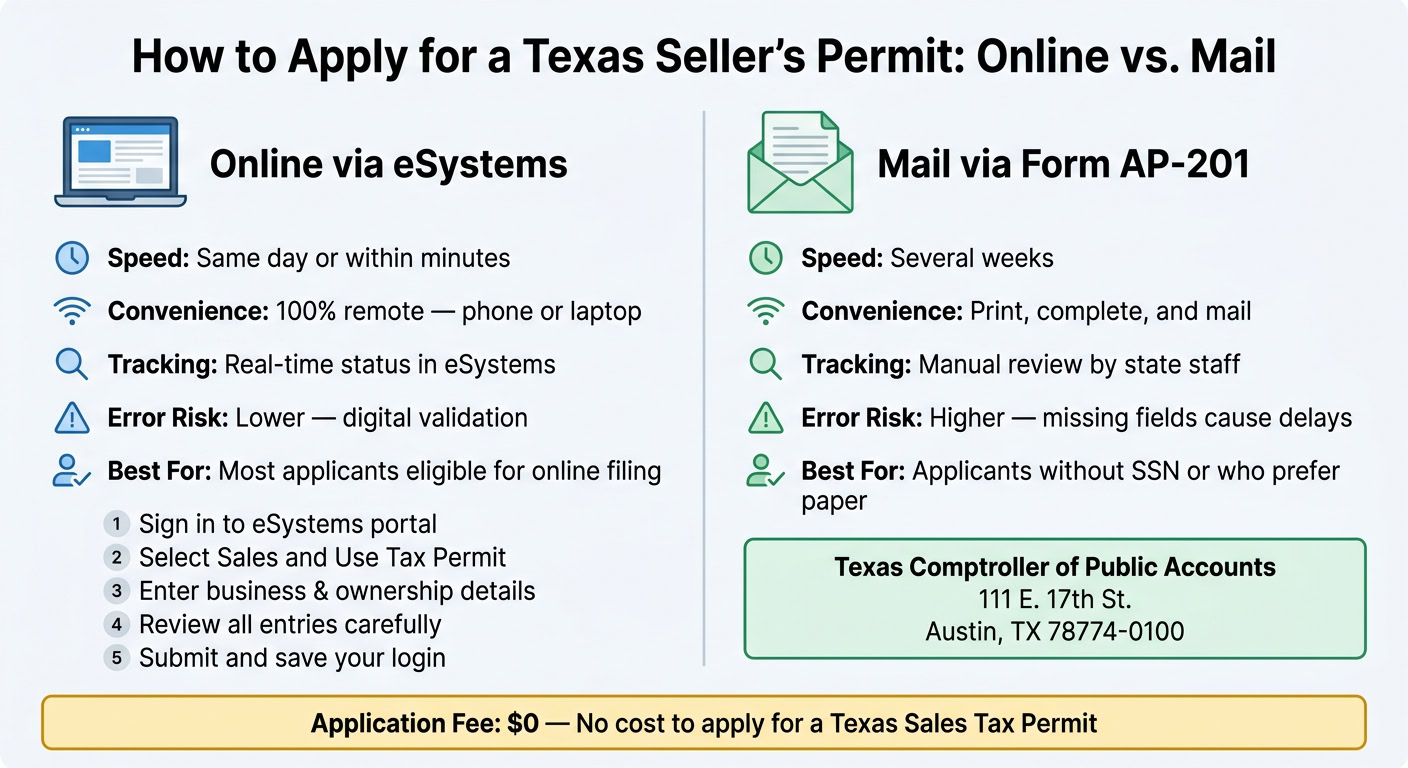
Once you have your business details in front of you, pick the filing method that makes sense for your setup. The big difference comes down to speed and convenience. In most cases, delays happen when the application has missing or wrong information, especially in business identity, owner details, addresses, or federal tax ID fields.
Apply Online Through the Texas Comptroller eSystems Portal
Online filing is usually the fastest option. The process is pretty simple:
- Sign in to eSystems through the Texas Comptroller’s portal.
- Choose the Sales and Use Tax Permit application.
- Enter your business and ownership details.
- Review each entry carefully before you send it in.
- Submit the application and save your login for later.
Hang on to your eSystems login. You’ll need it for future sales tax filings.
If an applicant doesn’t have a Social Security number, including some sole owners, partners, officers, or directors, they must file Form AP-201 instead.
Apply by Mail Using Form AP-201
If online filing isn’t an option, you can apply with the paper form below. After you fill it out, mail it to:
Texas Comptroller of Public Accounts 111 E. 17th St. Austin, TX 78774-0100
Mail processing usually takes several weeks.
| Aspect | Online (eSystems) | Mail (Form AP-201) |
|---|---|---|
| Speed | Typically same day or within minutes if complete | Often several weeks |
| Convenience | 100% remote; accessible from a smartphone or laptop | Requires printing, completing, and mailing the form |
| Tracking | Status tracking in eSystems | Manual review by state staff |
| Error risk | Lower; digital forms can help catch missing information | Higher; missing fields or mistakes can delay processing |
| Best for | Applicants eligible to use the online system | Applicants who must use AP-201 or prefer paper filing |
Before you submit, check every field one more time. A small typo can slow things down more than you’d think.
After approval, your next job is collecting tax, filing returns, and keeping records.
What to Do After Your Permit Is Approved
Collect the Correct Sales Tax and Use Resale Certificates Properly
Once your permit is approved, the job shifts from registration to collection, filing, and recordkeeping. A permit only helps if your business charges the right tax after approval. In Texas, sales tax usually depends on the customer’s ship-to location or the place where the service is performed. That means you should use the rate tied to where the customer receives the item or where the service happens.
You also need to separate marketplace-collected tax from the tax you collect on your own. If you sell through a marketplace that collects Texas tax for you, save those marketplace statements and do not charge tax again on the same orders. But if the sale comes through your own website, invoice, or point-of-sale system, you’re the one who needs to collect and remit the tax. The simplest way to stay out of trouble is to track marketplace-taxed orders and direct-taxed orders separately.
Resale certificates matter too. You must have a valid Texas sales tax permit number before you can issue a Texas resale certificate, such as Form 01-339. And when a customer says a purchase is for resale or claims an exemption, get a completed certificate and keep it on file for at least four years. If that paperwork is missing or incomplete during an audit, the Comptroller can treat the sale as taxable unless you can show proof otherwise.
After that, filing and recordkeeping become the day-to-day work. The Texas Comptroller assigns your filing frequency based on your tax liability. Monthly, quarterly, and annual returns are due by the 20th of the following month, and annual returns are due January 20. Even if you don’t owe tax for a period, you still need to file a zero return.
It also helps to keep sales tax separate from revenue in your books. Many businesses use a liability account like "Texas Sales Tax Payable" for this. On top of that, report use tax on untaxed taxable purchases on the "Taxable Purchases" line of your return, and keep general tax records, including gross receipts, tax collected, and purchase invoices, for at least four years.
A few mistakes trip people up again and again:
- Registering late after creating Texas nexus
- Using your business location’s rate instead of the customer’s destination rate
- Assuming all services are exempt without checking Texas rules
- Failing to file zero returns
- Ignoring use tax on untaxed purchases
Conclusion: Key Steps to Getting and Using a Texas Seller’s Permit
Texas sales tax gets a lot easier to handle when you stick to three habits: charge the right destination-based rate, file returns on your assigned schedule, and keep complete records from day one.
FAQs
Do I need a Texas seller’s permit before my first sale?
Yes. You must register for a Texas seller’s permit before you make taxable sales in the state.
If you have nexus in Texas, whether that means a physical presence or $500,000 in annual sales, you need an active permit in place when your first taxable sale happens. If you start selling before registering, you could face penalties, interest, and personal liability for unpaid taxes.
What counts toward the $500,000 Texas remote seller threshold?
Texas bases the $500,000 remote seller threshold on your total gross sales in the state. That means all gross sales count, including non-taxable transactions.
Sales made through marketplace facilitators also count toward that total. And Texas looks at sales volume only. There’s no separate transaction count to track.
How long does it take to get a Texas sales tax permit?
The search results don’t give a clear processing timeline for a Texas sales tax permit. Texas business registrations often take 10 to 14 working days, but that timeline may not apply to sales tax permits.
For the most current timing, check with the Texas Comptroller of Public Accounts. To avoid delays, make sure your application is complete and accurate.