If you sell on Etsy or Shopify from home, a virtual mailbox can keep your home address off labels, filings, and store records. It gives you a U.S. street address, scans your mail into an online dashboard, and lets you forward or discard items from anywhere.
Here’s the short version:
- You can use one address for LLC records, IRS mail, bank accounts, and marketplace profiles
- A PO Box often won’t work for banks, payment processors, or some business filings
- Mail is usually scanned within 24 to 48 hours
- Shopify sellers can often use the address as a return location
- Setup usually includes USPS Form 1583 and, in many cases, online notarization in under 10 minutes
- Switching addresses later can take 50 to 100 hours of admin work, so picking the right plan early matters
For most sellers, the goal is simple: more privacy, less mail clutter, and one place to handle business documents.
Quick comparison:
| Option | Privacy | Street address | Mail scans |
|---|---|---|---|
| Home address | Low | Yes | No |
| PO Box | Medium | No in many cases | No |
| Virtual mailbox | High | Yes | Yes |
I’d sum it up this way: if you want to separate home and business without paying for office space, a virtual mailbox is often the simplest setup.
What a virtual mailbox does for Etsy and Shopify sellers
A virtual mailbox gives you a real commercial street address through a Commercial Mail Receiving Agency (CMRA). Your incoming mail gets scanned into a secure dashboard, so you can read it, forward it, or shred it from anywhere.
For Etsy and Shopify sellers, that address can show up in LLC filings, EIN applications, payment processor setup, and shop records. That solves a simple but annoying problem: LLC filings, EIN notices, payment processor letters, returns, and supplier mail all need a place to land.
Virtual mailbox vs. home address vs. PO Box
Each option handles privacy and business use in its own way. Here’s the side-by-side view:
| Address Type | Privacy | Street Address Use | Mail Scanning |
|---|---|---|---|
| Home Address | Low – publicly visible on labels and records | Yes, but exposes personal location | No |
| PO Box | Moderate – hides home address | No – often rejected by banks and platforms | No |
| Virtual Mailbox | High – professional buffer between home and business | Yes – accepted by the IRS, banks, and Shopify Payments | Yes – 24/7 digital access |
That gap matters. Store mail isn’t just mail. It touches both privacy and compliance.
Why online sellers need a real business mailing address
Using one business address for LLC filings, EIN notices, payment processor letters, returns, and supplier mail keeps things a lot cleaner. A virtual mailbox puts business mail in one spot and keeps your home address off public records.
That starts to matter even more once tax notices, compliance mail, and dispute records begin showing up.
How a virtual mailbox supports store operations and compliance
Handling LLC, EIN, IRS, and state mail
Once your address is set up, you can use it to keep filings and store mail tidy. Many state forms ask for a real street address, not a PO Box. A virtual mailbox can meet that rule without putting your home address out in public.
That same address can also handle your EIN filing, IRS mail, and annual state report notices. So instead of having LLC papers in one place, tax mail in another, and store records somewhere else, you keep it all under one roof.
Use the same address across your LLC, IRS, bank, and store accounts to avoid verification delays.
Managing returns, disputes, and marketplace records
After filings and tax mail, returns and disputes tend to become the next pain point. Some chargeback letters, carrier notices, and merchant processor documents still show up by mail. Miss one, and you might miss a deadline too.
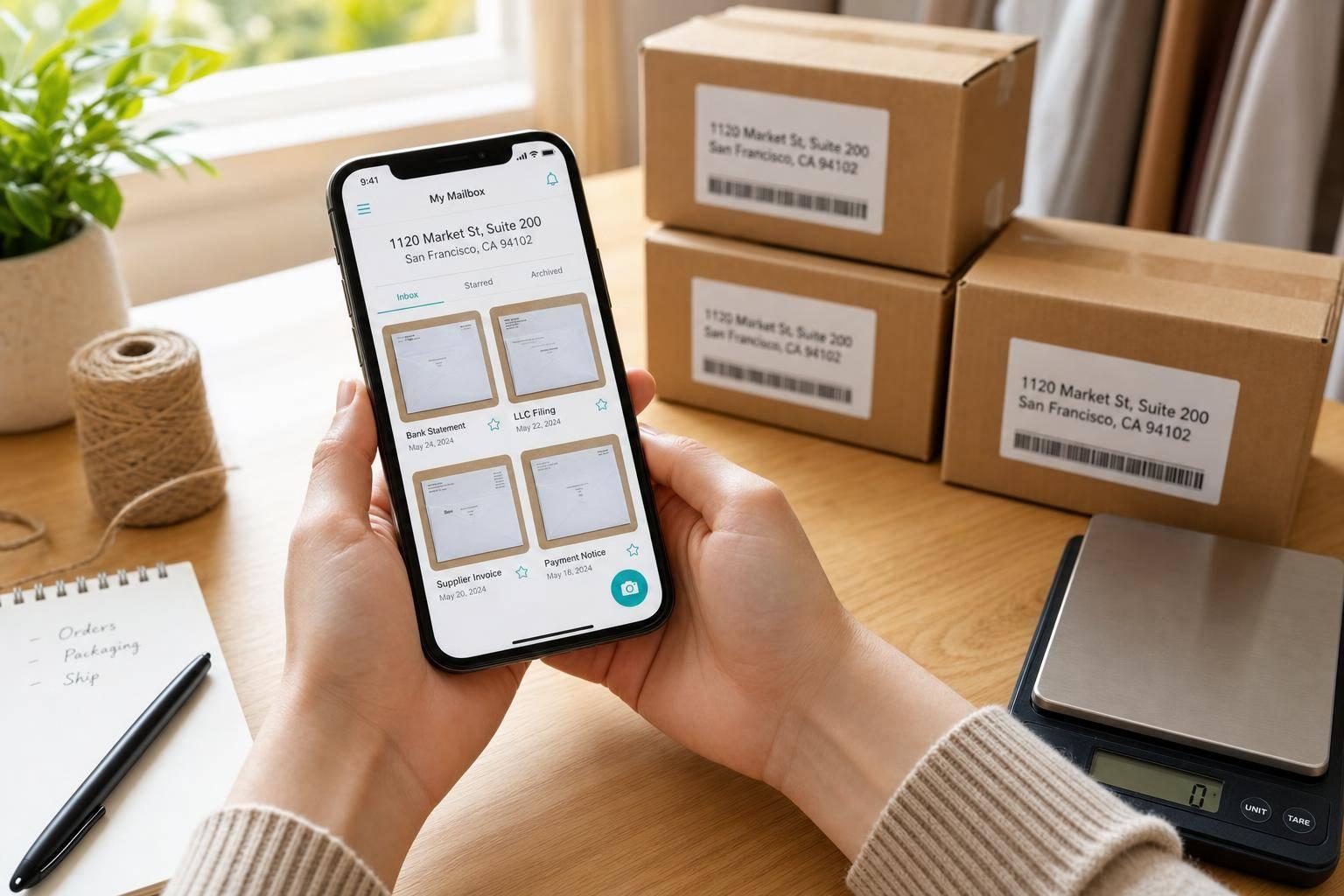
A virtual mailbox helps by scanning each piece when it arrives, so you can see it in your dashboard that same day. Some plans also accept returns, scan incoming items, and let you choose what happens next:
- Forward them
- Hold them
- Discard them
If you use Shopify for your LLC, you can add the virtual mailbox as a non-fulfillment location. That lets you route returns there without moving your main inventory.
Mail access for remote and travel-based business owners
If you run your store from another state – or even from outside the U.S. – a virtual mailbox gives your business one fixed U.S. address. You can use that address for your bank, your LLC filing, and your Etsy or Shopify account settings no matter where you’re working from.
Most providers also offer mobile app access, so you can open, forward, or shred mail from anywhere. That makes day-to-day store admin a lot easier whether you work from home, on the road, or abroad.
sbb-itb-ba0a4be
Features to look for in a virtual mailbox for ecommerce
Mail scanning, forwarding, and check deposit
Mail scanning is the feature that makes a virtual mailbox worth having for online sellers. When mail comes in, the provider takes a photo and uploads it to your dashboard, usually within 24 to 48 hours. So if you get an IRS notice, a state compliance letter, or a supplier invoice, you can review it fast instead of waiting for someone to open it in person. That’s the whole point: your mail becomes something you can handle from anywhere.
Mail forwarding is a separate feature. Scanning lets you view the item online. Forwarding sends the physical document to you when you need the original copy. It helps if the provider shows a photo before you pay for shipping. That way, you can decide if forwarding that piece of mail is worth the cost.
Check deposit can also help. If your business still gets paper checks, some providers will deposit them into your bank account for a small fee.
Address type, recipient limits, and dashboard access
Not all virtual mailbox addresses are the same. Before you sign up, make sure the address is a real U.S. street address in a commercial building, not a PO Box and not a residential address. That kind of address matters for LLC formation, marketplace verification, and supplier trust.
Recipient limits matter too. Every person or business name that gets mail has to be listed on the plan. If you run one business name and don’t get much mail, a basic plan may do the job. If you have a partner or use more than one business name, you’ll need a plan that allows extra recipients.
The dashboard is where you’ll do most of the work. You’ll use it to view scans, request forwarding, archive files, and toss unwanted mail. A simple dashboard that works well on mobile can save you a lot of weekly admin time.
Must-have features vs. nice-to-have extras
Some features are non-negotiable. Others are nice if you need them.
| Feature | Why It Matters for Etsy Sellers | Why It Matters for Shopify Sellers | Priority |
|---|---|---|---|
| Real Street Address | Required for shop identity verification and LLC registration | Necessary for Stripe/PayPal verification and tax compliance | Must-Have |
| Mail Scanning | Instant access to IRS notices and supplier invoices | Remote management of legal and business correspondence | Must-Have |
| Mobile Dashboard | Manage mail from anywhere without a physical office | Handle vendor documents and compliance notices on the go | Must-Have |
| Package & Return Handling | Keeps customer returns out of your home | Helps centralize returns and other business mail in one place | Must-Have |
| Check Deposit | Useful for wholesale payments or occasional paper checks | Helps manage B2B orders or traditional vendor refunds | Nice-to-Have |
One practical point here: changing providers later can be a huge time drain. It’s not just the dollar cost. You may need to update your address across your LLC, IRS records, bank, and marketplace accounts. That can take 50 to 100 hours of admin work. Picking the right plan at the start can save you from that mess.
Once you know which features matter most, you can match them to your mail volume and how your business is set up. Then it becomes much easier to choose a plan that fits your store.
How to choose and set up the right virtual mailbox
Picking a plan based on mail volume and business structure
Once you know which features matter, the next move is simple: pick the smallest plan that still fits your mail volume and recipient count.
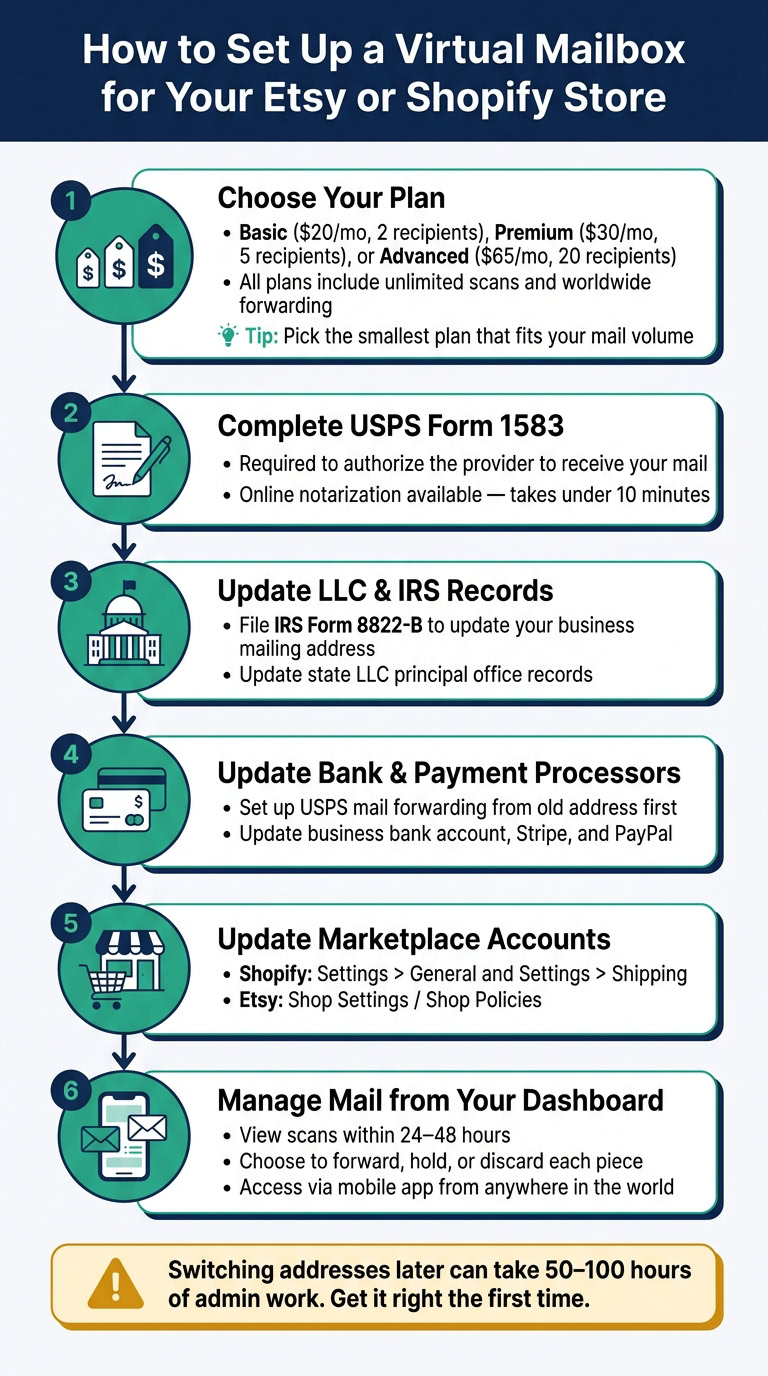
BusinessAnywhere has three plans billed annually:
| Plan | Price/Month | Recipients |
|---|---|---|
| Basic | $20 | 2 |
| Premium | $30 | 5 |
| Advanced | $65 | 20 |
All plans come with unlimited scans and worldwide forwarding.
A good rule of thumb: match the mailbox address to your LLC’s state records, understanding the difference between a virtual mailbox and a registered agent. That keeps your filings, EIN records, and state documents lined up. It sounds small, but this is the kind of detail that can save you a headache later.
After your plan is active, update every record in a set order. That way, mail, checks, and verification notices go to the right place from day one.
Updating Etsy, Shopify, IRS, and business records
Use this order to avoid address mismatches across tax, banking, and marketplace records:
- Update LLC state filings and file IRS Form 8822-B to change your business mailing address with the IRS.
- Update your business bank account and set up USPS mail forwarding from your old address. Do this only after the mailbox is active, since verification letters need to go somewhere current.
- Update payment processors like Stripe and PayPal, then your store platforms including Shopify and Etsy.
Complete USPS Form 1583 at signup. This form allows the mailbox provider to receive your mail. Many providers offer online notarization, and that can get the job done in under 10 minutes.
| Platform / Record | Where to Update | Why It Matters |
|---|---|---|
| IRS | Form 8822-B | Ensures tax notices reach you |
| LLC / State | Principal office / registered agent records | Keeps public filings accurate |
| Shopify | Settings > General and Settings > Shipping | Used for billing, tax compliance, and return labels |
| Etsy | Shop Settings / Shop Policies | Builds buyer trust and keeps storefront details consistent |
| Bank Account | Business bank profile | Must match payment processor records to avoid holds |
| Stripe / PayPal | Account settings > Business info | Mismatches here can delay payouts |
Conclusion
A virtual mailbox gives Etsy and Shopify sellers one address for mail, compliance, and privacy. Pick the right plan once, update your records in the right order, and let the mailbox handle the back-office stuff while you focus on selling.
FAQs
Can I use a virtual mailbox as my LLC address?
Yes. In most states, you can use a virtual mailbox as your LLC’s principal business address because it gives you a verifiable commercial street address instead of a P.O. Box.
That can make a big difference if you want to protect your privacy and keep your home address off public filings. One small but important catch: if your state requires legal service of process at that address, check whether the provider also offers registered agent services.
Will Etsy or Shopify accept a virtual mailbox address?
Yes – both Etsy and Shopify can accept a virtual mailbox address if it gives you a real street address, not a P.O. Box.
A CMRA-certified virtual mailbox can help you meet account, tax, and shipping rules while keeping your home address private. Just make sure you use the full street address exactly as your service provides it. If your details don’t match across your accounts, you could run into compliance checks or payment holds.
What happens to returns sent to a virtual mailbox?
When customers send returns to your virtual mailbox, the facility receives the package and lets you know right away with photos. You can check the images yourself or ask for an inspection through a secure online portal.
From there, you choose the next step: have the item forwarded, held for batch processing, or thrown away if it’s damaged. That keeps your home address private and gives your return process a more professional feel.