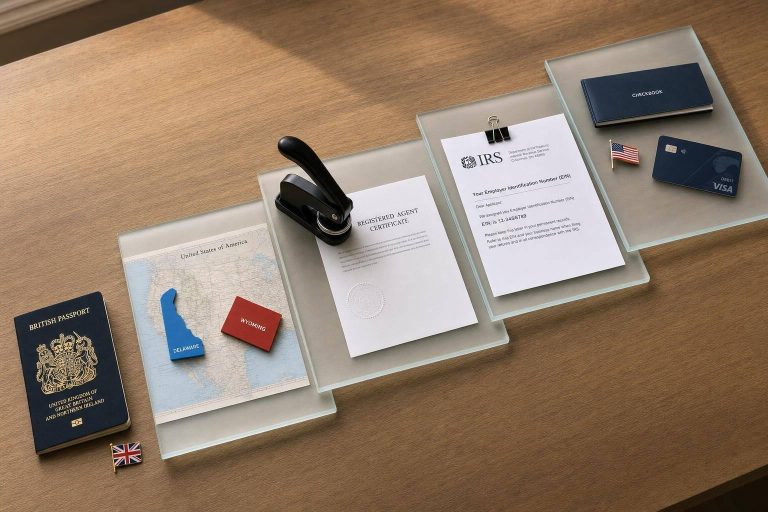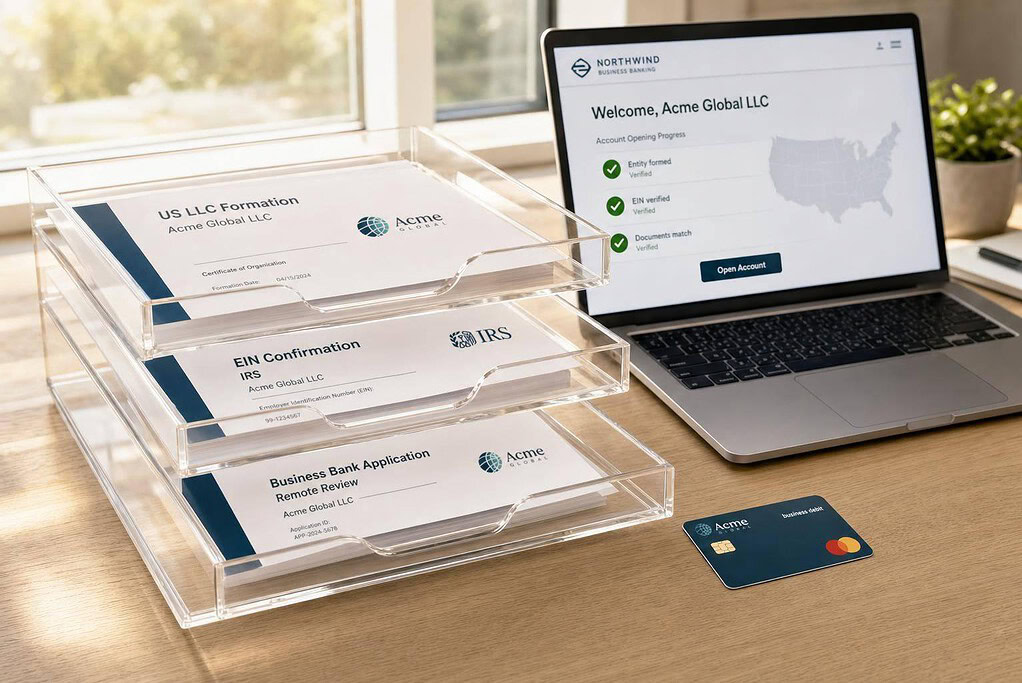
Yes, you can open a U.S. business bank account from abroad. In most cases, I need a U.S. LLC or C-Corp, an EIN, a passport, proof of address, and a clear business description. Most remote reviews take 1 to 7 business days, and many banks check any owner with 25% or more of the company.
Here’s the short version:
- I form the U.S. company first.
- I get the EIN next, even without an SSN.
- I make sure my name, company name, and addresses match exactly on every document.
- I check if my country and industry are allowed.
- I apply online, pass ID checks, and send the first deposit.
A few facts matter most:
- 25%+ owners usually must be disclosed and verified.
- A new EIN may need a few days before a bank can confirm it.
- High-risk sectors like crypto, gaming, adult, and some finance often face more review.
- First funding can range from about $30 to $1,000+ depending on the provider.
The shortest path is simple: set up the company, get the EIN, prepare clean documents, then apply once.
What I like about this process is that it is not about filling forms fast. It is about avoiding small errors that cause delays or a flat rejection. A vague business description, a name mismatch like “LLC” vs. “L.L.C.”, or using the wrong address field can stop the application.
Before I apply, I focus on four things:
- Entity setup: LLC or corporation is active
- Tax ID: CP 575 or 147C for the EIN
- Identity: valid passport and proof of home address
- Fit: bank supports my country, business type, and remote signup
If I get those right, the rest is mostly document upload, identity checks, and funding the account.
Eligibility and Documents You Need Before You Apply
Who can typically qualify as a non-resident business owner
Before you apply, make sure your business setup and country can pass review. Most remote-friendly banks want a U.S. LLC or corporation plus an EIN. In many cases, you do not need a Social Security Number (SSN) or U.S. residency to qualify with remote-friendly fintech platforms.
That said, your citizenship and country of residence still matter. These platforms keep prohibited-country lists, and applicants from OFAC-sanctioned countries like Iran, North Korea, or Russia are often denied right away. FinCEN’s Customer Due Diligence (CDD) Rule also requires banks to identify and verify every person who owns 25% or more of the business. You’ll also need one control person, such as a CEO or managing member.
Document checklist for remote banking applications
Each bank has its own process, but the core paperwork tends to look the same. Here’s the short version of what most platforms will ask for.
| Document | Purpose in Application | Key Detail to Verify |
|---|---|---|
| Articles of Organization/Incorporation | Proves the legal entity exists | Must show the state-stamped approval date |
| IRS CP 575 or 147C Letter | Official federal Tax ID verification | Business name and address must match the Articles exactly |
| Valid Passport | Primary identity check for all 25%+ owners | Must be valid, and the name must match all other documents |
| Operating Agreement | Confirms ownership structure and control | Must list all owners with 25%+ stake |
| Proof of Residential Address | Verifies the owner’s physical home address | Utility bill, lease, or bank statement in the owner’s name; no P.O. Box |
| Business Address Evidence | Confirms where the business operates | Legal address: formation or registered-agent address. Operating address: your actual home-country residence. |
| Business Description + Expected Activity | Supports KYB review | Be specific about what you sell, to whom, and your projected monthly volume |
One small mismatch can throw the whole thing off. Your passport name, formation papers, EIN letter, and bank application should use the same spelling and name order. Your company name also needs to match across the Articles, EIN letter, and application.
Addresses trip up a lot of people too. The Legal Address is usually your registered agent’s address from the formation documents. The Physical/Operating Address is your actual home address in your home country. Mix those up, and your application can get rejected.
Compliance checks that affect approval
Banks run KYC checks on the owners and KYB checks on the business. They also run AML and sanctions screening. The goal is simple: confirm who you are, confirm the business is real, and make sure neither one appears on prohibited lists.
A few problems cause most delays:
- Name mismatches: If your passport uses a different romanization than your LLC filing, the system may flag it.
- Weak business descriptions: Broad terms like “consulting” or “software services” often trigger manual review or denial. A tighter description like “SaaS development for healthcare” tends to work better.
- Address inconsistencies: Use a real physical address. Virtual mailbox addresses often lead to manual review or denial.
If your documents are clean, consistent, and easy to verify, the bank’s review tends to go much more smoothly. The next step is setting up the company and pulling together the records the bank will check.
sbb-itb-ba0a4be
How to Set Up Your U.S. Business Before Opening a Bank Account
Form the company and get an EIN without an SSN
Form the company first, get the EIN next, and then open the bank account. That order matters. Banks don’t just want to see that your business exists. They want a file they can check fast, with no loose ends.
Start by picking your formation state and filing the business. Once that’s done, the state issues your Articles of Organization for an LLC or Articles of Incorporation for a corporation.
If you don’t have an SSN or ITIN, file Form SS-4 by fax or mail and write "Foreign" in the SSN field. Banks usually ask for the CP-575 or 147C letter, not a screenshot or a receipt.
Have your formation documents and EIN records ready before you apply. Once the entity is in place and the EIN is being processed, the next move is to get your address and records ready for bank review.
Get the right U.S. address and organize your records
Remote approval depends on more than formation paperwork. Banks also check whether the business can actually be reached at the address you provide.
Use a real physical street address for banking. Don’t use a P.O. box or a registered-agent address. A virtual office with its own suite number is a common fix.
Before applying, put together one clean digital folder with high-resolution scans of these documents:
| Document | What to Confirm |
|---|---|
| Articles of Organization or Incorporation | State-stamped and matches the EIN letter exactly |
| EIN Confirmation Letter (CP-575 or 147C) | Business name matches formation documents |
| Operating Agreement | Lists all owners with 25%+ stake |
| Valid Passport | Name matches all other documents |
| Proof of Residential Address | Utility bill, lease, or bank statement from the last 90 days |
| Virtual Office Lease or Agreement | U.S. street address with suite number |
It also helps to include a clear business description and proof of activity in that same folder. Think of it like packing for airport security: if everything is neat, matched, and easy to inspect, the process tends to go much smoother.
Keep one clean digital file and use that same file when you apply. Once your records are in order, you’re ready for the application step.
How to Open a U.S. Business Bank Account Remotely: Step by Step
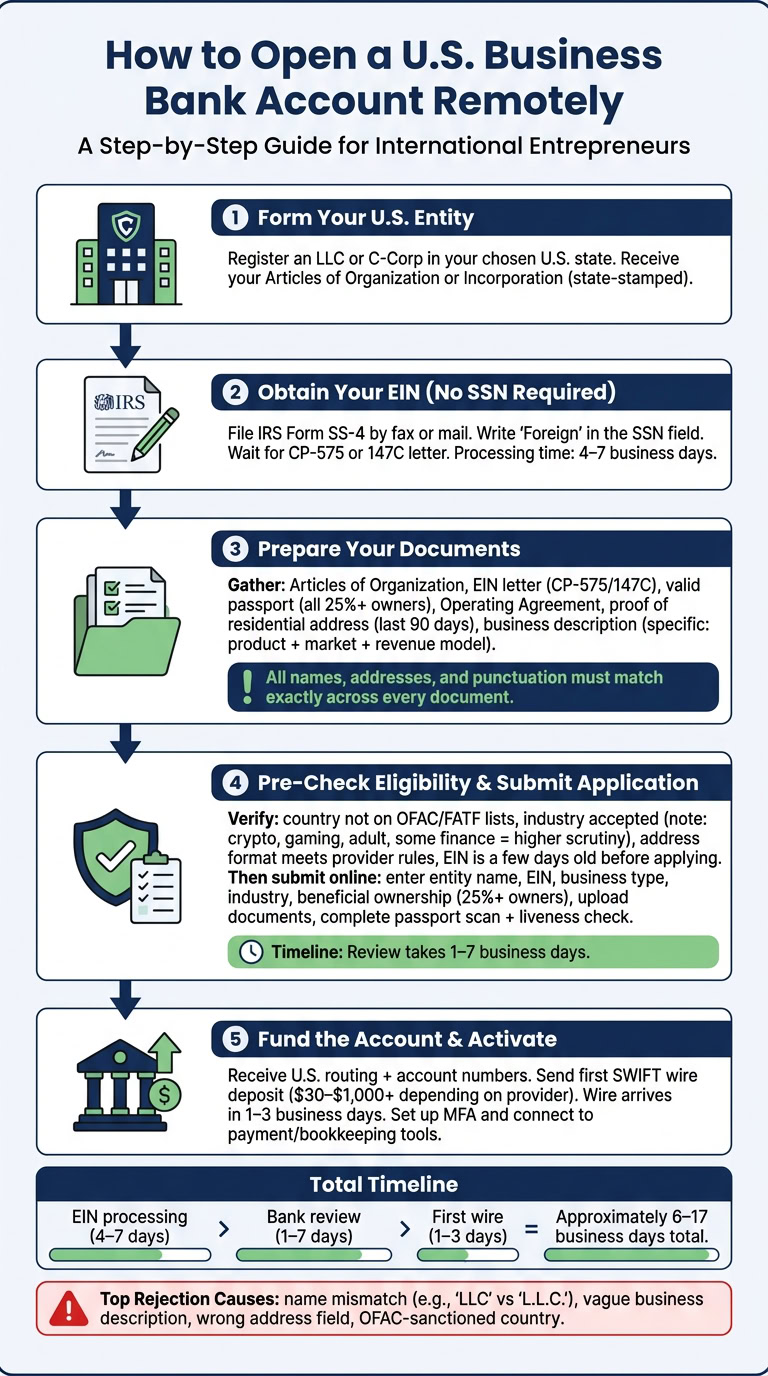
Pre-application check: country support, business type, and document quality
Before you submit anything, make sure the provider will even accept your setup. That means checking your country, your industry, and your business address first.
Start with sanctions and country-risk checks. Look at OFAC sanctions, then review the FATF high-risk country lists. If your country is OFAC-sanctioned, you’re blocked. If it’s on the FATF high-risk list, expect extra review or a possible rejection.
Industry matters too. Businesses in crypto, gaming, adult services, and some financial services tend to face much higher rejection rates. They also often get pulled into extra compliance checks. If that’s your space, plan for a longer review and have extra paperwork ready from the start.
Document quality can make or break the application. Upload clean, easy-to-read scans with all four corners visible. Small issues, like a name mismatch or even punctuation that doesn’t line up, can send your file into manual review.
Submit the application and complete identity verification
Once the pre-check looks good, the application process is usually pretty straightforward.
Many providers let you apply without an SSN. Your EIN, though, is a must. You’ll enter your legal entity name, EIN, business type, and industry. You’ll also need to describe what the business does in plain English. That description matters because banks use it to judge risk.
Then comes beneficial ownership disclosure. Banks want details on every person who owns 25% or more of the company, along with ID and address information. After that, you’ll upload your formation documents, your Operating Agreement, and your IRS EIN confirmation letter, either CP-575 or 147C.
The last step is identity verification. In most cases, you’ll upload a high-resolution scan of a valid passport, ideally with at least 6 months left before expiration, and complete a liveness check in the provider’s app or portal. Some providers also ask for a video call. Review times usually run from 1 to 7 business days.
After approval: first deposit and account setup
After approval, the next step is funding the account and turning everything on.
You’ll usually get your U.S. routing number and account number right away. For non-residents, many providers don’t fully activate the account until the first transfer arrives, often through a SWIFT wire. Opening deposit rules depend on the provider. Some start at around $30, while others ask for more than $1,000.
Once the money lands, set up multi-factor authentication and connect the account to your payment tools and bookkeeping software.
Here’s a realistic timing snapshot:
| Stage | Estimated Time |
|---|---|
| EIN via fax for a non-resident without an SSN | 4–7 business days |
| Bank application + KYC review | 1–7 business days |
| First SWIFT wire received | 1–3 business days |
One small but useful tip: if your EIN was just issued, wait a few days before you send in the bank application.
Delays, Denials, and How to Pick the Right Remote Banking Option
Why applications get delayed or denied
Once you have the basic documents ready, the next problem is simple: mismatches. Tiny errors can slow down an application or stop it cold. In many cases, rejections come from file issues that could have been fixed ahead of time.
- Name mismatch: If your application says "Acme LLC" but your Certificate of Formation says "Acme L.L.C.", the system may flag it. The business name, including punctuation, needs to match exactly across every document. A new EIN may also take time to verify, so it helps to wait before applying.
- Vague business description: Terms like "consulting" or "e-commerce" are too broad. Use a clear description that states your product, target market, and how you make money. For example: "SaaS platform for e-commerce analytics serving small retailers in Southeast Asia." That kind of detail can reduce manual review flags.
- Address confusion: Your registered agent address may work for the legal address field. But the physical operating address field needs your actual home or office address. Virtual PO boxes and mail-forwarding services are often rejected for that field.
Here’s the part many people miss: a decline is often treated as final. At many providers, a second application from the same LLC gets auto-rejected without any human review. If the problem looks like a fixable technical issue, contact support before you submit again.
Those same file-quality rules affect both approval speed and final acceptance. So the earlier document checklist still matters here.
Use these common failure points as a filter. If a provider doesn’t fit your country, entity type, or address setup, it’s better to know that before you apply.
How to choose the right remote banking option
The best remote banking option is the one that fits your country, ownership setup, and address situation. Before you apply, check each provider against a few basic points:
- Country support: Does the provider allow applicants from your country of residence? Review OFAC sanctions lists and the provider’s own restricted-country list before you start.
- Business type: High-risk industries like crypto, gaming, adult services, and some financial services often face more rejections and longer reviews. Make sure the provider accepts your line of business before you apply.
- Address rules: Some providers allow a home-country residential address for the physical operating address field. Others want a U.S. address. Get clear on that first.
- Required ID: Many remote-friendly platforms accept a passport and EIN without an SSN. Some ask for an ITIN in practice. Check what the provider actually accepts, not just what the website says.
- Minimum funding: Opening deposit rules vary a lot. Some platforms start at around $30, while others ask for more than $1,000. That can affect both your budget and your timing.
- Full remote onboarding: Make sure the full process can be done from abroad, including the application, identity check, and account activation. Some providers still add an in-person step.
Once you narrow your options, don’t rush the last step. Submit only when every document, business name, and address matches exactly.
Conclusion: The Shortest Path to a Successful Remote Application
Order matters here: form the entity, get the EIN, prepare the documents, then apply.
Have these ready before you submit:
- Certificate of Formation
- IRS CP 575 or 147C letter
- High-resolution passport scan with all four corners visible, at least 300 DPI
- Actual residential address in your home country
- Specific one-paragraph business description naming your product, customers, and revenue model
FAQs
Can I open a U.S. business bank account without visiting the U.S.?
Yes. While many old-school banks still want you to show up in person, some fintech platforms let non-residents apply from abroad.
In most cases, you’ll need to set up your U.S. business first and get an EIN. You’ll also usually be asked for:
- Your passport
- Your business formation documents
- Proof of business activity
Some platforms may also ask for a physical U.S. address, not just a registered agent address.
What if my bank application is denied?
A denial often means the bank couldn’t verify your information or flagged your profile for compliance reasons. It doesn’t always mean you don’t qualify.
One thing to avoid: sending in multiple applications right away. If you keep applying after a rejection, you may lower your odds the next time.
Before you reapply, look for common problems such as:
- Missing or incomplete documents
- A business description that’s too vague
- Using a registered agent address when the bank wanted a physical address
Also, make sure your documents match your entity records exactly. Even small mismatches can cause trouble.
Do I need a U.S. address to apply remotely?
That depends on the banking provider.
Some banks will accept a registered agent address for legal purposes. Others now ask for a physical U.S. street address tied to the day-to-day side of the business.
In most cases, P.O. boxes, virtual offices, and standard mail-forwarding addresses won’t pass. Before you apply, check the provider’s address rules so you don’t hit a wall halfway through the process.